- التسوق ، اصبح سهلا.
- /
- احصل على التطبيق!
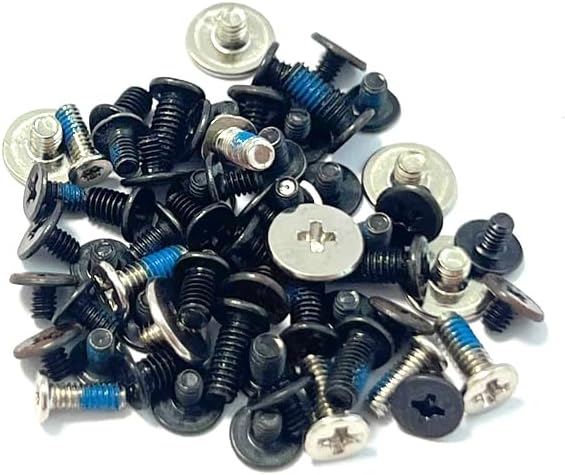
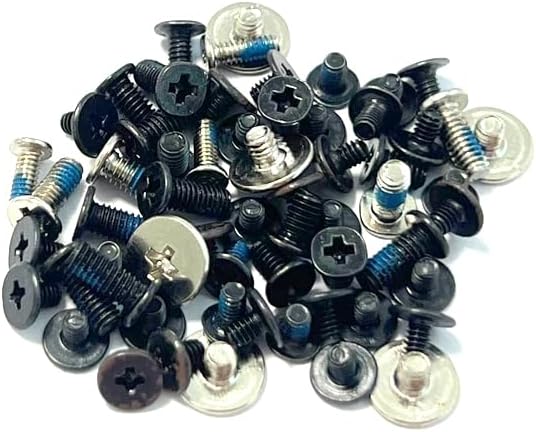
Complete set of Screws for Laptop Replacement for HP ENVY X360 15-BP 15M-BP 15T-BP 15-BQ 15M-BQ 15Z-BQ series
p/n:924359-001 924342-001
Compatible Models
ENVY X360 15-BP 15M-BP series
ENVY X360 15-BP111DX
ENVY X360 15-BP075nr
ENVY X360 15-BP143CL
ENVY X360 15-BP152WM
ENVY X360 15-BP165CL
ENVY X360 15-BP194CL
ENVY X360 15M-BP111DX
ENVY X360 15M-BP112dx
ENVY X360 15-BQ 15M-BQ series
ENVY X360 15-BQ175NR
ENVY X360 15-BQ213CL
ENVY X360 15-BQ008CA
ENVY X360 15-BQ051NR
ENVY X360 15-BQ075NR
ENVY X360 15-BQ108CA
ENVY X360 15-BQ110NR
ENVY X360 15-BQ210NR
ENVY X360 15-BQ275NR
ENVY X360 15M-BQ021DX
ENVY X360 15M-BQ121DX
Installation Precautions
Diagonal step-by-step fixing: tighten the screws step-by-step in diagonal order to avoid uneven stress on the bottom shell resulting in gaps or dFEormation.
Stage-by-stage tightening: screw all the screws in gently first (without tightening), make sure the bottom shell is aligned and then gradually reinforce it.
Strength control: Screws can be tightened until they stop naturally, do not use excessive force to avoid slipping or damaging the threads.
Checking the closure: After installation, gently press around the bottom shell to make sure there is no warping or gap. If there is any abnormality, re-check the screws to make sure they are aligned.
 مجموعة مفصلات شاشة LCD للكمبيوتر المحمول مجموعة استبدال الذراع الأيسر والأيمن لجهاز Lenovo Yoga 7-14ITL5 82BH Yoga 7-14ACN6 82N7,5H50S28981 5H50S28982 5H50S29023
SAR 522
مجموعة مفصلات شاشة LCD للكمبيوتر المحمول مجموعة استبدال الذراع الأيسر والأيمن لجهاز Lenovo Yoga 7-14ITL5 82BH Yoga 7-14ACN6 82N7,5H50S28981 5H50S28982 5H50S29023
SAR 522
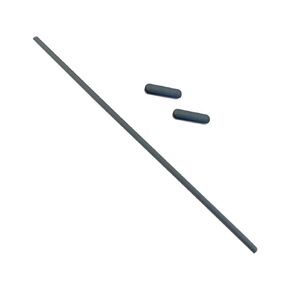 3 قطع من شريط أقدام مطاطية مضادة للانزلاق وغطاء سفلي لجهاز Lenovo ThinkBook 15 G2 are 20VG/15 G2 ITL 20VE/15 G3 ACL 21A4/15 G3 ITL 21A5/15 G4 IAP 21DJ شرائط أقدام مطاطية للكمبيوتر المحمول
SAR 47
3 قطع من شريط أقدام مطاطية مضادة للانزلاق وغطاء سفلي لجهاز Lenovo ThinkBook 15 G2 are 20VG/15 G2 ITL 20VE/15 G3 ACL 21A4/15 G3 ITL 21A5/15 G4 IAP 21DJ شرائط أقدام مطاطية للكمبيوتر المحمول
SAR 47
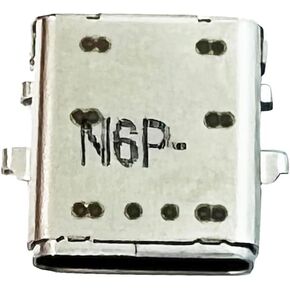 نوع C تيار مستمر مقبس الطاقة شحن ميناء موصل التوصيل استبدال ل HP CHROMEBOOK 11MK G9 EE/CHROMEBOOK 11 G7 EE
SAR 53
نوع C تيار مستمر مقبس الطاقة شحن ميناء موصل التوصيل استبدال ل HP CHROMEBOOK 11MK G9 EE/CHROMEBOOK 11 G7 EE
SAR 53
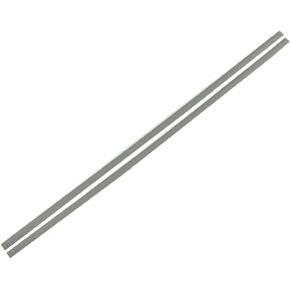 شرائط أقدام مطاطية بديلة لأجهزة الكمبيوتر المحمول HP 15-DY 15T-DY 15-EF 15S-FQ 15S-EQ 15-FR 15-ER 15S-FR TPN-Q222/230 للحافظة السفلية للكمبيوتر المحمول غير قابلة للانزلاق من السيليكون وشرائط القدم المطاطية L63597- 001
SAR 48
شرائط أقدام مطاطية بديلة لأجهزة الكمبيوتر المحمول HP 15-DY 15T-DY 15-EF 15S-FQ 15S-EQ 15-FR 15-ER 15S-FR TPN-Q222/230 للحافظة السفلية للكمبيوتر المحمول غير قابلة للانزلاق من السيليكون وشرائط القدم المطاطية L63597- 001
SAR 48