- Shopping, made easy.
- /
- Get the app!
Features
The controller back button attachment provides small players with a more convenient and enjoyable gaming experience. It makes for the perfect gift for any gaming enthusiast.
Specification
Size: 4.53*3.74*1.97 in/11.5*9.5*5 cm
Weight: 0.6 ounces/17 g
Material: ABS Plastic
Color: Black
Function Setting
1. Programming Function Setting: Press and hold the SET key for 2 seconds, the corresponding LED will flash fast (4Hz), then press the M1 or M2 key briefly, the LED will flash slowly on the corresponding function silkscreen (the order of lighting is ╳, ○, △, □, R3, L3, R2, L2, R1, L1), then press the SET key, then the corresponding function is mapped to the M1/2.
2. Cancellation function: Long press SET key for 5 seconds, the programming indicator LED changes from flashing to off, then the M1/2 function is cleared, at this time, the key has no programming function.
3. Programming key memory function: Insert the back key expander into the handle, if M1/2 has no function, the LED1 will flash slowly (2HZ) for 3 seconds and then go out, long press the SET key to enter the programming mode and then the LED1 will flash fast; if M1/2 remembers the last programmed function, then the corresponding LED will light up long time. If M1/2 remembers the last programming function, the corresponding LED light will be on. Power off to save the memory of the previous programming function; plug in the handle again to retain the last programming function, the factory default is no programming function.
4. Turbo Function Setting: Press and hold the function key and Turbo key at the same time, the function key will have Turbo function; press the above key combination again, the Turbo function of the key will be cancelled. If Turbo function is set, the LED corresponding to the function will flash fast (4HZ) after pressing the key.
&nb

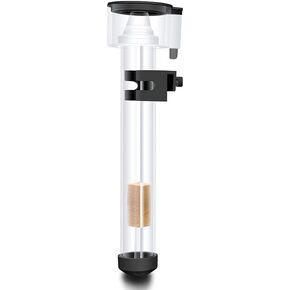 Wokyo Protein Skimmer External Mini Aquarium Filters Separator Hang On Back with IQ5 Aquarium Filter Accessory for Saltwater Fish Tank
SAR 217
Wokyo Protein Skimmer External Mini Aquarium Filters Separator Hang On Back with IQ5 Aquarium Filter Accessory for Saltwater Fish Tank
SAR 217
 Cs Safety Mesh Goggles High Density Metal Mesh Pattern Goggle Safety Glasses for Outdoor Games Sports Cycling
SAR 0
Cs Safety Mesh Goggles High Density Metal Mesh Pattern Goggle Safety Glasses for Outdoor Games Sports Cycling
SAR 0
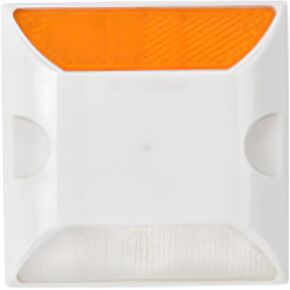 Road Reflectors Driveway Markers 20 Pack, Road Reflector 4" by 4" Double Sided Reflective Pavement Ground Markers Road Studs Asphalt Concrete Driveway Reflectors for Street Highway
SAR 0
Road Reflectors Driveway Markers 20 Pack, Road Reflector 4" by 4" Double Sided Reflective Pavement Ground Markers Road Studs Asphalt Concrete Driveway Reflectors for Street Highway
SAR 0
 5PCS Rotary Cutter Blades, 45mm Perforating Rotary Replacement Blade with Plastic Box Crochet Edge Skip Blades for Cutting Crafting (15 Teeth)
SAR 82
5PCS Rotary Cutter Blades, 45mm Perforating Rotary Replacement Blade with Plastic Box Crochet Edge Skip Blades for Cutting Crafting (15 Teeth)
SAR 82




