- Shopping, made easy.
- /
- Get the app!
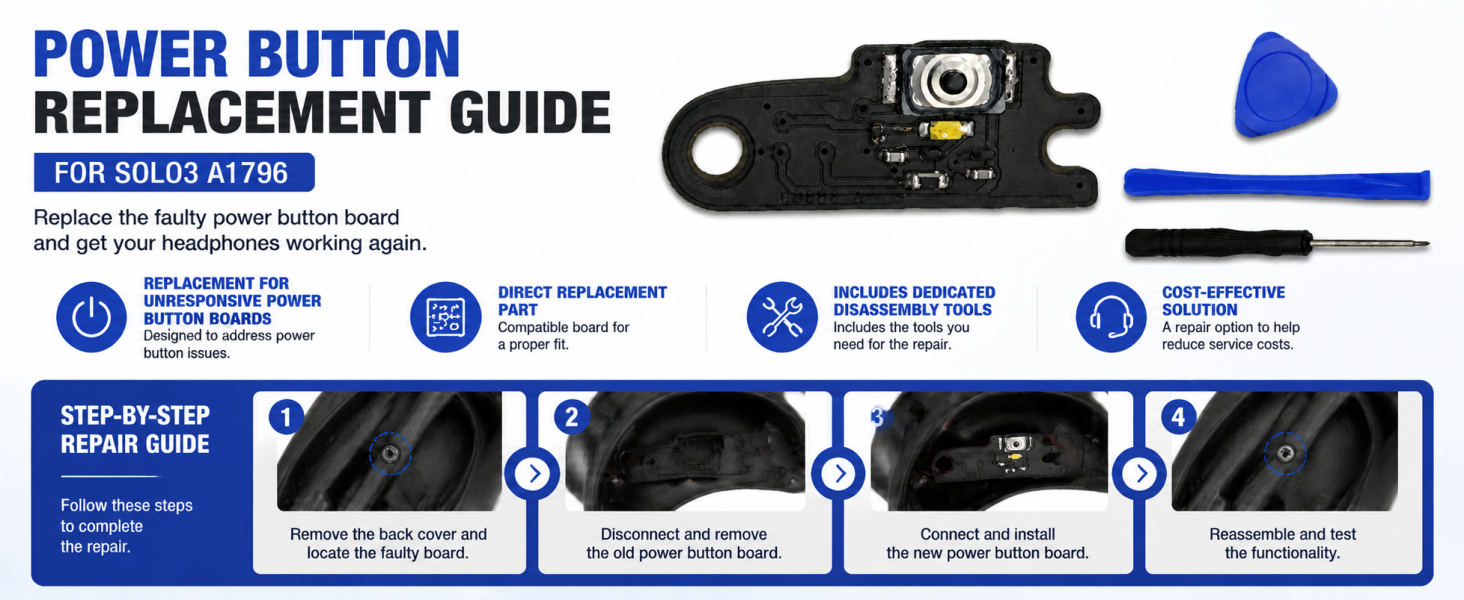
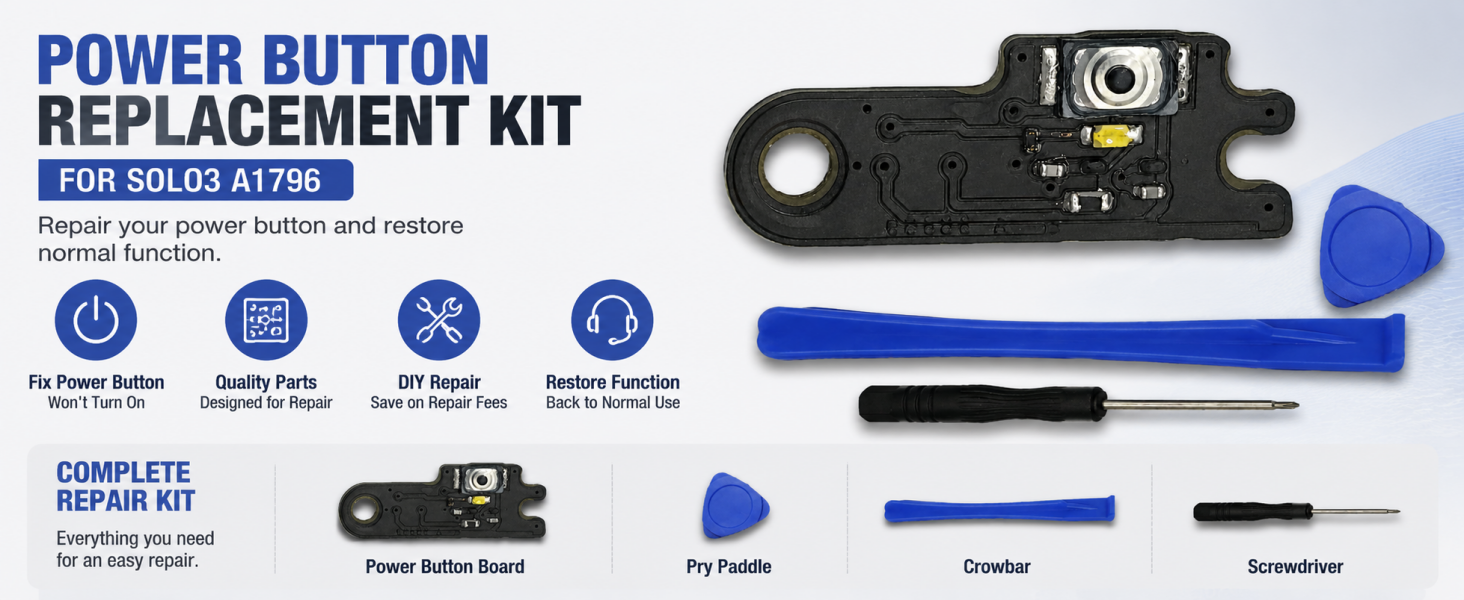
Perfect Compatible with: Beats Solo3, Beats Solo 3, Beats Solo3 A1796.
The full package contains: 1 x Solo3 Power On/Off Button board, 1 x Crowbar, 1 x Phillips screwdriver, 1 x Paddle.
How to repair:
Step 1: Get Crowbar,Screwdriver,Paddle (package included in)
Step 2: Use crowbar+Paddle to pry the headphone logo cover.
Step 3: Use screwdriver to remove the 4 screws on the logo cover.
Step 4: Remove the broken Headphone Power On/Off Button board from the Beats Solo 3 Headphone.
Step 5: Get the new Headphone Power On/Off Button board and use soldering iron to solder firmly.
Step 6: Install the 4 screws.
Step 7: Install logo cover.
Step 8: Now everything is back to normal, power on -- headphones and listen to the wonderful music.
 Charging Board Replacement for Beats Studio 2.0 B0501 Wireless USB
SAR 73
Charging Board Replacement for Beats Studio 2.0 B0501 Wireless USB
SAR 73
 Funayama Charging Port Replacement for Sony WH-1000XM3 Headphones WH1000XM3 Noise Cancelling Headphones USB Charging Connector Charger Board Port Dock incl Repair Kit
SAR 100
Funayama Charging Port Replacement for Sony WH-1000XM3 Headphones WH1000XM3 Noise Cancelling Headphones USB Charging Connector Charger Board Port Dock incl Repair Kit
SAR 100
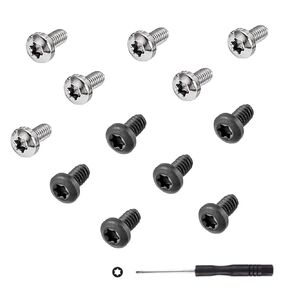 Studio 3 Headband Screws Replacement for Beats Studio 3, Beats Studio 1.0, Beats Studio 2 Headband Screws+Screwdriver Repair Kit (6pcs Silver+6pcs Black)
SAR 32
Studio 3 Headband Screws Replacement for Beats Studio 3, Beats Studio 1.0, Beats Studio 2 Headband Screws+Screwdriver Repair Kit (6pcs Silver+6pcs Black)
SAR 32
 Geekria QuickFit Replacement Ear Pads for Logitech Zone Wireless, Zone 900 Wireless Headphones Ear Cushions, Headset Earpads, Ear Cups Cover Repair Parts (Black)
SAR 63
Geekria QuickFit Replacement Ear Pads for Logitech Zone Wireless, Zone 900 Wireless Headphones Ear Cushions, Headset Earpads, Ear Cups Cover Repair Parts (Black)
SAR 63




