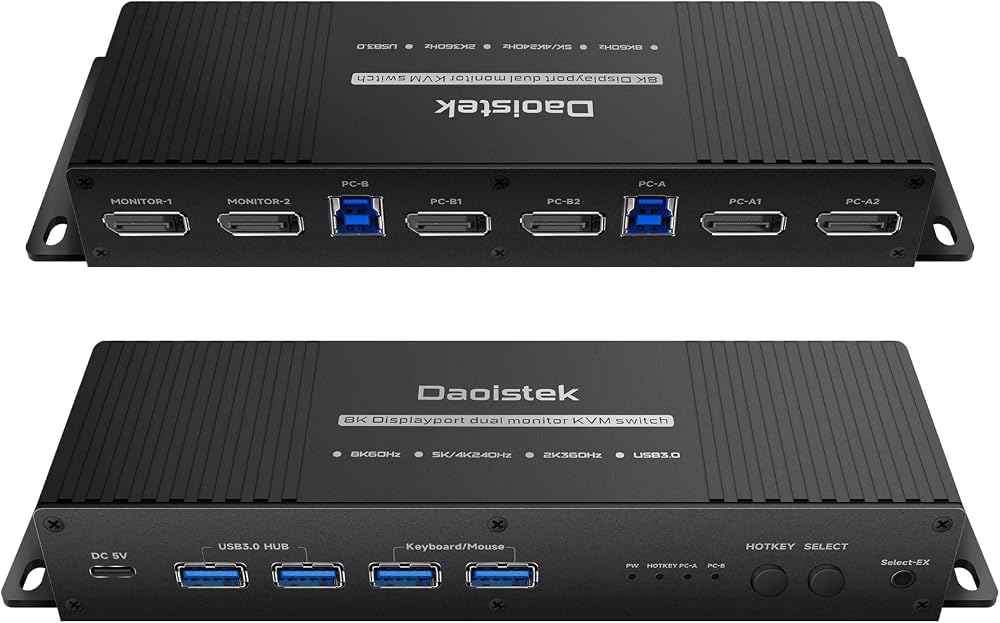
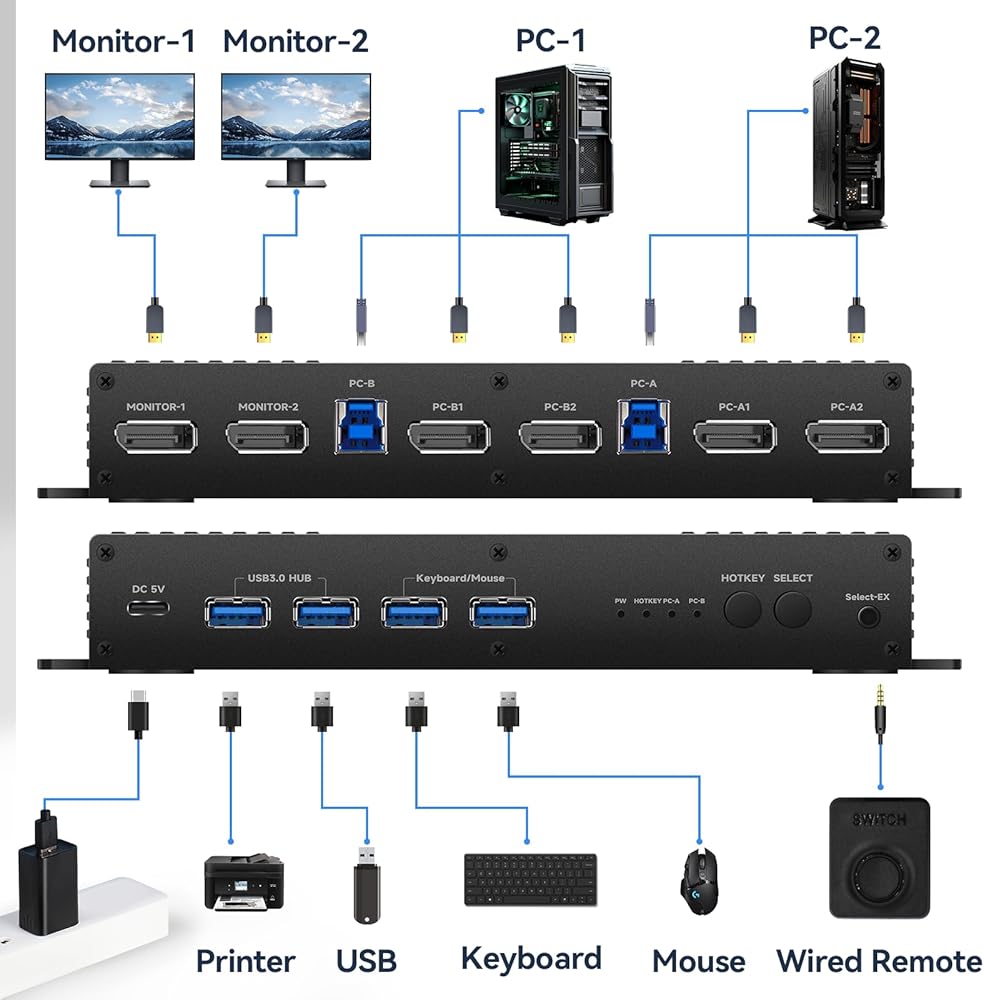
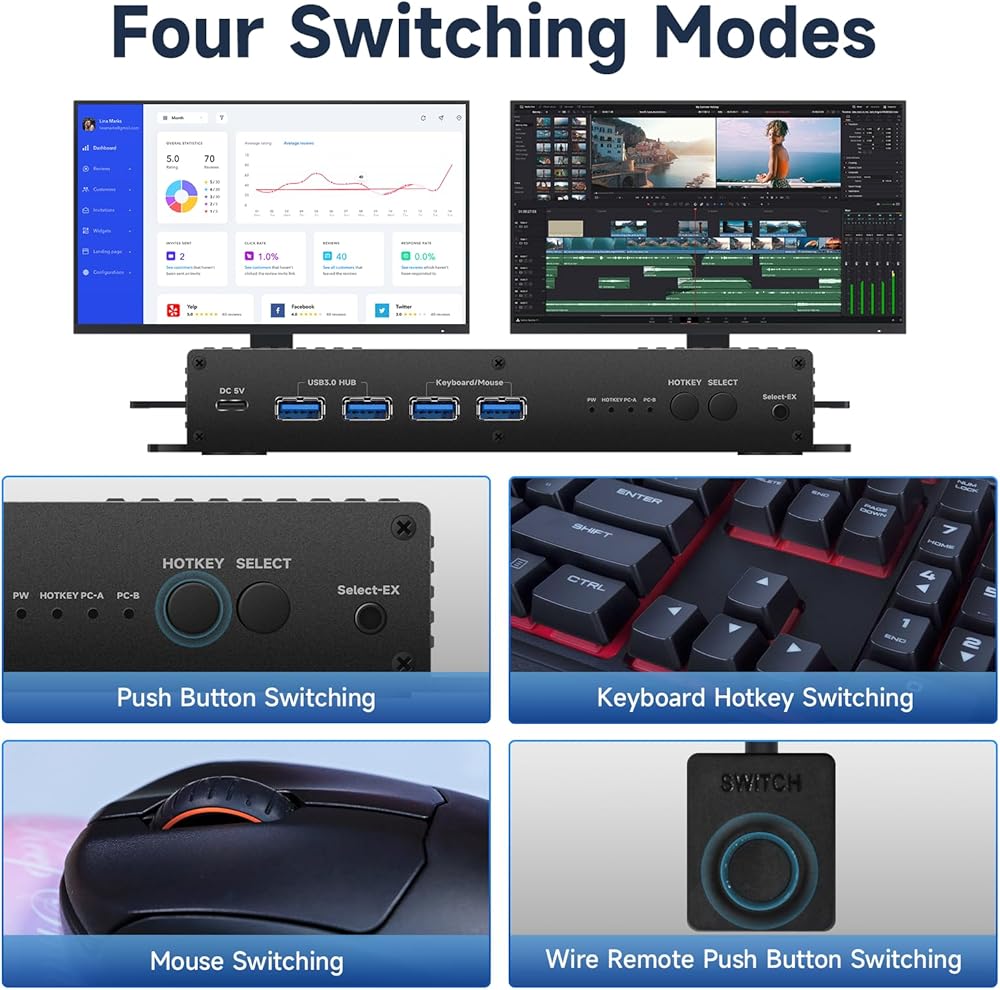
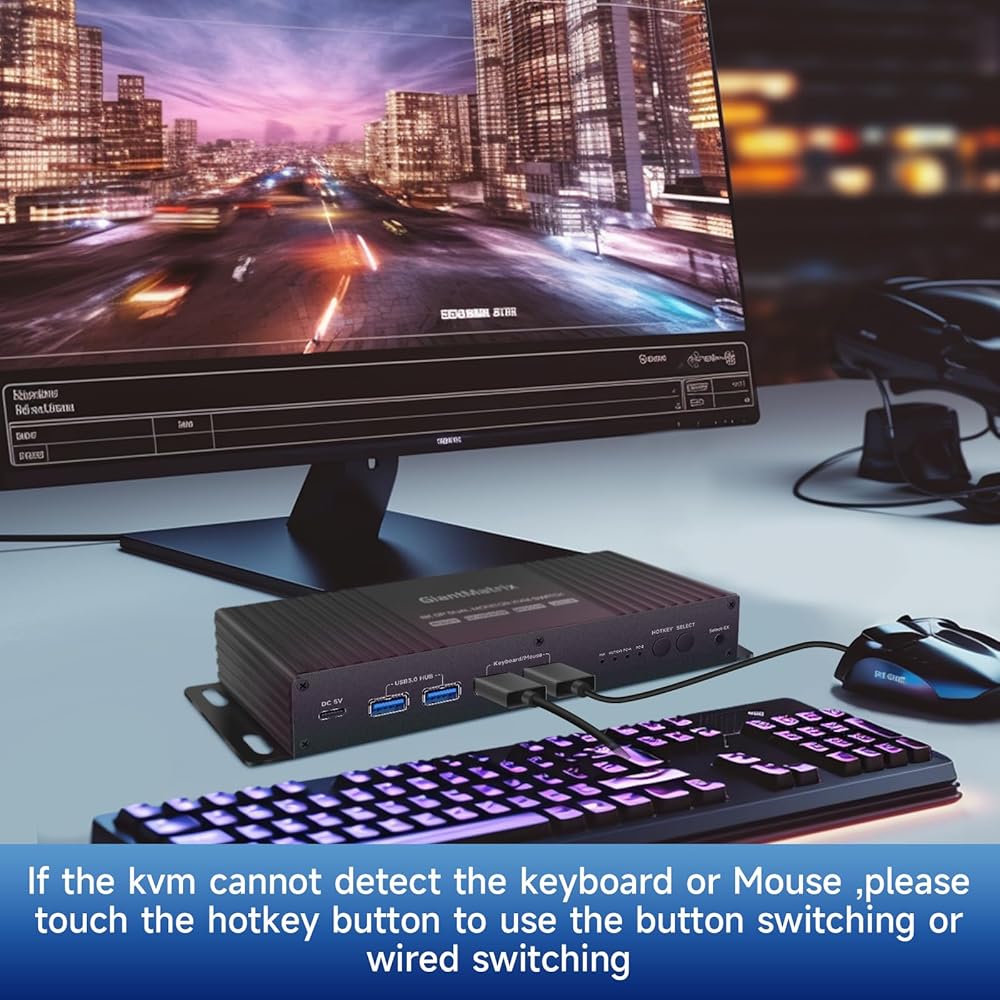
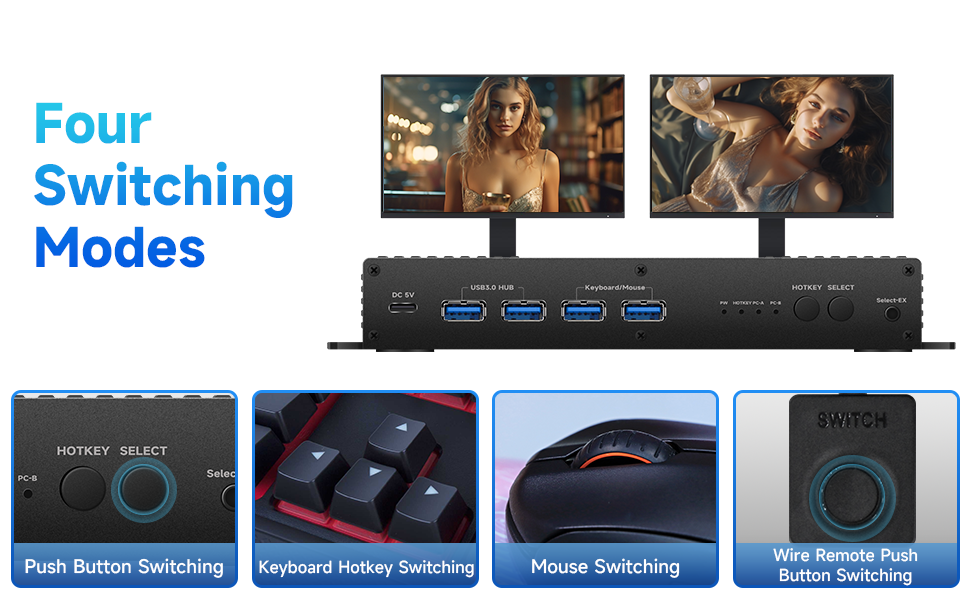
kvm Switch 2 Monitors 2 Computers displayport 4k 165hz :the dp kvm switch support hotkey switching , you can use hotkey to switch between 2 computers,Right Control two times and number 1 and Enter(Right Ctrl+Right ctrl+1+Enter),you will switch to PC-A, and (Right Ctrl+Right ctrl+2+Enter) you will switch to PC-B. You can use Keyboard Hotkey (Right Ctrl+Right ctrl+B+Enter) to turn off or turn on the Beep for the dual monitor kvm switch.
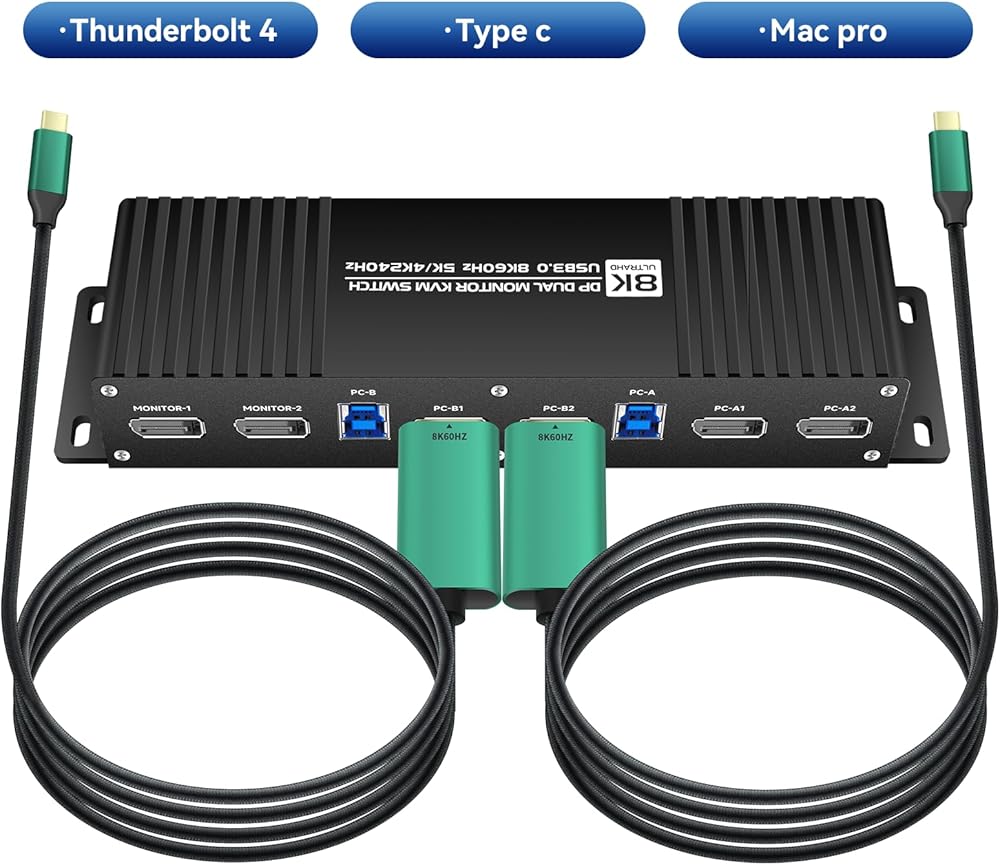
kvm Switch 2 Monitors 2 Computers displayport 4k 165hz :when you computer is thunderbolt output ,and you want one thunderbolt kvm switch ,you can use type c TO dp cable +kvm switch displayport+dp 2.0 cable to monitor,them the thunderbolt input will be OK.
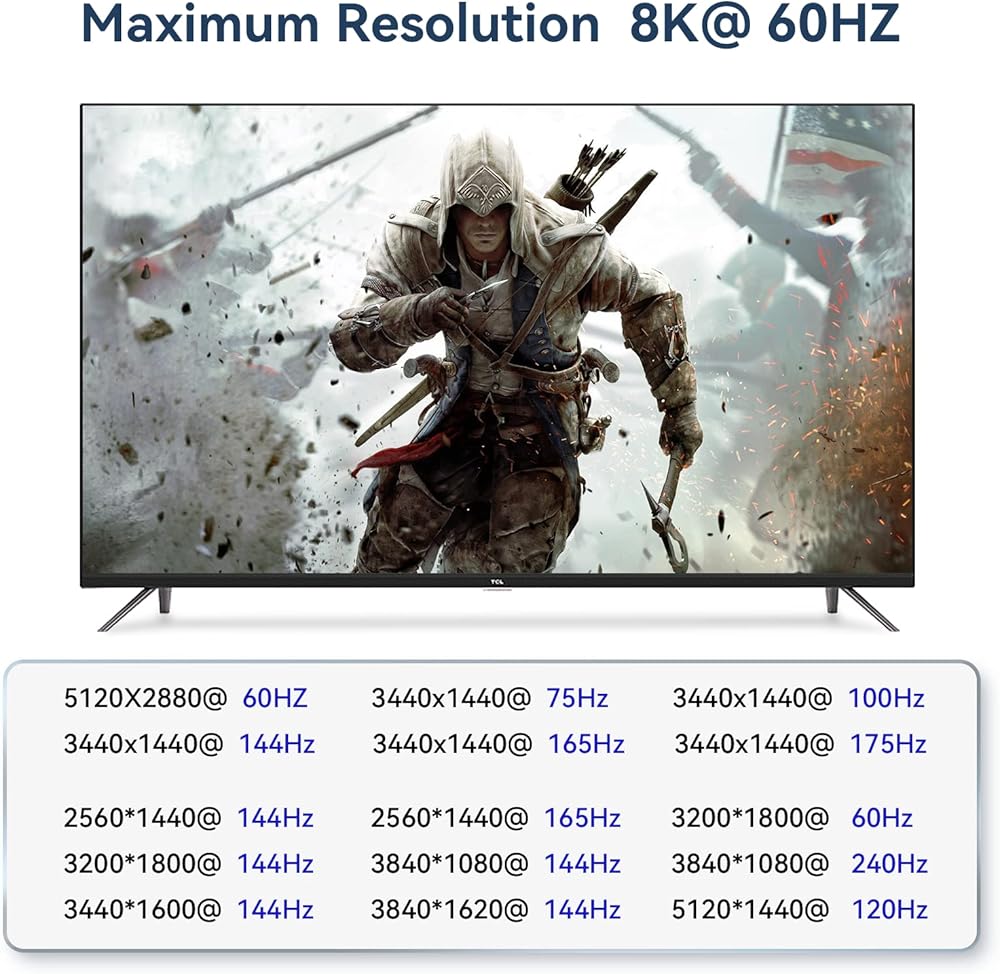
kvm Switch 2 Monitors 2 Computers displayport 4k 165hz Detailed Resolusion: The DP2.0 KVM switch 2 computers 2 monitors displayport 144hz supports max. resolution of 8K@60Hz(No Dsc) dual computer dual monitor, 8K@60Hz, 4K@144Hz, 4K@240Hz , 2560x1440@144Hz 165Hz and 5120*1440@120Hz 1440P 60Hz 75Hz 100Hz 120Hz 144Hz 165hz 175hz 240hz. Final resolution is also subject to graphic cards, monitors, cables and adapters and there work together;
kvm Switch 2 Monitors 2 Computers displayport 4k 165hz COMPATABILITY: the Kvm switch 2 monitors 2 computers Display port 4k 240hz supports most major operation systems like Windows, Linux, Mac and more; also support switch between devices without keyboard and mouse like DVR and NVR; Support webcam, speaker / headphone and microphone;
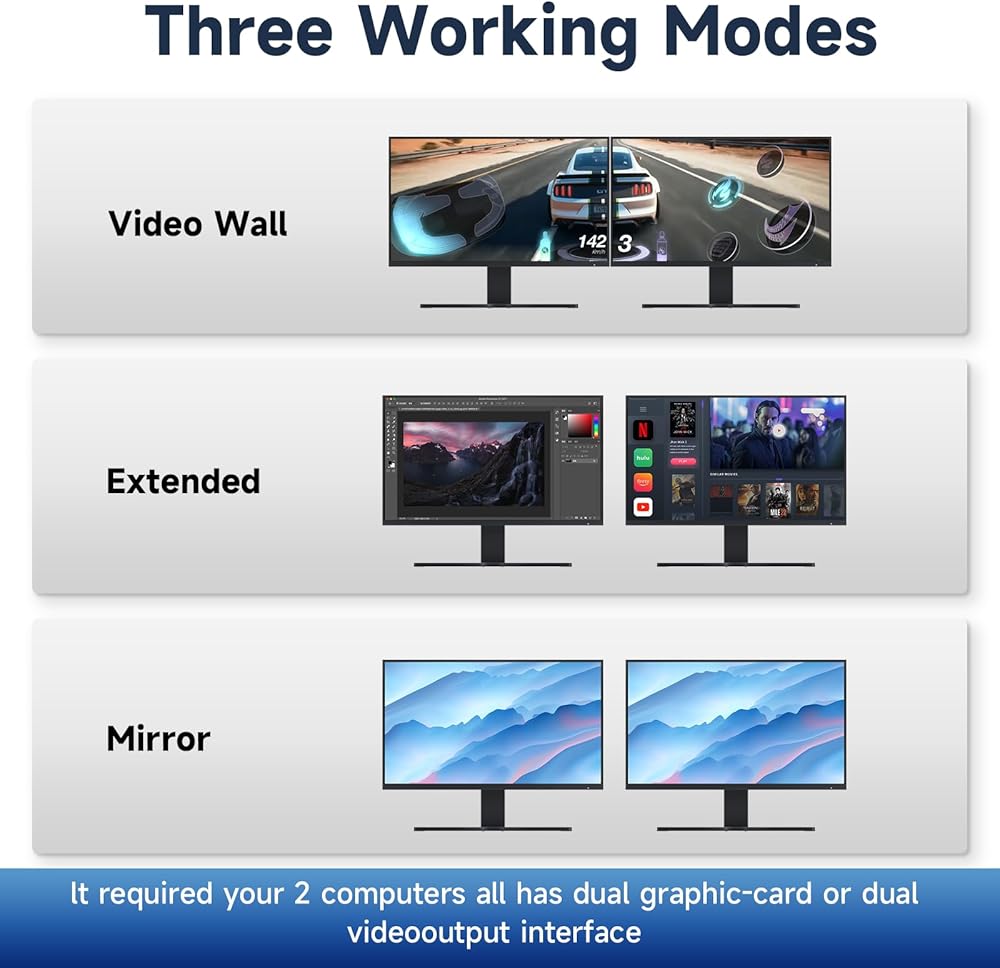
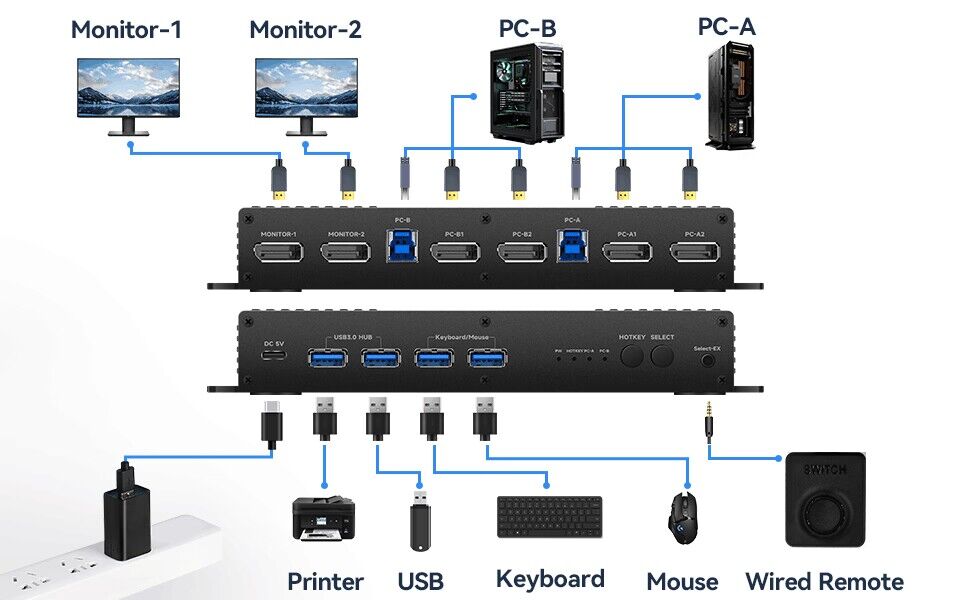
kvm Switch 2 Monitors 2 Computers displayport 4k 165hz compatable: This displayport kvm switch dual monitor 2 computer 144hz helps you to Hook up 2 computers to share one set of keyboard, mouse with hotkey,and there are three modes ,videowall,dual extended or mirrored monitors, with 1 extra high speed USB 3.0 hub port for sharing USB peripheral; Perfect for IT specialist, gaming(with high Frame), and other multi tasks,
kvm Switch 2 Monitors 2 Computers displayport 4k 165hz SWITCH Mode: the Dual Monitor kvm Switch displayport 4k 144hz Supports Four switching methods to meet with different needs, including keyboard hotkeys, mouse hotkeys, push button, wired remote ; switching only takes several seconds after first set-up;
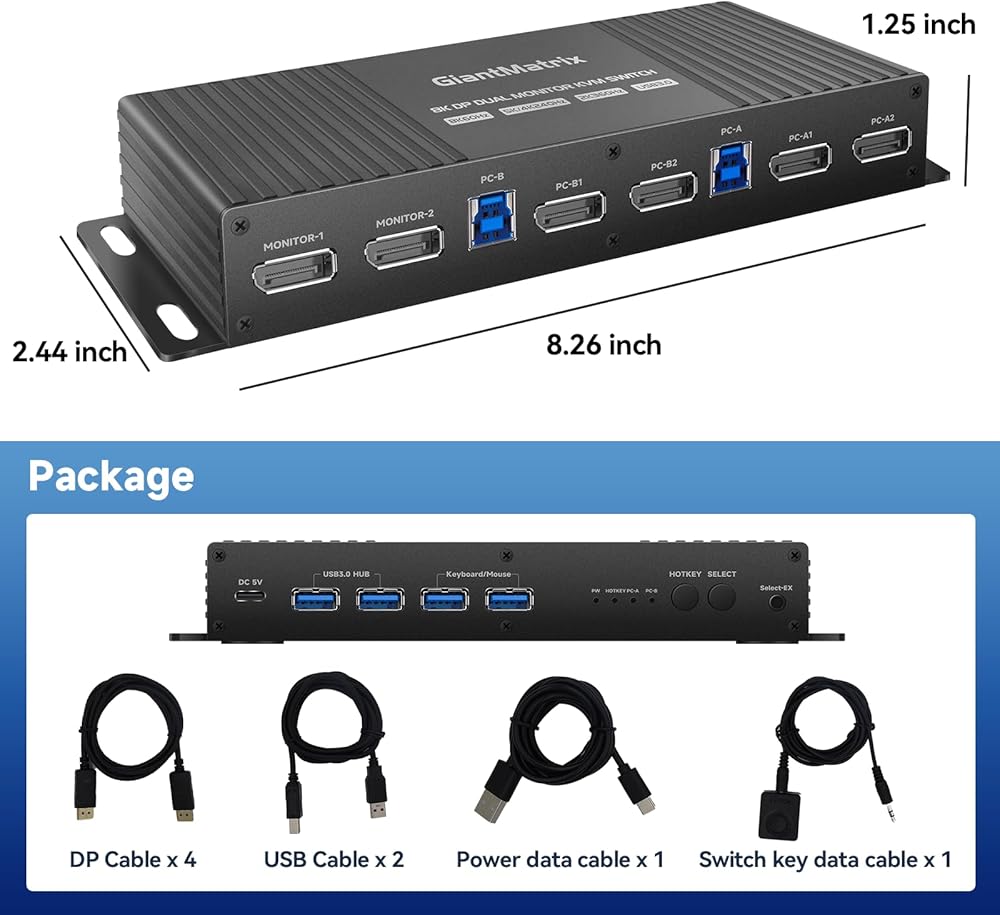
Attention : the powered HDMI to DP adapters are support; This dp KVM switch Dual monitor 2 computer cannot support EDID emulation ,the dp kvm switch 2 pc two monitors can support adapters, adapters cables and docking station. There are 4 DP1.4 Cables in the kvm switch box. You should use dp 2.0 cables when you use mode 4k 165hz,4k 240hz,5k 165hz 5k 240hz,8k 120hz ,them it will be more good quality.
kvm Switch 2 Monitors 2 Computers displayport 4k 165hz:The displayport kvm can only support USB C TO DP Cable of the Daoistek.You can use USB C TO DP by the Daositek and the Daoistek displayport kvm to support usb c , Thunderbolt, Type c ,Mac kvm Switch 2 Monitors 2 Computers Type c 1440P 120Hz 144Hz mac kvm Switch
kvm Switch 2 Monitors 2 Computers displayport 4k 165hz : when you computer is type c output ,and you want one type-c kvm switch ,you can use type c TO dp cable +kvm switch displayport + dp cable to monitor,them the type c output will be OK.
kvm Switch 2 Monitors 2 Computers displayport 4k 165hz : when you computer is hdmi output ,and you want one Displayport kvm switch ,you can use hdmi TO dp adapter cable +kvm switch dp +dp 2.0 to monitor,them the hdmi output will be OK.
 -14%
Corsair iCUE 2000D RGB Airflow Mini-ITX PC Case - Mini-ITX Form-Factor - Steel Mesh Panels - Three-Slot GPU Support - 3X AF120 RGB Slim Fans Included - iCUE Lighting Node CORE Controller - Black
SAR 495
-14%
Corsair iCUE 2000D RGB Airflow Mini-ITX PC Case - Mini-ITX Form-Factor - Steel Mesh Panels - Three-Slot GPU Support - 3X AF120 RGB Slim Fans Included - iCUE Lighting Node CORE Controller - Black
SAR 495
 NFHK KVM USB 2.0 Switch Selector 4 Port PCs Sharing 4 Devices for Keyboard Mouse Scanner Printer
SAR 161
NFHK KVM USB 2.0 Switch Selector 4 Port PCs Sharing 4 Devices for Keyboard Mouse Scanner Printer
SAR 161
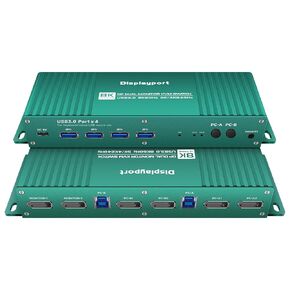 Displayport kvm Switch 2 Monitors 2 Computers 4K 165Hz kvm Switch 2 Monitors 2 Computers Display Port 1440P 120Hz 144Hz 165Hz 175Hz 240hz kvm Switch displayport Dual Monitors FreeSync G-SYNC Daoistek
SAR 463
Displayport kvm Switch 2 Monitors 2 Computers 4K 165Hz kvm Switch 2 Monitors 2 Computers Display Port 1440P 120Hz 144Hz 165Hz 175Hz 240hz kvm Switch displayport Dual Monitors FreeSync G-SYNC Daoistek
SAR 463
 Thunderbolt 4 kvm Switch 144hz mac kvm Switch 144hz Thunderbolt kvm Switch 144hz Type c kvm Switch 144hz kvm Switch Type c 1440P 120Hz 144Hz Type-c to dp1.4 kvm Switch Cable Daoistek
SAR 100
Thunderbolt 4 kvm Switch 144hz mac kvm Switch 144hz Thunderbolt kvm Switch 144hz Type c kvm Switch 144hz kvm Switch Type c 1440P 120Hz 144Hz Type-c to dp1.4 kvm Switch Cable Daoistek
SAR 100