- Shopping, made easy.
- /
- Get the app!
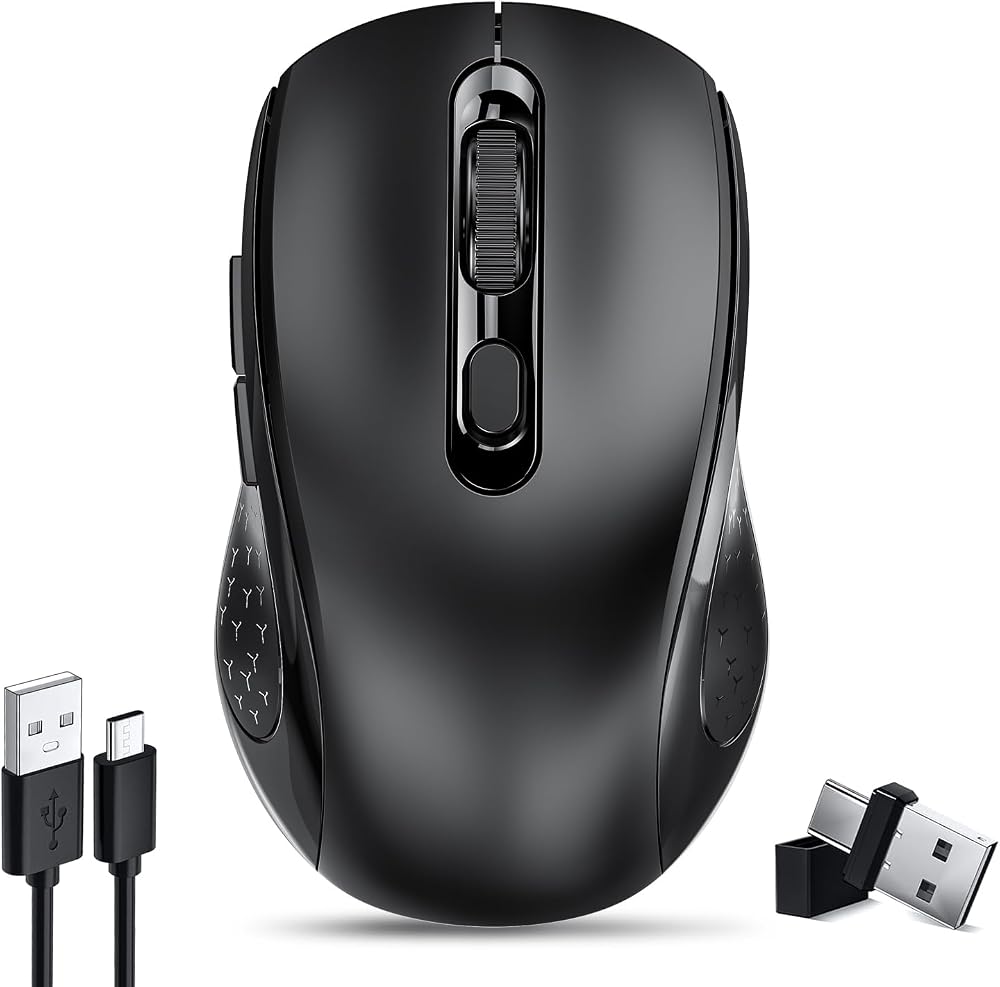
2024 Latest Upgrade Dual Mode Wireless Computer Mouse:Bluetooth and USB two connection methods basically meet various needs; USB&TypeC 2in1 receiver the ergonomic design provides a comfortable use experience;
How to use it:
✔. 2.4Ghz Mode: Switch to "ON/OFF" button to right. And Plug the receiver into the USB port or type-c port of your computer, Then you can use the mouse in 2.4GHz Mode. ✔. Bluetooth Mode: Turn on the device's Bluetooth function. Switch to "ON/OFF" button to left. (Bluetooth mode). Search the product of Bluetooth and find “BT5.0 Mouse” to pair. Then you can use the mouse in Bluetooth Mode. Note: System Requirement: iPadOS 13 or later, iOS 13 or later, Windows 8/ 10 or later, Mac OS X 10.10 or later, Android 5.0 or later.
Package Included:
Computer Mouse *1;
USB C Charging Cable*1;
USB&TypeC 2in1 receiver*1(in the box);
User Manual*1;
Note:
a. It's out of power if the mouse cursor moves slowly or stop moving. Please recharge it.
b. Please charge the mouse for 2 hours before the first time to use it. The red light beside the scroll wheel will be on while charging, And then goes off when the mouse is fully charged.
c. Not all computers support two modes. For example, Win 7 system does not support Bluetooth mode.
 MightySkins Glossy Glitter Skin for Logitech M325 Wireless Mouse - Water Flowers | Protective, Durable High-Gloss Glitter Finish | Easy to Apply, Remove, and Change Styles | Made in The USA
SAR 101
MightySkins Glossy Glitter Skin for Logitech M325 Wireless Mouse - Water Flowers | Protective, Durable High-Gloss Glitter Finish | Easy to Apply, Remove, and Change Styles | Made in The USA
SAR 101
 -4%
Vxeei Wireless Mouse for Laptop, Bluetooth Mouse for MacBook Pro/Air/Mac/iPad/Chromebook/Computer -Rechargeale Dual Mode(USB 2.4Ghz + Bluetooth 5.2) Silent Cordless Mouse with USB C Adapter,Pink
SAR 65
-4%
Vxeei Wireless Mouse for Laptop, Bluetooth Mouse for MacBook Pro/Air/Mac/iPad/Chromebook/Computer -Rechargeale Dual Mode(USB 2.4Ghz + Bluetooth 5.2) Silent Cordless Mouse with USB C Adapter,Pink
SAR 65
 Type C Wireless Mouse, AURTEC 2.4GHz USB-C Wireless Mice for Laptop and More USB-C Devices
SAR 100
Type C Wireless Mouse, AURTEC 2.4GHz USB-C Wireless Mice for Laptop and More USB-C Devices
SAR 100
 Mouse Jiggler Undetectable Mini with Switch Button, Portable Wireless USB Mouse Mover Work from Home with 3 Jiggle Mode Plug & Play, Clicker Keeps Device Active Prevent Sleep, Black
SAR 40
Mouse Jiggler Undetectable Mini with Switch Button, Portable Wireless USB Mouse Mover Work from Home with 3 Jiggle Mode Plug & Play, Clicker Keeps Device Active Prevent Sleep, Black
SAR 40