- Shopping, made easy.
- /
- Get the app!
Instruction:
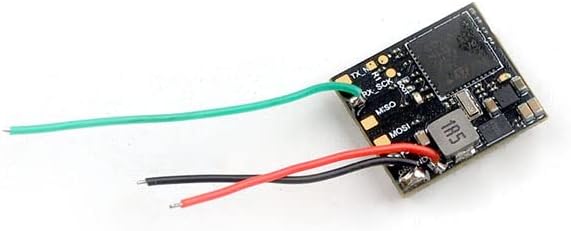
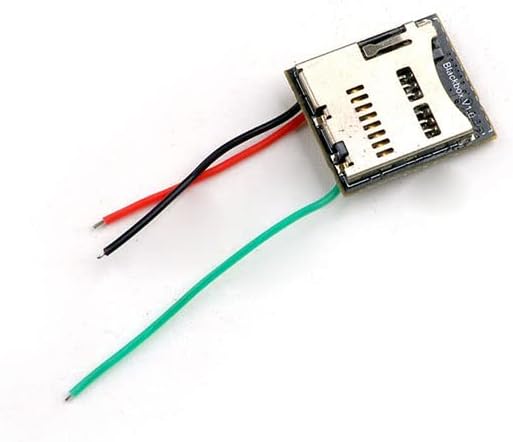
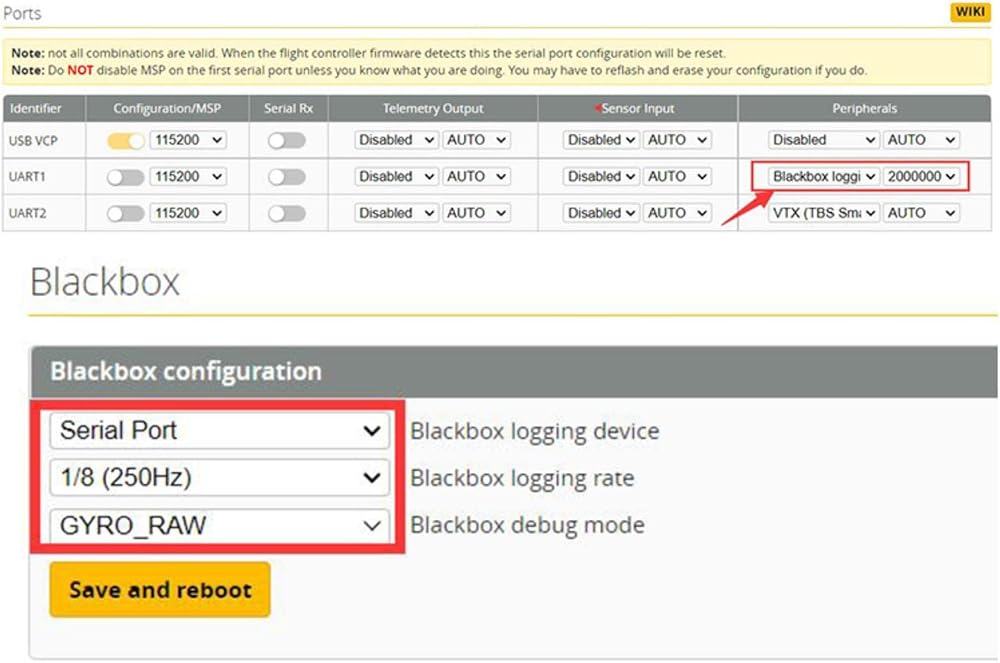
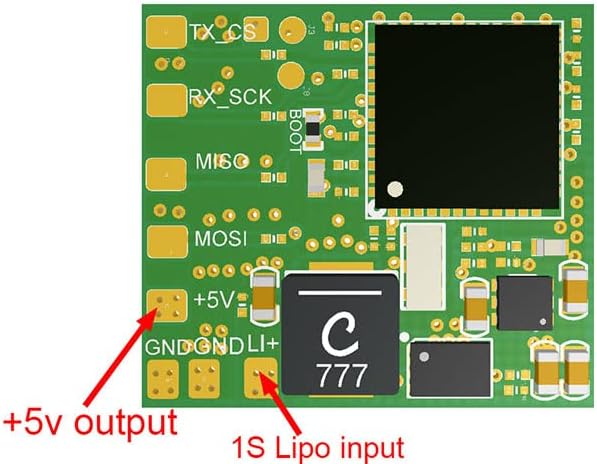
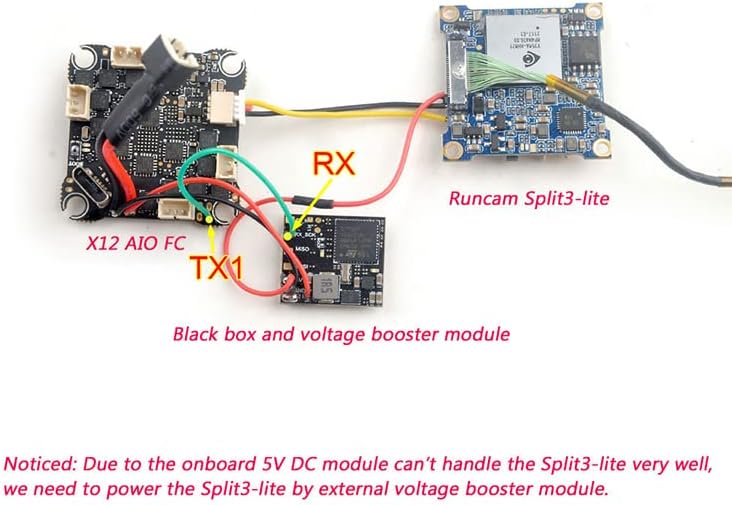
Insert a Micro SD card(not included), connect this blackbox module to flight controller according to the wiring diagram,take the Mobula7 1S HD as an example: Enable Blackbox logging in UART1, Set the rate to 2000000
For Gyroflow use, go to blackbox setting and select Serial Port, 250HZ, GYRO_RAW, after each setup, click the Save and Restart button.
LED indicator definition:
Red light goes out: SD card successfully detected,ready to work
Red light slow flashing: Sd card not detected
Red light flashes quickly: the drone is armed, the black box is functioning
To access the black box files:
Export the LOG000 file from the SD card to the computer (The file serial number is automatically incremented by 1 each time the power is turned on)
The CFG file is black box configuration file which can not be exported, LOG000 is the log file generated after the unlock, can be opened with Betaflight Blackbox Explorer to read recorded flight data
 3 Inch 145mm 4mm Arm Carbon Fiber FPV Racing Quadcopter Drone Frame Kit for DJI Caddx Vista digital hd system 14mm Micro Camera
SAR 166
3 Inch 145mm 4mm Arm Carbon Fiber FPV Racing Quadcopter Drone Frame Kit for DJI Caddx Vista digital hd system 14mm Micro Camera
SAR 166
 Amass 10 PCS XT60E-F Mountable XT60E Female Plug Connector for RC Drone Aircraft FPV Racing Drone
SAR 76
Amass 10 PCS XT60E-F Mountable XT60E Female Plug Connector for RC Drone Aircraft FPV Racing Drone
SAR 76
 Buzzbee 98mm 2 inch Micro Carbon Fiber FPV Racing Quadcopter Quad Frame kit RC Drone frame support for Runcam Nano2/ Micro Eagle/Sparrow/Swift Foxeer Arrow Micro CADDX Turbo Eos2 FPV Camera
SAR 119
Buzzbee 98mm 2 inch Micro Carbon Fiber FPV Racing Quadcopter Quad Frame kit RC Drone frame support for Runcam Nano2/ Micro Eagle/Sparrow/Swift Foxeer Arrow Micro CADDX Turbo Eos2 FPV Camera
SAR 119
 ZWLLKJGS Body Shell Bottom Cover Replacement,Assembly Repair Parts for DJI Mini 3 Pro Drone,Genuine Spare Part Accessories (Bottom Shell)
SAR 131
ZWLLKJGS Body Shell Bottom Cover Replacement,Assembly Repair Parts for DJI Mini 3 Pro Drone,Genuine Spare Part Accessories (Bottom Shell)
SAR 131