- Shopping, made easy.
- /
- Get the app!
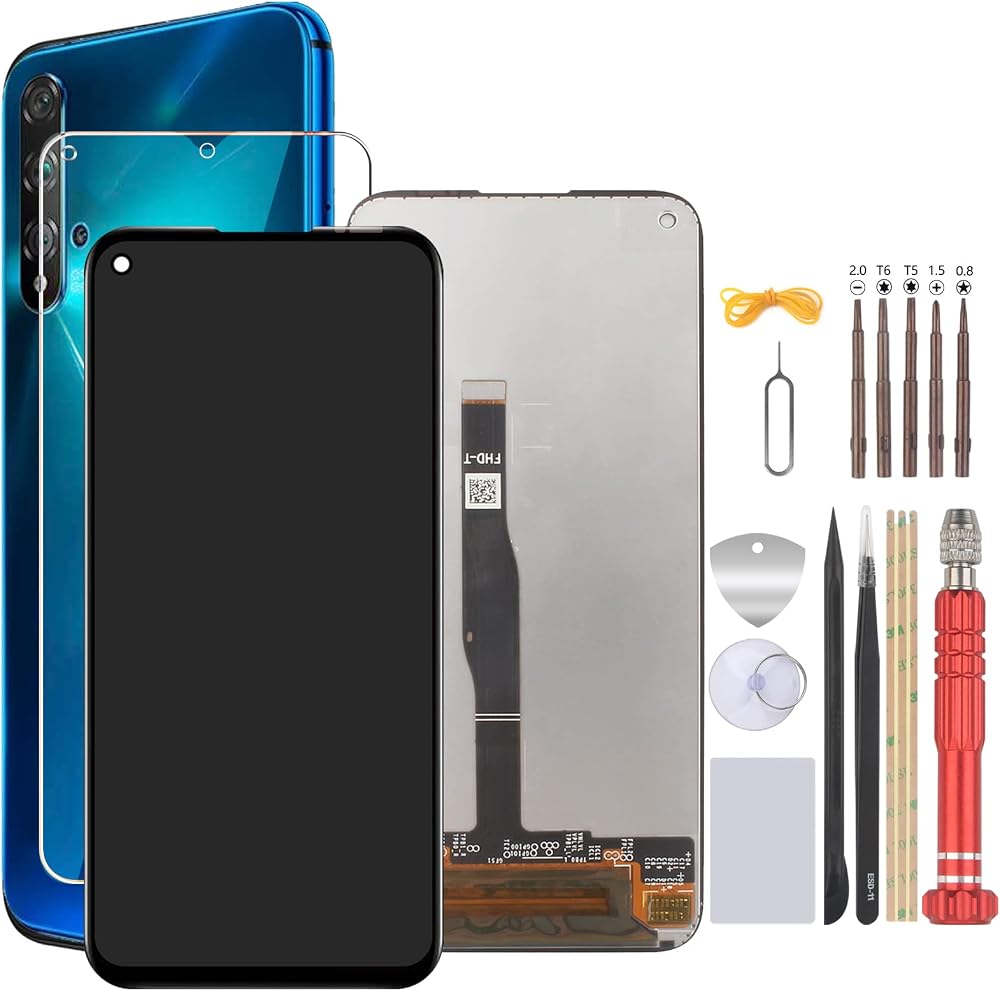
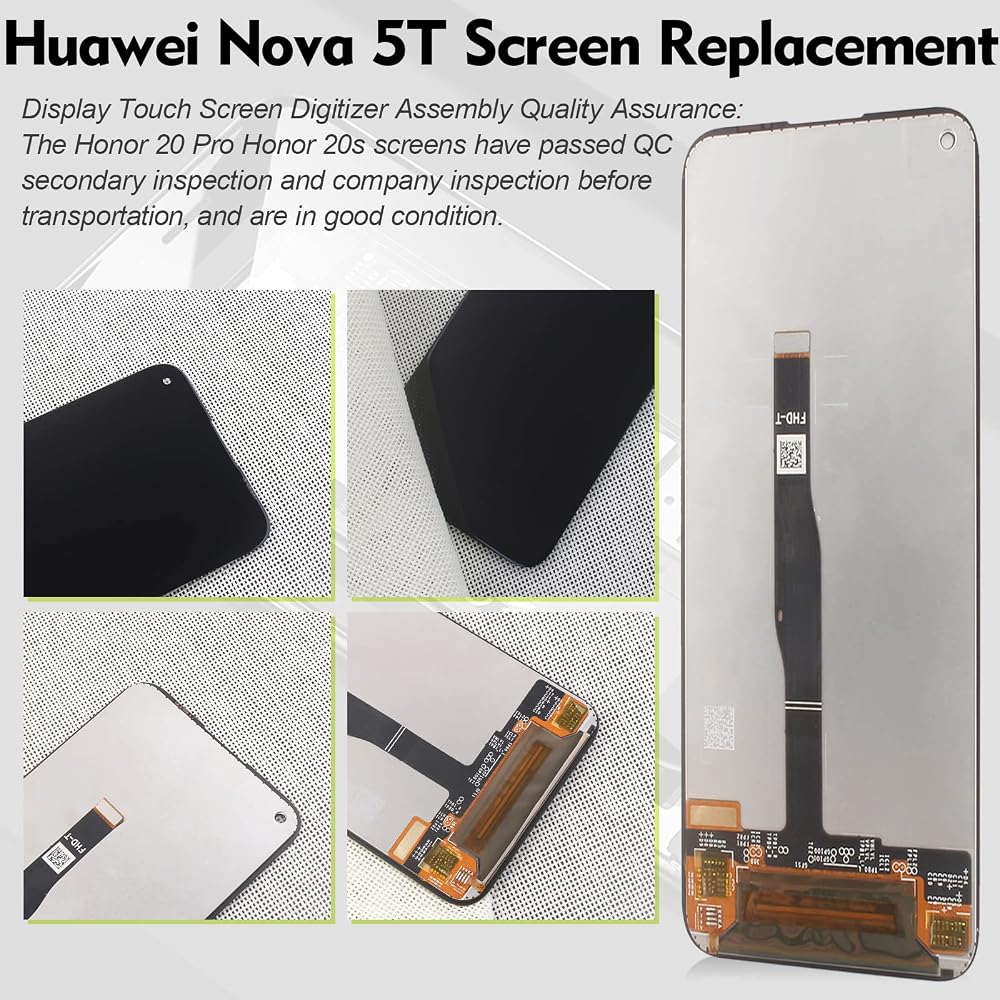
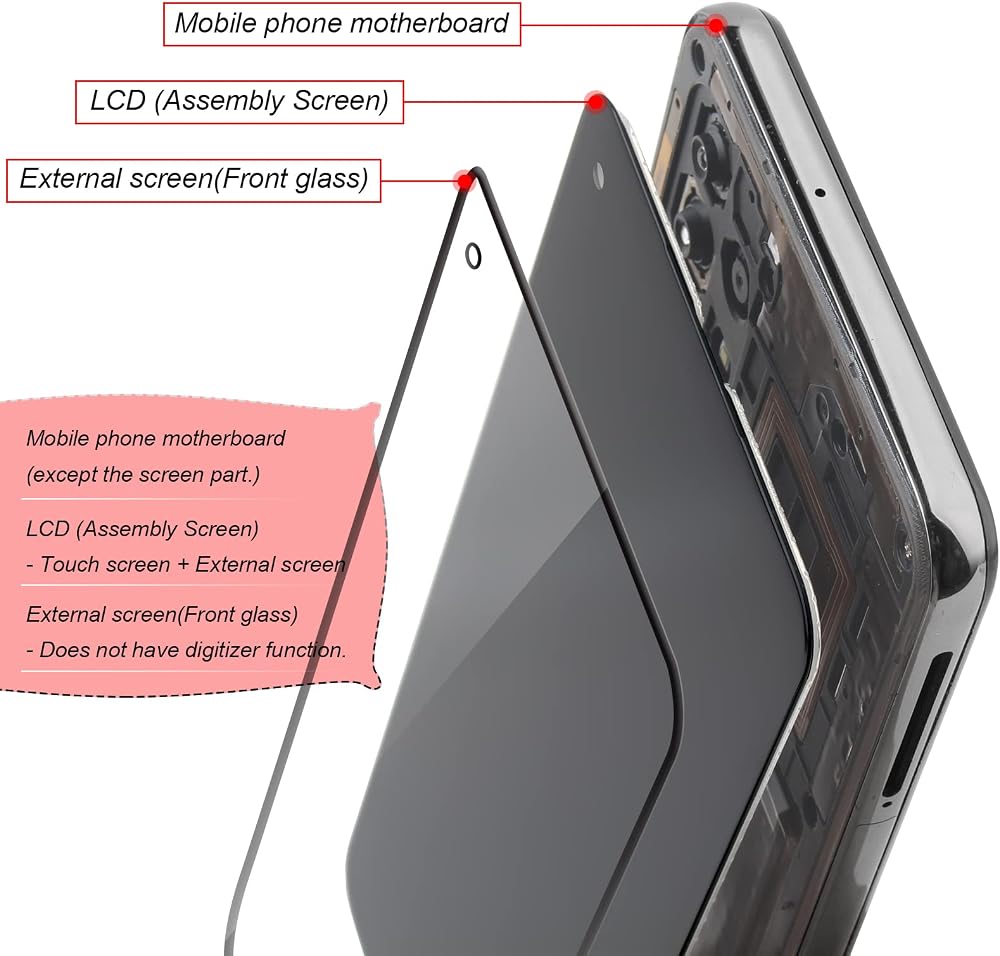
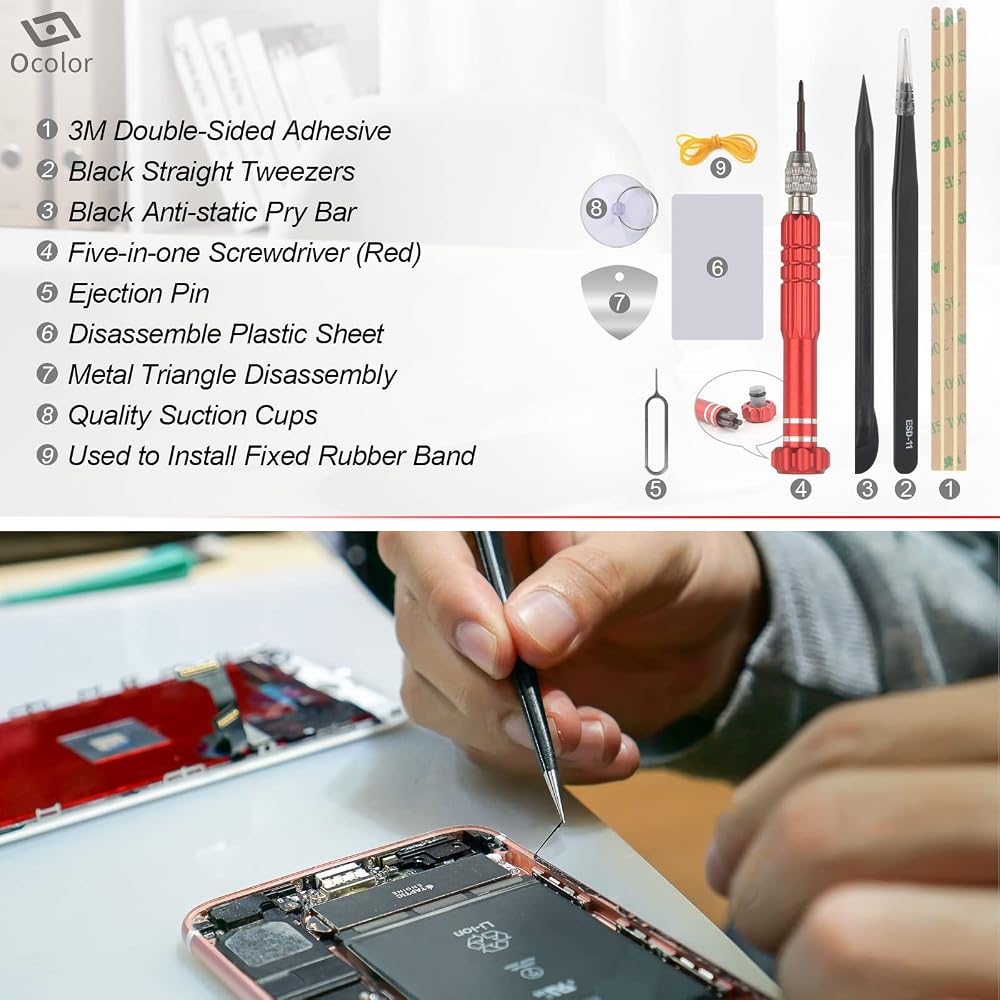
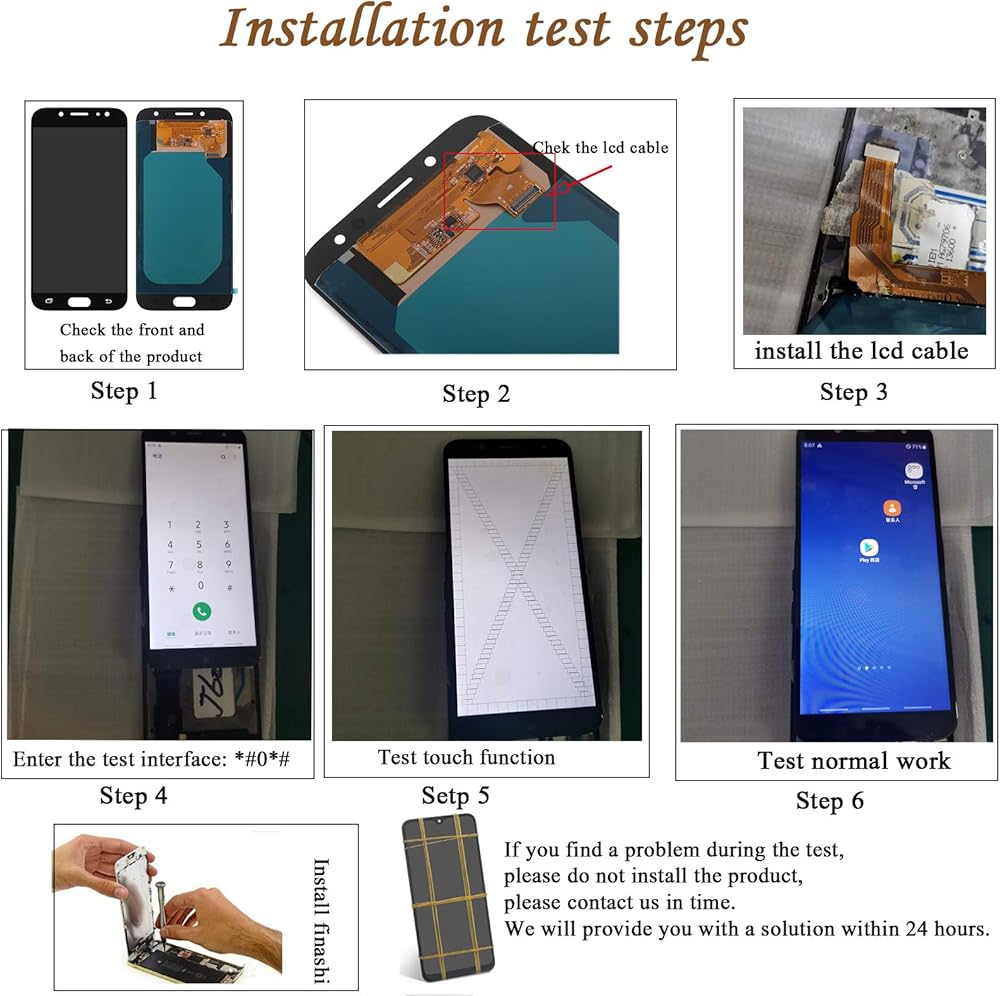
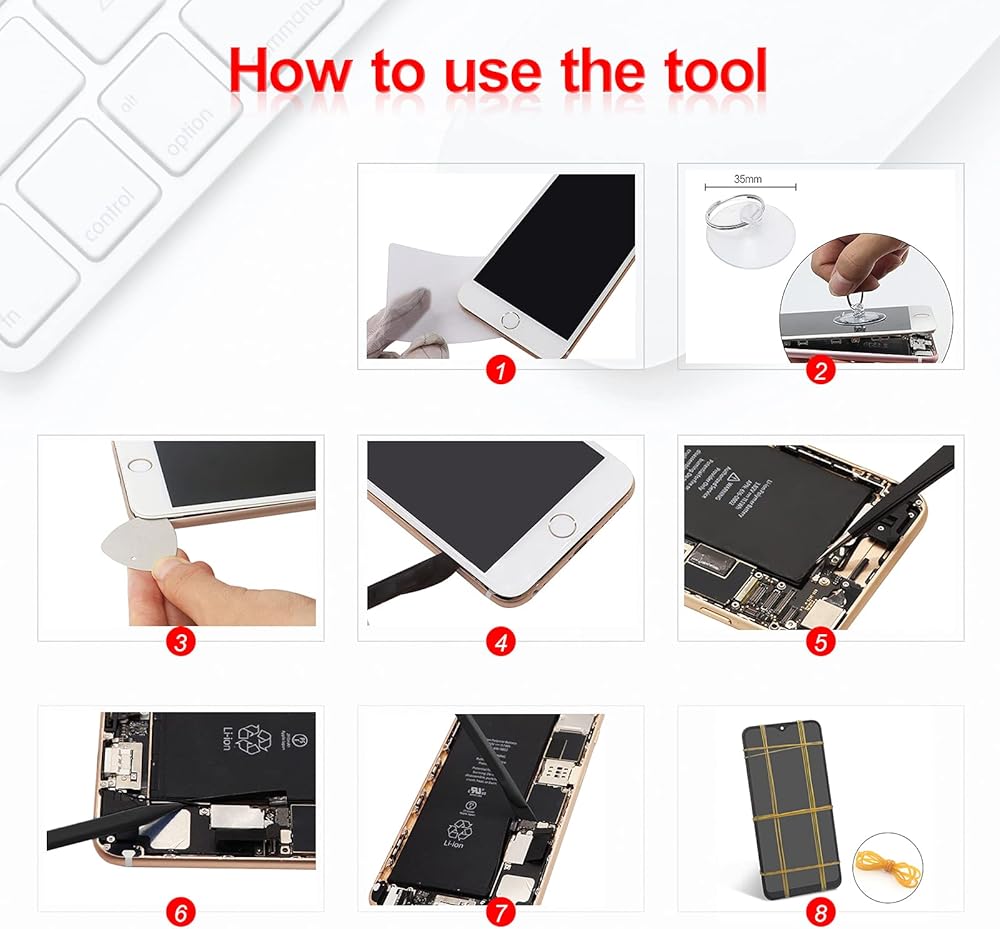
Compatibl for Huawei Nova 5T Honor 20 screen replacement. Items in the package: 1 * LCD display for Huawei Nova 5T.1 * Set of tools. 1 * Tempered film. Installation notes: Tip 1: Check if the Huawei Nova 5T screen is in good condition before installing and test it.Do not remove the protective film or The label during the test. Pay attention to static electricity problems, install the screen in an environment with fine static electricity. Before proceeding with installation, test the product first and make sure that the mobile phone has been connected via ESD (electrostatic discharge). This prevents static electricity damage the electronic components of the phone. Tip 2: Simulation test. The Huawei Nova 5T replacement screen is in glass, which is fragile. It is strongly recommended to take the test before installation. Please simulate the test if the phone is disconnected (motherboard + LCD or screen), connect the audio cable and a new backup power supply, then turn on the test. If the test is normal, install it. If it cannot be viewed normally, contact us as soon as possible. Do not install the phone with the force.Tip 3: Do not bend the cable. During installation and test, make sure the screen cable is not bent. A curvature greater than 90 degrees will cause a black view.Tip 4: Black screen phenomenon. If your phone has a black screen during the installation process, keep the power button and the volume button simultaneously. If the phone vibrates, it is because the main cable is not installed correctly. Then reinstall the Nova 5T LCD display replacement.
 Power On Off Button Volume Switch Control Side Buttons Key Replacement for Samsung Galaxy a51 (Black)
SAR 35
Power On Off Button Volume Switch Control Side Buttons Key Replacement for Samsung Galaxy a51 (Black)
SAR 35
![3 Pack Glass Back Screen Protector Compatible for iPhone 16 pro 6.3-Inch [9H Hardness]-HD Back Tempered Glass, Scratch Resistant,Easy Install,Crystal Clear in Saudi Arabia](https://cdn1.tilga.com/md/prod/3/9648/3/217358131.37074.jpg) 3 Pack Glass Back Screen Protector Compatible for iPhone 16 pro 6.3-Inch [9H Hardness]-HD Back Tempered Glass, Scratch Resistant,Easy Install,Crystal Clear
SAR 35
3 Pack Glass Back Screen Protector Compatible for iPhone 16 pro 6.3-Inch [9H Hardness]-HD Back Tempered Glass, Scratch Resistant,Easy Install,Crystal Clear
SAR 35
 -30%
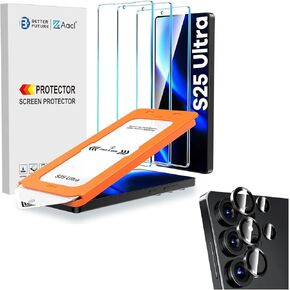
AACL 3-Pack S25 Ultra Glass Screen Protector + 1 Set of S25 Ultra Camera Lens Protector
SAR 95
-30%
AACL 3-Pack S25 Ultra Glass Screen Protector + 1 Set of S25 Ultra Camera Lens Protector
SAR 95
 (2+2 Pack) for Honor Magic 7 Pro Privacy Screen Protector and Camera Lens Protector, Flexible Film Anti-Spy Case Friendly for Honor Magic 7 Pro 5G.
SAR 50
(2+2 Pack) for Honor Magic 7 Pro Privacy Screen Protector and Camera Lens Protector, Flexible Film Anti-Spy Case Friendly for Honor Magic 7 Pro 5G.
SAR 50