- التسوق ، اصبح سهلا.
- /
- احصل على التطبيق!
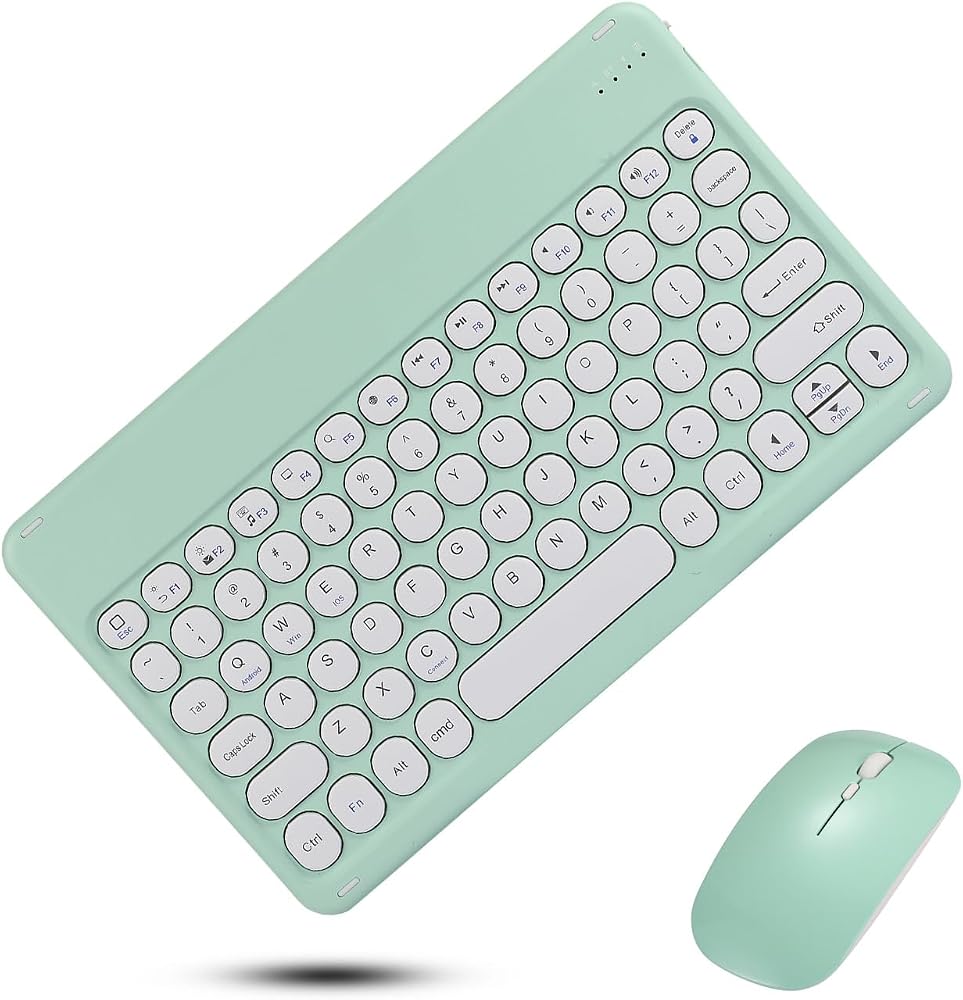
Keyboard and Mouse: A slim 10-inch design with comfortable, rounded keycaps. Paired with a Bluetooth keyboard and mouse, it transforms your mobile phone or tablet into a laptop in an instant, making it ideal for mobile working, studying and binge-watching—perfect for any scenario and putting an end to the inconvenience of small screens. Supports Bluetooth 3.0 for quick pairing and is compatible with Android and iOS systems, working with all types of mobile phones, iPads and tablets. Once paired successfully for the first time, the device automatically reconnects upon startup, eliminating the need for repeated setup and allowing for immediate use. The keyboard charges in 1 hour and can last for over 30 days (based on 2 hours of daily use), thanks to its low-power, energy-saving design; paired with the battery-powered mouse, there is no need for frequent charging, making it ideal for long-term use whilst travelling or commuting. The device is exceptionally slim and lightweight, with a thickness comparable to an iPad but lighter in weight. It is highly portable and space-saving, fitting easily into bags or briefcases, making it a hassle-free companion for students, business professionals and travellers. The charging keyboard and battery-powered mouse come as a complete set, requiring no additional accessories. The connection is stable and lag-free, offering comfortable typing and precise control, significantly boosting efficiency for mobile working, online classes and content creation – an essential tool for the lazy office worker.
Keyboard Connection Instructions
Slide the switch on the back of the keyboard to the ON position to turn it on
Press the Connect button on the keyboard to enter Bluetooth pairing mode
Turn on Bluetooth on your mobile phone or tablet, locate ‘Bluetooth 3.0 Keyboard' in the device list and tap to connect
Once connected, the Power and Bluetooth indicator lights will remain lit, and the keyboard is ready for use
After the initial pairing is successful, the keyboard will automatically reconnect the next time it is switched on, without the need to repeat the process
Mouse Usage
Insert the batteries and switch on the mouse
The mouse will automatically enter Bluetooth pairing mode; simply connect via the Bluetooth device list
Once connected, the mouse is ready for use, offering stable performance with no lag
What's in the box
1*Keyboard and Mouse Set
1*instruction manual
1*Type C charging cable
 غطاء كيبورد لجهاز ماك بوك 16 انش - 2021 - 0.025 ملم
SAR 84
غطاء كيبورد لجهاز ماك بوك 16 انش - 2021 - 0.025 ملم
SAR 84
 Dpisuuk ماوس لطيف على شكل سلحفاة خضراء (أحمر-2)
SAR 75
Dpisuuk ماوس لطيف على شكل سلحفاة خضراء (أحمر-2)
SAR 75
 ماوس لاسلكي صامت قابل للشحن من كيوت بابي (وردي)
SAR 83
ماوس لاسلكي صامت قابل للشحن من كيوت بابي (وردي)
SAR 83
 غلاف متوافق مع لوحة مفاتيح Apple Magic Keyboard لجهاز iPad Pro مقاس 13 بوصة (M4) 2024 - رخام عاصف - غطاء لاصق واقٍ من الفينيل 3M ممتاز - سهل الاستخدام | صُنع في الولايات المتحدة الأمريكية بواسطة MightySkins
SAR 146
غلاف متوافق مع لوحة مفاتيح Apple Magic Keyboard لجهاز iPad Pro مقاس 13 بوصة (M4) 2024 - رخام عاصف - غطاء لاصق واقٍ من الفينيل 3M ممتاز - سهل الاستخدام | صُنع في الولايات المتحدة الأمريكية بواسطة MightySkins
SAR 146

