- التسوق ، اصبح سهلا.
- /
- احصل على التطبيق!
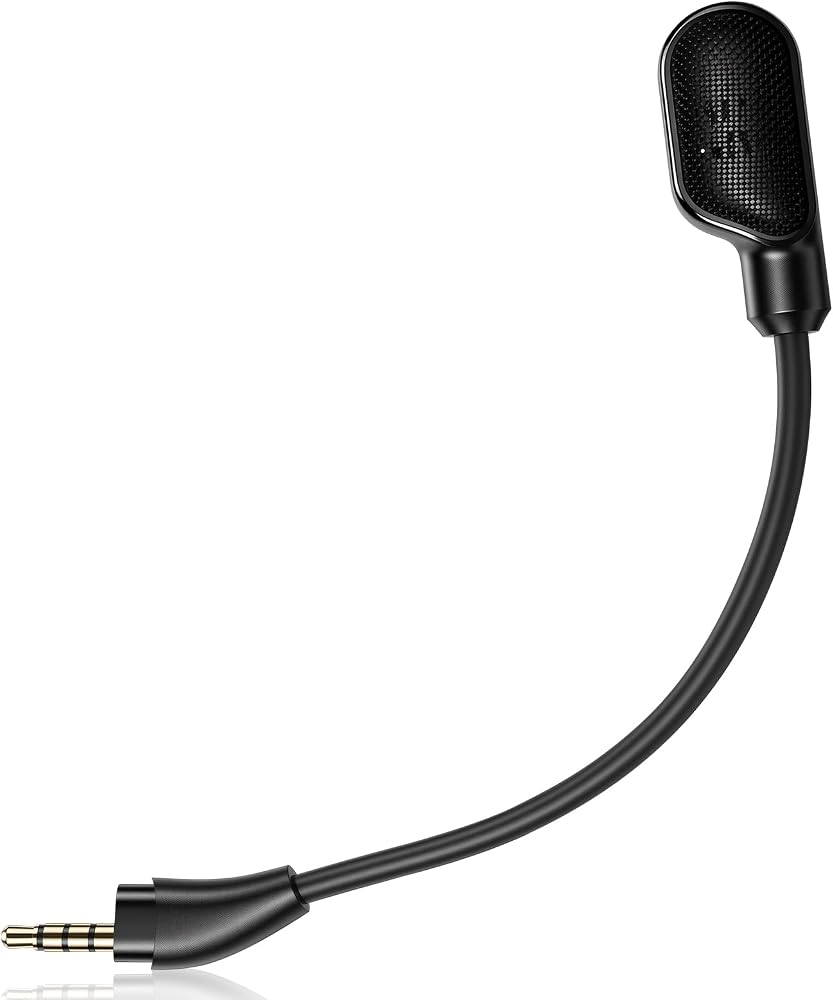
Command your team with confidence using this dedicated replacement microphone, purpose-built for the HyperX Cloud III headset. Crafted to restore and even enhance your in-game chat experience, this detachable boom mic ensures every strategy call, friendly chat, or streaming commentary is transmitted with impressive clarity.
Before your next match, simply connect the 3.5mm jack into your Cloud III headset and enjoy instant, high-quality communication. The advanced noise-canceling capsule effectively reduces background hums and interruptions, allowing your natural voice to take center stage. An intelligent omnidirectional pickup pattern gives you the freedom to move, confident your voice won't fade. The subtle yet bright LED mute indicator embedded in the mic tip provides an immediate visual cue, eliminating the embarrassment of talking to a muted mic. Whether you're replacing a lost microphone or upgrading your backup gear, this flexible and durable boom mic is the perfect solution to keep you in the game.
Important Compatibility Reminder: This item is exclusively compatible with the HyperX Cloud III Wired and HyperX Cloud III Wireless. It is not a universal accessory and will not work with HyperX Cloud II, Cloud Flight, or similar models.
What's in the Box: 1 x Detachable Noise-Canceling Microphone.
Q&A Section
Q: Will this microphone work with my original HyperX Cloud II headset?
A: No, this microphone is designed specifically for the HyperX Cloud III series (both wired and wireless). The jack size and housing are different for the Cloud II, so it will not fit physically or function correctly. Please check your headset model to confirm it is a Cloud III before purchasing.
Q: Does the LED mute indicator light up on its own?
A: Yes. The LED is powered through the headset's microphone port. It will illuminate when your HyperX Cloud III headset's mic is actively muted, giving you a clear visual status indicator without any software setup.
Q: Is this a good backup for a streamer who uses a Cloud III Wireless?
A: Absolutely. This is an ideal spare or replacement, providing the same plug-and-play functionality as the original. The noise cancellation and flexible boom make it suitable for streaming, where clear and consistent voice quality is critical.
Q: How do I position the mic for the clearest sound?
A: Gently bend the flexible boom arm so the microphone capsule sits about an inch from the corner of your mouth. This avoids direct plosives (like ‘p' and ‘b' sounds) while allowing the omnidirectional mic to pick up your voice naturally. The included foam cover also helps reduce breath noise.
 شريط مستشعر LUCXXI Wii اللاسلكي، لاستبدال شريط مستشعر Wii المتوافق مع وحدة تحكم Nintendo Wii/Wii U مع حامل ثابت، أسود
SAR 53
شريط مستشعر LUCXXI Wii اللاسلكي، لاستبدال شريط مستشعر Wii المتوافق مع وحدة تحكم Nintendo Wii/Wii U مع حامل ثابت، أسود
SAR 53
 فاينوان وصلة منفذ شحن يو اس بي بشريط مرن للوحة PCB متوافقة مع جالكسي A33 5G A336E SM-A536E/DS SM-A336M/DS 6.4 انش
SAR 79
فاينوان وصلة منفذ شحن يو اس بي بشريط مرن للوحة PCB متوافقة مع جالكسي A33 5G A336E SM-A536E/DS SM-A336M/DS 6.4 انش
SAR 79
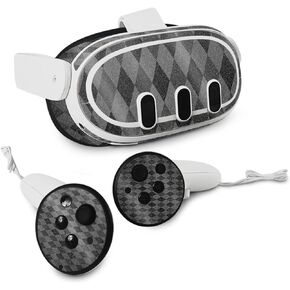 غلاف MightySkins اللامع اللامع المتوافق مع Meta Quest 3 - Black Argyle | لمسة نهائية لامعة واقية ومتينة شديدة اللمعان | سهلة التطبيق
SAR 209
غلاف MightySkins اللامع اللامع المتوافق مع Meta Quest 3 - Black Argyle | لمسة نهائية لامعة واقية ومتينة شديدة اللمعان | سهلة التطبيق
SAR 209
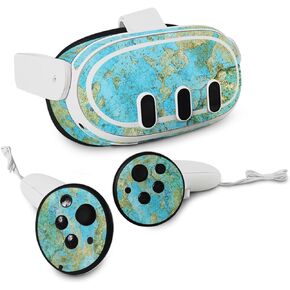 غلاف MightySkins اللامع اللامع المتوافق مع Meta Quest 3 - Teal Marble | لمسة نهائية لامعة واقية ومتينة شديدة اللمعان | سهلة التطبيق
SAR 183
غلاف MightySkins اللامع اللامع المتوافق مع Meta Quest 3 - Teal Marble | لمسة نهائية لامعة واقية ومتينة شديدة اللمعان | سهلة التطبيق
SAR 183

