- التسوق ، اصبح سهلا.
- /
- احصل على التطبيق!
Note: For the best experience, please ensure your car's factory CarPlay system is updated to the latest software. Detailed compatibility guide and setup instructions available in the product images and Q&A section.
Upgrade Your Drive with True Wireless Freedom
Tired of fumbling with cables every time you get in the car? Our advanced Wireless CarPlay Adapter is engineered to transform your driving experience, offering the convenience and safety of a truly wireless connection.
Designed for Your Real-World Needs
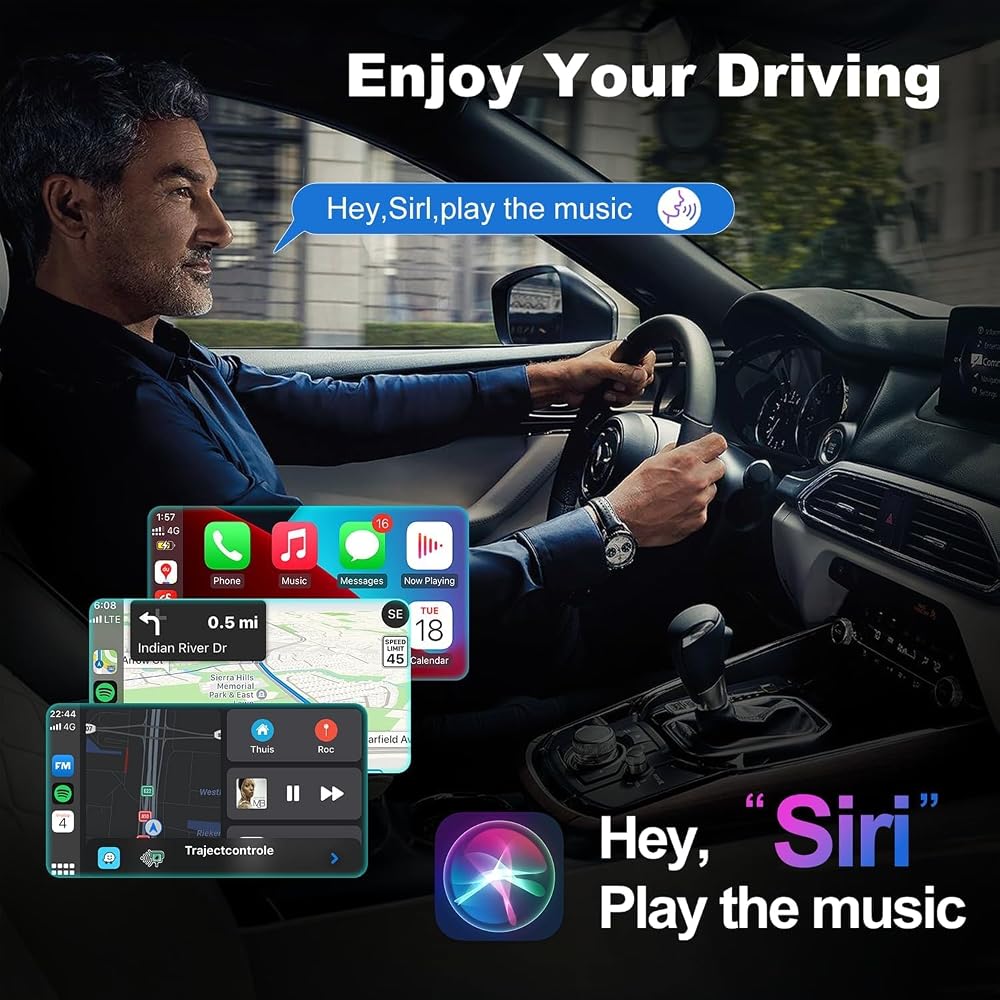
Imagine sliding into your car, and your iPhone seamlessly connects to the large screen on your dashboard—all without ever taking your phone out of your pocket. Navigate with Apple Maps, listen to your favorite podcasts, and manage calls effortlessly while keeping your device charged. This adapter isn't just a gadget; it's a solution for the modern driver who values a clean, organized, and smart car environment.
Key Features at a Glance:
Plug & Play Simplicity:
Get set up in under a minute. No technical expertise required.
Broad Compatibility:
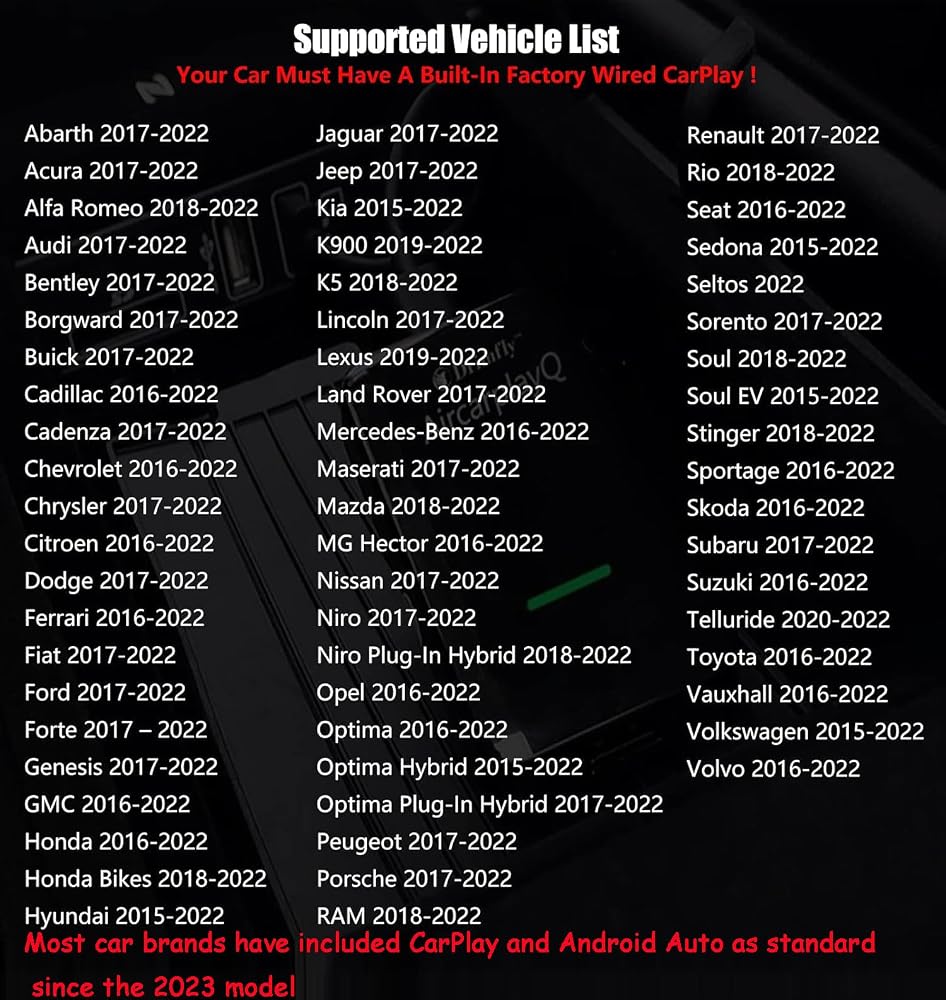
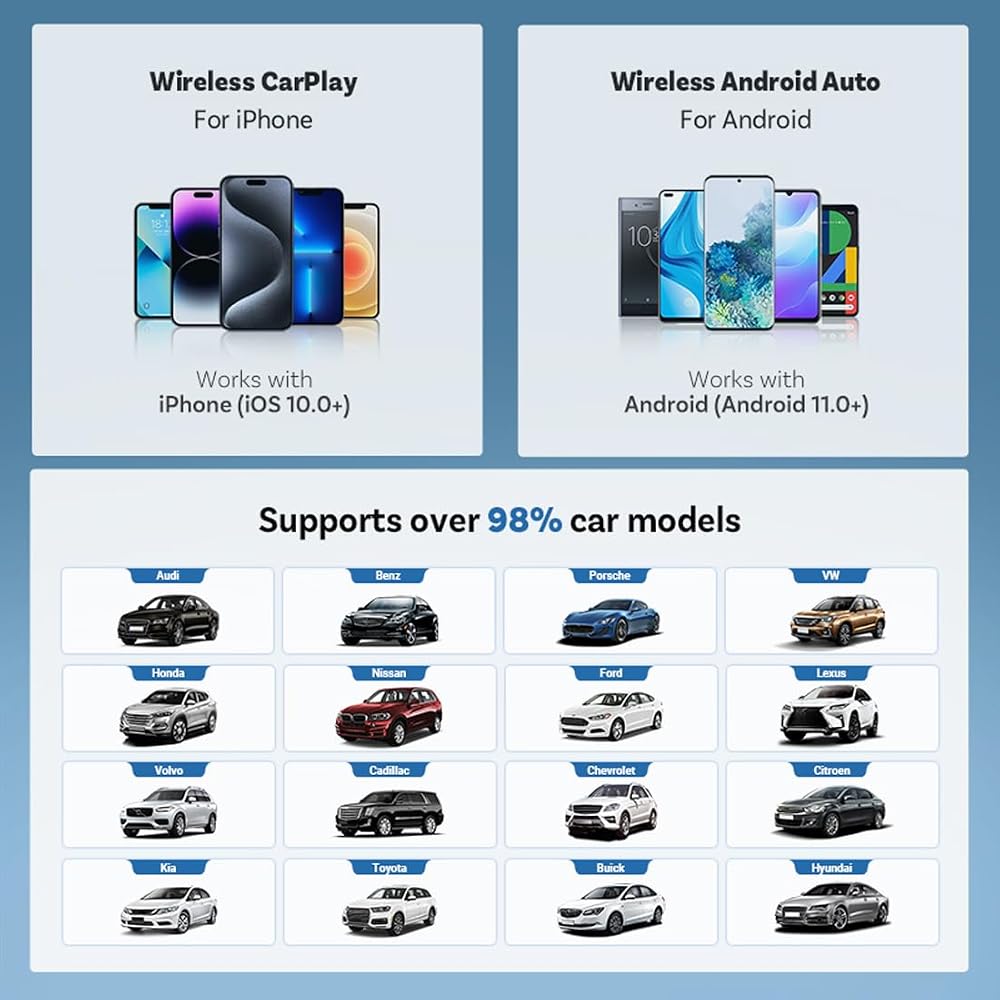
Optimized for a wide range of vehicles with CarPlay (2017+). Ideal for Toyota, Honda, Jeep, Ford,Porsche,and more.
Reliable Performance:
Experience a stable, low-latency connection that won't interrupt your audio or navigation.
Discreet and Compact:
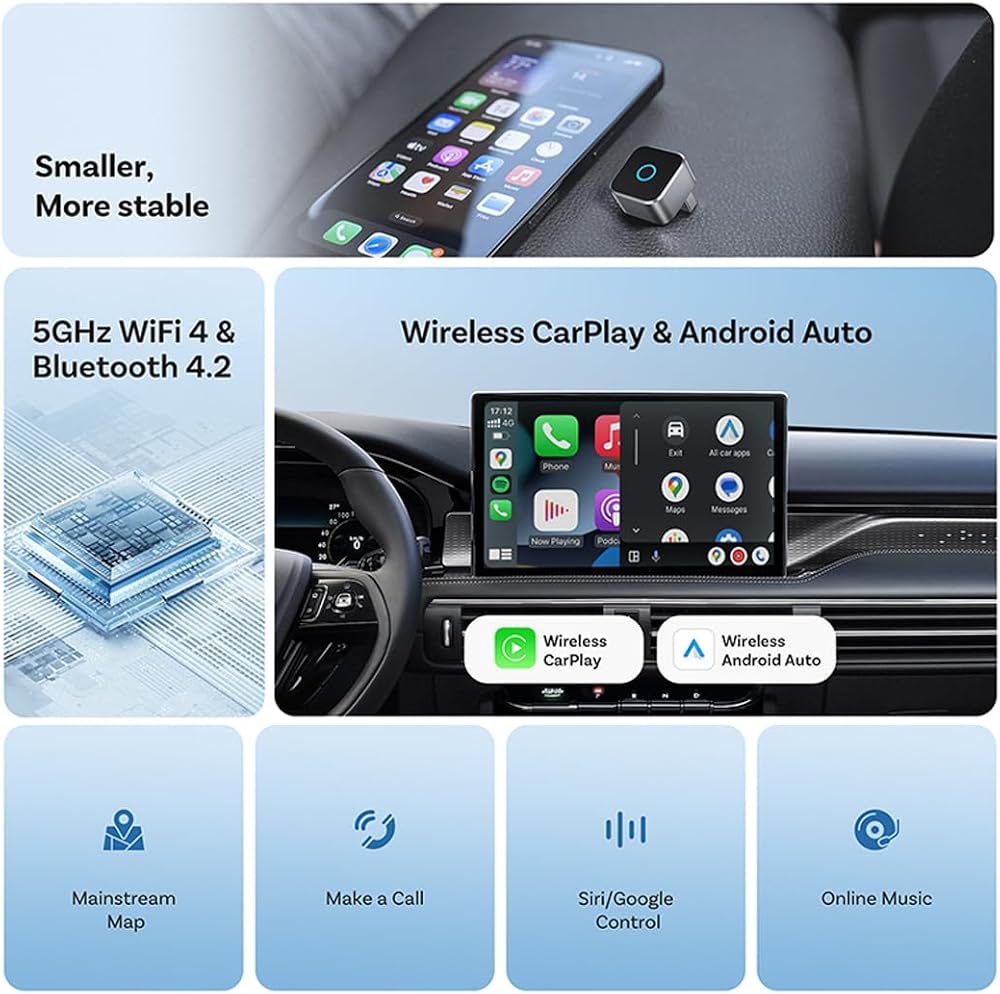
The small, lightweight design ensures it stays securely in place without being an eyesore.
The Perfect Companion for Every Journey
Whether you're navigating the school run, embarking on a weekend road trip, or simply commuting to work, this wireless adapter ensures your focus stays on the road. It's the simple, intelligent upgrade your car deserves.
[Official] Wireless CarPlay/Android Auto Adapter FAQ Collection
1. Q: How do I set up this wireless CarPlay adapter? Is it really plug and play?
A: Yes, it's true plug and play. Just plug the adapter into your car's USB port, pair your phone via Bluetooth once, and you're done. No apps or downloads needed. Many users confirm it's the "definition of plug and play" and connects almost immediately.
2. Q: Does this adapter work with both iPhone and Android phones?
A: Absolutely. This is a 2-in-1 adapter that supports both Wireless Apple CarPlay for iPhone (iOS 10+) and Wireless Android Auto for Android phones (Android 11+). It's perfect for households with different phone types.
3. Q: I'm not tech-savvy. Is this adapter easy for a beginner to install?
A: Yes, it's designed for everyone. The process is straightforward: plug in, follow the simple on-screen pairing prompts, and drive. Reviews highlight its ease of setup, with users calling it "very easy" and "intuitive".
4. Q: Will this adapter work if my car only has a USB-C port?
A: Yes, it comes with a USB-to-USB-C converter in the box, making it compatible with both traditional USB and modern USB-C car ports.
5. Q: My car has built-in wired CarPlay. Will this adapter override it?
A: It seamlessly converts your existing wired system to wireless. You simply plug this adapter into the same USB port you used for your cable. Your factory system remains intact, but now it's wireless.
6. Q: After setup, do I need to manually reconnect every time I get in the car?
A: No. Once paired, it features fast auto-connect. It will automatically reconnect to your phone shortly after you start the engine, providing a hassle-free experience every drive.
7. Q: Is this wireless CarPlay adapter compatible with a 2023 Hyundai Ioniq 5?
A: Yes, it is confirmed to work perfectly with the 2023 Hyundai Ioniq 5, as shared by a verified purchaser who uses it with a Samsung Galaxy S23 Ultra.
8. Q: I have an older car with CarPlay (2017 model). Will this still work?
A: The adapter is designed to be compatible with most factory-wired CarPlay vehicles from 2015 onwards. It supports a wide range of models from BMW, Mercedes, Audi, Toyota, Honda, Ford, Nissan, and more.
9. Q: My phone is an iPhone 12. Is it supported?
A: Yes, it supports iPhones with iOS 10 or later, which includes iPhone 12 and all newer models.
10. Q: Can two different phones (e.g., mine and my spouse's) be paired to one adapter?
A: The adapter typically connects to one phone at a time for the CarPlay/Android Auto function. However, switching between previously paired phones is usually straightforward from your car's infotainment screen.
11. Q: Does this work for cars without built-in CarPlay or Android Auto?
A: No. This adapter is designed to convert an existing wired CarPlay/Android Auto system to wireless. If your car doesn't have these systems built-in, this adapter will not add that functionality.
12. Q: Is there any lag or delay when using this wireless adapter?
A: Most users report "no lag" in apps like maps or music players. It's designed for a responsive experience to keep your focus on the road.
13. Q: How fast does it connect when I start my car?
A: It features fast auto-connect. Many users report it connects "almost immediately" or within seconds of starting the car.
14. Q: Does the connection drop frequently while driving?
A: The adapter is engineered for stable connection. A user who bought it to replace a failed model noted it "connects flawlessly 19/20 times," indicating high reliability.
15. Q: Is the call quality good for hands-free calls?
A: Yes, by integrating with your car's built-in microphone and speakers through CarPlay/Android Auto, it provides clear hands-free call quality.
16. Q: Will using this adapter drain my phone's battery quickly?
A: Using wireless connectivity can use more phone battery than wired. It's recommended to place your phone on a wireless charger or plug it in for long trips if needed.
17. Q: Does it get hot during use?
A: There are no widespread reports in the reviews about overheating. Its compact metal design likely aids in heat dissipation.
18. Q: Can I still charge my phone while using this wireless adapter?
A: Yes, but you'll need to use a separate charger (wireless charging pad or plug into a different USB port/cigarette lighter adapter) since the car's USB port is occupied by the adapter.
19. Q: Will my steering wheel controls still work for volume and track skipping?
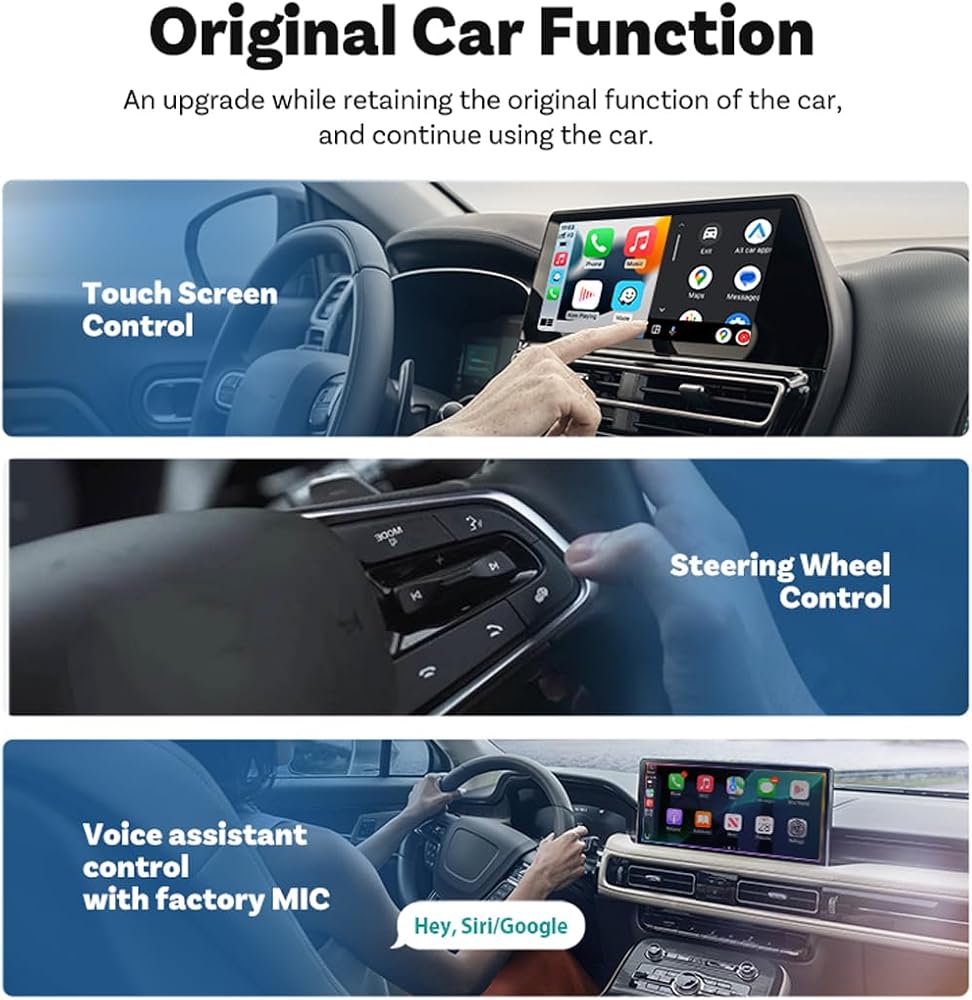
A: Yes, a key feature is that it retains all original car functions, including steering wheel controls for audio, voice commands, and the car's built-in microphone.
20. Q: Is the build quality good? Does it feel cheap?
A: It features a metal housing, which gives it a premium and durable feel compared to all-plastic alternatives. Users describe it as an "excellent product".
21. Q: Does it come with everything I need to start using it?
A: Yes, the box includes the adapter itself, a USB-to-USB-C converter, and a user manual.
22. Q: Why does my wireless CarPlay keep disconnecting while I'm driving?
A: [Problem Identification] Frequent disconnections are often caused by interference, distance, or a weak initial pairing. [Solution Steps] 1. Ensure the adapter is fully inserted into the USB port. 2. Keep your phone within the car's cabin, not in the trunk. 3. Try re-pairing: Go to your car's infotainment settings, 'Forget' the device, then delete the car from your phone's Bluetooth list and pair again. 4. Check for firmware updates for both your car's system and the adapter. [Prevention] A stable, one-time setup should maintain connection throughout most drives.
23. Q: Is this adapter compatible with my 2015 Honda Civic? It doesn't seem to work.
A: [Compatibility Check] This adapter works with factory-installed wired CarPlay/Android Auto systems, typically found in vehicles 2015 and newer. [Troubleshooting] 1. Confirm your 2015 Civic has the wired CarPlay feature (not all trims did). 2. Try plugging it into a different USB port if available. 3. Ensure your phone's OS is supported (iPhone iOS 10+, Android 9+). [Alternative] If your car lacks wired CarPlay, this adapter won't add that functionality. You would need an aftermarket head unit.
24. Q: The setup process was confusing. Why isn't it truly plug-and-play?
A: [Understanding Setup] True 'plug-and-play' means no external apps, but a one-time pairing is necessary for security. [Step-by-Step Guide] 1. Plug the adapter into your car's USB port. 2. Turn on your car. 3. On your phone, go to Bluetooth settings and select the adapter. 4. Follow any on-screen prompts from your car's display. [Tip] This process only needs to be done once. After that, it auto-connects.
25. Q: My calls are choppy and the audio quality is terrible. Is the adapter faulty?
A: [Audio Quality Factors] Call quality depends on multiple elements: your phone's mic, your car's speakers, and cellular signal. [Troubleshooting Steps] 1. Ensure the adapter is fully seated in the port. 2. Check if your car's built-in microphone is obstructed or dirty. 3. Test with a different phone to isolate the issue. [Expectation Management] The adapter transmits the call; it doesn't enhance your car's native audio hardware. If wired calls are clear, wireless should be similar.
26. Q: This adapter gets really hot! Is that normal and safe?
A: [Normal Operation] Slight warmth during use is normal due to power conversion and wireless transmission. [Safety Assurance] This adapter has built-in thermal management. However, excessive heat (too hot to touch) is not. [What to Do] 1. Ensure it's plugged into a functioning USB port with proper power. 2. Avoid covering the adapter. 3. If it becomes excessively hot, stop using it and contact customer support. [Design Note] The metal housing helps dissipate heat.
27. Q: My phone battery drains much faster now. Is the adapter causing this?
A: [Wireless Energy Use] Yes, using wireless connectivity (Wi-Fi + Bluetooth) consumes more power than a passive cable. [Comparison] Wired CarPlay draws power to charge; wireless uses power for data transmission. [Solutions] 1. Use a wireless charging pad or plug your phone into another USB port. 2. This is common with all wireless CarPlay solutions.
28. Q: It feels cheap and broke after a month. What's the quality like?
A: [Build Quality Features] This adapter features a metal alloy housing for durability. [Warranty Protection] It comes with a standard manufacturer's warranty. [If Damaged] If it broke under normal use, contact customer support with your order details. [Expectation] With proper use, it's designed for long-term reliability.
29. Q: Will this work with my Tesla? I heard Teslas are different.
A: [Tesla Compatibility] Yes, for Tesla models with built-in wired CarPlay (Model S/X 2017+, Model 3/Y 2020+). [Installation Tip] The USB port is in the center console. [User Confirmation] Many Tesla owners successfully use it. [Note] Always check your specific model for wired CarPlay availability.
30. Q: I travel a lot. Will this hold up on bumpy roads or extreme temperatures?
A: [Durability Design] The compact, metal housing is built for daily use. [Road Vibration] Its secure USB fit resists loosening. [Temperature Tolerance] Rated for typical automotive conditions. [User Evidence] Frequent travelers report reliable performance. [Tip] A dab of removable putty can keep it extra secure.
 Sumger DJ Disco Stage Party Lights، ضوء الليزر المنشط بالصوت، DMX RGB Lazer Projector Lighting-Beam Effect مع جهاز التحكم عن بعد لعيد الميلاد والهالوين وعرض الكاريوكي KTV Bar Dance Gift عيد ميلاد الزفاف
SAR 574
Sumger DJ Disco Stage Party Lights، ضوء الليزر المنشط بالصوت، DMX RGB Lazer Projector Lighting-Beam Effect مع جهاز التحكم عن بعد لعيد الميلاد والهالوين وعرض الكاريوكي KTV Bar Dance Gift عيد ميلاد الزفاف
SAR 574
 1900 نمط اضاءة ليزر دي جيه عن بعد، مصابيح سومجر DMX512 للمسرح الداخلي ومسح ضوئي RGB وتأثير شعاع ضوء المسرح المنشط بالصوت لعرض النادي والديسكو والكنيسة وحفلات اعياد الميلاد والكريسماس والرقص
SAR 1,364
1900 نمط اضاءة ليزر دي جيه عن بعد، مصابيح سومجر DMX512 للمسرح الداخلي ومسح ضوئي RGB وتأثير شعاع ضوء المسرح المنشط بالصوت لعرض النادي والديسكو والكنيسة وحفلات اعياد الميلاد والكريسماس والرقص
SAR 1,364
 مجموعة الأسلاك لجهاز Metra 70-1858 المتوافقة مع جهاز استقبال ستيريو السيارة من جنرال موتورز
SAR 42
مجموعة الأسلاك لجهاز Metra 70-1858 المتوافقة مع جهاز استقبال ستيريو السيارة من جنرال موتورز
SAR 42
 POCREATION BT 5.0 Car Audio Cable for Goldwing Gl1800,Wireless Aux Adapt
SAR 75
POCREATION BT 5.0 Car Audio Cable for Goldwing Gl1800,Wireless Aux Adapt
SAR 75