All electronics ship with US style plugs.You may need a voltage converter or a plug adapter.
Special Features
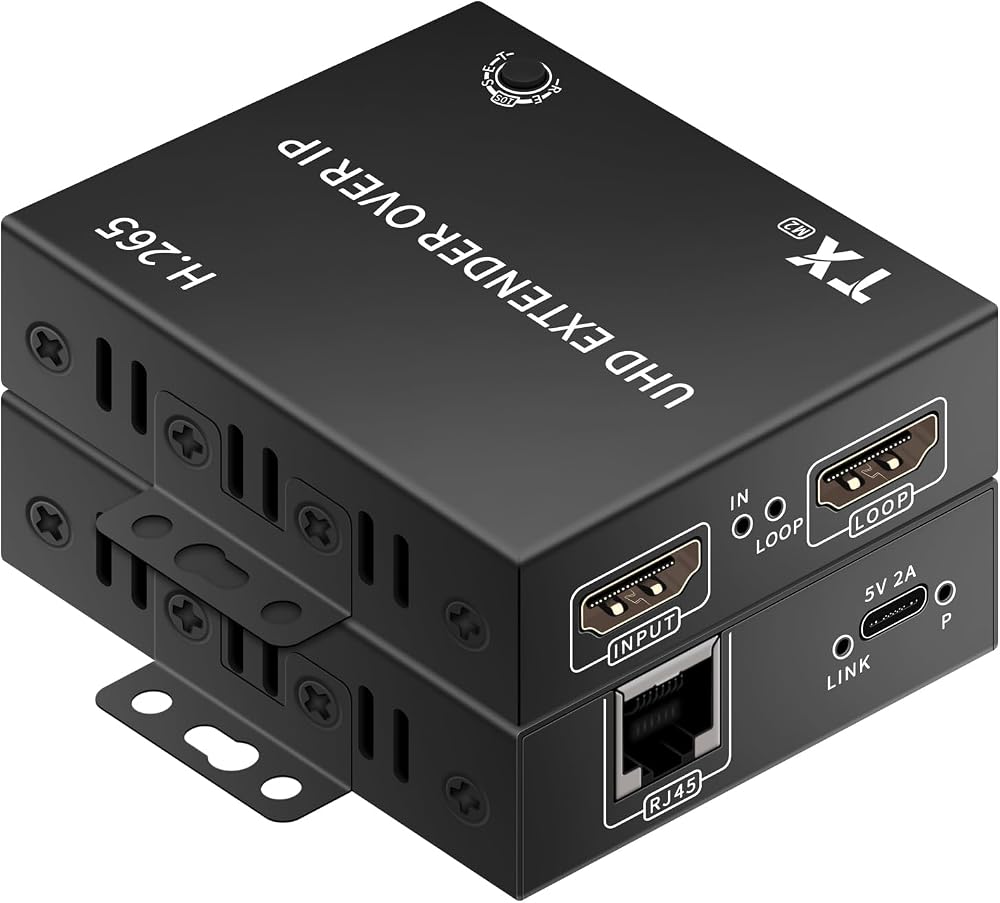
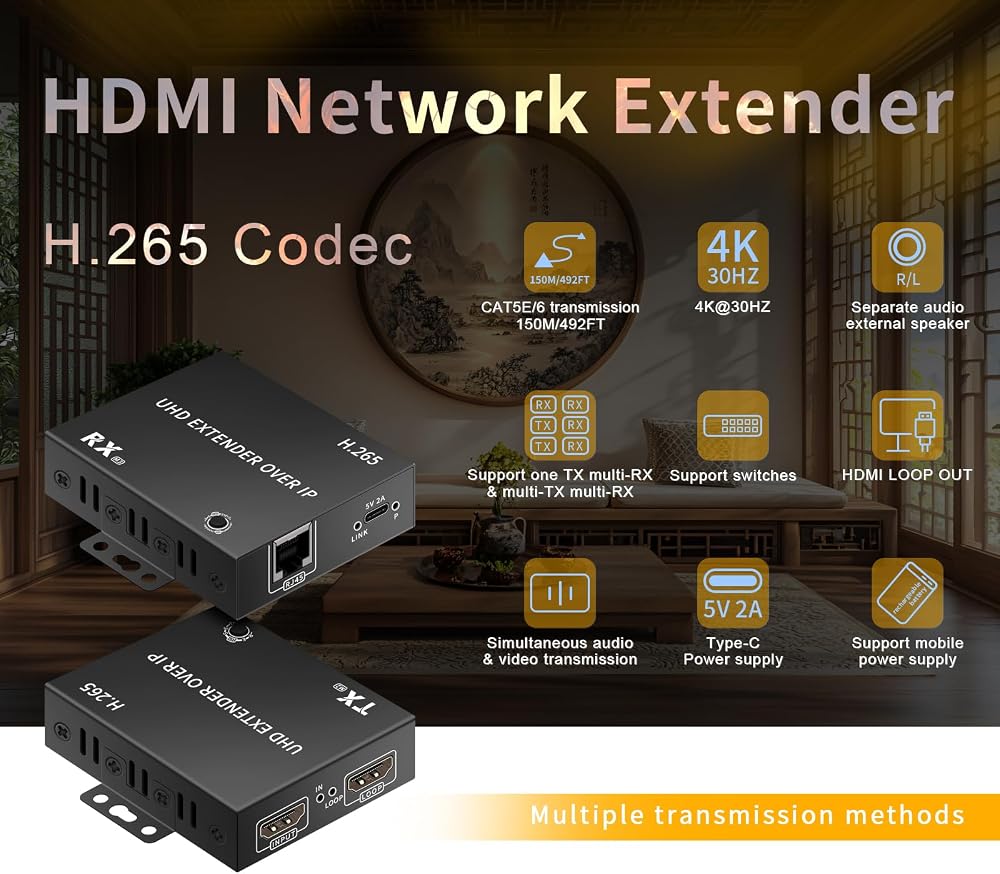
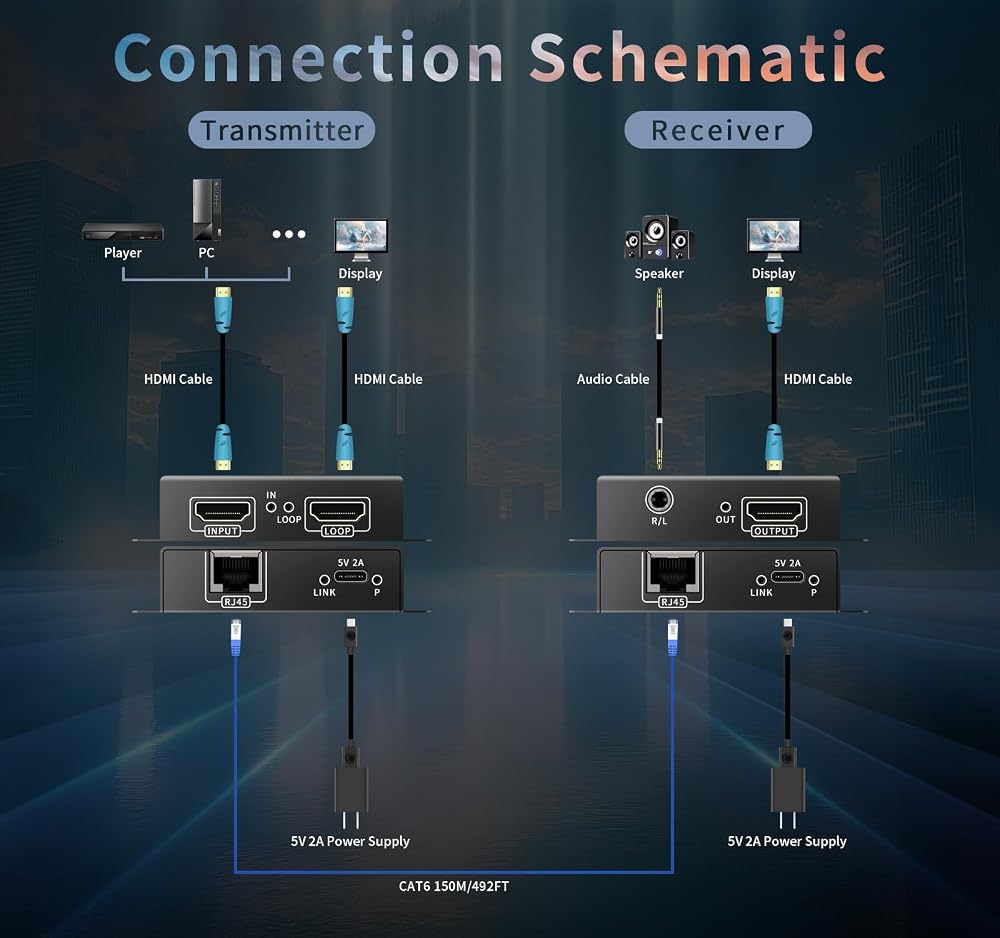
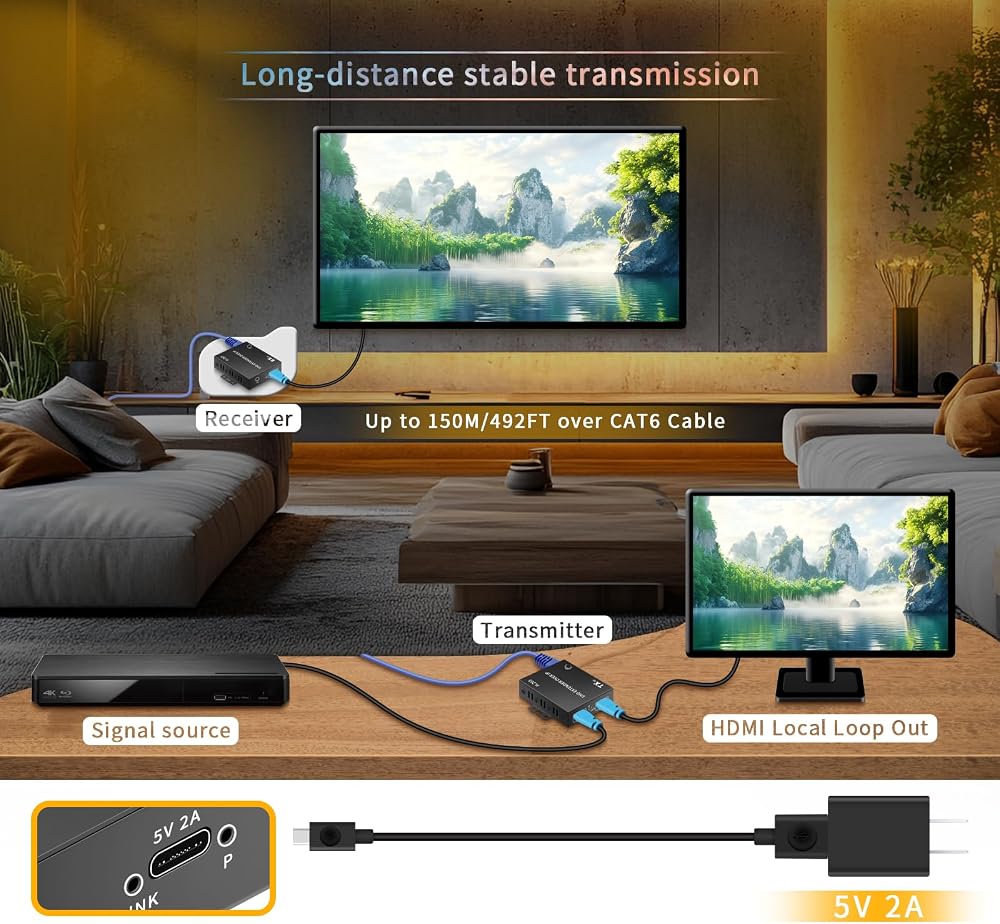
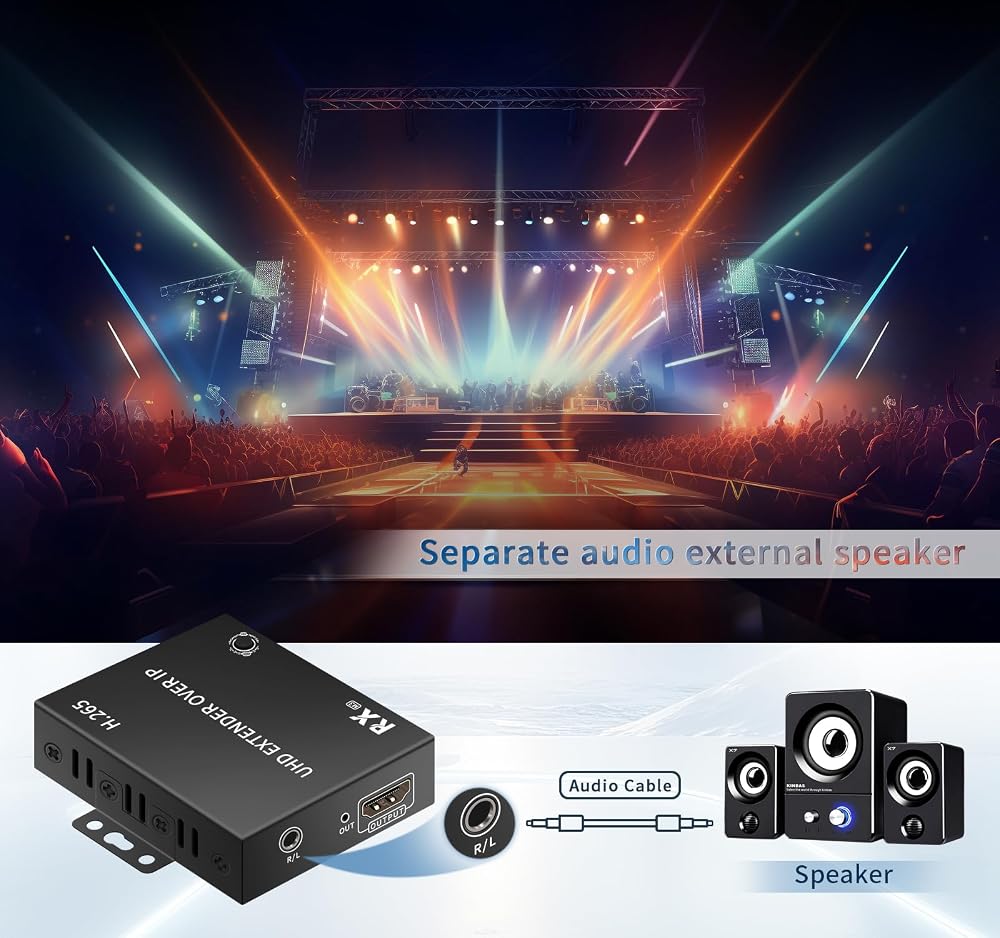
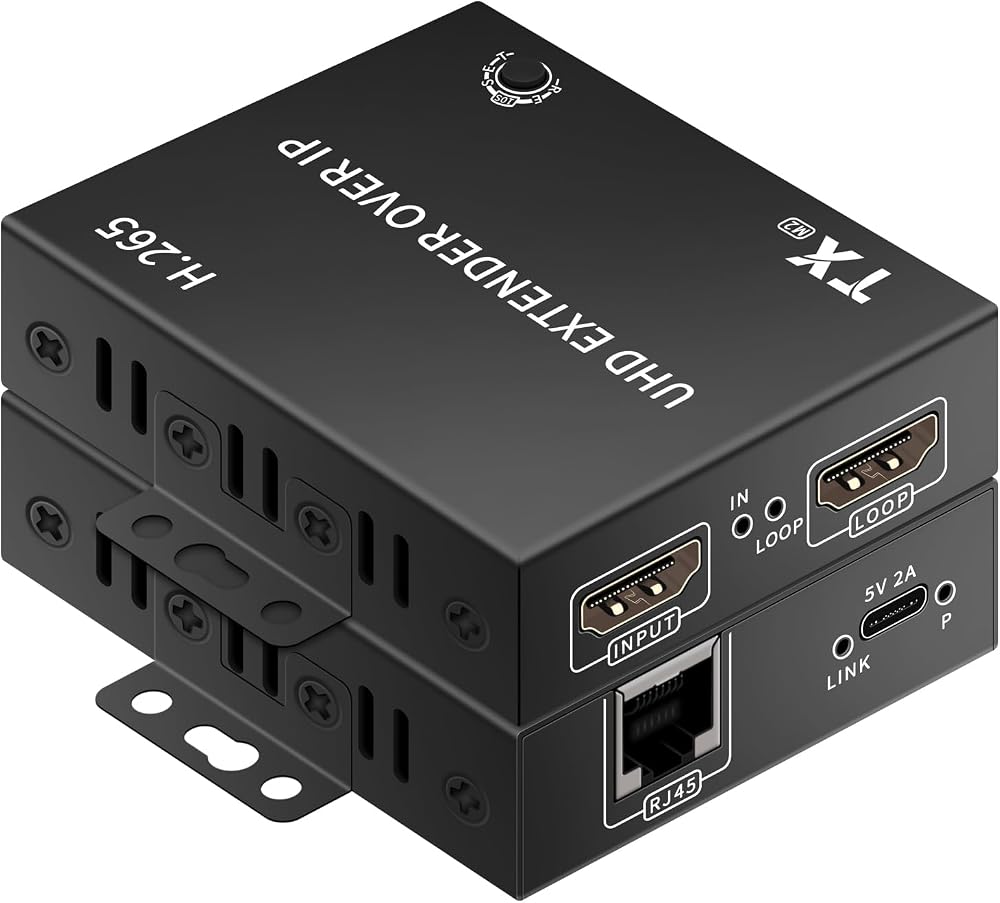
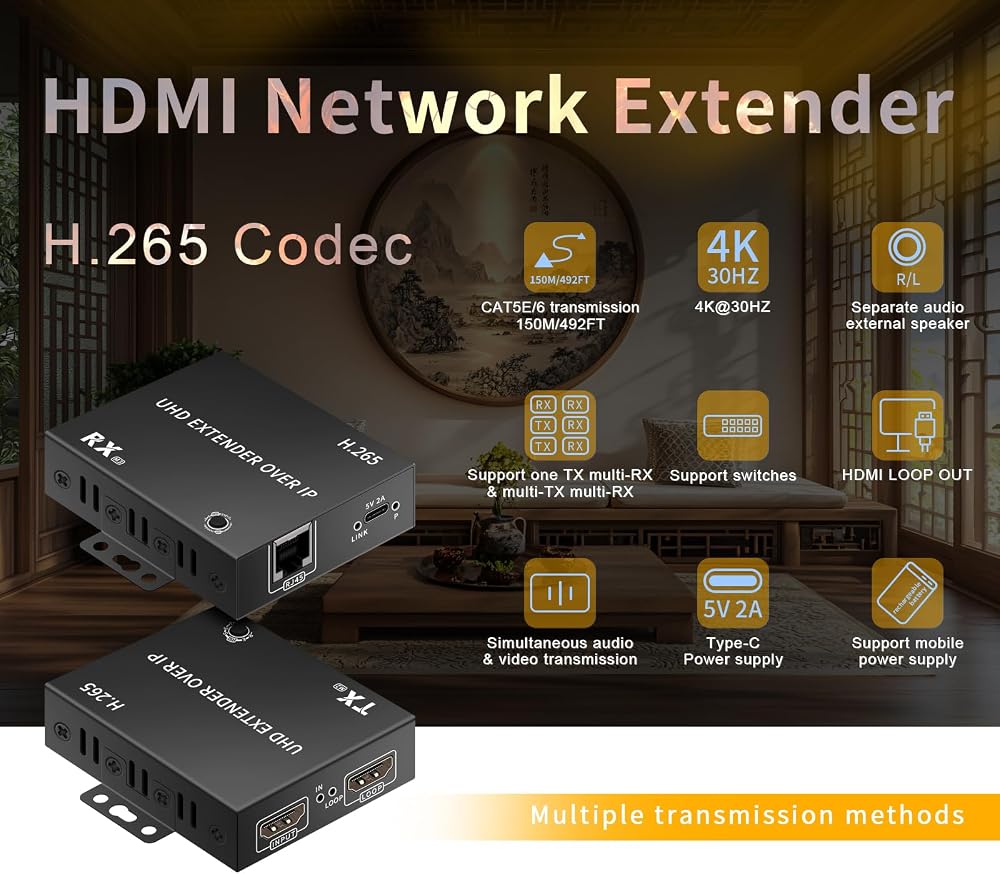
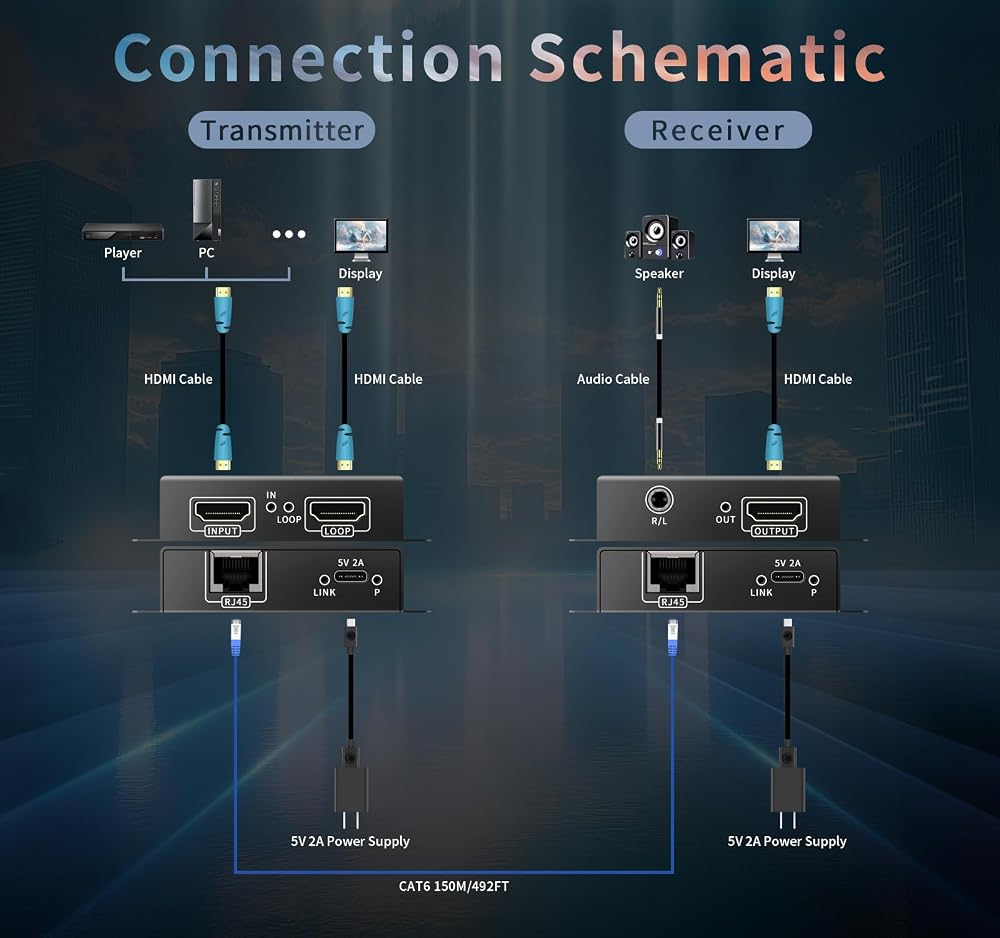
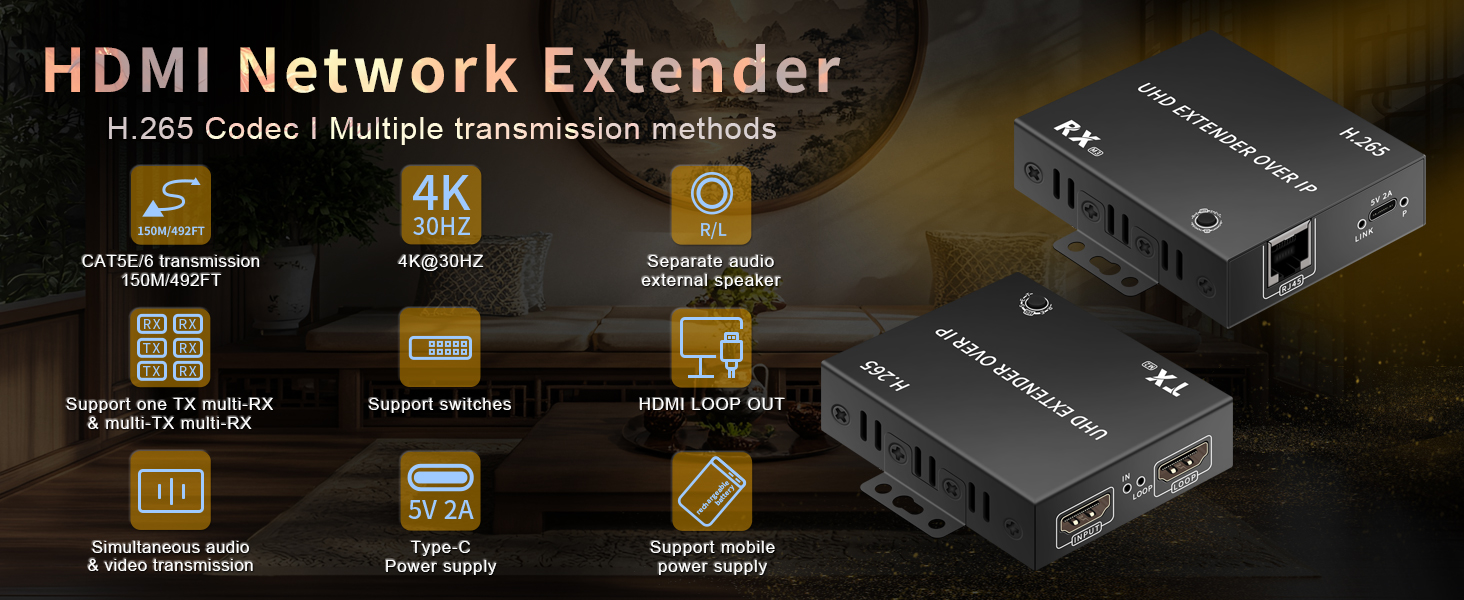
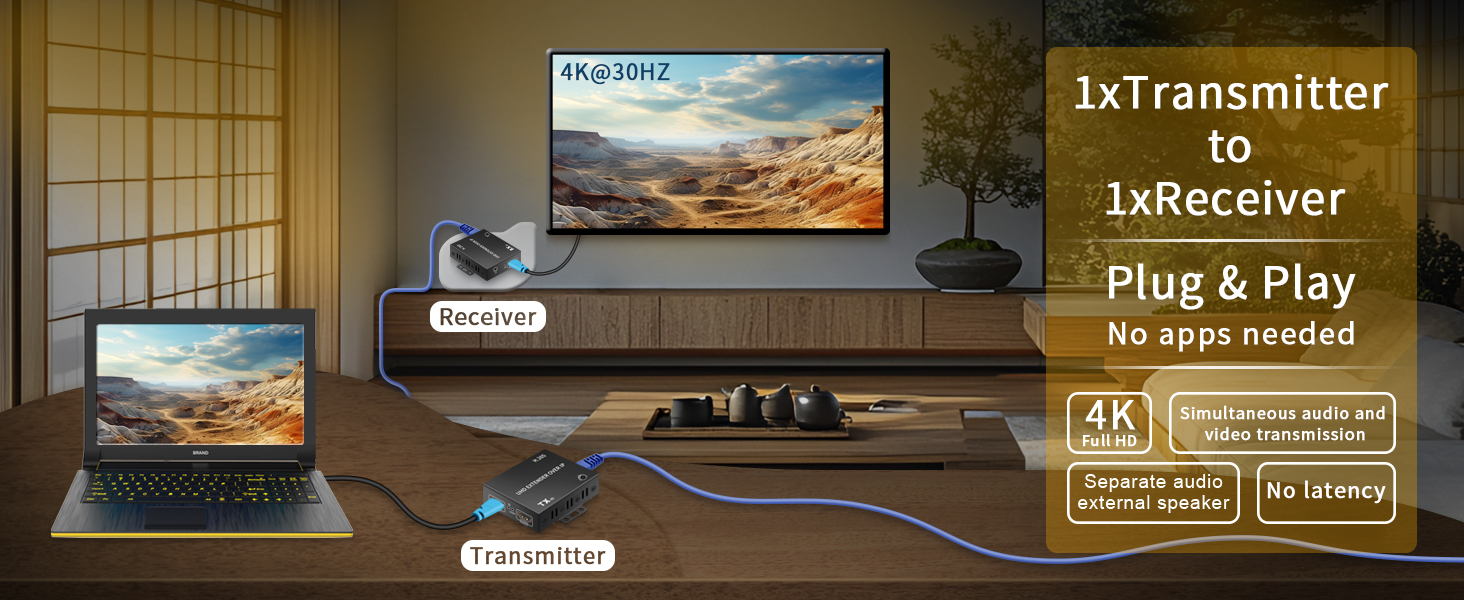
4K HD with Local Loopout and Audio Transmission: H.265 TCP/IP 4K HDMI Network Extender 1TX and 1RX Kit enables transmission of one HDMI signal source over Ethernet cable to a display up to 490FT away. Also supports connection to LAN/fiber/wireless bridge devices for transmission. Input/output resolution supports up to 4K@30Hz, along with 25601440@60Hz, 19201200@60Hz, 19201080@60Hz, 16001200@60Hz, and 720P@60Hz. The TX unit features a built-in HDMI OUT port for connecting to a local display. The receiver includes HDMI output and a 3.5mm audio output for connecting to speakers
WEB Backend Settings and Ethernet Transmission: The H.265 4K HDMI Network Extender features a TCP/IP IPV4-based WEB backend. Each device has a fixed IP address with default settings: TX: 192.168.1.166 / RX: 192.168.1.167. Access the web interface via the IP address to modify settings such as IP address, configure TX LOOP resolution, or adjust HDMI/DVI signal formats. The 4K HDMI Network Extender can operate alongside other network devices within the same local area network
Fixed IP and Ultra-Low Bandwidth: Each H.265 4K HDMI Network Extender device features a fixed IP address, which can be modified via the web interface. Leveraging advanced H.265 encoding technology, the 4K HDMI Network Extender requires only approximately 10M of network bandwidth for LAN transmission, making it compatible with 100M/1000M/10G network environments. It also prevents network storms
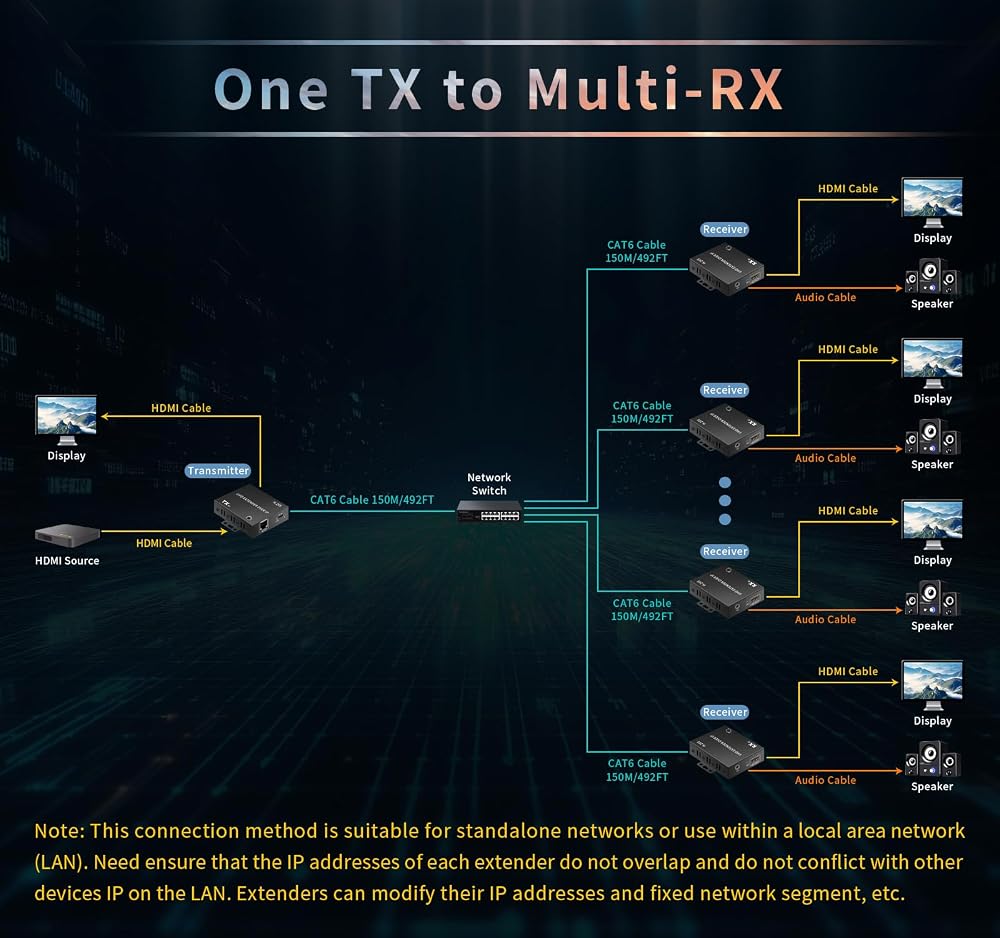
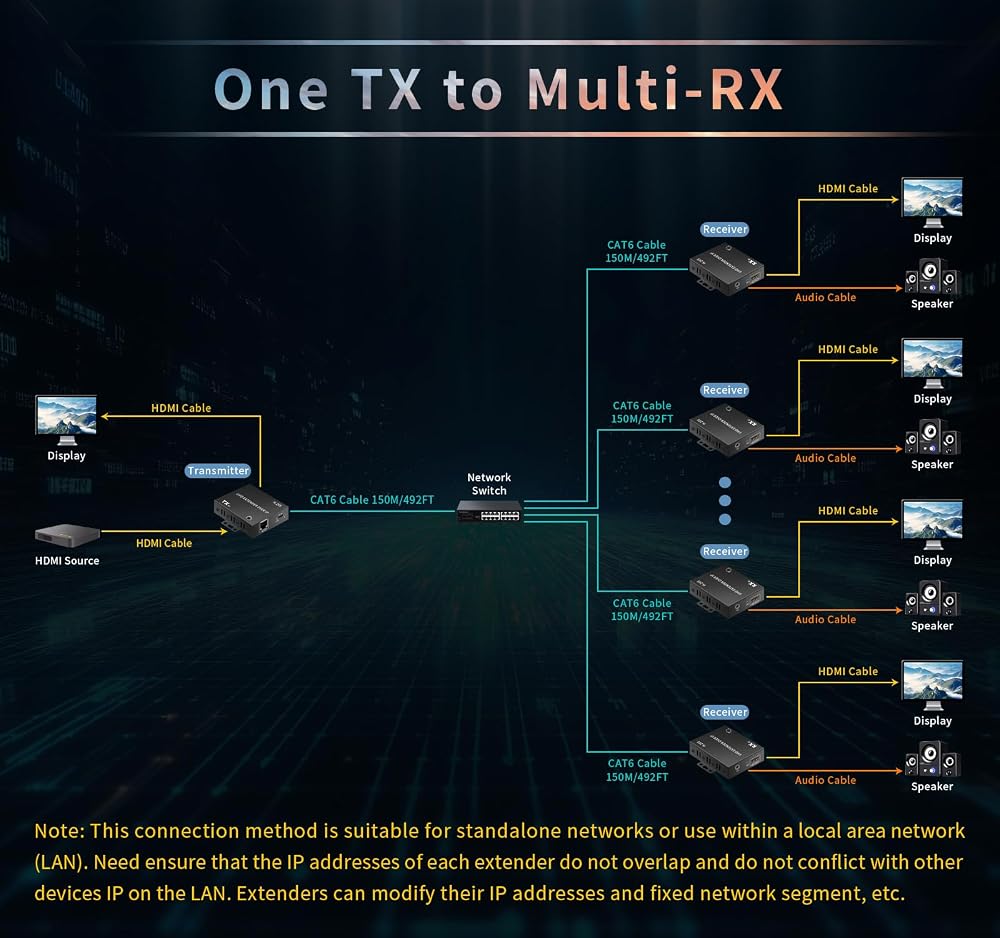
LAN Transmission Precautions: When transmitting H.265 4K HDMI network extenders and other network devices over the same LAN, ensure that no two devices within the LAN share the same IP address. Verify the IP addresses of all network devices. The IP address of the H.265 4K HDMI network extender can be flexibly modified. Note: The transmitter and receiver of the H.265 4K HDMI network extender must operate within the same subnet; cross-subnet operation is not supported
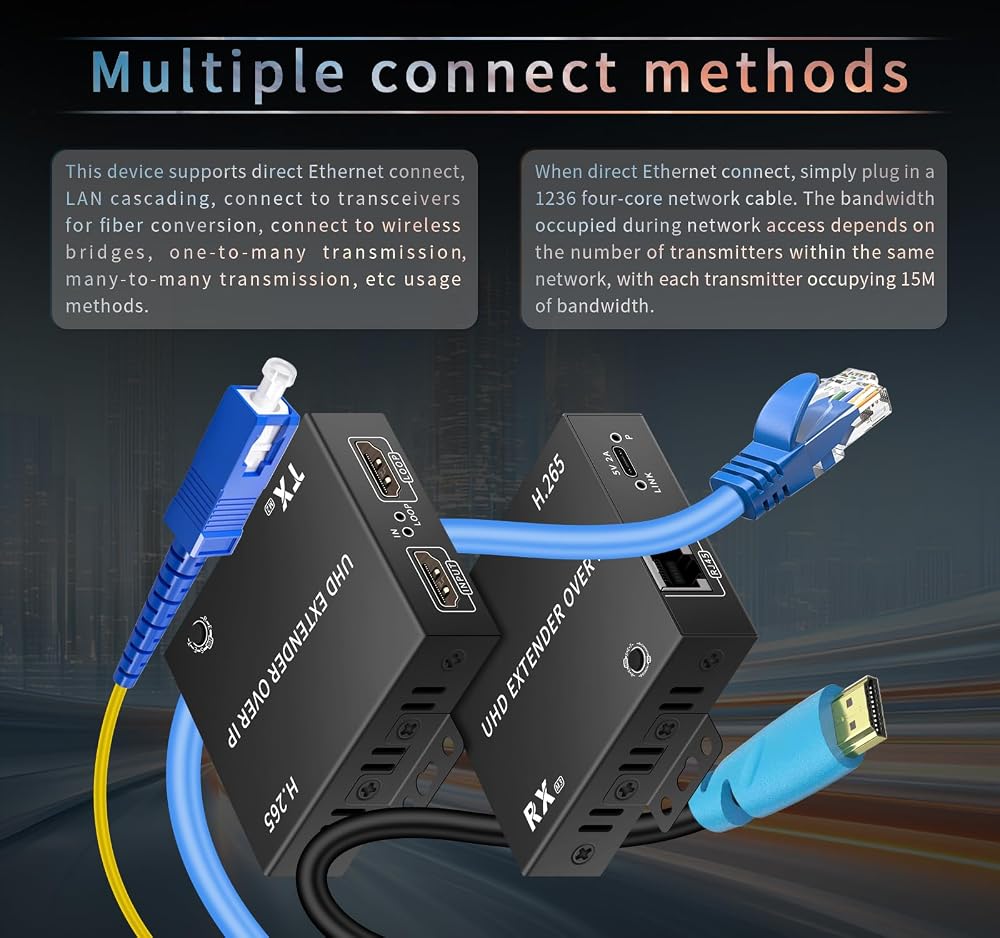
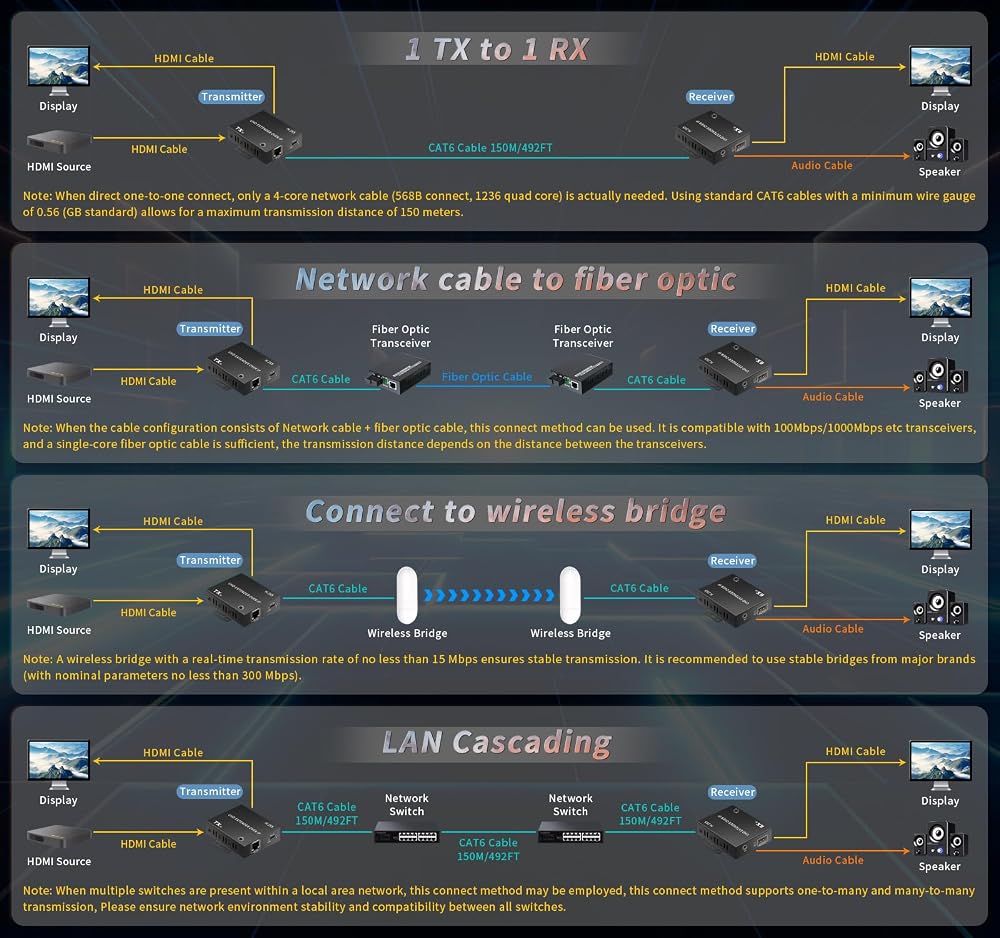
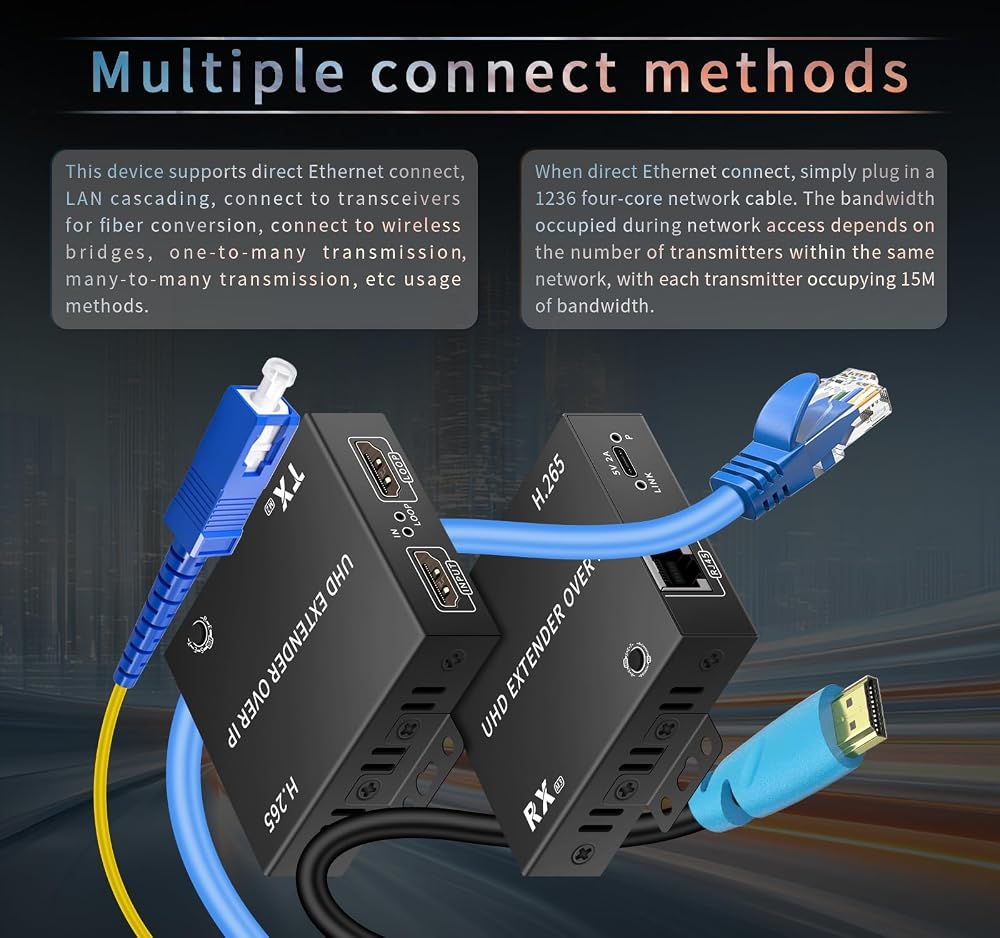
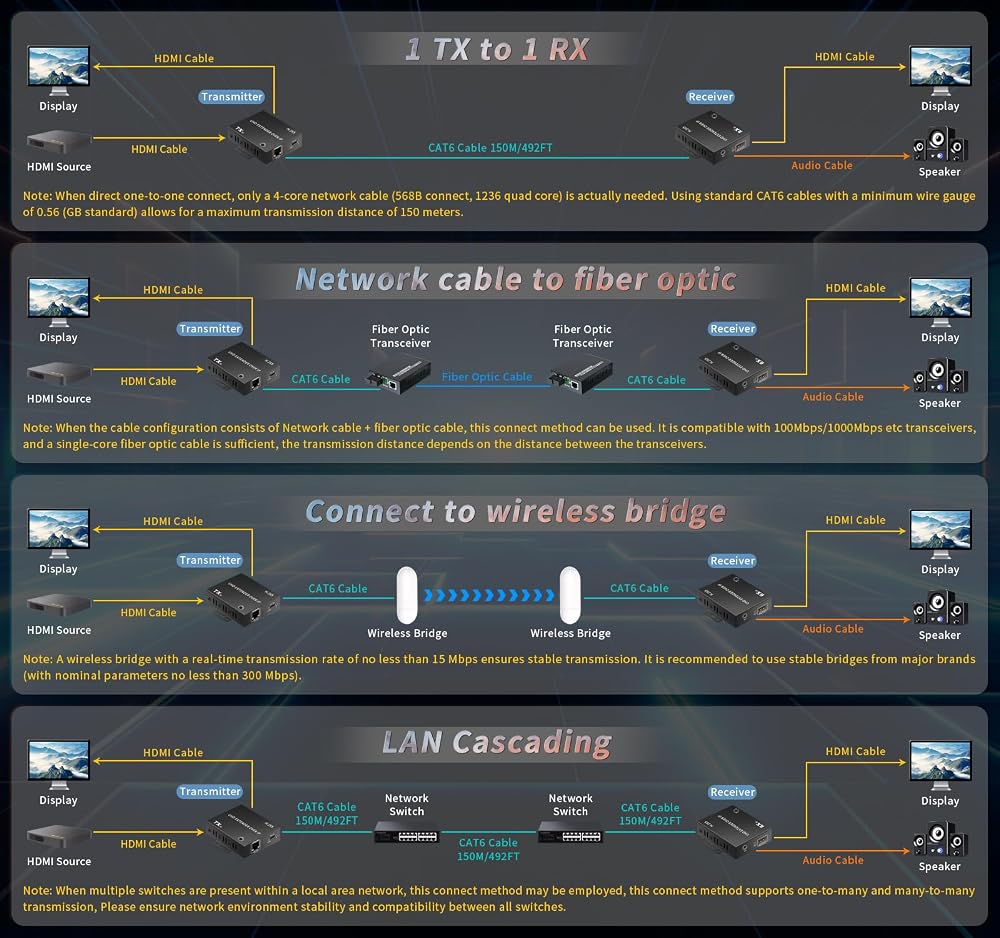
Multiple Transmission Methods: A. Use a single dedicated Ethernet cable for extension, up to 492FT; B. Connect to a local area network (LAN) for transmission; transmitter and receiver must operate within the same subnet; C. One transmitter connects to multiple receivers via a network switch for transmission; D. Connect to a network fiber optic transceiver for transmission via fiber optic cable; E. Connect to a wireless bridge for wireless transmission
RESET Resolution Adjustment: Press and hold the RESET button on the receiver for 2 seconds to cycle through the three resolutions displayed: 4K@30Hz/1080P@60Hz/720P@60Hz, adapting to different monitors. When one transmitter connects to multiple receivers, each receiver can display a different resolution through adjustment. Note: Pressing and holding for 10 seconds or longer will unpair the wireless transmitter and receiver. Please exercise caution when performing this operation
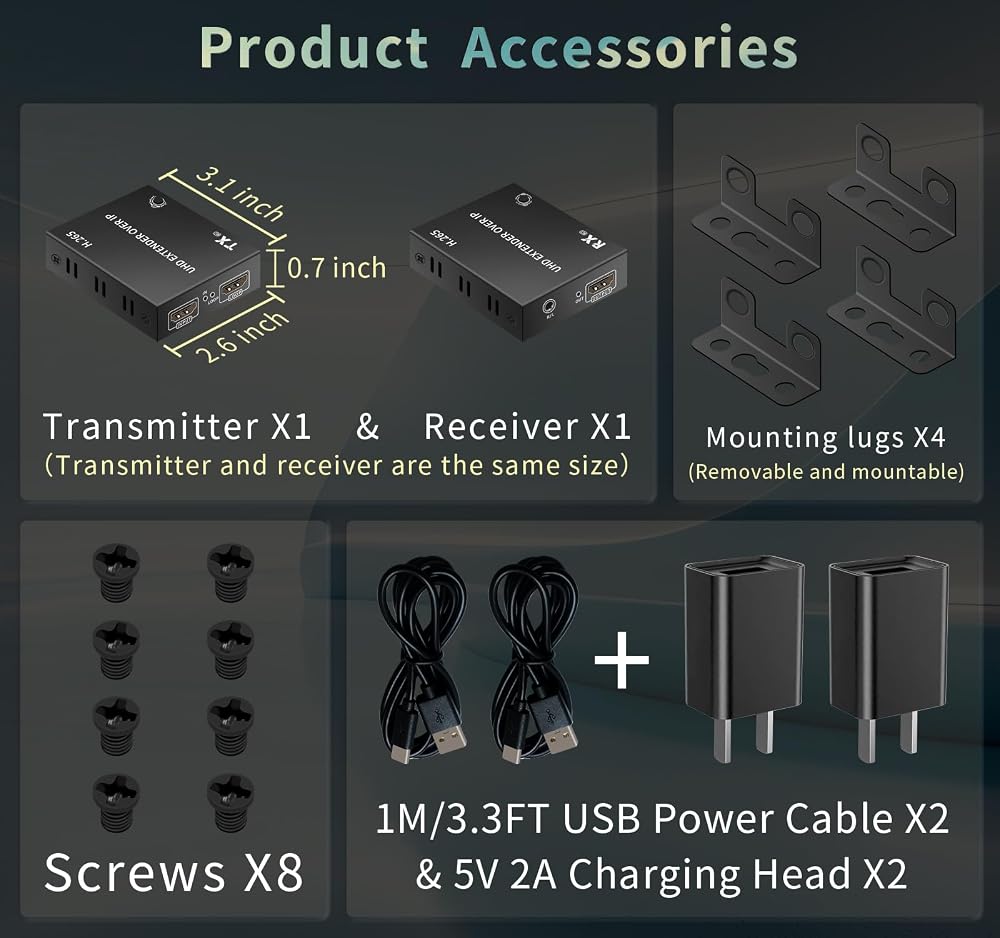
Power Supply Precautions and Mounting Brackets: The H.265 4K HDMI Network Extender uses a Type-C interface for power supply and comes with a USB power cable and a 5V 2A USB charger. Please connect the USB charger for power. Never use a USB 2.0/3.0 port directly for power, as insufficient power may cause no signal or instability. It also supports power supply from a power bank; note that the power bank's operating current must not be less than 2A. It also supports the use of mounting brackets, allowing for easy installation in various environments
Potential Image Quality Differences: The H.265 4K HDMI Network Extender utilizes TCP/IP LAN technology, which involves a certain degree of compression affecting image quality. Compared to direct HDMI signal output or products using other technologies, the image quality may be slightly inferior. Users with exceptionally high image quality requirements should exercise caution when purchasing. However, it delivers significantly better image quality than comparable 1080P or other LAN-based HDMI network extenders
Not Suitable for Touchscreens and Gaming Consoles: The 4K transmitter and receiver feature a 0.1S0.15S (100ms150ms) delay in audio-visual image transmission. It is suitable for scenarios such as video conferencing, PPT presentations, movie/TV playback, and surveillance systems. However, it is not suitable for touchscreens and gaming consoles that require zero latency. Please consider carefully before purchasing
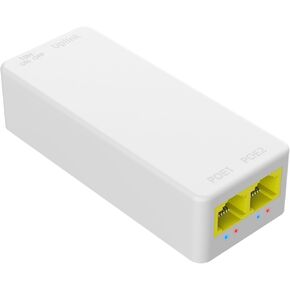 SODOLA 2 Port PoE Extender 100Mbps, IEEE 802.3 af/at PoE Repeater
SAR 63
SODOLA 2 Port PoE Extender 100Mbps, IEEE 802.3 af/at PoE Repeater
SAR 63
 -5%
USB Switcher 2 Computers kvm Switch 2 Computers 1 Keyboard and Mouse USB Switch Kvm USB 3.0 Switch Selector 4 Ports Hub Share Devices Printer Scanner with 2 USB Cable and 1 Desktop Controller
SAR 273
-5%
USB Switcher 2 Computers kvm Switch 2 Computers 1 Keyboard and Mouse USB Switch Kvm USB 3.0 Switch Selector 4 Ports Hub Share Devices Printer Scanner with 2 USB Cable and 1 Desktop Controller
SAR 273
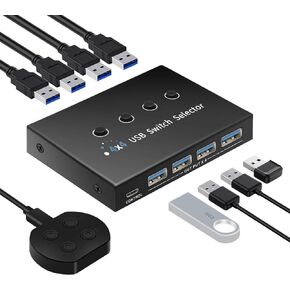 USB 3.0 Switch 4 Computers 3 Computers Keyboard Mouse Switch,4 Port USB Switch Selector Sharing 4 USB Devices,USB Switcher Compatible with Mac/Windows/Linux,with Desktop Controller and 4 USB Cable.
SAR 193
USB 3.0 Switch 4 Computers 3 Computers Keyboard Mouse Switch,4 Port USB Switch Selector Sharing 4 USB Devices,USB Switcher Compatible with Mac/Windows/Linux,with Desktop Controller and 4 USB Cable.
SAR 193
 USB switcher 2 computer Keyboard Mouse Switch,hotkey switch,USB cross selector,USB kvm switcher, keyboard mouse switch km,3 working modes: cross(toggle without buttons),synchronized, select mode.
SAR 225
USB switcher 2 computer Keyboard Mouse Switch,hotkey switch,USB cross selector,USB kvm switcher, keyboard mouse switch km,3 working modes: cross(toggle without buttons),synchronized, select mode.
SAR 225

 Saudi Arabia