USB-C KVM Switch 2 Monitors 2 Laptops 4K@60Hz USB C Dual Monitor KVM | with 4 USB 3.0 ports for USB Devices; PD 87W Charging; Plug-and-Play Without Drivers; Ideal for home, office & programmers; black black USB C+HDMI KVM 2 Computers
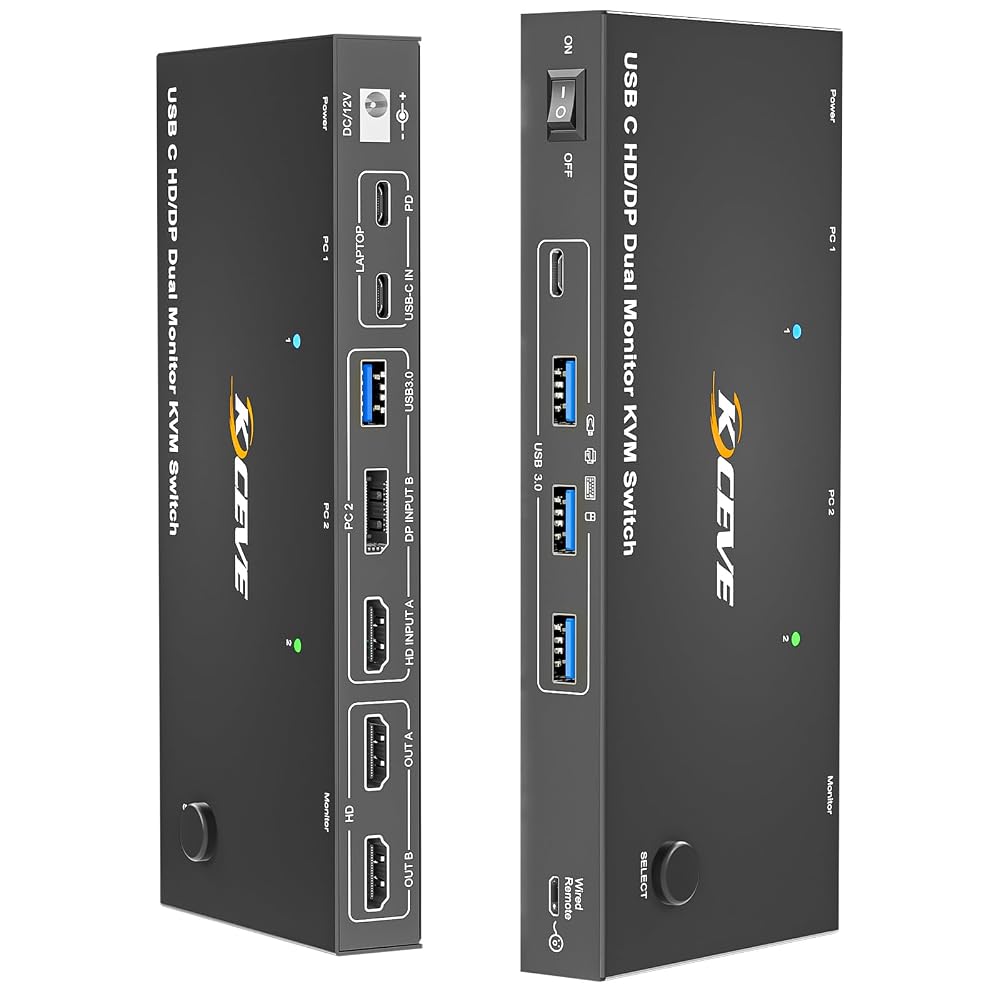
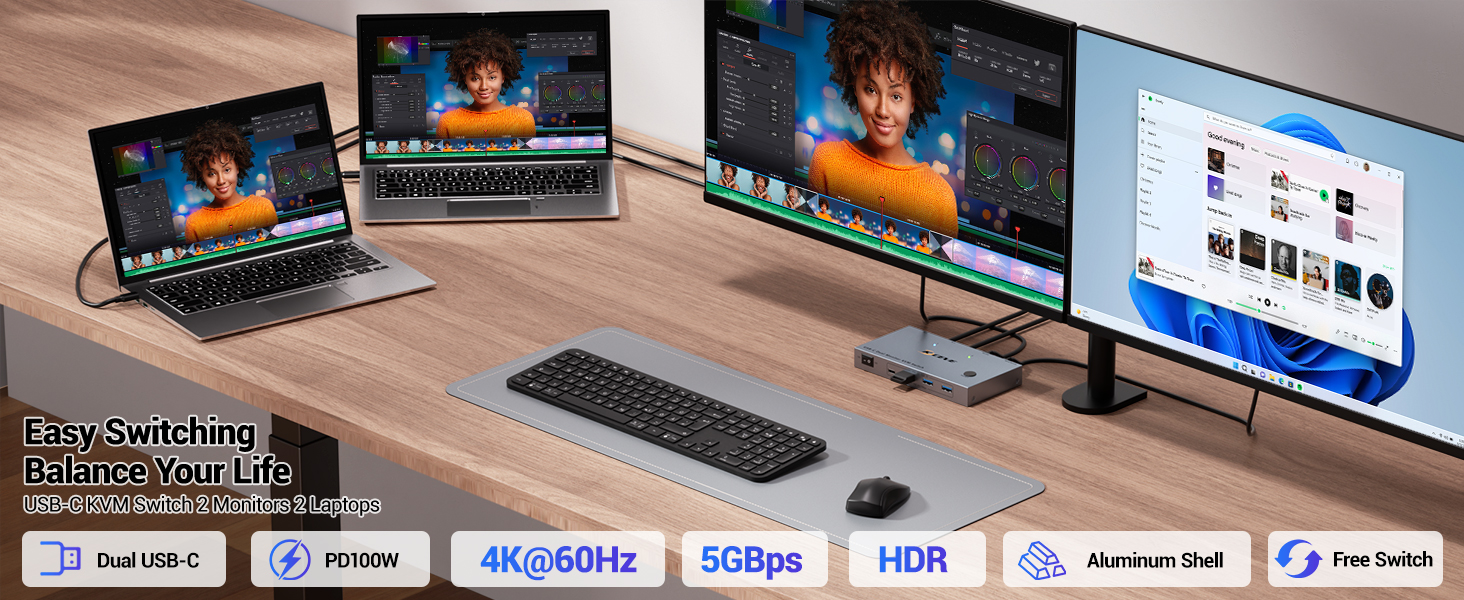
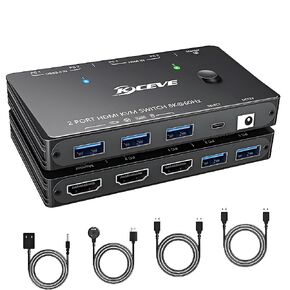
【4K USB C KVM Switch 2 Monitors 2 Laptops】The Dual monitor KVM switch USB C allows 2 laptops share 2 monitors and 4 USB devices, such as keyboard, mouse, printer and so on. KVM switch 2 monitors for 2 laptop supports up to 4K@60Hz, 2K@144Hz /120Hz resolutions and is backward compatible.🚩Note: Mac OS can't output extended dual screens.
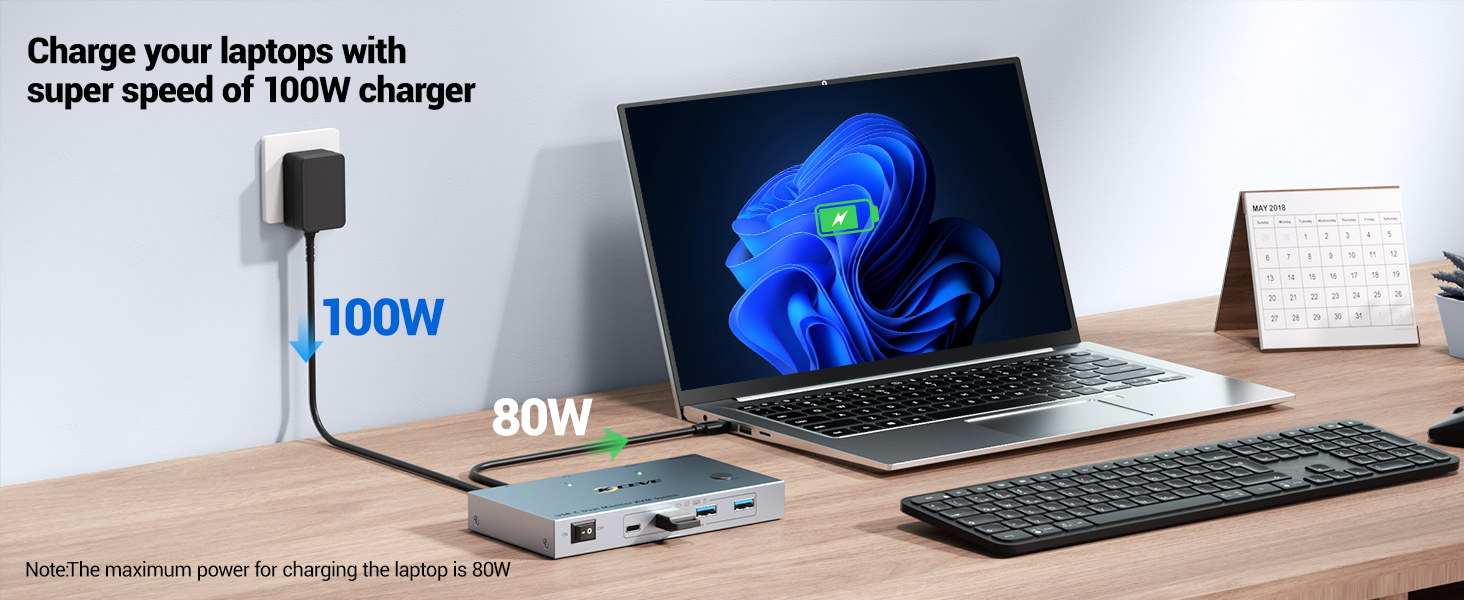
【PD 80W Fast Charging】USB C KVM Switch 2 Computers comes with a USB-C PD 80W power port, which can provide enough power for your laptop during use and eliminates the hassle of occupied USB-C charging ports!---Meanwhile can ensure the unit works more stably.
【5Gbps Ultra-fast Transfer】This 2 laptop docking station switch equipped with 4 USB 3.0 ports (3 USB-A Ports +1 USB-C Port) for 2 laptops to share USB devices such as keyboard, mouse, printer, etc.. With data transfer speeds of up to 5Gbps, you can transfer files faster while using it.
【Extension Mode and Copy Mode】KVM Switch 2 Monitors 2 Computers USB C supports extension mode and copy mode for Windows laptops. MacOS (M1, M2) system ONLY supports mirror mode. Please verify your specific Mac model supports dual displays.
【Two Switching Methods】Plug and play, easy installation, no driver required. Dual monitor kvm also offers both physical button and 1.5M wired switching options, relevant LED indicators clearly show the active computer, which are easy to switch and make your workspace tidier
【What You Will Get】 USB C KVM Switch dual monitors, 2 USB C cable for audio and video signal transmission, 1 wired controller, instruction manual. If you have any questions, please contact us and we will be happy to assist you.
🚩【Please Attention】1, Please ENSURE it is connected to the power source for charging when using. 2, Please check the laptop is awakened from sleep mode before you switch. 3, Ensure that the connected laptop has a fully functional USB-C port. 4, MacOS doesn't support MST, so it cannot support extended laptop.
 HP USB External DVDRW DriveNew Retail, F6V97AANew Retail)
SAR 261
HP USB External DVDRW DriveNew Retail, F6V97AANew Retail)
SAR 261
 NAWEN 8K DisplayPort 1.4 MST Hub Splitter 1 in 3 Out DP to DP Video Converter for Video Card with MST Function Extend and Mirror Modes, (Windows PC only)
SAR 485
NAWEN 8K DisplayPort 1.4 MST Hub Splitter 1 in 3 Out DP to DP Video Converter for Video Card with MST Function Extend and Mirror Modes, (Windows PC only)
SAR 485
 VGA KVM Switch 4 Port, USB VGA KVM Switcher for 4 Computers Share 1 Monitor 3 USB Devices Keyboard Mouse Scanner Printer, Including 4 KVM Cables & Desktop Control
SAR 173
VGA KVM Switch 4 Port, USB VGA KVM Switcher for 4 Computers Share 1 Monitor 3 USB Devices Keyboard Mouse Scanner Printer, Including 4 KVM Cables & Desktop Control
SAR 173
 KVM Switch HDMI 2 Ports,USB and HDMI Switch for 2 Computers Share Keyboard Mouse Printer and one HD Monitor,Support UHD 4K@30Hz,with 4 USB Out and External Controller Switching
SAR 574
KVM Switch HDMI 2 Ports,USB and HDMI Switch for 2 Computers Share Keyboard Mouse Printer and one HD Monitor,Support UHD 4K@30Hz,with 4 USB Out and External Controller Switching
SAR 574

 Saudi Arabia