- Shopping, made easy.
- /
- Get the app!
NOTICE!
Not for iPad Air 2, Air 3, Air 4... !!!
Keep restarting or won't charge? Please lock the battery screw tightly!!!! Remember this, this is not a big problem, if you miss this screw, we can transfer 1 from motherboard.
When opening the pad, do not damage the lcd, the touch glass and the cable inside, a very importaant step.
Support iPad Model List:
for iPad Air 1(2012): A1474 A1475 A1476
iPad (5th generation): A1822 A1823
iPad (6th generation): A1893 A1954
iPad (7th generation): A2197 A2198 A2200
iPad (8th generation): A2270 A2428 A2429 A2430
iPad (9th generation): A2602 A2603 A2604 A2605
Packing List
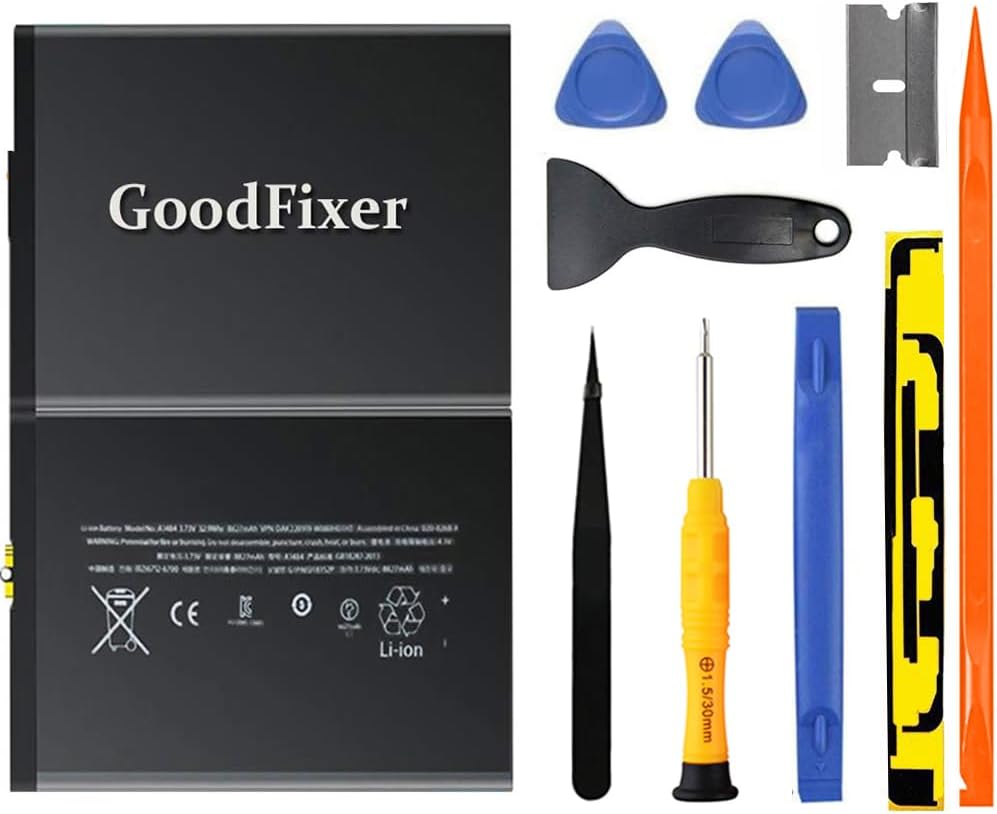
-1 Battery for iPad Air 1/iPad 5/iPad 6/iPad 7/iPad 8/ iPad 9
-1 '+' Screwdriver
-4 Triangle Opening Tool
-1 Pry Opening Spudger
-1 Suction Cup
-1 Set of sealling strips
-1 Spudger
-1 Metal Spatula/Scraper
-1 Tweezer
-1 Installation Manual
-Kindly Note:
After the battery installed inside Pad,we suggest you full charge 100% and use the power to about 2% 3 times, then the battery will became more excellent.
If your Air Touch Screen Glass Digitizer is broken, you can replace them at the same time. ^ v ^
Q: Pad can't start?
A: If the LCD is not broken, check the battery screw, must lock this tightly, if missing this screw,trasnfer 1 from motherboard. then charge battery 20mins
Q: The Pad can be power on, but no charging?
A: check the battery screw, must lock this tightly, if missing this screw,trasnfer 1 from motherboard.
GoodFixer Customer Service Guarantee:
24-Hour Reply
365 DAYS Warranty
 for Black iPad 5 2017 9.7 inch (A1822, A1823) Touch Screen Digitizer Assembly Replacement with Home Button, Camera Bracket, Pre-Installed Adhesive, Tool Repair Kit
SAR 105
for Black iPad 5 2017 9.7 inch (A1822, A1823) Touch Screen Digitizer Assembly Replacement with Home Button, Camera Bracket, Pre-Installed Adhesive, Tool Repair Kit
SAR 105
 for iPad 5 5th Gen Screen Replacement A1822 A1823 2017 Digitizer 9.7 Inch, for iPad 5th Generation Touch Glass with Home Button, Repair Tool Kit (Black)
SAR 105
for iPad 5 5th Gen Screen Replacement A1822 A1823 2017 Digitizer 9.7 Inch, for iPad 5th Generation Touch Glass with Home Button, Repair Tool Kit (Black)
SAR 105
 for iPad 9 (2021) 10.2’’ Screen Replacement for iPad 9 (9th Generation) LCD Display A2602 A2603 A2604 A2605 Screen Replacment with Repair Kits(Black, Not Include Digitizer)
SAR 321
for iPad 9 (2021) 10.2’’ Screen Replacement for iPad 9 (9th Generation) LCD Display A2602 A2603 A2604 A2605 Screen Replacment with Repair Kits(Black, Not Include Digitizer)
SAR 321
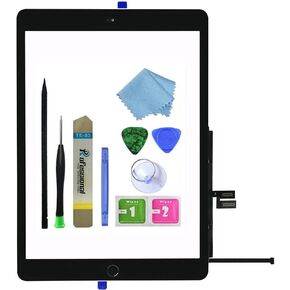 for iPad 9 2021 9th Generation Touch Screen Digitizer Replacement A2602 A2603 A2604 A2605 with Home Button,Camera Bracket,Pre-Installed Adhesive,Tool Repair Kit
SAR 115
for iPad 9 2021 9th Generation Touch Screen Digitizer Replacement A2602 A2603 A2604 A2605 with Home Button,Camera Bracket,Pre-Installed Adhesive,Tool Repair Kit
SAR 115

 Saudi Arabia