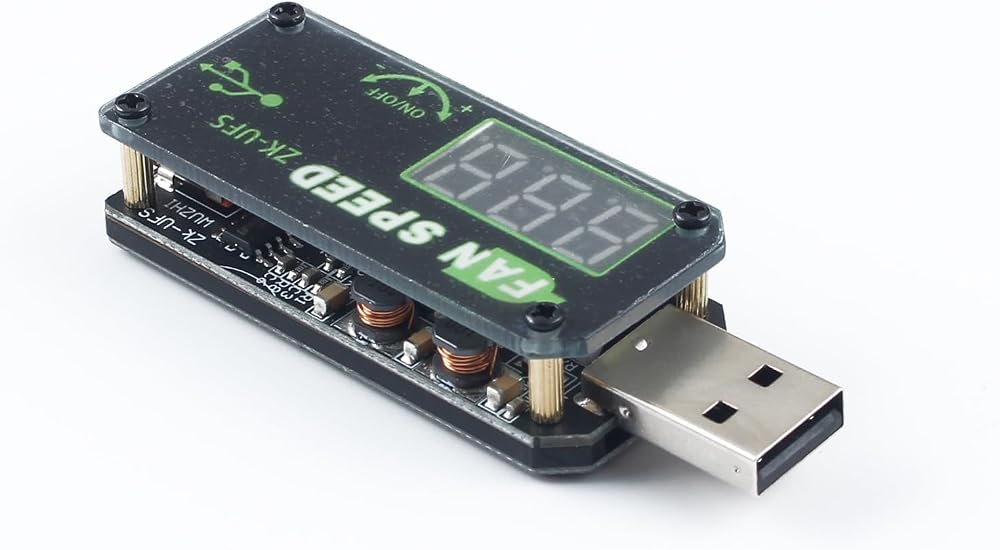
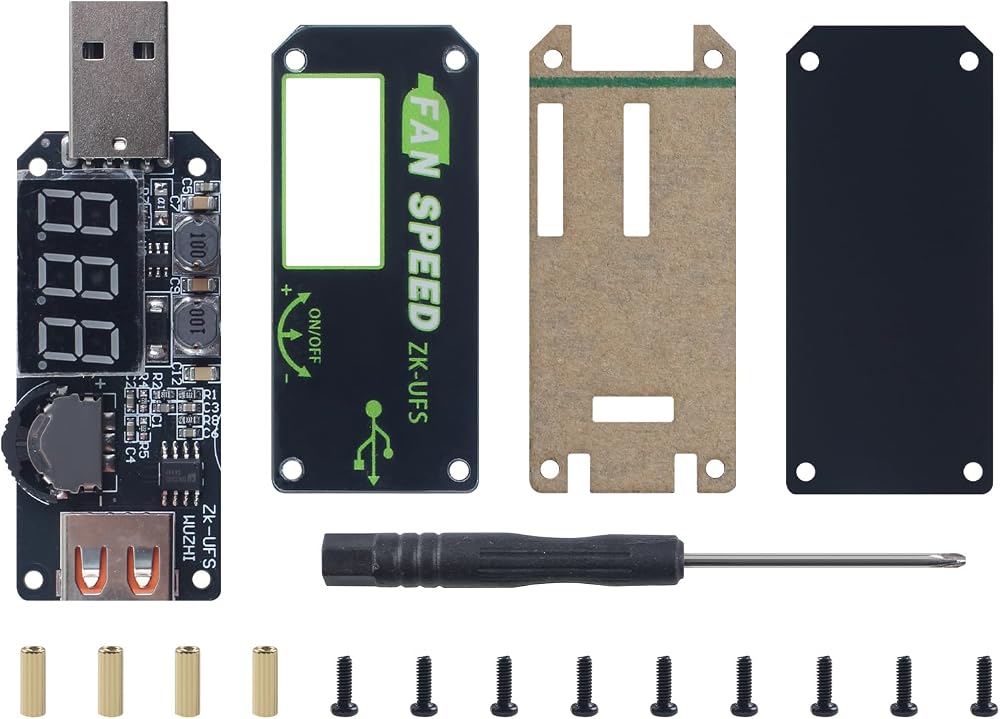
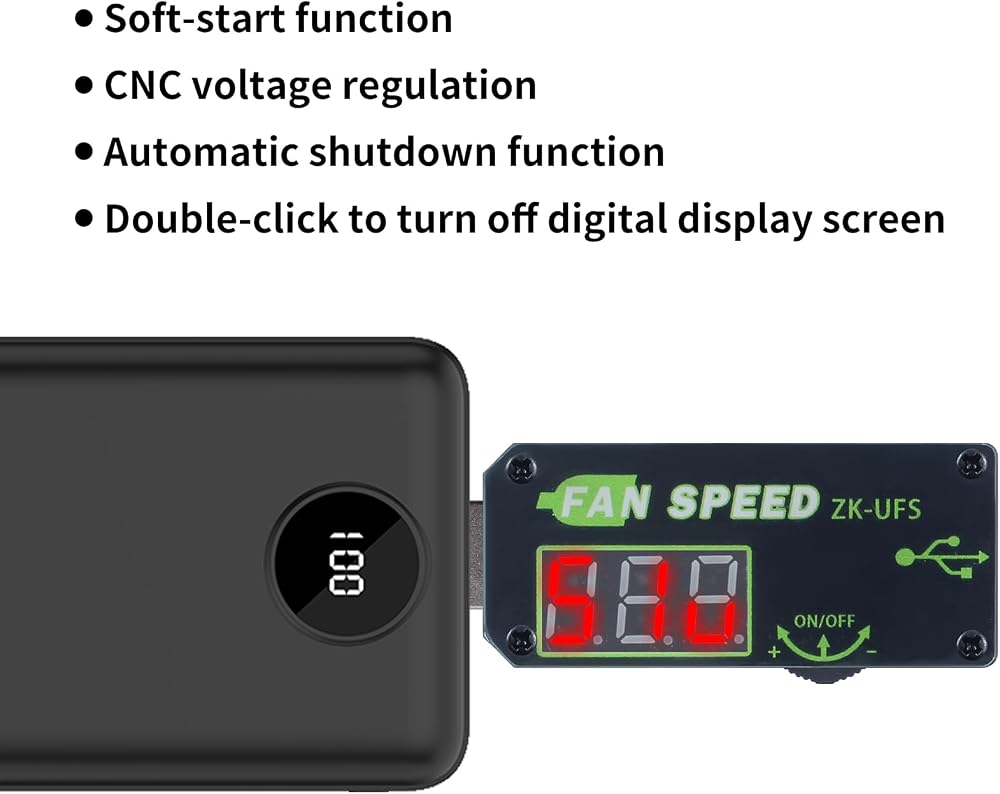
وحدة تحكم سرعة محرك USB للجزء القياسي المطبوع ثلاثي الأبعاد من BambuLab: 5 وات تنظيم الجهد باستخدام الحاسب الآلي، عرض رقمي، إعداد التوقيت، شاشة وظيفة التشغيل الناعم، ملحقات الطابعة ثلاثية الأبعاد
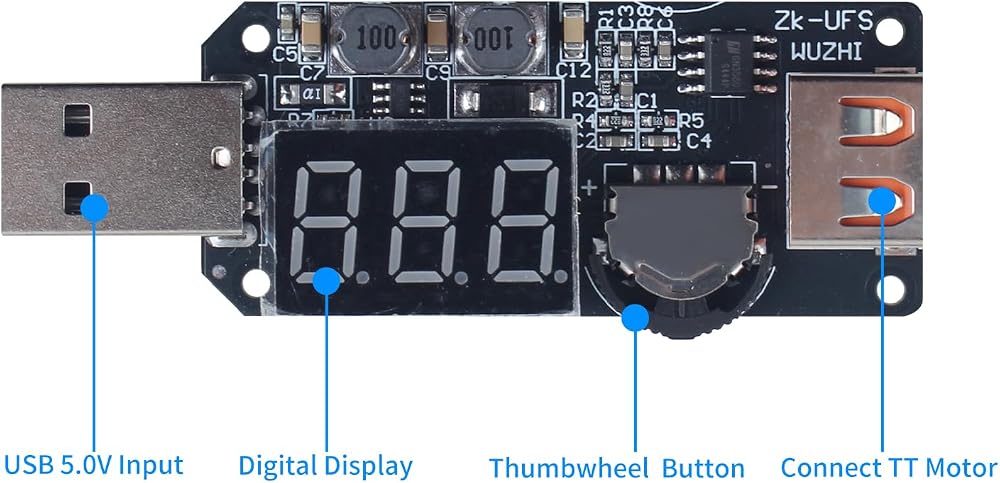
Plug the connector of the USB Speed Controller into a power-sourrce or fan USB interface (Ensure that the power of power port is greater than the powerr required by the USB Speed Controller). Then connect the motor with the female port of the speed controller. The speed controller defaults to output on.
Turn the thumbwheel counter-clockwise to increase voltage. Turn clockwise to decrease voltage. Click the thumbwheell once to turn output ON/OFF. Double-click the thumbwheel to turn off the LED display. Press any button to wake up the digital display
Long press the thumbwhel for 3 seconds to enter the time setting interface. The "---" display represents timer OFF, and number displayed represents timer ON. In the setting interface, turn the thumbwheel to the left side to increase the timer. Turn it to the right to decrease the timer
In the setting interface, click the thumb-wheel once to switch timer function ON/OFF. Long press the thumbwheel for 3 seconds to exit the interface and countdown starts
If you need another spare accessories: 184×184mm print bed 257×257mm smooth pei h1h build plate - upgrade cleaning nozzle wiper brush - 2510 or hot end motor cooling fan and control board fan - extruder motor - x y z axis belt - gear assembly - AMS heated board - Hall switch board sensor - ceramic heater or thermistor - 0.4mm nozzle - LED backlight board or LED DIY multi color light- screw kit etc, mouse/lamp/Instant Noodles Timer/Boat Model/Windup Motor/ Compact Multi-Use Case assembly please welcome
وصف
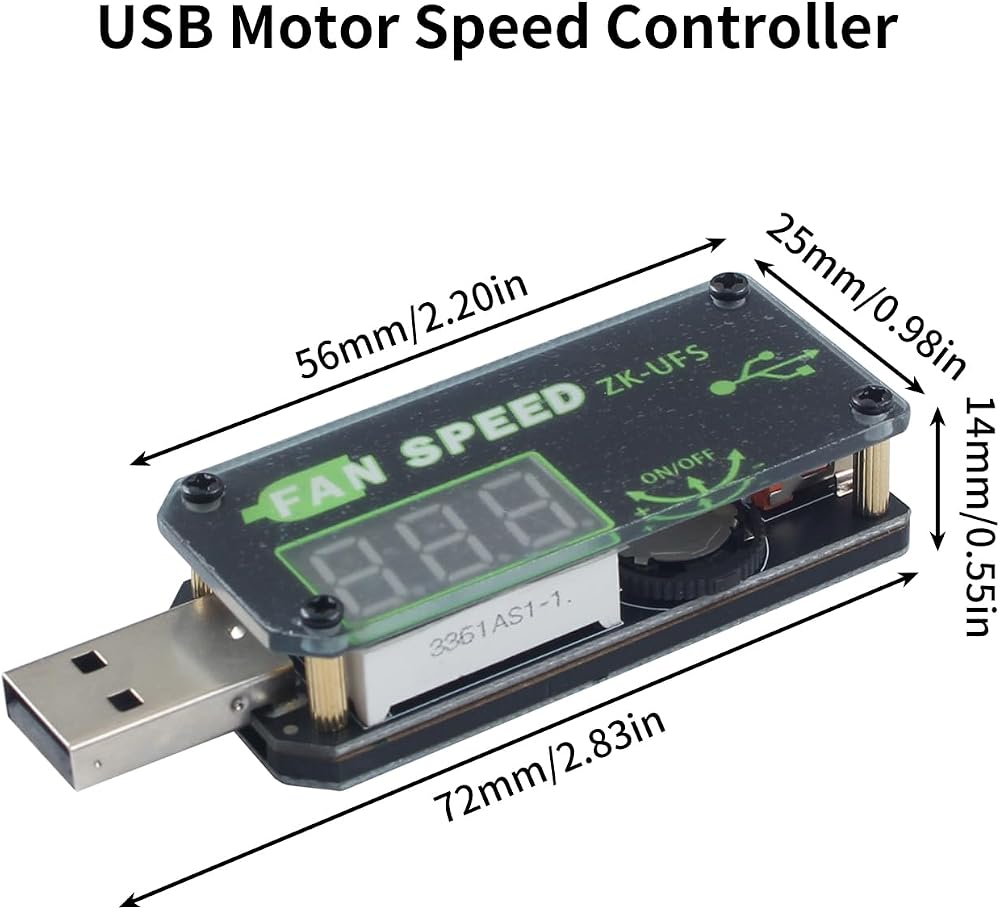
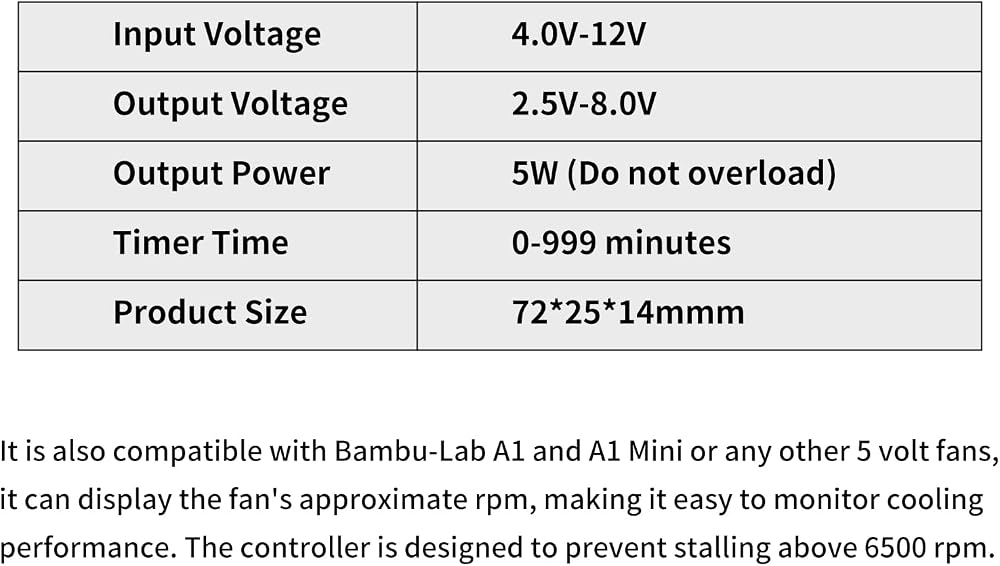
Input Voltage: 4-12V, Output Voltage 2.5-8V, Output Power 5W (Do not overload), Timer Time 0-999 minutes
Feature:
Soft-start function
CNC voltage regulation
Automatic shutdown function
Double-click to turn off digital display screen
It is also compatible with Bambu-Lab A1 and A1 Mini or any other 5 volt fans, it can display the fan's approximate rpm, making it easy to monitor cooling performance
The controller is designed to prevent stalling above 6500 rpm
Consistent Low-Speed Performance: The fan consistently spins at low speeds, ensuring reliable cooling performance even when the speed is reduced
 إكسسوارات طابعة ثلاثية الأبعاد CMYK LED Backlight Board Kit: PCB Light مع كابل اتصال محول USB 59 بوصة لـ Lithophane Photo Photo Model DIY Multi-Color Project
SAR 63
إكسسوارات طابعة ثلاثية الأبعاد CMYK LED Backlight Board Kit: PCB Light مع كابل اتصال محول USB 59 بوصة لـ Lithophane Photo Photo Model DIY Multi-Color Project
SAR 63
 إكسسوارات الطابعة ثلاثية الأبعاد y شكل LED مغنتيك تحكم الإضاءة: 3V مصباح الأضواء البيضاء تستبعد حبات الطاقة إمدادات الطاقة للطباعة ثلاثية الأبعاد لإضاءة نموذج المشروع
SAR 0
إكسسوارات الطابعة ثلاثية الأبعاد y شكل LED مغنتيك تحكم الإضاءة: 3V مصباح الأضواء البيضاء تستبعد حبات الطاقة إمدادات الطاقة للطباعة ثلاثية الأبعاد لإضاءة نموذج المشروع
SAR 0
 إكسسوارات الطابعة ثلاثية الأبعاد قاعة قاعة البروستورات مستشعر البروستورات استشعار مداهمة ميدان ميداني (5pcs) لبامبولاب X1/X1C/X1E/P1P/P1S - منع فشل التغذية ضمان طباعة سلسة
SAR 68
إكسسوارات الطابعة ثلاثية الأبعاد قاعة قاعة البروستورات مستشعر البروستورات استشعار مداهمة ميدان ميداني (5pcs) لبامبولاب X1/X1C/X1E/P1P/P1S - منع فشل التغذية ضمان طباعة سلسة
SAR 68
 3D الطابعة ملحقات LED Single Magntic Control Switch Light: 3V White Lights 1PCS LAMP BEAD NO POWER
SAR 47
3D الطابعة ملحقات LED Single Magntic Control Switch Light: 3V White Lights 1PCS LAMP BEAD NO POWER
SAR 47