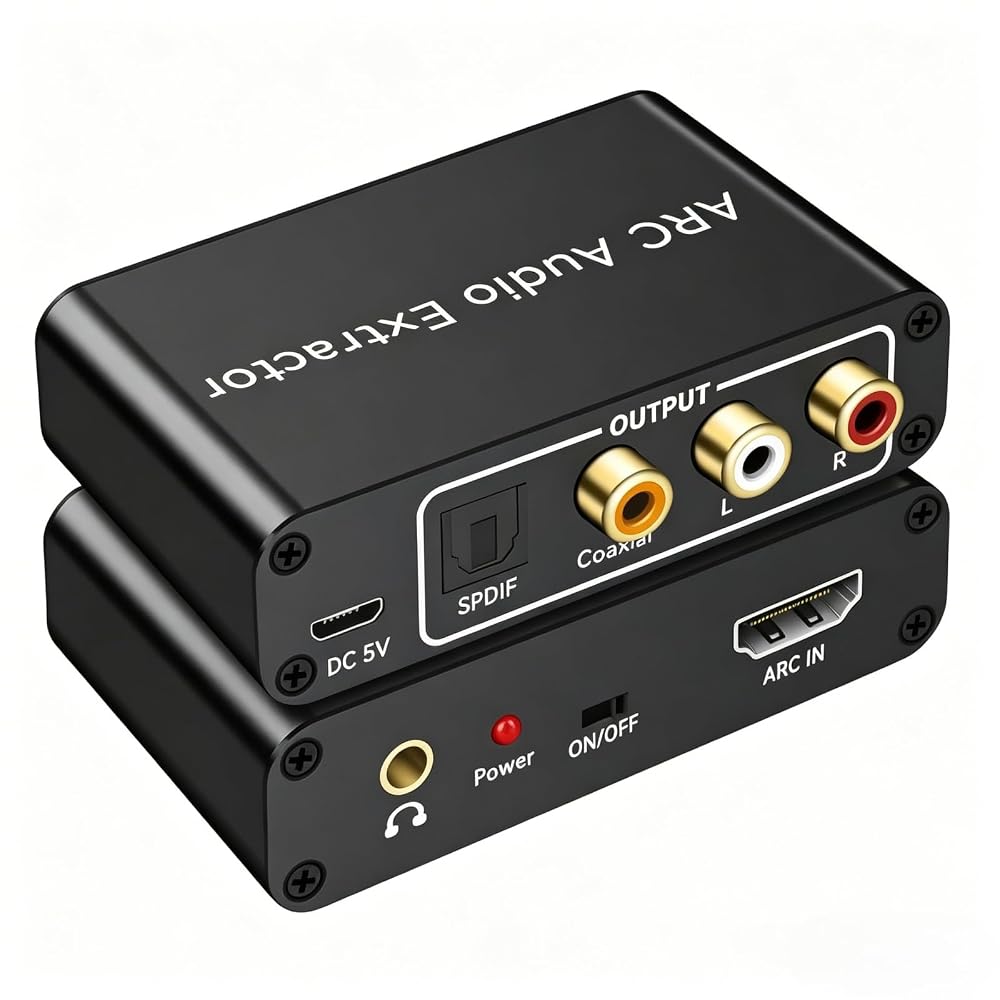
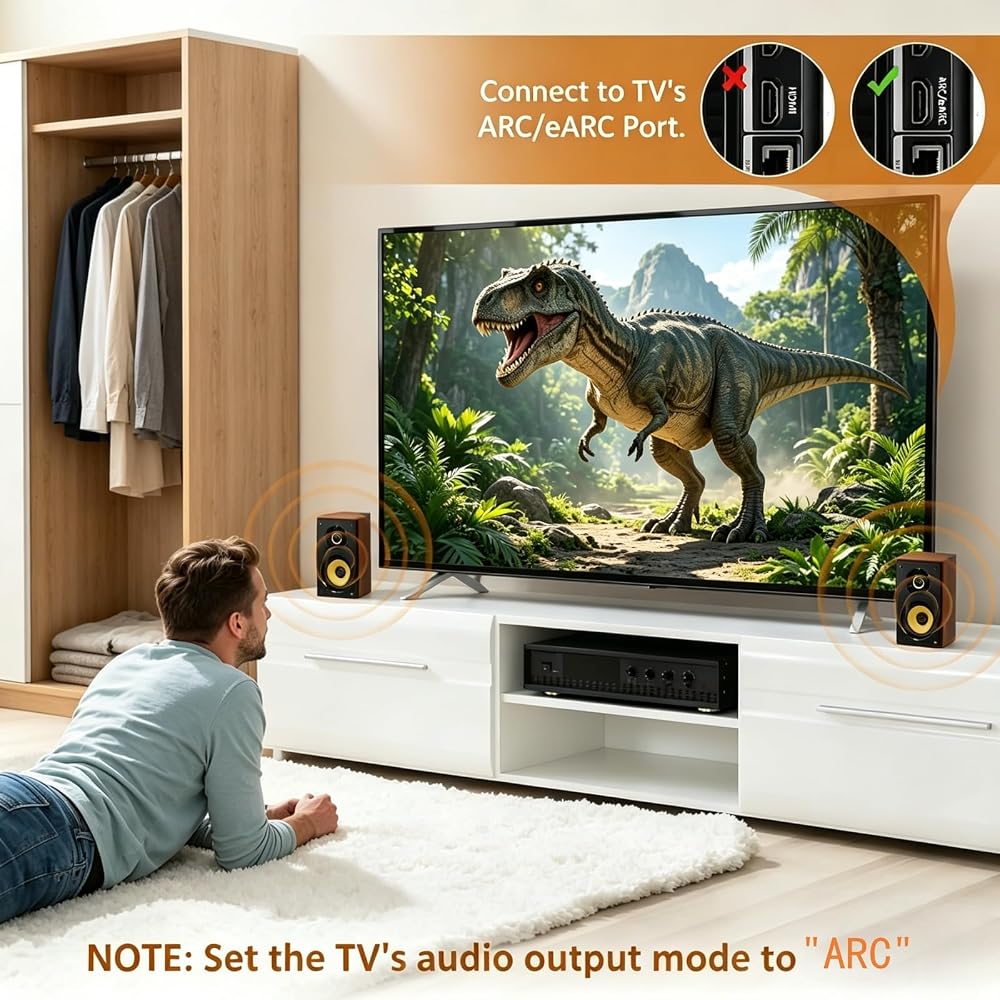
ARC Compatibility – Check Before You Buy: This HDMI ARC audio extractor allows your TV to send audio to an external sound system, such as a soundbar or amplifier, for a richer home theater experience instead of relying on built-in TV speakers. Ideal for speakers, amplifiers, and home theater setups. Note: Your TV must have an HDMI port labeled "ARC" for this device to function. Please verify before purchasing.
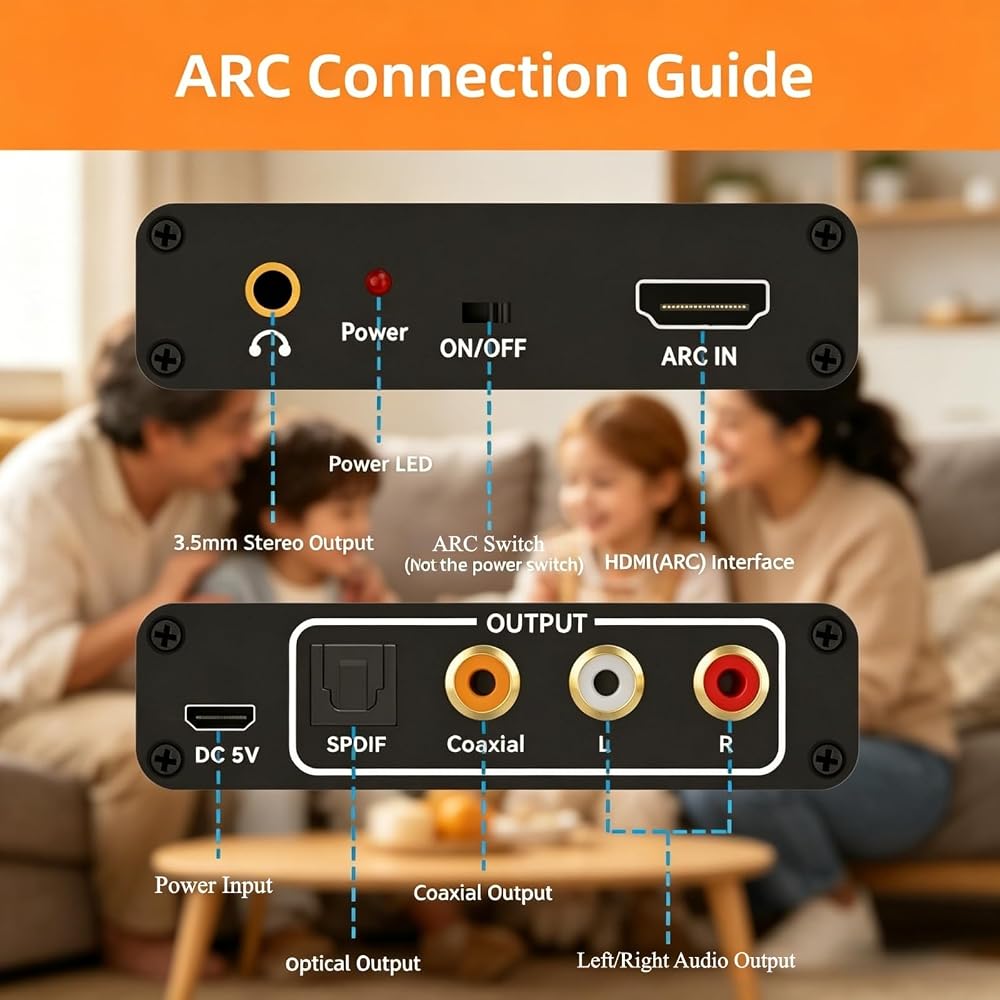
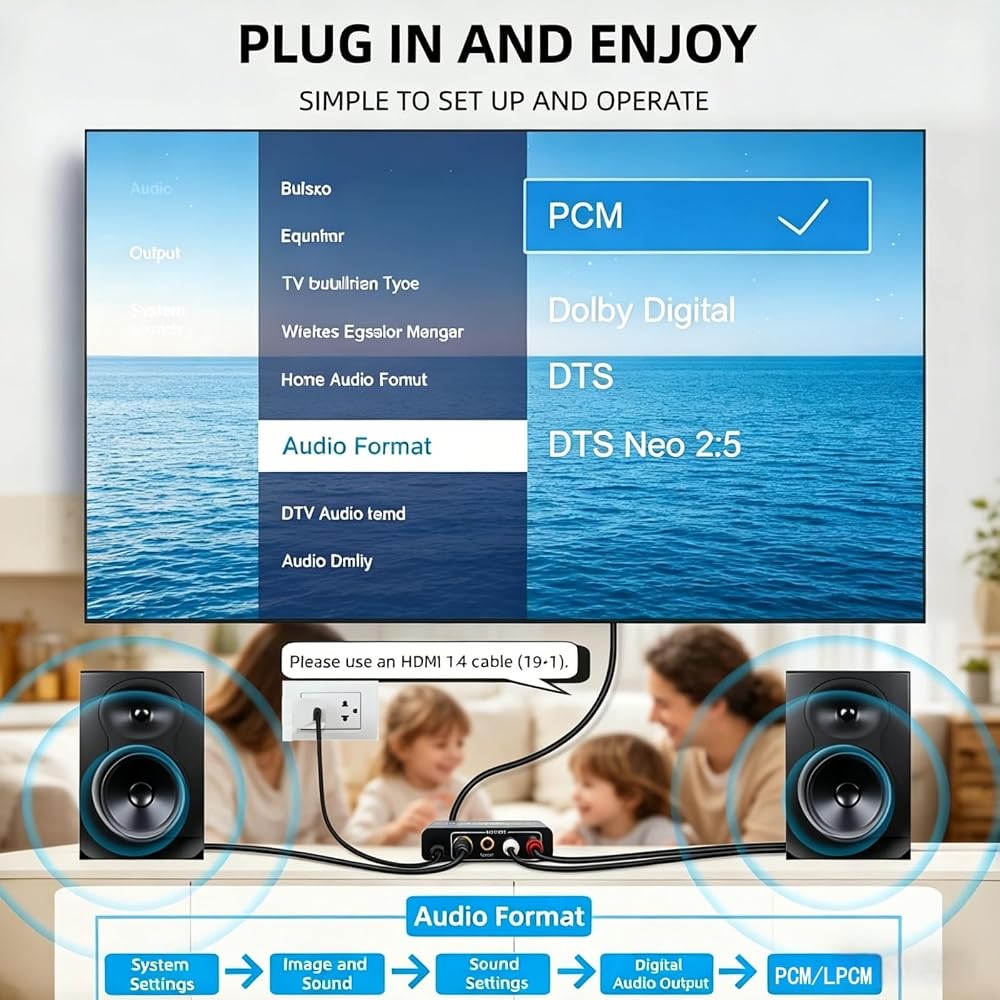
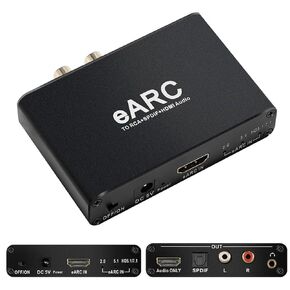
HDMI ARC Audio Extractor: With ARC support, this adapter sends audio from your TV through the HDMI ARC port and converts it to optical, coaxial, RCA (L/R), and 3.5mm outputs. It's a great solution for TVs without dedicated audio output ports, making it easy to connect to external audio systems. Note: Set your TV audio output to PCM or LPCM before use.
High-Quality Audio Performance: Supports sampling rates of 32, 44.1, 48, 96, and 192 kHz, along with 5.1 channel surround sound formats such as Dolby 5.1 and DTS 5.1. Volume control via your TV remote (CEC) is available for the 3.5mm and RCA outputs only. For best performance, use a standard HDMI 1.4 (19+1) cable. Note: Optical and coaxial outputs do not support TV remote volume control—please adjust volume directly on your audio device.
Broad Device Compatibility: Works with ARC-enabled HDTVs and a wide range of audio equipment including soundbars, speakers, and amplifiers with optical, coaxial, RCA, or 3.5mm inputs. Note: Be sure to connect to the TV's HDMI ARC port and switch the adapter to the "ON" position.
Easy Setup – Plug & Play: No drivers or software needed. Simply connect your TV and audio system to start enjoying improved sound instantly. Compatible with Roku TV, Samsung TV, Fire TV, LG TV, Sony TV and more. Package Includes: 1× HDMI ARC Audio Extractor, 1× USB Power Cable, 1× User Manual.
Helpful Tips for Setup: 1.Use the HDMI port on your TV labeled "ARC", 2.Connect the adapter to a power source, 3. Turn the adapter switch to "ON", 4. Confirm the power indicator is lit, 5. Ensure your HDMI cable supports ARC, 6. Try unplugging and reconnecting the HDMI cable after a few minutes, 7.Test with another HDMI cable if needed
وصف
Important Usage Notes: 1. Confirm your TV has an HDMI port labeled "ARC" (this device will not work without it). 2. Connect the HDMI cable from your TV's ARC port to the adapter's HDMI input. 3. Plug the adapter into a power source and switch it to "ON" (check that the power light is on). 4. Use a reliable HDMI cable that supports ARC (HDMI 1.4 or higher recommended). 5. Turn on and enable the ARC (Audio Return Channel) function in your TV settings. 6. Set your TV's audio output format to PCM or LPCM for best compatibility. 7. Connect your audio device (soundbar, speakers, amplifier) via optical, coaxial, RCA, or 3.5mm output. 8. Adjust volume on your audio device if using optical or coaxial outputs (TV remote control is not supported for these). 9. The 3.5mm and RCA (L/R) outputs provide analog audio only. 10. If there is no sound, unplug and reconnect the HDMI cable, wait a few minutes, or try a different HDMI cable.
 Autoutlet 192 كيلو هرتز DAC Audio Converter ، بصري إلى محول 3.5 مم ، كابل الصوت البصري إلى محول AUX لمشغلات HDTV ، Blu-ray وأجهزة اللعبة
SAR 74
Autoutlet 192 كيلو هرتز DAC Audio Converter ، بصري إلى محول 3.5 مم ، كابل الصوت البصري إلى محول AUX لمشغلات HDTV ، Blu-ray وأجهزة اللعبة
SAR 74
 -11%
HDMI EARC ARC AUTIO SENTORCH ؛ KSRPLAYER 192 كيلو هرتز EARC إلى RCA AUDIO AUDIO DIGITION إلى محول تمثيلي ، محول صوت صوتي بصري ، 3.5 ملم لـ DTS DOLBY ATOMS AC3 LPCM AY128
SAR 151
-11%
HDMI EARC ARC AUTIO SENTORCH ؛ KSRPLAYER 192 كيلو هرتز EARC إلى RCA AUDIO AUDIO DIGITION إلى محول تمثيلي ، محول صوت صوتي بصري ، 3.5 ملم لـ DTS DOLBY ATOMS AC3 LPCM AY128
SAR 151
 5 حزمة 4 قنوات IIC I2C مستوى المحول وحدة المنطق ثنائي الاتجاه شيفتر 5V إلى 3.3V لأردوينو توت العليق PI ESP8266 ESP32 لوحة محول مضغوط مسجونة
SAR 0
5 حزمة 4 قنوات IIC I2C مستوى المحول وحدة المنطق ثنائي الاتجاه شيفتر 5V إلى 3.3V لأردوينو توت العليق PI ESP8266 ESP32 لوحة محول مضغوط مسجونة
SAR 0
 276pcs مجموعة الأسلاك الأسلاك اللوحة اللوحة ، 2pcs 830 ألواح الخبز + 2pcs 400 ألواح الخبز + 2pcs مشفرة بالألوان 170 ألواح الخبز + 140pcs لاعبا على شكل U و 2 × 65pcs الأسلاك المرنة لأردونيو ، Raspberry Pi ، STEM
SAR 74
276pcs مجموعة الأسلاك الأسلاك اللوحة اللوحة ، 2pcs 830 ألواح الخبز + 2pcs 400 ألواح الخبز + 2pcs مشفرة بالألوان 170 ألواح الخبز + 140pcs لاعبا على شكل U و 2 × 65pcs الأسلاك المرنة لأردونيو ، Raspberry Pi ، STEM
SAR 74