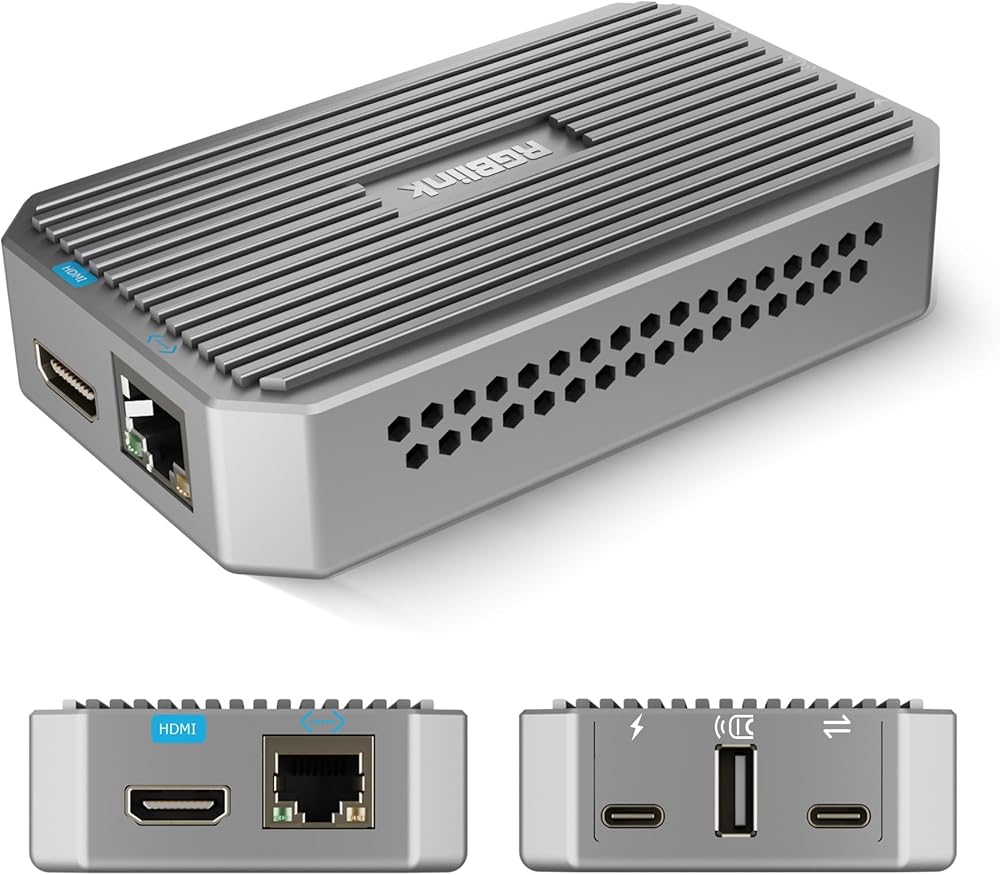
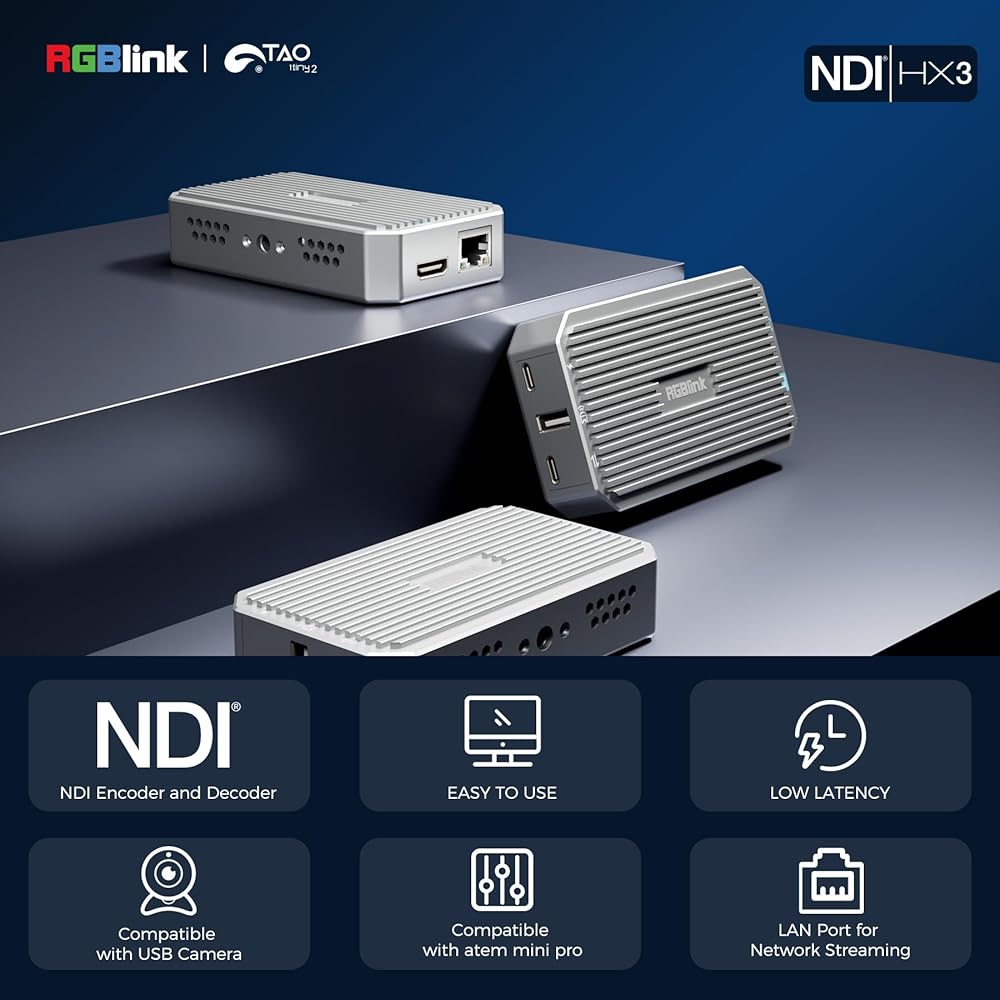
RGBlink UVC to HDMI Converter & Adapter for UVC Webcams, UVC to NDI Adapter for Live Streaming, Compatible with Atem Mini Switchers & OBSBOT Webcams, TAO1 Tiny 2
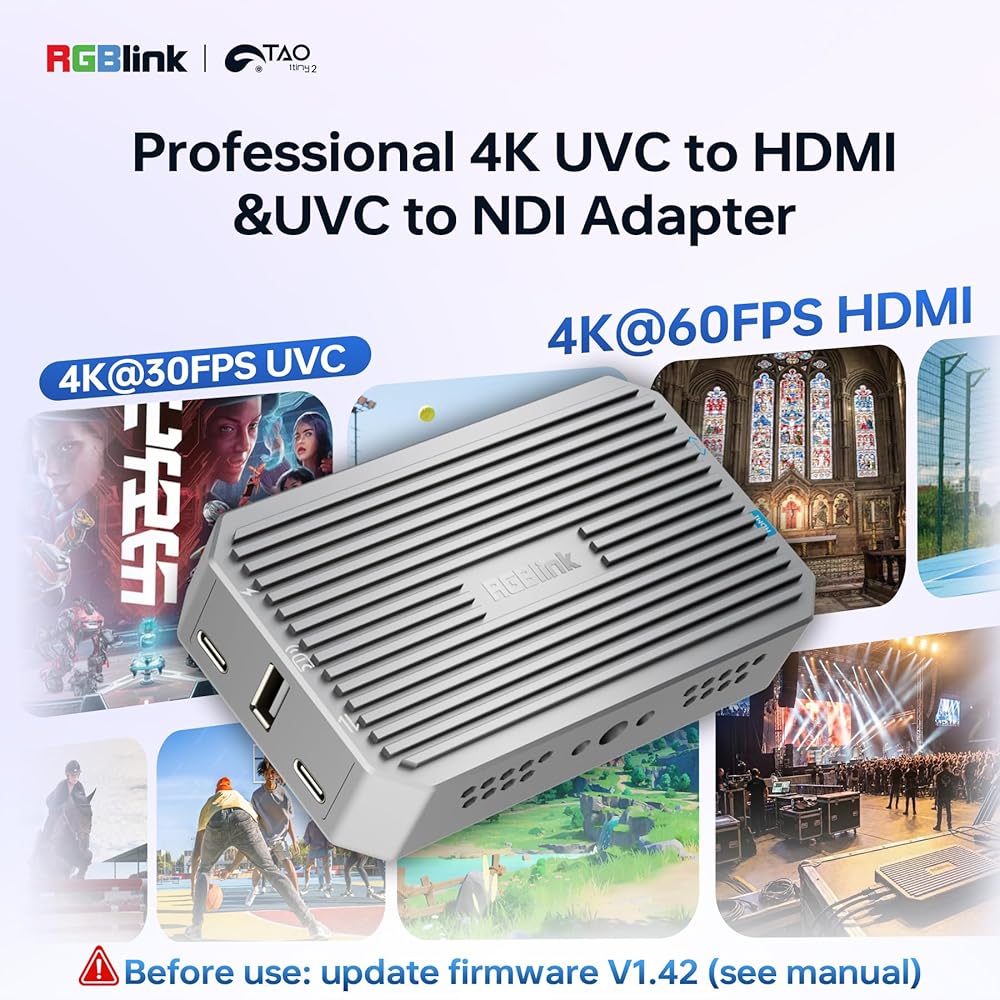
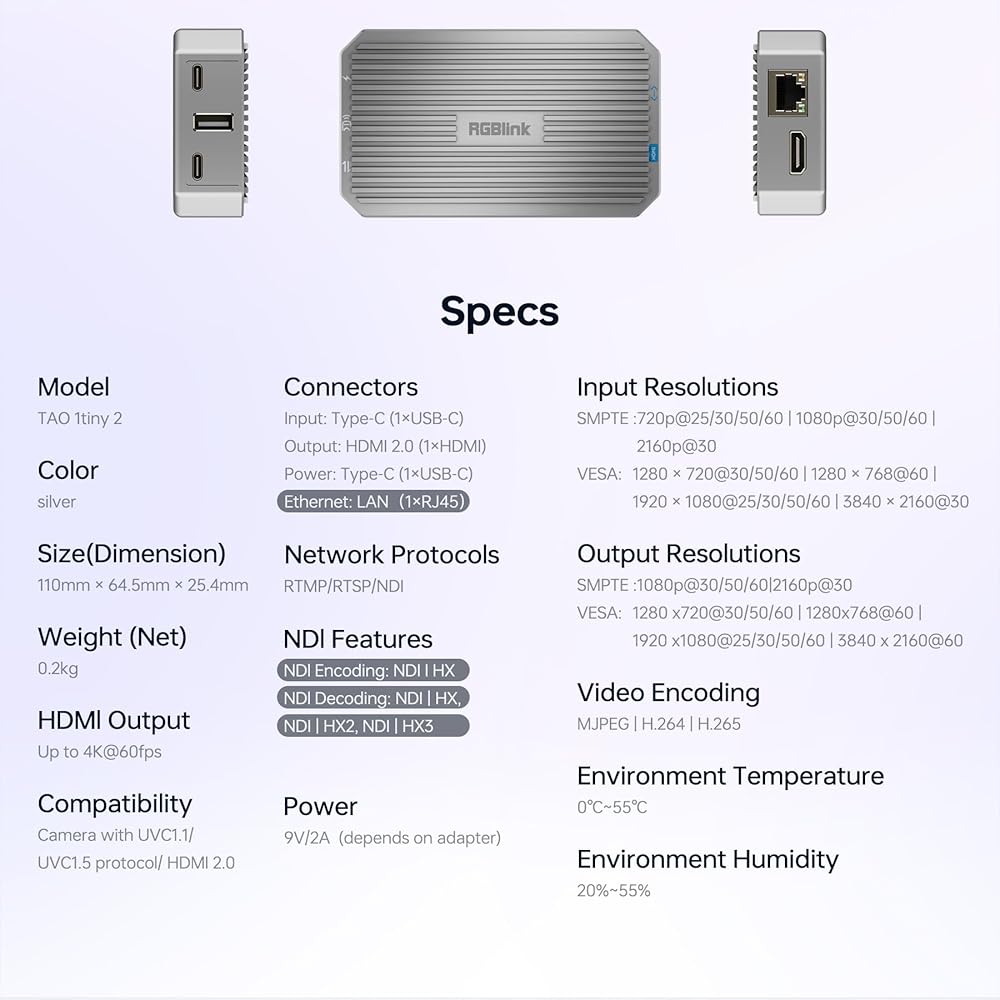
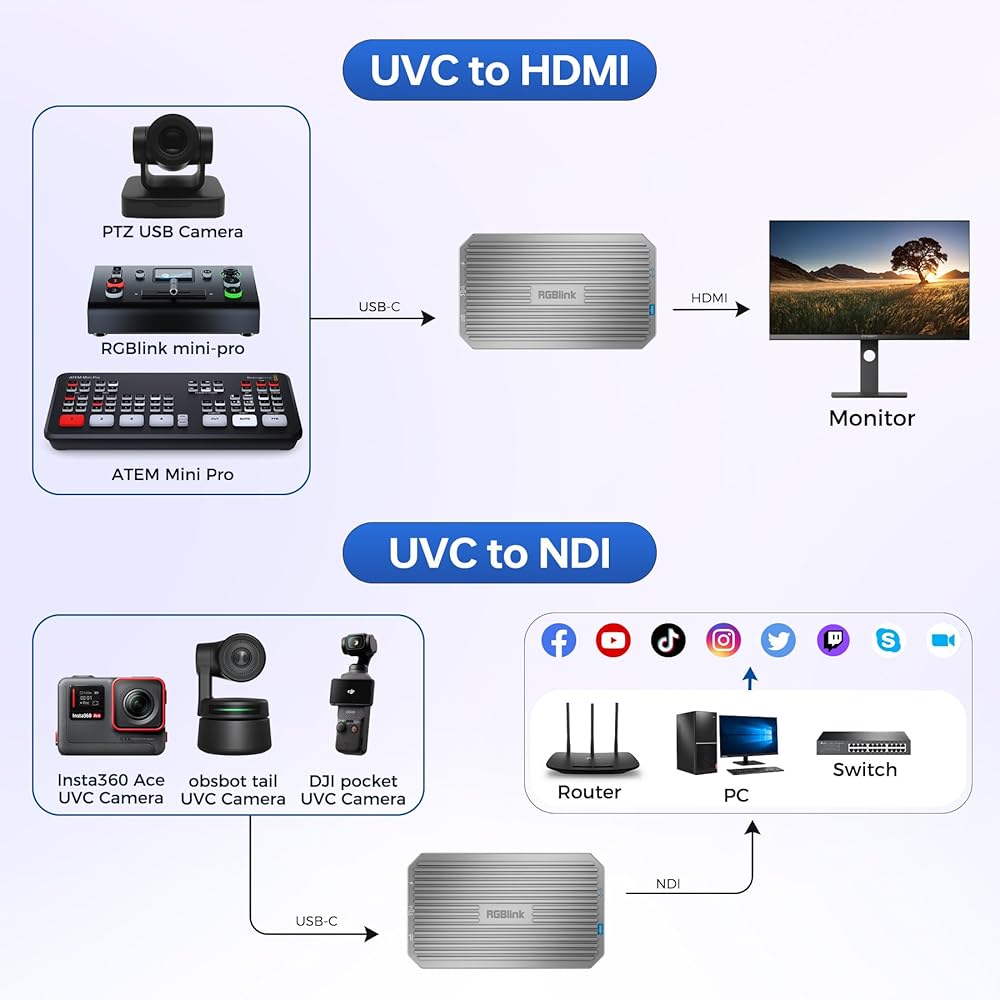
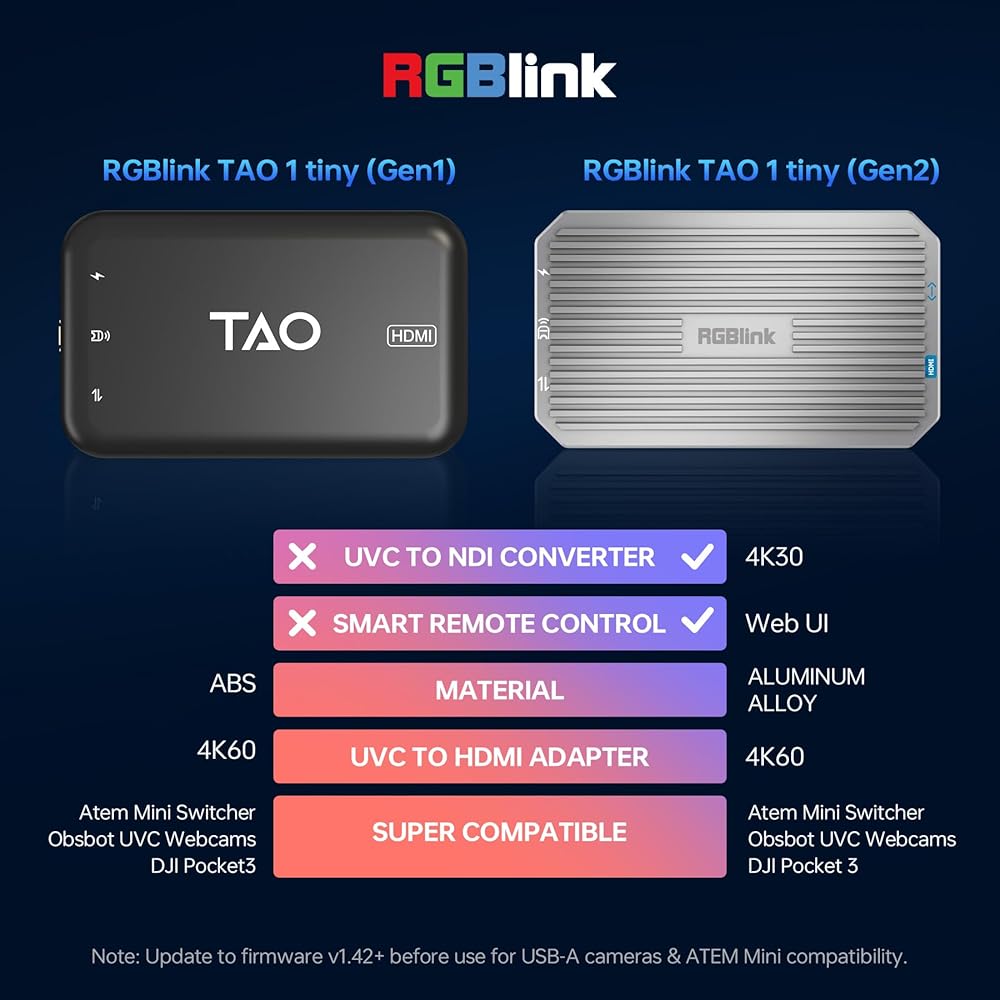
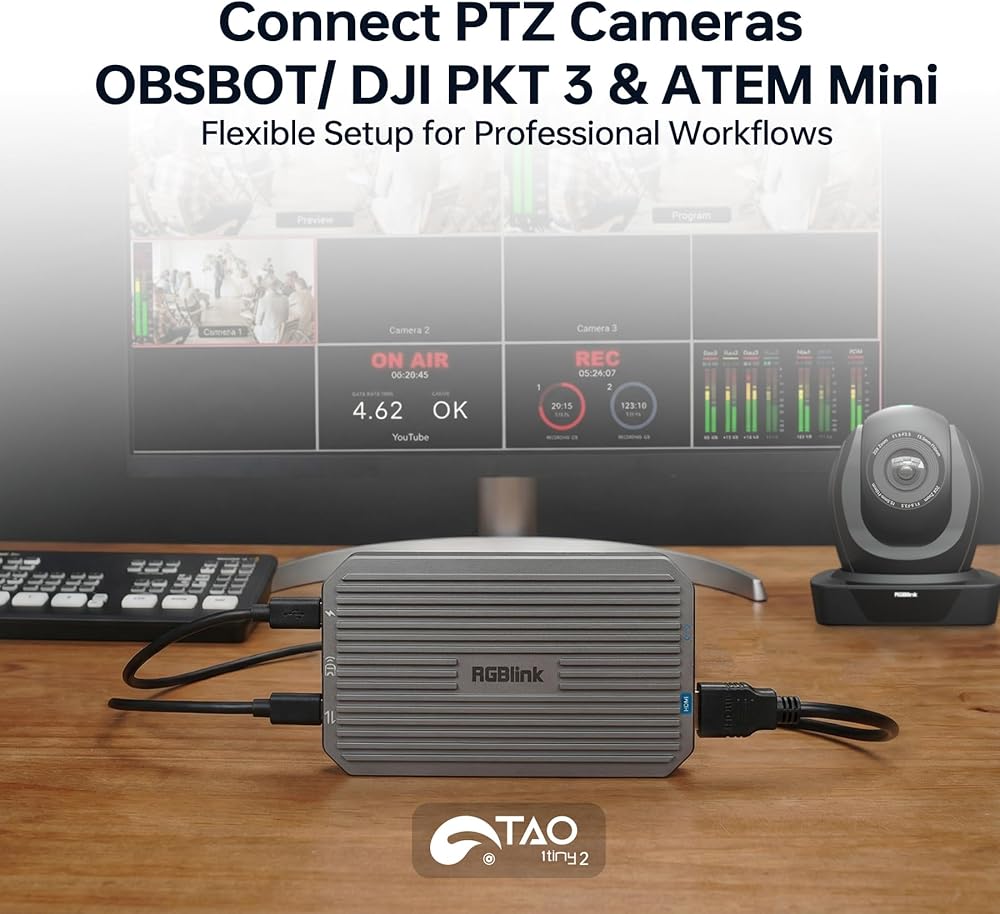
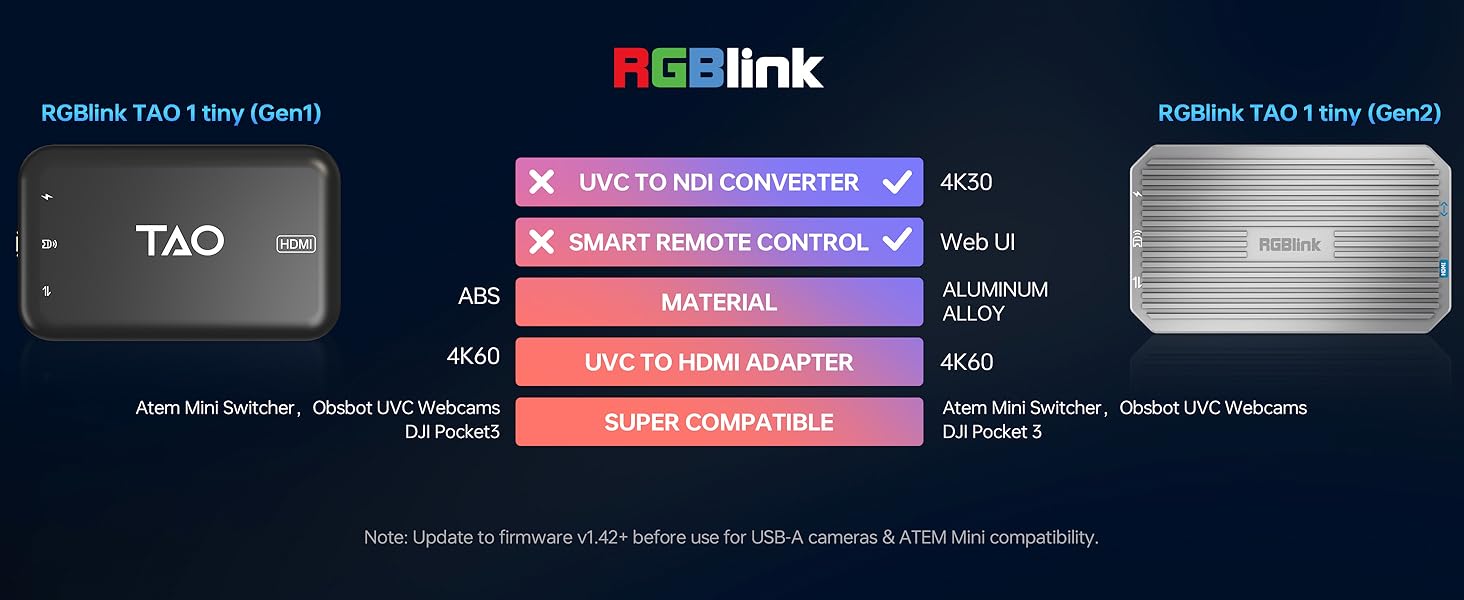
Professional 4K UVC to HDMI Converter:Support USB-C to HDMI up to 4K@30 & 1080p@60 output for PTZ cameras, compatible with Obsbot webcam, Logitech webcam, video conference cameras, Atem switchers and RGBlink mini video switcher. Allows Atem Mini Pro to show Multi-view + Program-out. Ideal convertidor for YouTube live and pro workflows. (Note:UPGRADE to the LATEST FIRMWARE V.142 or later before use as per user manual.)
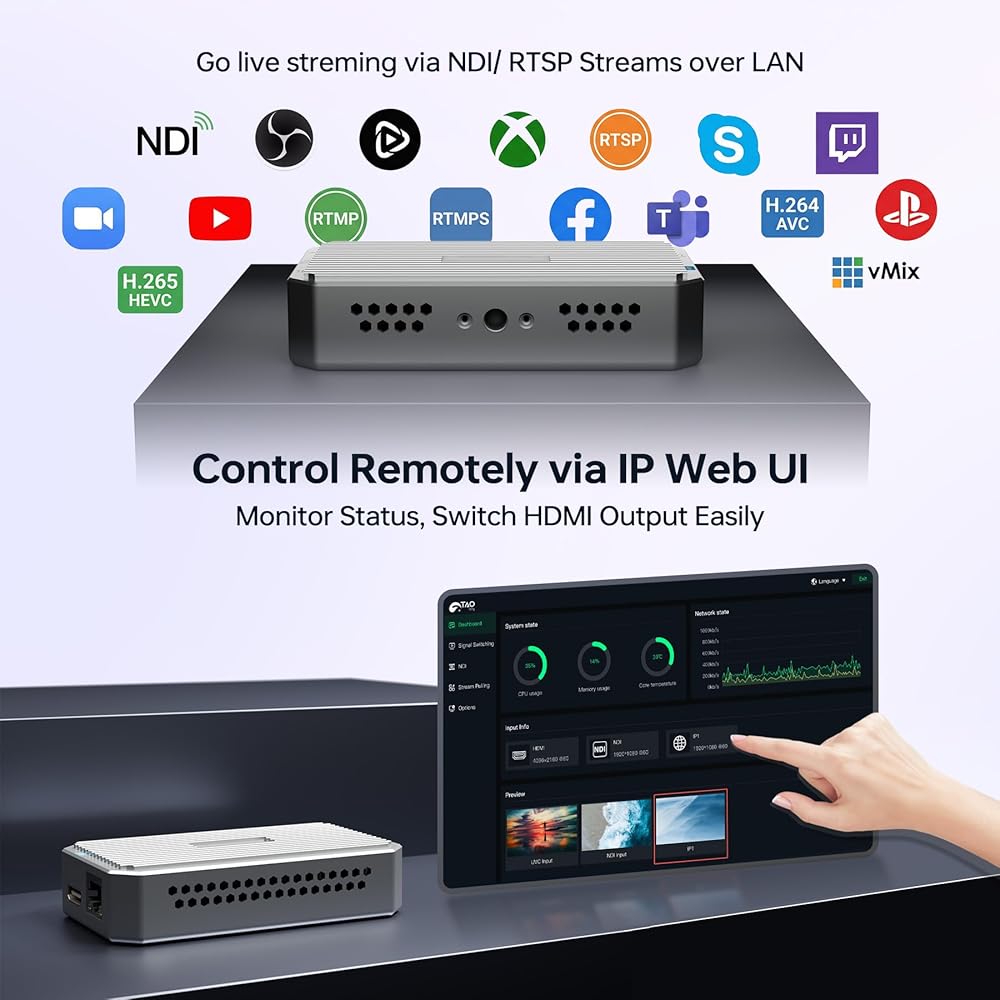
UVC to NDI Adapter for Low-Latency Streaming :Convert USB-C UVC cameras into NDI|HX sources with stable, low-delay streaming. Works with vMix and PTZ cameras, compatible with DJI PKT 3 stream cam and more.
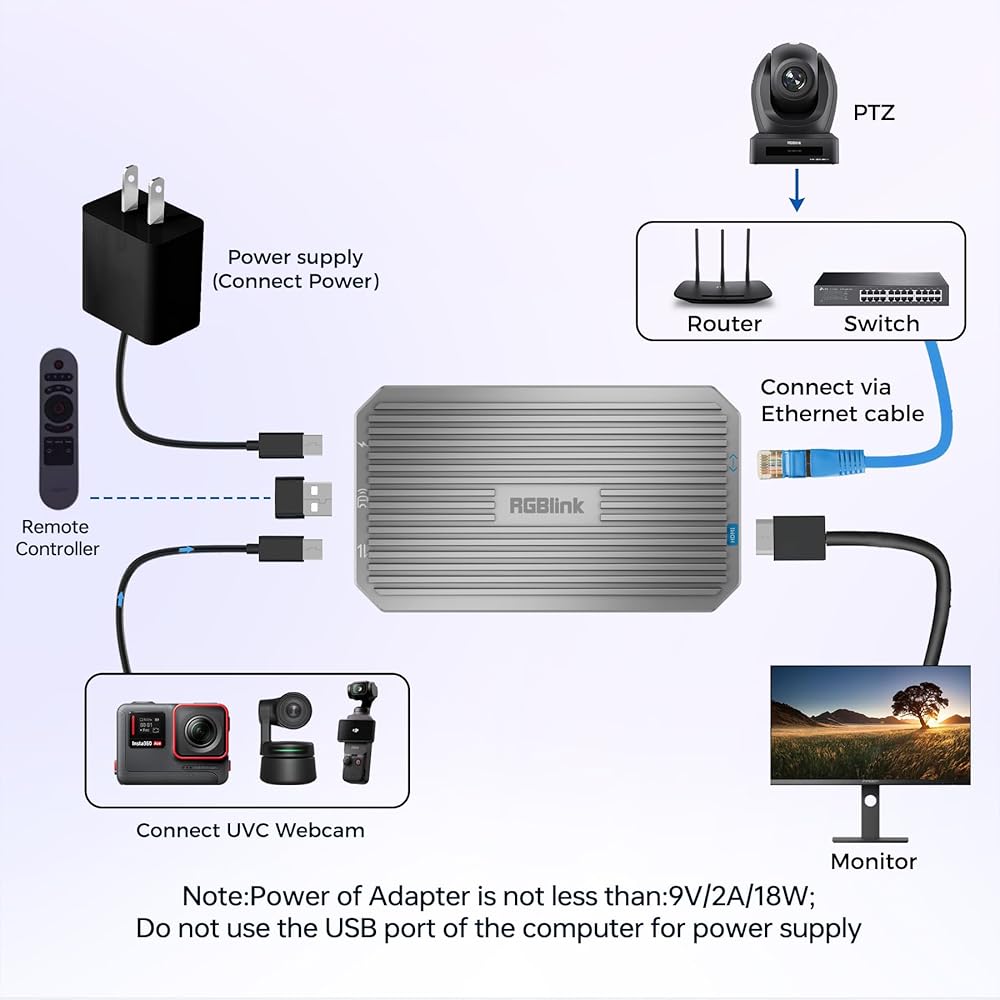
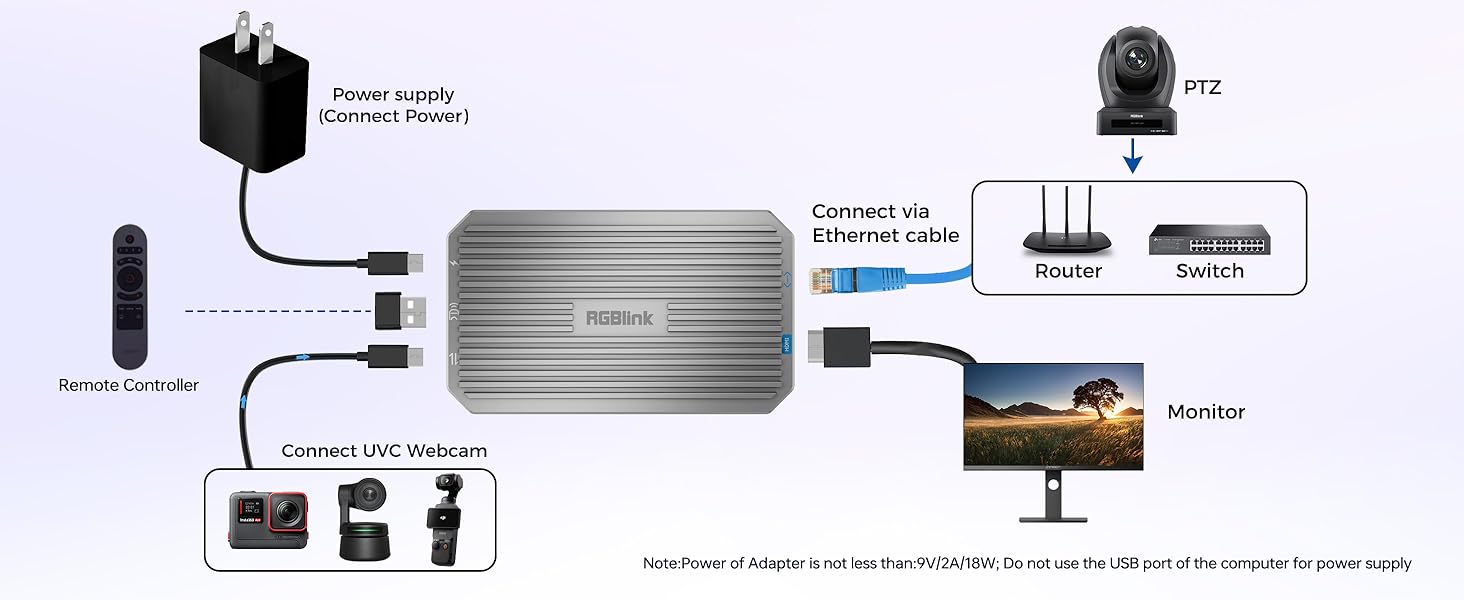
Web Management & Gigabit LAN Signal Switching:IP address web UI (default IP shown on monitor via HDMI) lets you remotely configure the device, enable DHCP, pull NDI/RTSP streams, monitor status and switch HDMI output on the same LAN for TAO 1 tiny 2 uvc to HDMI adapter.(Note: Ensure SAME LAN , refer to user manual)
Plug & Play, No App Required – Easy Setup:USB-C power + auto recognition, no software needed. Seamlessly compatible with PTZ cameras, Obsbot, Logitech webcam and UVC devices. Simple connection for creators, educators, conferences and live stream setups.
NDI|HX3 Converter – Flexible Encode/Decode Modes:Decode UVC to NDI|HX3/HX2/HX for vMix , or decode NDI to HDMI (cannot encode & decode simultaneously). The RGBlink UVC to HDMI adapter for UVC webcam is compact and portbale size at 110*65*26mm ( Note: Does not support FULL NDI)
Aluminum Alloy Build – Better Heat Control - The UVC to HDMI converter for OBSBOT is built with a durable aluminum alloy housing instead of plastic on Tao 1 tiny that improves heat dissipation during 24/7 long-term use. This helps maintain stable performance and reliable output when converting UVC webcams to HDMI for extended operation.
Important Notes :1.UPGRADE to the LATEST FIRMWARE V.142 or later before use as per user manual.2.cannot encode & decode simultaneously,not support FULL NDI 3. Set up USB Camera in 4k fromat on IP address web UI (Ensure SAME LAN , refer to user manual) 4. The cooling fan runs continuously for normal thermal stability. More problems,pls reach our customer service any time .
 RGBlink Video Capture Card PCIe Alternative, Stream and Record in 1080P 60, 4 HDMI to USB 3.0 Ultra-Low Latency on PS5, PS4 Pro, Xbox Series X/S, Xbox One X, in OBS, Twitch, Zoom, YouTube
SAR 814
RGBlink Video Capture Card PCIe Alternative, Stream and Record in 1080P 60, 4 HDMI to USB 3.0 Ultra-Low Latency on PS5, PS4 Pro, Xbox Series X/S, Xbox One X, in OBS, Twitch, Zoom, YouTube
SAR 814
 RGBlink Wireless HDMI Transmitter and Receiver 4K Kit,Plug and Play,Wireless HDMI Extender Multiple Receivers,Supports PC/Phones/Laptop for Meetings Live Broadcasts Zoom 3840×2160@60Hz Output
SAR 1,683
RGBlink Wireless HDMI Transmitter and Receiver 4K Kit,Plug and Play,Wireless HDMI Extender Multiple Receivers,Supports PC/Phones/Laptop for Meetings Live Broadcasts Zoom 3840×2160@60Hz Output
SAR 1,683
 Wireless Lavalier Microphone for iPhone 17,16,15 Pro Max, USB C Smartphone, Android - 2pcs Noise Canceling Wireless Clip on Lapel Mic for Recording Vlogging,Interview,Gifts for Content Creator
SAR 159
Wireless Lavalier Microphone for iPhone 17,16,15 Pro Max, USB C Smartphone, Android - 2pcs Noise Canceling Wireless Clip on Lapel Mic for Recording Vlogging,Interview,Gifts for Content Creator
SAR 159
 RGBlink Mini V3 Video Switcher with Customizable Features via TAO Cloud – 4K HDMI Switcher, 2.1" Touch Screen, Multi-Cam Live Streaming, Dual HDMI Output, Recording & PTZ Control
SAR 958
RGBlink Mini V3 Video Switcher with Customizable Features via TAO Cloud – 4K HDMI Switcher, 2.1" Touch Screen, Multi-Cam Live Streaming, Dual HDMI Output, Recording & PTZ Control
SAR 958

 Saudi Arabia