- Shopping, made easy.
- /
- Get the app!
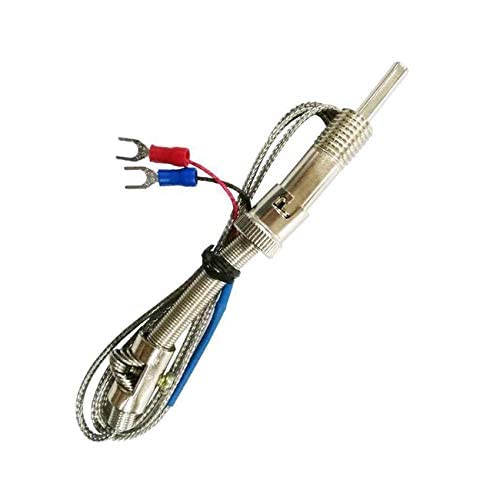
Name: Thermocouple collector high temperature temperature collector
Features:
Directly connected to K-type thermocouple, the temperature can be directly measured with 485 bus
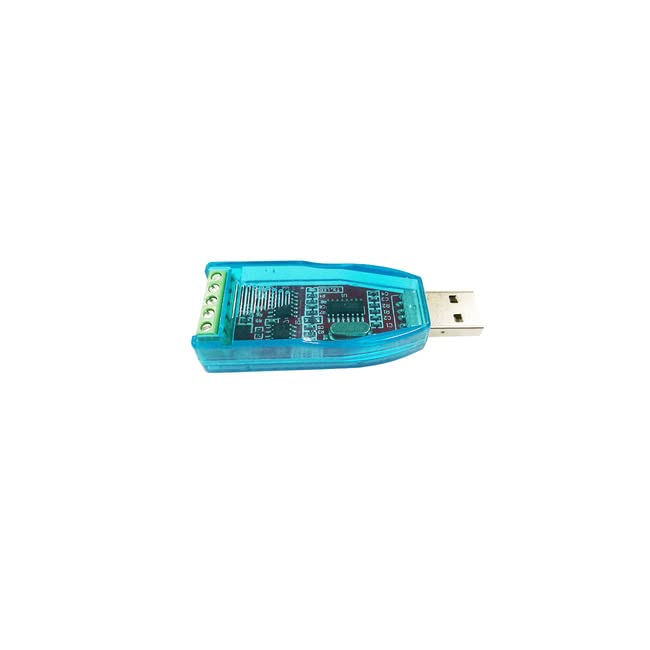
With RS485 to USB module, you can read directly from the computer through the debugging assistant software
Communication method: RS485
Measuring temperature range: 0~1024℃
Resolution: 0.5 degrees Celsius
Maximum acquisition rate: 5Hz
Size: 44mm*38.6mm (length * width)
Data format: real temperature*10 (for example, the read value is 2627, which means the temperature is 262.7°C) Working voltage: 5V
Access K-type thermocouple test method
1. Configure the communication parameters as shown in the figure (the serial port number is filled in according to the port number recognized by your computer, and other parameters are consistent with the figure)
The communication data to be configured is as follows:
Baud rate: 9600
Check Digit: None
Data bits: 8
Stop bit: 1
View COMO method: win7: computer -> right click -> management -> device manager -> terminal D (COM and LPT)
win8/10: bottom left of the desktop -> right click--> device manager -> port (COM and LPT)
2. Open the serial port
3. Configure the device address as: 1
modbus protocol: local address: 0X01
Read command: 0X03
Register address: 0X0000
Number of reads: 1
4. The configuration register address is: 0 com
5. The number of configurations is: 1
6. Click the read button to read the temperature value (displayed as 245 in decimal, which means the read value is 24.5C)
 Taidacent IoT Intelligent Serial Port to WiFi Wireless Router Module 7688A OpenWrt Router Secondary Development Wireless WiFi Router MT7688 (Separate Bottom Plate)
SAR 146
Taidacent IoT Intelligent Serial Port to WiFi Wireless Router Module 7688A OpenWrt Router Secondary Development Wireless WiFi Router MT7688 (Separate Bottom Plate)
SAR 146
 Taidacent Ohm Meter Resistance Tester Ohmmeter Digital DC Resistance Measuring Instrument Fixture Resistance Measure Panel Meter (2K Ohm, DC12V with Cover)
SAR 118
Taidacent Ohm Meter Resistance Tester Ohmmeter Digital DC Resistance Measuring Instrument Fixture Resistance Measure Panel Meter (2K Ohm, DC12V with Cover)
SAR 118
 Taidacent LM393 Voltage Comparator Relay Module 1 Channel / 1CH 5V/12V/24V Volt Comparison Board Stable Perfect (12V)
SAR 98
Taidacent LM393 Voltage Comparator Relay Module 1 Channel / 1CH 5V/12V/24V Volt Comparison Board Stable Perfect (12V)
SAR 98
 Taidacent Pressure Sensitive Pen Micro Force Trigger Flexible Piezoelectric Film Force Sensor Flexible FSR Piezo Pressure Transducer
SAR 48
Taidacent Pressure Sensitive Pen Micro Force Trigger Flexible Piezoelectric Film Force Sensor Flexible FSR Piezo Pressure Transducer
SAR 48