- Shopping, made easy.
- /
- Get the app!
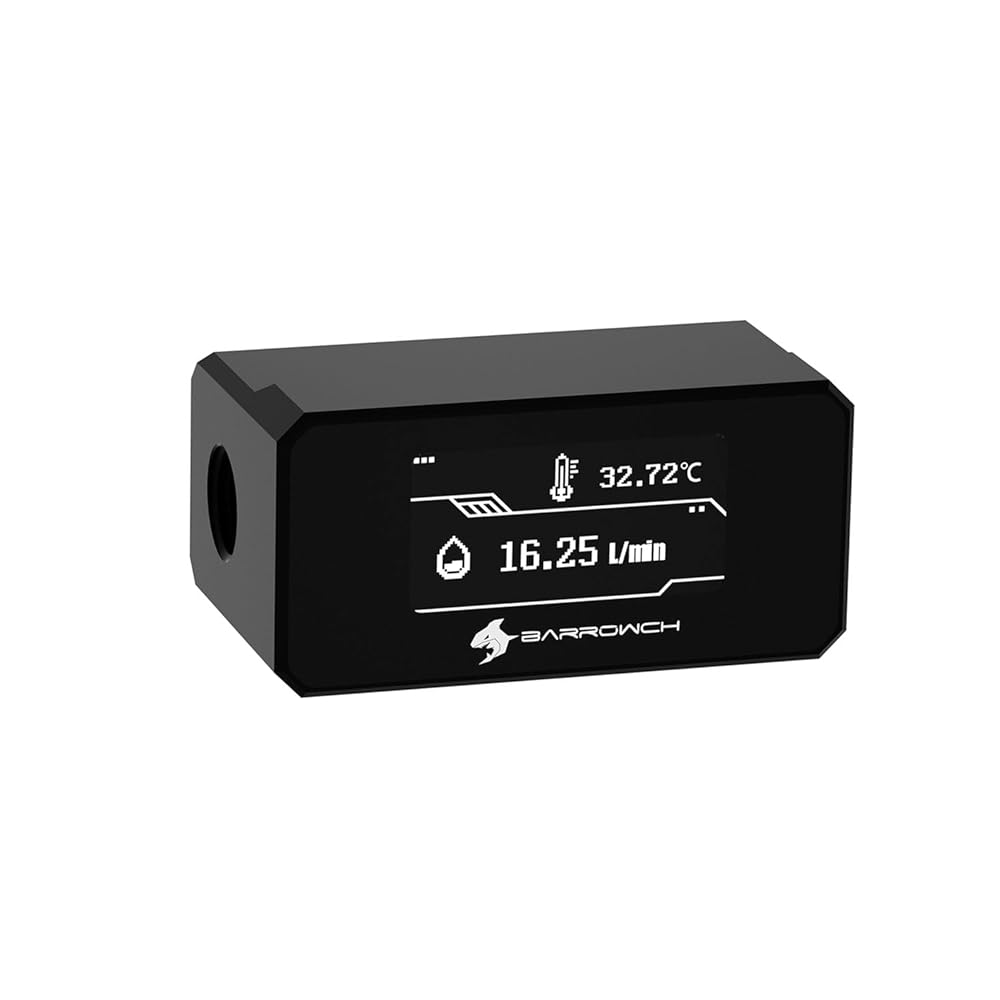
Product Parameters:
Item type: Digital Display Water Temperature Meter
Color: Black/White
Material: POM
Internal thread: G1/4
Package contains: Digital display monitor *1, connecting line *1
Dimensions: Please refer to the size chart
Product Information:
1.The water inlet and outlet can be changed according to the requirement. (Factory default is right in and left out).
2.The display screen is made of fragile material, do not press hard.
3.After installation, please set the corresponding fan interface speed in the motherboard BIOS to“Full Speed” before powering on, and maintain a stable 12V output to prevent device malfunction or damage caused by low voltage.
 Barrow G1/4" Thread 90° Fitting for OD14mm Hard Tube, Compression 90-Degree Multi-Link Adapter, Rotary Connectors Copper Water Cooling Fittings with Sealed O-Rings (White, 2PCS)
SAR 94
Barrow G1/4" Thread 90° Fitting for OD14mm Hard Tube, Compression 90-Degree Multi-Link Adapter, Rotary Connectors Copper Water Cooling Fittings with Sealed O-Rings (White, 2PCS)
SAR 94
 G1/4" Thread Compression Fittings for OD 16mm Rigid Tubing, Copper Fittings for Hard Tube with O-Rings, PC Water Cooling System Hard Tubing Connectors (Silver,6-Pack)
SAR 120
G1/4" Thread Compression Fittings for OD 16mm Rigid Tubing, Copper Fittings for Hard Tube with O-Rings, PC Water Cooling System Hard Tubing Connectors (Silver,6-Pack)
SAR 120
 Barrow 6-Pack Water Cooling Fittings for OD 16mm Rigid Tubing, G1/4" Thread Compression Fittings Fits Hard Tube, Connectors with Sealed O-Rings for PC Liquid Cooling Loop (Black)
SAR 109
Barrow 6-Pack Water Cooling Fittings for OD 16mm Rigid Tubing, G1/4" Thread Compression Fittings Fits Hard Tube, Connectors with Sealed O-Rings for PC Liquid Cooling Loop (Black)
SAR 109
 Barrow 2Pcs G1/4" 360° Rotation Offset Fitting, Offset 15mm Male to Famale Connector, 360 Degree Rotary Offset Adapter, Multi-Link Adapter Fittings for PC Water Cooling System (POM,Black)
SAR 141
Barrow 2Pcs G1/4" 360° Rotation Offset Fitting, Offset 15mm Male to Famale Connector, 360 Degree Rotary Offset Adapter, Multi-Link Adapter Fittings for PC Water Cooling System (POM,Black)
SAR 141

