- Shopping, made easy.
- /
- Get the app!
Boost your productivity with the latest pro dock that offers up to 100W power delivery and a wide variety of connecting options.
Connectivity Technology: Wired
Device Supported: Notebook
Number of Displays Supported: 4
Management Features
Host PC Management:
MAC address pass-through
PXE Boot
Dock Power Button Sync
Wake-On-LAN
WLAN to LAN switch
Kernel Direct Memory Access (DMA) protection
Kensington Security Slot: Yes
Dock Management Features
Remote firmware updates without a PC
Host-based firmware updates
Firmware update on disconnect
Port Disablement
Video resolution
DP1.4 with Display Stream Compression
4 x WQHD (3440 x 1440) @ 60Hz
3 x WQHD (3440 x 1440) @ 60Hz
2 x 5K (5120 x 2160) @ 60Hz
1 x 6K (6144 x 3456) @ 60Hz
DP1.4 without Display Stream Compression
Up to:
4 x HD (1280x720) @ 60Hz
3 x FHD (1920x1080) @ 60Hz
2 x QHD (2560x1440) @ 60Hz
1 x 4K (3840 x 2160) @ 60Hz
Network & Communication
Ethernet Technology
RJ45 Ethernet port, 2.5GbE
Interfaces/Ports
Interfaces
Video interfaces
2 x DP1.4
1 x HDMI 2.1
1 x USB-C 3.2 Gen 2 Multi-function DisplayPort 1.4
USB Ports (Data Only)
4 x USB-A 3.2 Gen 2 (10 Gbps)
1 x USB-C 3.2 Gen 2 (10 Gbps)
USB Ports (Power)
4 x USB-A 3.2 Gen 2 (4.5W each)
1 x USB-C 3.2 Gen 2 (15W)
1 x USB-C Multi-function DisplayPort (7.5W)
All deliver power with or without PC
USB Power Delivery
100W (Dell systems)
96W (non-Dell systems)
Operating System Supported
Windows 10
Windows 11
Ubuntu
Red Hat Enterprise Linux
ChromeOS
macOS
Power Description
Maximum Power Supply Wattage 130W
Package Contents
Docking Station
Zoomspeed Power Adapter & Power Cord
Documentation (Quick Start Guide, Safety, Environmental, and Regulatory Information)
1 Zoomspeed Display Port Cable
1 Zoomspeed HDMI Cable
1 Zoomspeed Ethernet Cable
1 Cleaning Cloth
[1] Power Button Sync will work with non-Dell notebooks if they support PD3.1 spec.
 -12%
Dell WD19TB Thunderbolt Docking Station with 180W AC Power Adapter (130W Power Delivery)
SAR 515
-12%
Dell WD19TB Thunderbolt Docking Station with 180W AC Power Adapter (130W Power Delivery)
SAR 515
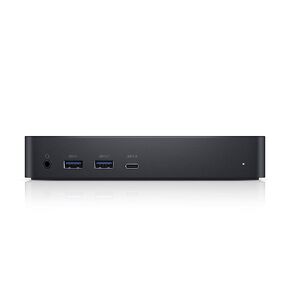 -43%
Dell 452-BCYT D6000 Universal Dock, Black, Single
SAR 601
-43%
Dell 452-BCYT D6000 Universal Dock, Black, Single
SAR 601
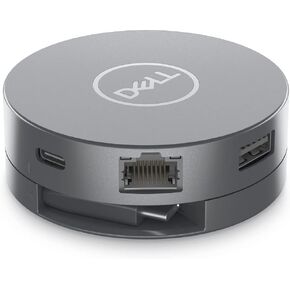 Dell DA310 Wired USB 3.2 Gen 2 (3.1 Gen 2) Type-C Silver
SAR 392
Dell DA310 Wired USB 3.2 Gen 2 (3.1 Gen 2) Type-C Silver
SAR 392
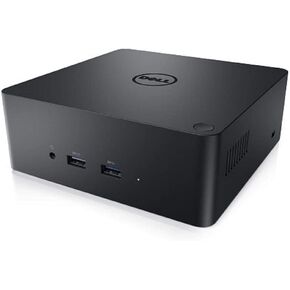 -25%
Dell Precision Dual USB-C Thunderbolt Dock - TB18DC
SAR 156
-25%
Dell Precision Dual USB-C Thunderbolt Dock - TB18DC
SAR 156




