- Shopping, made easy.
- /
- Get the app!
Description of changing the password:
1. Ensure that the password is correct, clockwise turn the reset button to 90° stop (password is incorrect reset button will not turn)
2. Hold the reset button at 90° until step 3 is complete.
3. Turn the reset button to set the password you need, such as 0001(the first time it is best to set a simple password)
4. After the setting is completed, reset (counterclockwise turn 90°) reset button to the original position (remember to reset after the setting is completed).
5. Remember the new password you set. If you want to set a new password again after the new password is set, repeat the above steps. (As long as you remember the original password)
 Weather Guard 7748-2PK Replacement Truck Tool Box Locks (2 Locks Keyed Alike)
SAR 1,512
Weather Guard 7748-2PK Replacement Truck Tool Box Locks (2 Locks Keyed Alike)
SAR 1,512
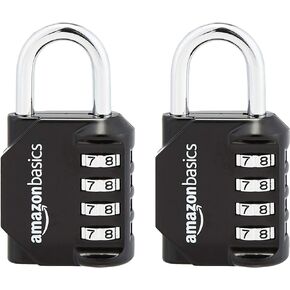 Amazon Basics 4-Digit Combination Lock, Black, 2-Pack
SAR 44
Amazon Basics 4-Digit Combination Lock, Black, 2-Pack
SAR 44
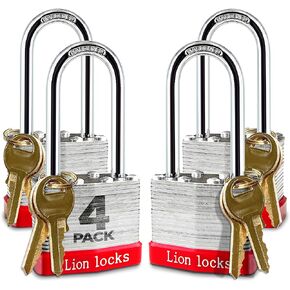 Padlock with Key - Padlock with Same Key, 1.25" Shackle, 2 Keys, Hardened Steel Case, Brass Cylinder Padlocks for Outdoor Use, Hasp Latch, Sheds, Fences, Lockers, Gym
SAR 105
Padlock with Key - Padlock with Same Key, 1.25" Shackle, 2 Keys, Hardened Steel Case, Brass Cylinder Padlocks for Outdoor Use, Hasp Latch, Sheds, Fences, Lockers, Gym
SAR 105
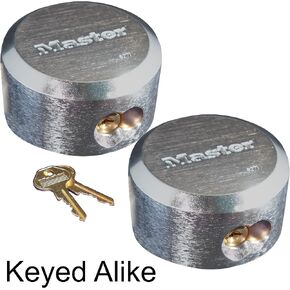 Master Lock Pro Series - (3) Hidden Shackle Padlocks Keyed Alike 6271KA-3
SAR 309
Master Lock Pro Series - (3) Hidden Shackle Padlocks Keyed Alike 6271KA-3
SAR 309




