Application:There're anti-fog HD glass and color CMOS image sensors inside this rear view camera so as to provide satisfactory color reproduction and a clear view for car owners. The visual space is 120-180 Degree. It's waterproof for all weather.
Product Characteristics:Performs normally also as night vision reversing camera, with 120-180 Degree wide view angle, even in the faint light like a dark underground garage. Our park assist backup reverse camera is sealed with a waterproof rating of IP68. So it will not be affected in harsh environments like rainy days.
Easy To Install:1. Mount the camera. usually in the licence plate area. 2. Adjust the camera's lens to the proper position. 3. Connect the power cable to the power system (red and black). 4. Connect the camera's video output to display (yellow wire).


 Seventour 10 inch 1200W Max Power Car Audio Dual 4 Ohm Car Subwoofer (10" - Dual 4 Ohm)
SAR 343
Seventour 10 inch 1200W Max Power Car Audio Dual 4 Ohm Car Subwoofer (10" - Dual 4 Ohm)
SAR 343
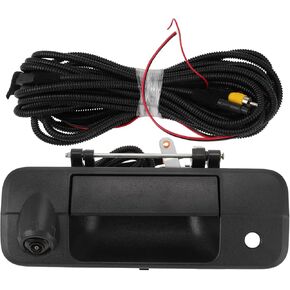 No.690900C050/690900C051 Tailgate Handle Backup Camera for Toyota Tundra 2007-2013 Rear View Reversing Park Assist Camera 1 Set
SAR 203
No.690900C050/690900C051 Tailgate Handle Backup Camera for Toyota Tundra 2007-2013 Rear View Reversing Park Assist Camera 1 Set
SAR 203
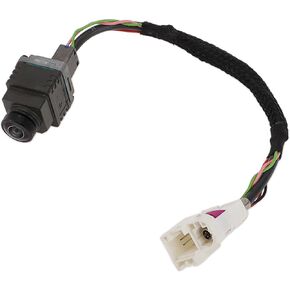 No.A1669059602/1669051003 Rear View Camera for Mercedes-Benz CLA GL GLA GLE GLS ML SLC SLK W117 License Plate Park Assist Camera Backup Reverse Camera
SAR 366
No.A1669059602/1669051003 Rear View Camera for Mercedes-Benz CLA GL GLA GLE GLS ML SLC SLK W117 License Plate Park Assist Camera Backup Reverse Camera
SAR 366
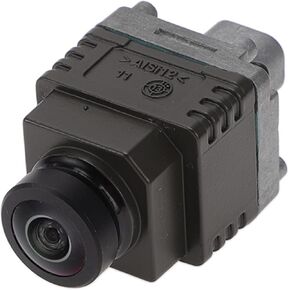 No.66539360369/66539323807 Surround View Camera for BMW X4 X5 X6 I8 F26 F15 F85 F16 F86 I12 I15 Front Park Assist Camera
SAR 458
No.66539360369/66539323807 Surround View Camera for BMW X4 X5 X6 I8 F26 F15 F85 F16 F86 I12 I15 Front Park Assist Camera
SAR 458




