- Shopping, made easy.
- /
- Get the app!
How to pair ASIILOVI Sleeping Headphones Bluetooth Headband on your device?
1. Confirm the Bluetooth of your phone has been turned off. (Make sure the Speakers of the Headband charged before using.)
2. Long press “Play/Pause” button in the headband until the red/blue light flash. "pairing"
3. Turn on Bluetooth on your phone, find the Bluetooth named "Bluetooth Headband", then connect it.
Package Contents: 1* Sleep Headphones Bluetooth Headband, 1*Type-C Charging Cable, 1*User Manual
Note:
1.Please use Type-C charging cable to charge the Headband Headphones before you using it.
2.Please note that you MUST remove the control panel & speakers before washing The Bluetooth headband Sleeping Headphones.

 Sony WH-CH520 Wireless Headphones Bluetooth On-Ear Headset with Microphone, White (Renewed)
SAR 157
Sony WH-CH520 Wireless Headphones Bluetooth On-Ear Headset with Microphone, White (Renewed)
SAR 157
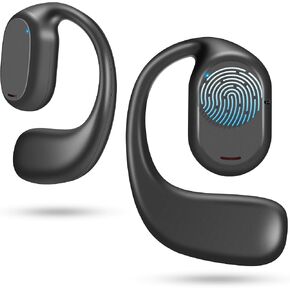 Open Ear Headphones VG333 2024 Version, Air Conduction Headphones Bluetooth 5.3 Touch Control Wireless Earbuds, Up to 70 Hours Playtime Earphones
SAR 105
Open Ear Headphones VG333 2024 Version, Air Conduction Headphones Bluetooth 5.3 Touch Control Wireless Earbuds, Up to 70 Hours Playtime Earphones
SAR 105
 -10%
2-Pack Sleeping Headphones Bluetooth Headband, 2024 New Headband Headphones with Ultra-Thin Speakers, Wireless Headphones Headband for Side Sleepers, Running, Insomniac, Travel, Meditation(Black&Grey)
SAR 108
-10%
2-Pack Sleeping Headphones Bluetooth Headband, 2024 New Headband Headphones with Ultra-Thin Speakers, Wireless Headphones Headband for Side Sleepers, Running, Insomniac, Travel, Meditation(Black&Grey)
SAR 108
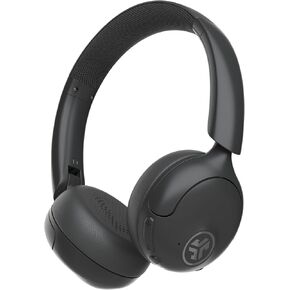 JLab Go Lux ANC Wireless Headphones, Mauve, Hybrid Active Noise Cancelling, Premium On-Ear Bluetooth Headset, Customizable Sound, Be Aware Mode, Cloud Foam Comfort, Multipoint Connection
SAR 261
JLab Go Lux ANC Wireless Headphones, Mauve, Hybrid Active Noise Cancelling, Premium On-Ear Bluetooth Headset, Customizable Sound, Be Aware Mode, Cloud Foam Comfort, Multipoint Connection
SAR 261




