- Shopping, made easy.
- /
- Get the app!
Please Note: This cable tester can not test electrified product. Battery is advised to change if any weak light appears. Test can not be done while RJ45 RJ11 copper screezers are not pressed. Any disobeys may lead to a permanent damage of the end. Please use quality tools to press the cables. How to Use: 1. Install a 9V battery, turn on the power of the network cable tester, and check if there is electricity; 2. When the network cable tester is measuring, first turn off the power switch. You need to connect both ends of a network cable, one end to the network cable interface of the tester host, and the other end to the network cable interface of the tester's auxiliary machine. Then turn on the power on the host and watch the display status of the test light; 3. Carefully observe whether the numbers on the two rows of display lights of the host and the slave are displayed symmetrically at the same time: if the display is symmetrical, it means that the network cable is good, if the display is asymmetrical or the individual lights are off, it means that the network cable is disconnected or the wire cores are arranged incorrectly when the network cable is made. Battery Needed Model:6F22 9V 25MA Cable Type: RJ11 Telephone cable and RJ45 LAN cable. Package:1pcs Network Cable Tester. Battery use 6F22 DC 9V 25MA (NOT INCLUDED).
 -4%
RJ45 Network Cable Tester, VXSCAN Multifunction Poe Ethernet Cable Tester Kit for CAT5e/CAT6/CAT6a, Network Cable Continuity Tester DC Power & Switch Loop-Back Test Poe Checker
SAR 189
-4%
RJ45 Network Cable Tester, VXSCAN Multifunction Poe Ethernet Cable Tester Kit for CAT5e/CAT6/CAT6a, Network Cable Continuity Tester DC Power & Switch Loop-Back Test Poe Checker
SAR 189
 Southwire TESTER, P700 PHONE OUTLET TESTER
SAR 61
Southwire TESTER, P700 PHONE OUTLET TESTER
SAR 61
 Aproca Hard Storage Travel Case, for Fluke Networks 19800009 TS19 Telephone Test Set(only case)
SAR 100
Aproca Hard Storage Travel Case, for Fluke Networks 19800009 TS19 Telephone Test Set(only case)
SAR 100
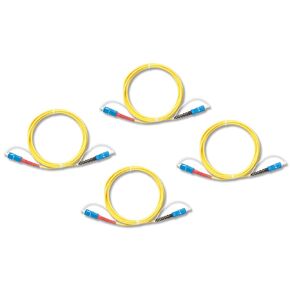 Fluke Networks SRC-9-SCSC-KIT Singlemode Test Reference Cord Kit for Optical Loss Testing of SC Terminated Fibers
SAR 1,133
Fluke Networks SRC-9-SCSC-KIT Singlemode Test Reference Cord Kit for Optical Loss Testing of SC Terminated Fibers
SAR 1,133




