- Shopping, made easy.
- /
- Get the app!
Mini PCIe TO M.2 adapter for Raspberry Pi 5, supports NVMe Protocol M.2 solid state drive with high-speed reading/writing, compatible with M.2 solid state drive in 2230 / 2242 size, supports Gen2 and Gen3 modes, and supports booting PI5 from SSD.
Features
Only compatible with Raspberry Pi 5.
Support NVMe protocol and M.2 solid state drive protocol, high-speed read/write, with high work efficiency.
Support PCI-E×1 Gen2 or Gen3 modes.
Compatible with M.2 solid state drive of 2230/2242 sizes.
Onboard working indicator lights, with PWR on continuously when powered, and ACT blinking during read/write.
Comes with Online Tutorial and Online Development Resource, Please check: n9.cl/0vf31
Note: As the Raspberry Pi does not support NVME booting, the config text should be modified.
Load
1. Enable PCIe interface: Connect the hardware and the PCIE interface will automatically open as the latest system detects the hardware. If it does not open, you can execute: add "dtparam=pciex1" in the /boot/firmware/config.txt
2. PCIE selects GEN2 mode by default. If PCIE gen3 is needed, you can add the following content in /boot/firmware/config.txt: dtparam=pciex1_gen=3
3. Reboot the Pi5 after modifying, and then the device can be recognized.
4. Partitioning: If partitioning and formatting have already been performed on another platform, skip this step. Caution: Partitioning and formatting will erase all data on the SSD, so proceed with caution.
5: Format
6: Load
Package Content
PCIe TO M.2 MINI x1
16P-Cable-40mm x1
2*3 Pin header x1
Screws pack x1
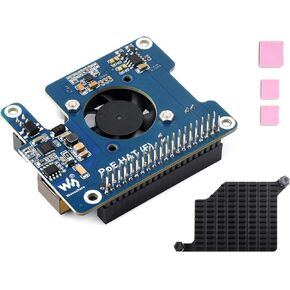 Waveshare POE HAT Board for Raspberry Pi 5, Power Over Ethernet HAT(POE) with Onboard Cooling Fan and Metal Heatsink, Supports 802.3af/at Network Standard,12V and 5V Power Outputs
SAR 151
Waveshare POE HAT Board for Raspberry Pi 5, Power Over Ethernet HAT(POE) with Onboard Cooling Fan and Metal Heatsink, Supports 802.3af/at Network Standard,12V and 5V Power Outputs
SAR 151
 Waveshare PCIe to M.2 Adapter for Raspberry Pi 5, Supports NVMe Drive Protocol Compatible with 2230/2242 Size M.2 Solid State Drive, High-Speed Reading/Writing, Gen2 and Gen3 Modes, HAT + Standard
SAR 71
Waveshare PCIe to M.2 Adapter for Raspberry Pi 5, Supports NVMe Drive Protocol Compatible with 2230/2242 Size M.2 Solid State Drive, High-Speed Reading/Writing, Gen2 and Gen3 Modes, HAT + Standard
SAR 71
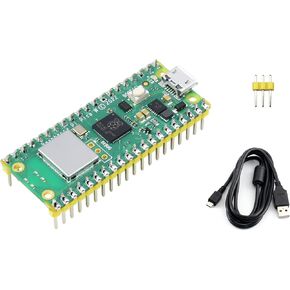 Built-in WiFi Raspberry Pi Pico W Microcontroller Board with Pre-soldered Header, Based on Official RP2040 Dual-core Processor, Dual-Core Arm Cortex M0+ Processor, with USB Cable
SAR 71
Built-in WiFi Raspberry Pi Pico W Microcontroller Board with Pre-soldered Header, Based on Official RP2040 Dual-core Processor, Dual-Core Arm Cortex M0+ Processor, with USB Cable
SAR 71
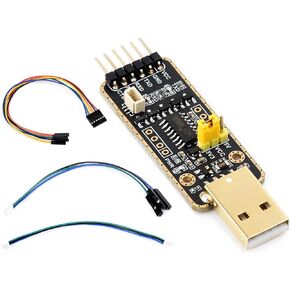 Waveshare USB to UART Debugger Module for Raspberry Pi 5, Type-A Port, Onboard UART Connector, Supports Multiple Connection Methods/Multi-System Linux, Android, Windows 7/8/8.1/10/11,etc.
SAR 51
Waveshare USB to UART Debugger Module for Raspberry Pi 5, Type-A Port, Onboard UART Connector, Supports Multiple Connection Methods/Multi-System Linux, Android, Windows 7/8/8.1/10/11,etc.
SAR 51




