- Shopping, made easy.
- /
- Get the app!
Using BoomX-D2 Pro with iPhone: For iPhone users, ensure the Lightning to 3.5mm adapter cable is MFI certified (for iPhone/iPod/iPad). Without MFI certification, audio recording on your iPhone may not function properly.
Minimizing Background Noise with DSLR: When connecting BoomX-D2 Pro to DSLR cameras like Sony, Canon, or Fujifilm, set the camera recording volume to the minimum to reduce background noise effectively.
Adjusting Mic Volume Separately: While you can adjust the level on each transmitter, using stereo mode with a stereo splitter cable is recommended. This way, each mic has its own channel, and you can control the volume on your mixer or recording device individually.
Understanding Safety Track: Safety Track records a secondary audio track as a backup with a volume of -6 dB. This serves as a precaution in case of issues such as overexposure, ensuring your audio remains protected.
Compatibility of BoomX-D and BoomX-D PRO: Yes, the BoomX-D PRO transmitter can be used with the BoomX-D receiver, allowing for features like 8GB file storage and Safety Track. This compatibility enhances the functionality of both wireless microphone systems when used together.
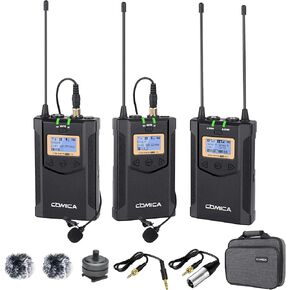 -28%
Wireless Lavalier Microphone, with Carrying Bag,Comica CVM-WM100 PLUS UHF 48 Channels Dual Lapel Microphone System for DSLR Cameras, XLR Camcorder, Phone, Lav Mic for Interview Youtube Video Shotting
SAR 829
-28%
Wireless Lavalier Microphone, with Carrying Bag,Comica CVM-WM100 PLUS UHF 48 Channels Dual Lapel Microphone System for DSLR Cameras, XLR Camcorder, Phone, Lav Mic for Interview Youtube Video Shotting
SAR 829
 -28%
Comica CVM-WM100PLUS - Wireless Microphone System for Cameras, Camcorders, Smartphones, Laptops, Professional UHF Wireless Lavalier Lapel Microphone with Dual-Channel Recording, AA Batteries
SAR 829
-28%
Comica CVM-WM100PLUS - Wireless Microphone System for Cameras, Camcorders, Smartphones, Laptops, Professional UHF Wireless Lavalier Lapel Microphone with Dual-Channel Recording, AA Batteries
SAR 829
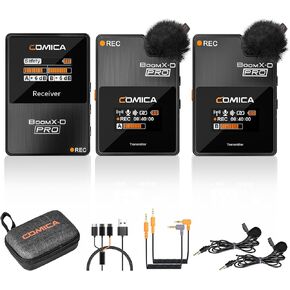 comica BoomX-D2 PRO Wireless Lavalier Microphone, Noise Cancellation, 328' Range, Safety Mode, Digital/Analog Output, Wireless Microphone for iPhone, Android, PC Interviews, Vlogs, Live-Streaming
SAR 412
comica BoomX-D2 PRO Wireless Lavalier Microphone, Noise Cancellation, 328' Range, Safety Mode, Digital/Analog Output, Wireless Microphone for iPhone, Android, PC Interviews, Vlogs, Live-Streaming
SAR 412
 -10%
comica BoomX-D2 - Wireless Microphone System for Cameras, Camcorders, Smartphones, Laptops, Compact Wireless Lavalier Lapel Microphone with Dual-Channel Recording, Noise Reduction, Low Latency
SAR 465
-10%
comica BoomX-D2 - Wireless Microphone System for Cameras, Camcorders, Smartphones, Laptops, Compact Wireless Lavalier Lapel Microphone with Dual-Channel Recording, Noise Reduction, Low Latency
SAR 465




