- Shopping, made easy.
- /
- Get the app!
3 pack Note 10 Plus tempered glass screen protectors with 2 camera lens protectors
-- Only for Note 10 Plus , not for any other models
Attention: Activate the touch sensitivity setting as follows
1:Open phone “settings”
2:Navigate to “display functions”
3:At the bottom, turn up the“touch sensitivity”
4:Delete the old fingerprint,enter the new fingerprint,achieve fast fingerprint unlock
Installation procedure:>
1-Clean the dust from the screen with a wet and dry paper towel
2-Carefully peel off the old screen protector
3-The new screen protector completely cover to the phone screen
4-Press the fingerprint circle outward with your finger to make sure there are no air bubbles(importance)
5-Tightly press the edges about 45s of the screen protector to avoid edge lifting
6-Installation complete
Product feature:
—Support ultrasonic screen fingerprint unlock, compatible with face recognition
—100% touch sensitivity.High touch sensitivity provides a “true touch” feeling
—9H hardness tempered glass,edge strengthening design can powerfully resist wear & scratches, impact & drop.Offering durable protection
—Easy to install & Not bubbles,case friendly with most phone cases
—HD clear 100% transparency crystal tempered glass to remain the high-definition image quality
Package contents:
3 x Note 10 Plus tempered glass screen protector
2 x Note 10 Plus camera lens protector
2 x wet & dry wipes
1 x instruction manual
 -43%
SAMSUNG Galaxy S25 Ultra Anti-Reflecting Film, Phone Screen Protector, Increased Visibility, Dust and Fingerprint Protection, Anti-Scratch, US Version, EF-US938CTEGUS
SAR 30
-43%
SAMSUNG Galaxy S25 Ultra Anti-Reflecting Film, Phone Screen Protector, Increased Visibility, Dust and Fingerprint Protection, Anti-Scratch, US Version, EF-US938CTEGUS
SAR 30
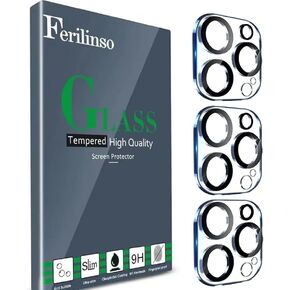 Ferilinso Designed for iPhone 13 Pro Max Camera Lens Protector, Designed for iPhone 13 Pro Camera Lens Protector, 3 Pack 9H Tempered Glass, Night Shooting Mode, high definition, Case Friendly
SAR 31
Ferilinso Designed for iPhone 13 Pro Max Camera Lens Protector, Designed for iPhone 13 Pro Camera Lens Protector, 3 Pack 9H Tempered Glass, Night Shooting Mode, high definition, Case Friendly
SAR 31
![3 Pack Glass Screen Protector for Samsung Galaxy S24 FE [6.7 inch] + 3 Pack Camera Lens Protector, 9H Tempered Glass, Fingerprint Unlock, HD Clear Case Friendly Anti-Scratch in Saudi Arabia](https://cdn1.tilga.com/md/prod/3/9822/3/220001341.60115.jpg) -33%
3 Pack Glass Screen Protector for Samsung Galaxy S24 FE [6.7 inch] + 3 Pack Camera Lens Protector, 9H Tempered Glass, Fingerprint Unlock, HD Clear Case Friendly Anti-Scratch
SAR 42
-33%
3 Pack Glass Screen Protector for Samsung Galaxy S24 FE [6.7 inch] + 3 Pack Camera Lens Protector, 9H Tempered Glass, Fingerprint Unlock, HD Clear Case Friendly Anti-Scratch
SAR 42
 -25%
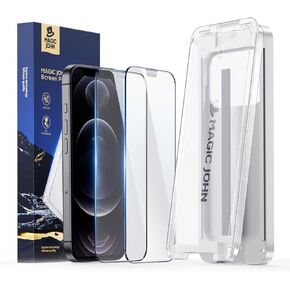
MAGIC JOHN 3rd Gen Upgraded for iPhone 16 Pro Max Screen Protector 6.9 Inch,HD Clear,Shatterproof Tempered Film,Auto Dust-Elimination,Bubble Free,Easy Installation,2 Pack
SAR 102
-25%
MAGIC JOHN 3rd Gen Upgraded for iPhone 16 Pro Max Screen Protector 6.9 Inch,HD Clear,Shatterproof Tempered Film,Auto Dust-Elimination,Bubble Free,Easy Installation,2 Pack
SAR 102


![[3+2 pack] For Samsung Galaxy Note 10 Plus Screen Protector, 9H Hardness Tempered Glass Screen Bubble-free, Easy to install, For Samsung Galaxy Note 10 Plus Screen Camera Protector in Saudi Arabia](https://cdn1.tilga.com/md/prod/3/2219/100826092.49728.jpg)
![[3+2 pack] For Samsung Galaxy Note 10 Plus Screen Protector, 9H Hardness Tempered Glass Screen Bubble-free, Easy to install, For Samsung Galaxy Note 10 Plus Screen Camera Protector in Saudi Arabia](https://cdn1.tilga.com/md/prod/3/2219/100826093.19299.jpg)
![[3+2 pack] For Samsung Galaxy Note 10 Plus Screen Protector, 9H Hardness Tempered Glass Screen Bubble-free, Easy to install, For Samsung Galaxy Note 10 Plus Screen Camera Protector in Saudi Arabia](https://cdn1.tilga.com/md/prod/3/2219/100826094.16541.jpg)
![[3+2 pack] For Samsung Galaxy Note 10 Plus Screen Protector, 9H Hardness Tempered Glass Screen Bubble-free, Easy to install, For Samsung Galaxy Note 10 Plus Screen Camera Protector in Saudi Arabia](https://cdn1.tilga.com/md/prod/3/2219/100826095.20618.jpg)
![[3+2 pack] For Samsung Galaxy Note 10 Plus Screen Protector, 9H Hardness Tempered Glass Screen Bubble-free, Easy to install, For Samsung Galaxy Note 10 Plus Screen Camera Protector in Saudi Arabia](https://cdn1.tilga.com/md/prod/3/2219/100826096.62209.jpg)
![[3+2 pack] For Samsung Galaxy Note 10 Plus Screen Protector, 9H Hardness Tempered Glass Screen Bubble-free, Easy to install, For Samsung Galaxy Note 10 Plus Screen Camera Protector in Saudi Arabia](https://cdn1.tilga.com/md/prod/3/2219/100826097.15502.jpg)
![[3+2 pack] For Samsung Galaxy Note 10 Plus Screen Protector, 9H Hardness Tempered Glass Screen Bubble-free, Easy to install, For Samsung Galaxy Note 10 Plus Screen Camera Protector in Saudi Arabia](https://cdn1.tilga.com/md/prod/3/2219/100826098.64106.jpg)