- Shopping, made easy.
- /
- Get the app!
How to use an ethernet adapter?
1. Turn off Wi-Fi and cellular data on your iPhone/iPad.
2. Connect iPhone/iPad and network cable
3. If needed, connect the charging cable to charge your iOS device.
Check if the connection is successful:
Go into your device's settings and "Ethernet" will show up.
Use your browser to check if you can surf the Internet normally.
Please note:
Please make sure that the Ethernet cable connected to your router is connected to the Internet.
This network card itself cannot dial-up Internet access, it needs your router device to provide IP through DHCP service.
This adapter should be used in conjunction with devices with system version 10.0 or higher before use.
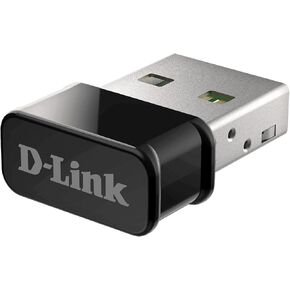 D-Link USB WiFi Adapter Dual Band AC1300 Wireless Internet for Desktop PC Laptop Gaming MU-MIMO Windows Mac Linux Supported (DWA-181-US)
SAR 115
D-Link USB WiFi Adapter Dual Band AC1300 Wireless Internet for Desktop PC Laptop Gaming MU-MIMO Windows Mac Linux Supported (DWA-181-US)
SAR 115
 (Pack of 1) WiFi Adapter 600Mbps WiFi Dongle Mini Dual Band 2.4G/5G USB Wireless Network Adapter Support for MAG 254 256 322 Mag322w1 Mag324w2
SAR 120
(Pack of 1) WiFi Adapter 600Mbps WiFi Dongle Mini Dual Band 2.4G/5G USB Wireless Network Adapter Support for MAG 254 256 322 Mag322w1 Mag324w2
SAR 120
 -13%
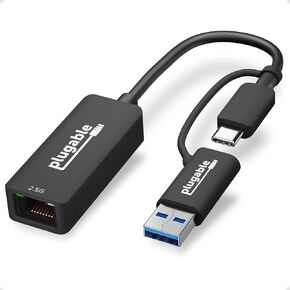
2.5G USB-C And USB To Ethernet Adapter
SAR 131
-13%
2.5G USB-C And USB To Ethernet Adapter
SAR 131
 NETGEAR AC1900 Wi-Fi USB 3.0 Adapter for Desktop PC , Dual Band WiFi Stick for Wireless Internet (A7000-10000) Certified Refurbished
SAR 206
NETGEAR AC1900 Wi-Fi USB 3.0 Adapter for Desktop PC , Dual Band WiFi Stick for Wireless Internet (A7000-10000) Certified Refurbished
SAR 206


![Lighting to Ethernet Adapter, [MFi Certified] QIMIAOUS iPhone to RJ45 Ethernet LAN Network Adapter, Supports 100Mbps High Speed Ethernet Network,Compatible with iPad/iPhone 14/13, Plug and Play in Saudi Arabia](https://cdn1.tilga.com/md/prod/3/2208/100653966.30961.jpg)
![Lighting to Ethernet Adapter, [MFi Certified] QIMIAOUS iPhone to RJ45 Ethernet LAN Network Adapter, Supports 100Mbps High Speed Ethernet Network,Compatible with iPad/iPhone 14/13, Plug and Play in Saudi Arabia](https://cdn1.tilga.com/md/prod/3/2208/100653967.55353.jpg)
![Lighting to Ethernet Adapter, [MFi Certified] QIMIAOUS iPhone to RJ45 Ethernet LAN Network Adapter, Supports 100Mbps High Speed Ethernet Network,Compatible with iPad/iPhone 14/13, Plug and Play in Saudi Arabia](https://cdn1.tilga.com/md/prod/3/2208/100653968.22155.jpg)
![Lighting to Ethernet Adapter, [MFi Certified] QIMIAOUS iPhone to RJ45 Ethernet LAN Network Adapter, Supports 100Mbps High Speed Ethernet Network,Compatible with iPad/iPhone 14/13, Plug and Play in Saudi Arabia](https://cdn1.tilga.com/md/prod/3/2208/100653969.23665.jpg)
![Lighting to Ethernet Adapter, [MFi Certified] QIMIAOUS iPhone to RJ45 Ethernet LAN Network Adapter, Supports 100Mbps High Speed Ethernet Network,Compatible with iPad/iPhone 14/13, Plug and Play in Saudi Arabia](https://cdn1.tilga.com/md/prod/3/2208/100653970.48425.jpg)
![Lighting to Ethernet Adapter, [MFi Certified] QIMIAOUS iPhone to RJ45 Ethernet LAN Network Adapter, Supports 100Mbps High Speed Ethernet Network,Compatible with iPad/iPhone 14/13, Plug and Play in Saudi Arabia](https://cdn1.tilga.com/md/prod/3/2208/100653971.64197.jpg)