- Shopping, made easy.
- /
- Get the app!


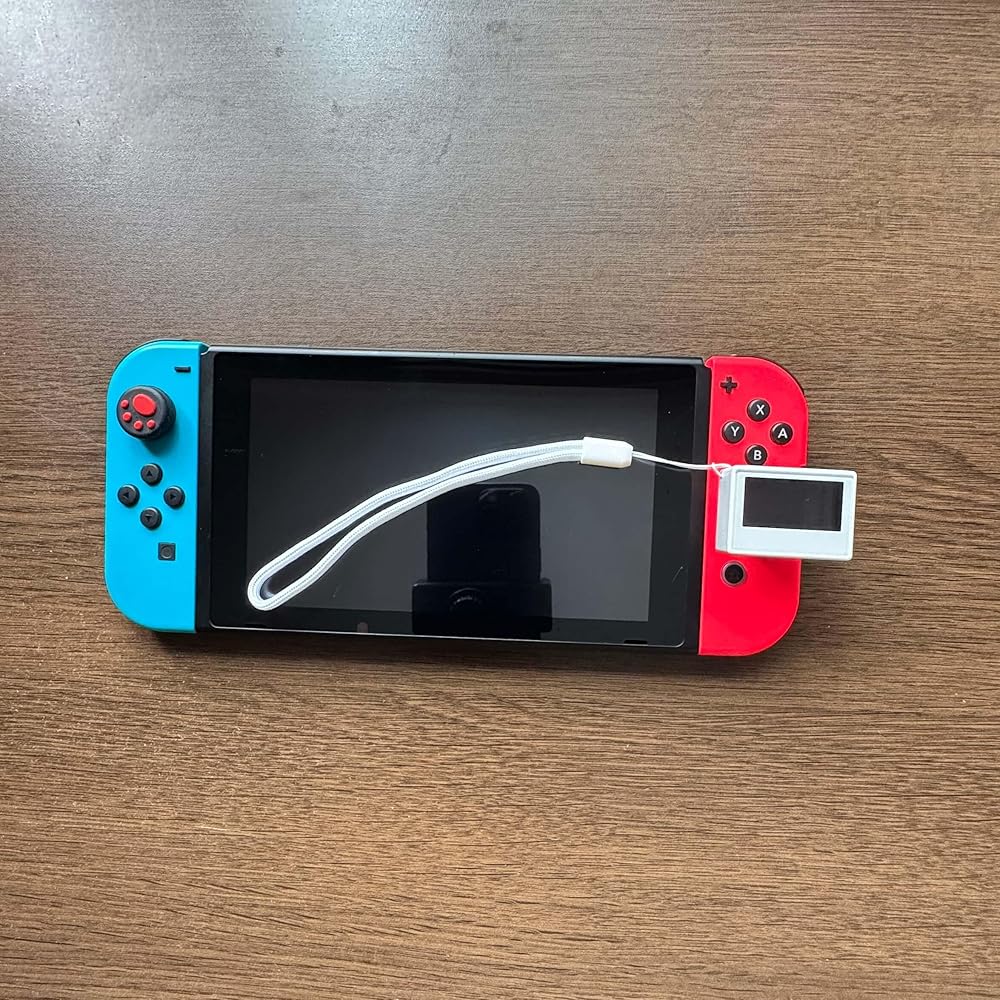
(1) 1.3 inch OLED screen. (2) 200mAh large capacity lithium battery, supporting Type-C charging. (3) PCB board mounted antenna, molded with a smooth outer shell. (4) The firmware comes with all NFC data, allowing for unlimited sensing of the device. (5) Supports fourteen languages: Simplified Chinese, Traditional Chinese, English, Spanish, Hungarian, German, French, Dutch, Portuguese (Brazil), Japanese, Portuguese (Portugal), Italian, Russian, Polish. (6) Usage: On the homepage [Database] menu, click [View], select [Game], choose specific data, and the game device will enter data flashing mode. The NFC emulator device will be placed in the joystick position of the game device for infinite sensing. (7) Device companion application I. Search and install apps from the following sources: iNFCi App Store (iOS / macOS) Play Store(Android) App Gallery (HarmonyOS) II. Loading all data and uploading the key file. Bottom "My" menu ➜ Click "Pixl.js" ➜ Bluetooth connection successful, prompting to download ➜ Click download to download the data from the "Transfer" interface ➜ Click to access the disk, prompting to upload the key file. III. The firmware comes with all data. Usage: On the home screen, go to the [Database] menu, click [View], select Switch games, select Data, and your Switch will enter flashing mode. Place the button on the analog stick to flash infinitely. Update the firmware via iNFCi to update to the latest release. The firmware includes all data.
 MightySkins Skin Compatible with Nintendo Super NES Classic - Los Angeles | Protective, Durable, and Unique Vinyl Decal wrap Cover | Easy to Apply, Remove, and Change Styles | Made in The USA
SAR 79
MightySkins Skin Compatible with Nintendo Super NES Classic - Los Angeles | Protective, Durable, and Unique Vinyl Decal wrap Cover | Easy to Apply, Remove, and Change Styles | Made in The USA
SAR 79
 Replacement Wrist Strap for Switch OLED and Switch 2017Joycon,1 Pair Hand Wrist Strap Lanyard Replacement Parts Accessories with Joysticks Caps for Nintendo Switch Joycon
SAR 53
Replacement Wrist Strap for Switch OLED and Switch 2017Joycon,1 Pair Hand Wrist Strap Lanyard Replacement Parts Accessories with Joysticks Caps for Nintendo Switch Joycon
SAR 53
 ZZcell® Battery Replacement for Nvidia Shield TV Game Controller, P2920, HFR-50AAJY1900x2(B), HRLR15/51, 2.4Volts 1800mAh
SAR 172
ZZcell® Battery Replacement for Nvidia Shield TV Game Controller, P2920, HFR-50AAJY1900x2(B), HRLR15/51, 2.4Volts 1800mAh
SAR 172
 Nintendo 3DS XL Super Smash Bros Limited Edition Console - Red (Renewed)
SAR 1,926
Nintendo 3DS XL Super Smash Bros Limited Edition Console - Red (Renewed)
SAR 1,926

 Saudi Arabia