- Shopping, made easy.
- /
- Get the app!
Before purchasing, you must check Part Numbers, Model Numbers, Resolution. Connector Type and Screen Size to confirm compatibility. Purchase a screen with different specifications will not work with your system.
If you are not sure whether it is the correct item you need. please with specific model and pictures of your original screen. Also Note: You will receive a 100% compatible screen. The exact brand and part number of the screen you will receive is determined by market availability.
Note: NO instructions are followed, Please install it Very Professionally. Please power off your PC firstly and cut off the power, then testing the display and touch functional whether works fine before installing. If you don't have the know-how to install the screen, please seek help from repair store.
 15.6" Screen Replacement for HP Elitebook 650 G9 LCD Display Panel 30 pin (FHD 1920 * 1080 Non-Touch)
SAR 418
15.6" Screen Replacement for HP Elitebook 650 G9 LCD Display Panel 30 pin (FHD 1920 * 1080 Non-Touch)
SAR 418
 WARWOLFTEAM 13.3" Screen Replacement for MacBook Air A2179 2019 2020 EMC 3302 MVH22 MVH42 MVH52 MWTJ2 MWTK2 MWTL2 Retina LCD Screen Display Full Assembly Complete Top Assembly 2560x1600 (Silver)
SAR 1,247
WARWOLFTEAM 13.3" Screen Replacement for MacBook Air A2179 2019 2020 EMC 3302 MVH22 MVH42 MVH52 MWTJ2 MWTK2 MWTL2 Retina LCD Screen Display Full Assembly Complete Top Assembly 2560x1600 (Silver)
SAR 1,247
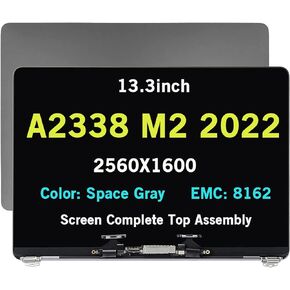 13.3inch LED LCD 2560x1600 Screen Digitizer Whole Hinge-up Assembly Compatible with MacBook for Pro A2338 M2 2022 MNEQ3LL/A MNEP3LL/A MNEJ3LL/A MNEH3LL/A EMC 8162 (Silver)
SAR 1,295
13.3inch LED LCD 2560x1600 Screen Digitizer Whole Hinge-up Assembly Compatible with MacBook for Pro A2338 M2 2022 MNEQ3LL/A MNEP3LL/A MNEJ3LL/A MNEH3LL/A EMC 8162 (Silver)
SAR 1,295
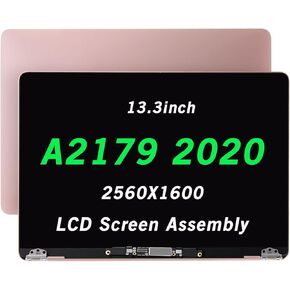 fulltop Screen Replacement Compatible with MacBook Air A2179 2020 Year EMC 3302 EMC3302 Retina LCD Display Assembly 13.3" 2560x1600 (Rose Gold)
SAR 1,295
fulltop Screen Replacement Compatible with MacBook Air A2179 2020 Year EMC 3302 EMC3302 Retina LCD Display Assembly 13.3" 2560x1600 (Rose Gold)
SAR 1,295




