- Shopping, made easy.
- /
- Get the app!

Your retransfer printer is a precision instrument built for high-security, over-the-edge printing, and maintaining its photo-quality results requires more than occasional upkeep. Routine maintenance is essential to keep performance at its best, which is why the Magicard E9887 Cleaning Kit is the factory-authorized solution for maintaining Prima 4, Prima 8, Helix, and Ultima printers in like-new condition. Unlike standard printers, retransfer models use a highly dust-sensitive, two-step printing process, meaning even a tiny speck of debris on the rollers or film can damage an expensive card. This kit includes oversize cleaning cards designed to reach deep into the internal card path, thoroughly cleaning the rollers and removing contaminants where they matter most. For the best long-term performance, it is recommended to run a full cleaning cycle each time you replace your ribbon. Following this routine helps prevent debris from hardening on the rollers and ensures your 600 DPI microtext stays sharp, clear, and legible.

 Blank PVC Cards for ID Badge Printers - Graphic Quality White Plastic CR80 30 Mil (CR8030) By Specialist ID - Compatible with Most Photo ID Badge Printers (Clear, 200 Pack)
SAR 131
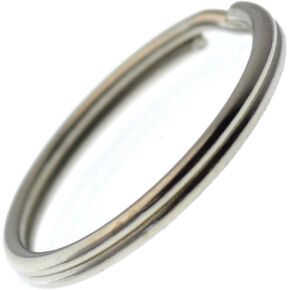 Specialist ID Bulk 100 Pack - Extra Large Key Rings - 1.25 Inch Heat Treated - Heavy Duty Sturdy Metal Split Ring Keychains
SAR 89
 Specialist ID Premium Single Hole Cord Locks - Small Round Plastic Pop Toggle Bead with Spring Lock
SAR 53
 Bulk 50 Pack - Premium Metal Lobster Claw Clasp Hook Craft Findings - 1.5 Inch Clip with Trigger Snap and Round Eye Swivel D Ring by Specialist ID (Silver)
SAR 84

 Saudi Arabia