- Shopping, made easy.
- /
- Get the app!
To pair the voice remote to your TV, turn it on first then press and hold the 'Home' button for at least 10 seconds to enter pairing mode. The remote control indicator will flash rapidly. A message will appear on the screen indicating that your remote is successfully paired.
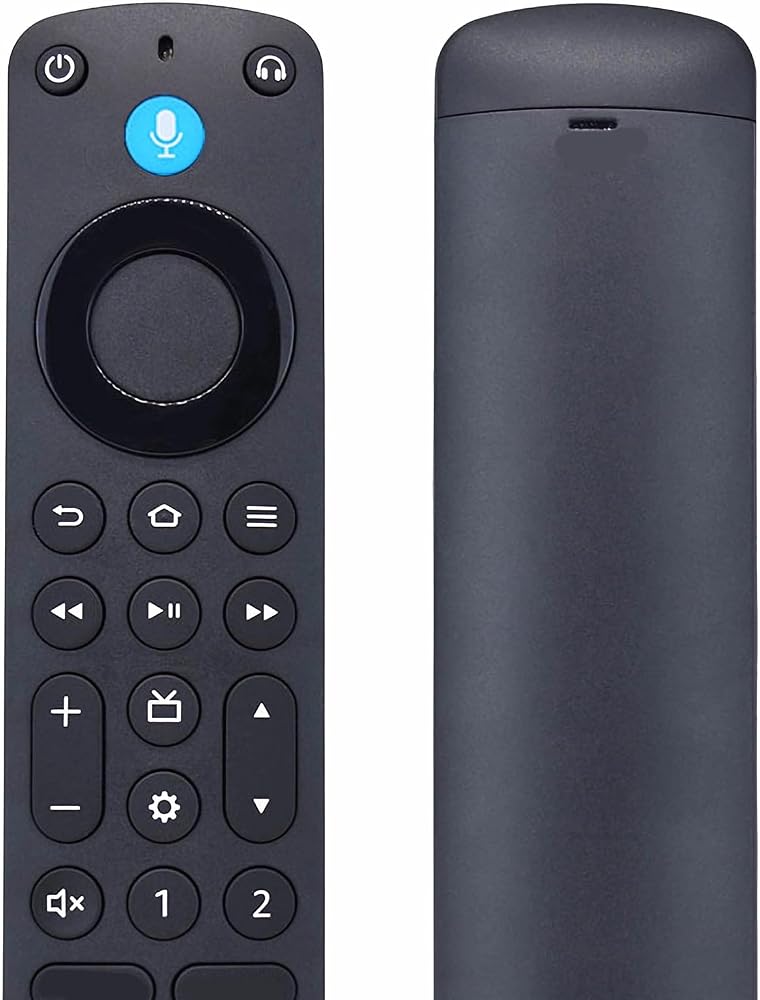
Backlit buttons are motion-activated and light up when the remote is picked up in dark environment. It has multiple function buttons to get things done smoothly, including 4 preset App buttons, 2 customizable buttons and a headphone button.
With the remote finder function, you can ask voice assistant to find the remote. The remote will emit an audible ring. Then you'll find it easily. You can also use the TV app on a cell phone to manually trigger the ring.
Compatible device models:
Compatible with streaming devices:
TV Cube (1st, 2nd and 3rd Generation)
TV Stick 4K Max (1st and 2nd Generation)
TV Stick 4K (1st and 2nd Generation)
TV Stick (2nd and 3rd Generation)
TV Stick Lite
TV Stick HD
TV (3rd Generation, Pendant Design)
Compatible with Smart TVs:
Echo Show 15
Echo Show 21
TV Omni Mini-LED Series
TV Omni QLED Series
TV Omni Series
TV 4-Series
TV 2-Series
Compatible with Hisense A4, A7, E6 Cinema, QD6, QD7, U6 and U6HF smart TVs:
A4 Series: 32A4NF, 32A4HNF, 40A4NF, 43A4NF;
A7 Series: 43A7NF, 50A7NF, 55A7NF, 65A7NF, 75A7NF;
E6 Cinema Series: 43E6QF, 50E6QF, 55E6QF, 65E6QF, 75E6QF, 85E6QF, 100E6QF;
QD4 Series: 40QD4QF;
QD6 Series: 43QD65NF, 50QD65NF, 55QD65NF, 65QD65NF, 75QD65NF;
QD6 Series 2025 Models: 43QD6QF, 50QD6QF, 55QD6QF, 65QD6QF, 75QD6QF, 85QD6QF, 100QD6QF;
QD7 Series: 50QD7QF, 55QD7QF, 65QD7QF, 85QD7QF, 100QD7QF;
U6 Series: 55U65QF, 65U65QF, 75U65QF, 85U65QF, 100U65QF;
U6HF Series: 50U6HF, 58U6HF, 65U6HF, 75U6HF.
Compatible with Insignia F20, F30, F40, F50, FE and QF series smart TVs:
2018 Models: NS-24DF310NA19, NS-32DF310NA19, NS-39DF510NA19, NS-40DF710NA19, NS-43DF710NA19, NS-50DF710NA19, NS-55DF710NA19;
2019 Models: NS-58DF620NA20;
2020 Models: NS-24DF310NA21, NS-24DF311SE21, NS-39DF310NA21, NS-43DF710NA21, NS-50DF710NA21, NS-50DF711SE21, NS-55DF710NA21, NS-65DF710NA21, NS-70DF710NA21;
2021 Models: NS-24F202NA22, NS-32F201NA22, NS-32F202NA22, NS-42F201NA22, NS-43F301NA22, NS-50F301NA22, NS-50F501NA22, NS-55F301NA22, NS-55F501NA22, NS-58F301NA22, NS-65F501NA22, NS-70F501NA22, NS-75F301NA22;
2022 Models: NS-24F201NA23, NS-24F202NA23, NS-32F201NA23, NS-32F202NA23, NS-39F201NA23, NS-42F201NA23, NS-65F301NA23, NS-70F301NA23;
2023 Models: NS-50F301NA24;
2024 Models: NS-43F301NA25, NS-55F301NA25, NS-58F301NA25, NS-70F501NA25, NS-75F501NA25, NS-85F501NA25.
2025 Models: NS-24F201NA26, NS-32F201NA26; NS-24F401NA26, NS-32F401NA26, NS-40F401NA26; NS-43F501NA26, NS-50F501NA26, NS-55F501NA26, NS-65F501NA26, NS-70F501NA26, NS-75F501NA26, NS-85F501NA26; NS32-FEFL26; NS55-UQFL26, NS65-UQFL26, NS75-UQFL26.
Compatible with Panasonic W95A, Z85A and Z95A smart TVs:
W95A Series: 55W95AP, 65W95AP, 75W95AP, 85W95AP;
Z85A Series: 55Z85AP, 65Z85AP;
Z95A Series: 65Z95AP.
Compatible with Pioneer smart TVs:
2021 Models: PN43951-22C, PN50951-22C, PN43951-22U, PN50951-22U;
2022 Models: PN32451-23U, PN43651-23U, PN55851-23U.
Compatible with TCL Q550F, Q570F, Q650F, S35F and S450F smart TVs:
Q550F Series: 43Q550F, 50Q550F, 55Q550F, 65Q550F, 75Q550F, 85Q550F;
Q570F Series: 43Q570F;
Q650F Series: 55Q650F, 65Q650F, 75Q650F;
S35F Series: 32S35F, 40S35F, 32S350F, 40S350F;
S450F Series: 43S450F, 50S450F, 55S450F, 65S450F, 75S450F.
Compatible with Toshiba C350, M550 and V35 smart TVs:
2018 Models: 43LF621U19, 50LF621U19, 55LF621U19;
2019 Models: 32LF221U19, 43LF421U19, 49LF421U19, 43LF711U20, 50LF711U20, 55LF711U20, 65LF711U20, TF-50A810U19;
2020 Models: 32LF221U21, 43LF421U21, 43LF621U21, 50LF621U21, 55LF621U21, TF-32A710U21, TF-43A810U21, TF-55A810U21;
2021 Models: 43C350KU, 50C350KU, 55C350KU, 65C350KU, 75C350KU, 55M550KU, 65M550KU, 75M550KU, 32V35KU, 43V35KU;
2023 Models: 43C350LU, 50C350LU, 55C350LU, 65C350LU, 75C350LU;
2025 Models: 43C350NU, 50C350NU, 55C350NU, 65C350NU, 75C350NU, 85C350NU; 55M550NU, 65M550NU, 75M550NU; 40V35RU, 43V35RU.
Notice: Please be kindly advised this is an aftermarket replacement remote from INTECHING. It has voice control functionality as the original one. Make sure there's no obstacle between the remote control and TV when operating the device.
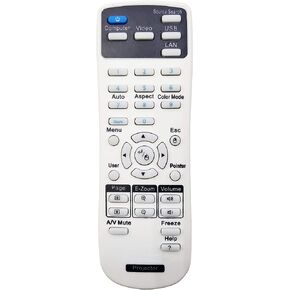 164880600 Projector Remote Control for Epson EX3240, EX5240, EX5250 Pro, EX7240 Pro, EX9200 Pro, VS240, VS340, VS345, PowerLite 1224/1264/ 1284/ S31+/ U32+, Home Cinema 640/ 740HD/ 1040
SAR 105
164880600 Projector Remote Control for Epson EX3240, EX5240, EX5250 Pro, EX7240 Pro, EX9200 Pro, VS240, VS340, VS345, PowerLite 1224/1264/ 1284/ S31+/ U32+, Home Cinema 640/ 740HD/ 1040
SAR 105
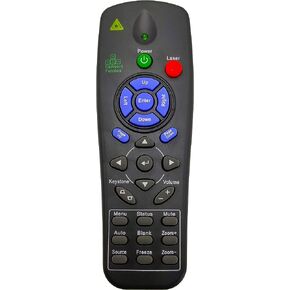 InTeching Projector Remote Control for Promethean EST-P1, UST-P1, PRM-25, PRM-32, PRM-33, PRM-35, PRM-42, PRM-45, PRM-45A
SAR 94
InTeching Projector Remote Control for Promethean EST-P1, UST-P1, PRM-25, PRM-32, PRM-33, PRM-35, PRM-42, PRM-45, PRM-45A
SAR 94
 INTECHING 1599176 Projector Remote Control for Epson EX3220, EX5220, EX5230, EX6220, EX7220, EX7230 Pro, EX7235 Pro, VS230, VS330, VS335W, PowerLite 1263W/ 955W/ 955WH/ 965/ 965H/ 97/ 97H/ 98H/ 99WH
SAR 105
INTECHING 1599176 Projector Remote Control for Epson EX3220, EX5220, EX5230, EX6220, EX7220, EX7230 Pro, EX7235 Pro, VS230, VS330, VS335W, PowerLite 1263W/ 955W/ 955WH/ 965/ 965H/ 97/ 97H/ 98H/ 99WH
SAR 105
 INTECHING HL02805 Projector Remote Control for Hitachi CP-WU8600, CP-WU8700, CP-WX8650, CP-WX8750, CP-X8800
SAR 329
INTECHING HL02805 Projector Remote Control for Hitachi CP-WU8600, CP-WU8700, CP-WX8650, CP-WX8750, CP-X8800
SAR 329

 Saudi Arabia