- Shopping, made easy.
- /
- Get the app!
This PCIe M.2 to Oculink host adapter card enables high-speed data transfer for your NVMe SSD, providing a reliable solution for expanding your system's storage connectivity. It is designed for users who need to connect their M.2 NVMe drives to external enclosures or specific host systems requiring an Oculink interface
To use this M.2 to Oculink adapter, first ensure your computer's motherboard has an available PCIe x4 slot. Power down your system and open the case. Insert the adapter card firmly into the PCIe x4 slot and secure it with the provided screw. Next, take your M.2 NVMe SSD (M-key) and install it into the adapter's M.2 slot, securing it with the included screw and screw driver. Finally, connect an Oculink cable (sold separately) from the adapter's SFF-8612 port to your target device or enclosure. This process solves the challenge of integrating a modern NVMe drive with systems or expansion units designed for Oculink connections
Specification:
Item Type: M.2 to SFF-8611 Host Adapter
Material: PCB
Support: PCIE 3.0/4.0
Interface: SFF-8611 4i
SIze: 8*2.2cm(3.15*0.87in)
Color: Black
Package List:
1 x Adapter Card
1 x Screw
1 x Screw Driver
Note:
1. Due to the difference between monitors and light effects, the pictures may not reflect the actual color of the item
2. Please allow slight error due to manual measurement. Thanks for your understanding
 mSATA to SATAs Mini PCIe Adapter Card – for ASUS Eee PC 900/901/900A/1000, 30x50mm SSD Converter, Plug and Play Laptop Upgrade
SAR 45
mSATA to SATAs Mini PCIe Adapter Card – for ASUS Eee PC 900/901/900A/1000, 30x50mm SSD Converter, Plug and Play Laptop Upgrade
SAR 45
 4 Pcs Screen Fixing Clamp Anti-Scratch Rubber Pad Adjustable Iron Phone Repair Holder for Tablet & Mobile LCD Replacement
SAR 53
4 Pcs Screen Fixing Clamp Anti-Scratch Rubber Pad Adjustable Iron Phone Repair Holder for Tablet & Mobile LCD Replacement
SAR 53
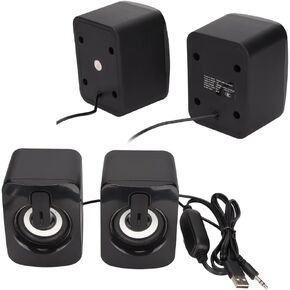 1 Pair A2 Mini ABS Computer Speaker Stereo Sound Wired Less Distortion Clear Bass USB Powered Gaming Speaker Laptop Desktop Use
SAR 63
1 Pair A2 Mini ABS Computer Speaker Stereo Sound Wired Less Distortion Clear Bass USB Powered Gaming Speaker Laptop Desktop Use
SAR 63
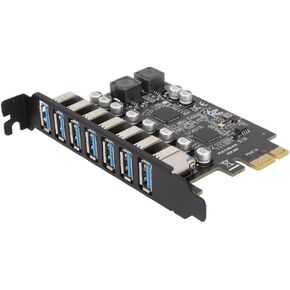 7 Port PCIe to USB 3.2 Gen 1 Expansion Card – 5Gbps High-Speed Data Transfer, 1.5A per Port for Stable Power, Compatible with Windows 10/11
SAR 133
7 Port PCIe to USB 3.2 Gen 1 Expansion Card – 5Gbps High-Speed Data Transfer, 1.5A per Port for Stable Power, Compatible with Windows 10/11
SAR 133

 Saudi Arabia


