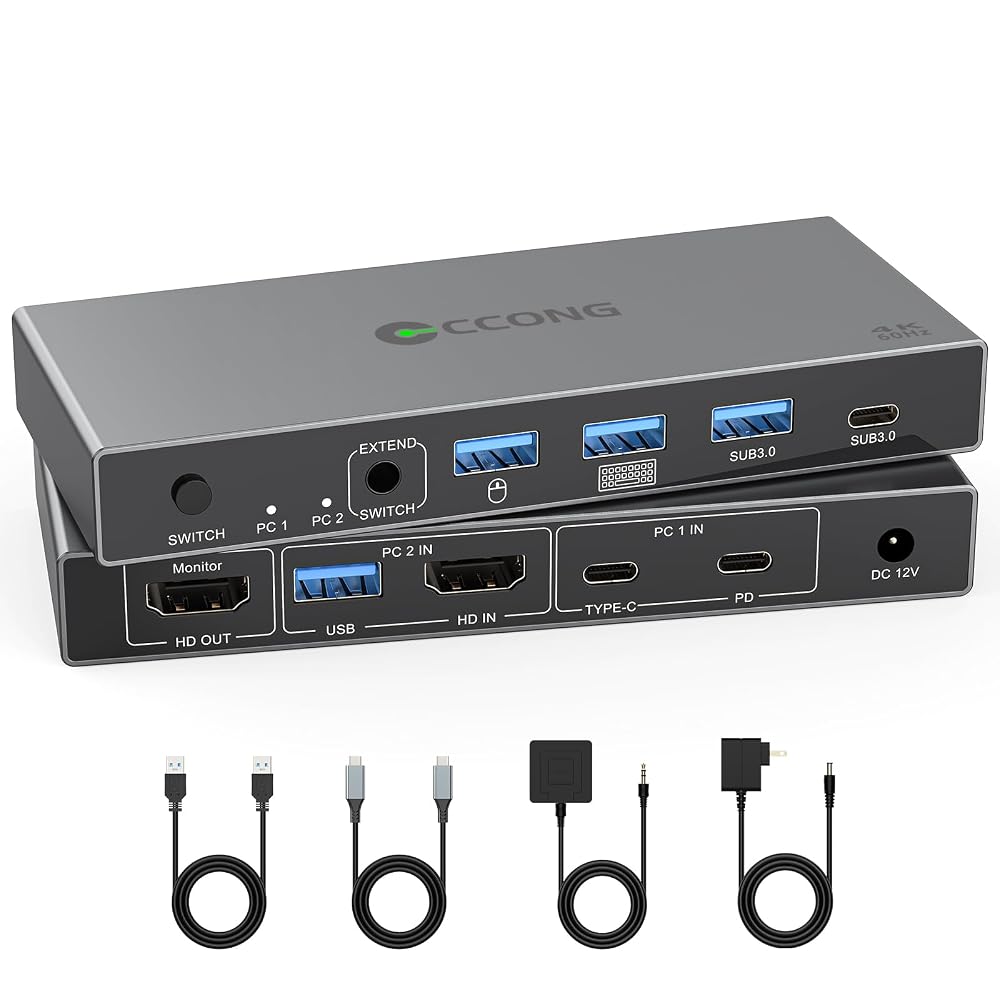
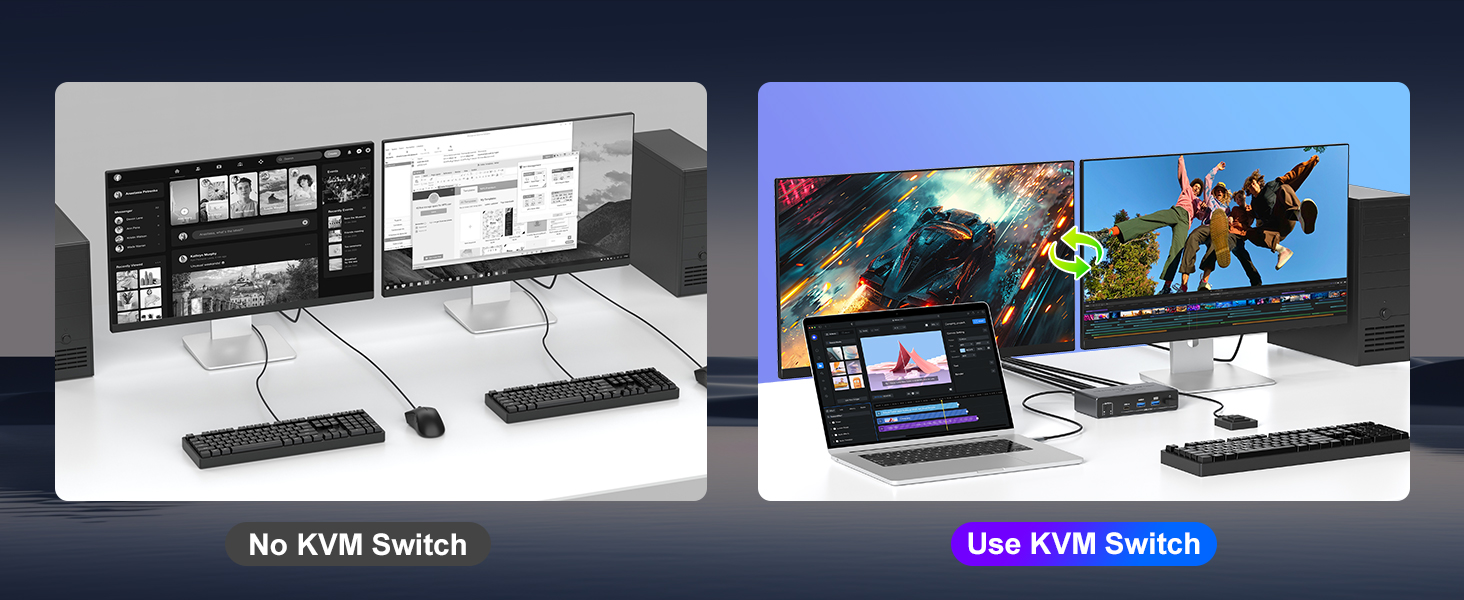
HDMI Displayport USB C KVM Switch Dual monitor:HDMI Displayport USB C KVM switch 2 monitors 2 computers built with 1x USB-C (MST) input port for laptop, and 1x integrated HDMI +Displayport+ USB-A input port for desktop. Allows you to effortlessly manage 1 Laptop and 1 Desktop to share 2 monitors and 4 USB devices together.Switch easily between your work PC and personal laptop.
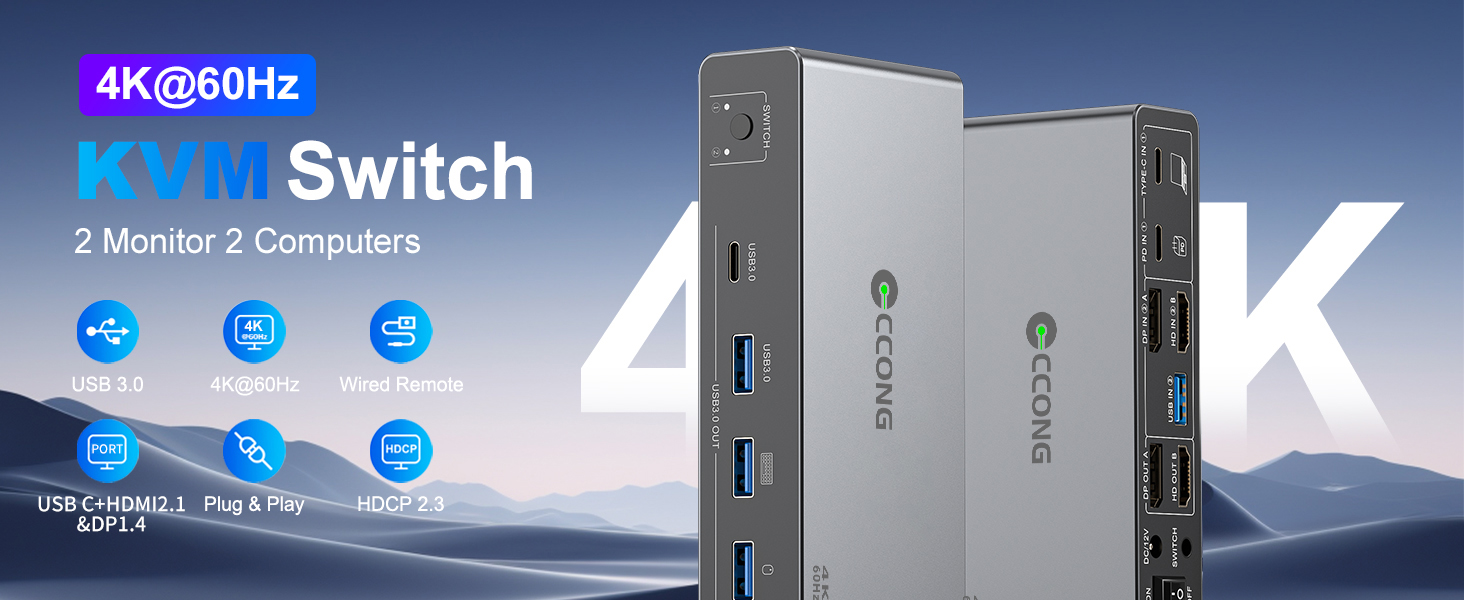
Ultra HD 4K Visual Effect:2 monitors KVM Switch supports resolution up to 4K@60Hz and is backward compatible with 2K@120Hz, 2560x1440@120Hz/60Hz, and 1920x1080@144Hz 120Hz ect.
5Gbps Ultra-fast Transfer:2 computers 2 monitors KVM switch transfer files in Seconds.This dual moniotr KVM Switch supports ultra-fast USB 3.0 data transfer rates of up to 5Gb/s,compatible with USB 2.0/1.1. With 4 USB3.0 ports for peripheral USB devices such as keyboard, mouse, printer, etc.,Support wireless keyboard and mouse. 𝙉𝙤𝙩𝙚: For high-power USB devices, use the included 12V/2A power adapter for stable operation
Quickly Charge Your Laptop:With the 100W USB-C charging port, you can quickly charge your laptop while using this 2 monitor KVM switch (Please use a USB-C port power adapter). 𝙉𝙤𝙩𝙚: To charge the laptop properly, please plug a 100W laptop charger from socket to the PD port on the KVM; 100W actually powers the laptop at 73~80W, because both device and lines will consume power
Great Compatibility & 2 Switching Ways:This 2 computers 2 monitors switch driver-free for Windows, Mac OS, Linux and Chrome OS. Compatible with Desktop,Laptop and mini box. It is widely applied for home, office, games, etc.You can press the button on the panel or use the wired remote(included) to switch the computers,LED indicate the active computer.
Two output modes:With this USB C HDMI/Displayport 2 computers 2 monitors KVM switch,you can choose extend mode or mirror mode between two monitors as required,the extended mode can output two different screens and the mirror mode can output two identical screens.NOTE: Mac M1,M2 doesn't support MST (multi-stream transport), so the screens that extends to 2 external monitors are the same.
【 Lower Wattage Warning】For some laptops that only support the proprietary PD protocol, such as Dell, a low battery charging warning may appear. Don't worry, your laptop will still charge normally. To resolve this annoying message, you can try the following two methods: 1. Uncheck the box for Enable Adapter Warnings (to stop BIOS warnings); 2. Go to Settings > Bluetooth & devices > USB and uncheck "Show a notification if this PC is charging slowly over USB"
Packing List:USB C HDMI+Displayport KVM Switch, 1 USB C cable for audio and video signal transmission, 1 USB3.0 A cable, 1 DC12V power adapter, 1 wired controller, instruction manual
【Warm Tips】 (𝟭) To get 2 screens output from laptop/desktop and make USB peripheral devices work properly, please ensure the USB-C port of the laptop supports DP Alt function(Video&Data&PD Transfer), desktop PC should be connected to HDMI cables+ DP cables+1 USB cable; (𝟮) For general laptops or computers, this 2 monitors KVM supports two display modes: Duplicate and Extend. However, for Mac OS, the 2 monitors only support displaying the same screen(Mirror or Extend ONE different screen from MAC, because MAC M1/M2 doesn't support MST (multi-stream transport)
 USB3.0 HDMI KVM Switch 4 Computers Share 1 Monitor, 4K@60Hz
SAR 277
USB3.0 HDMI KVM Switch 4 Computers Share 1 Monitor, 4K@60Hz
SAR 277
 HDMI+Displayport KVM Switch 2 Monitors 2 Computers, 4K@60HZ Dual Monitors KVM Switcher for 2 PC/Laptops Share Mouse Keyboard and 2 Screens,with 4 USB3.0 Ports, Wired Controller,Power Adapters
SAR 308
HDMI+Displayport KVM Switch 2 Monitors 2 Computers, 4K@60HZ Dual Monitors KVM Switcher for 2 PC/Laptops Share Mouse Keyboard and 2 Screens,with 4 USB3.0 Ports, Wired Controller,Power Adapters
SAR 308
 8K HDMI KVM Switch 2 Monitors 2 Computers, 8K@60Hz Dual Monitor Kvm Switch | Support 4K@144Hz KVM Switcher PC Extended Display for 2 Port Share 4 USB 3.0 HUB Desktop Controller and 2 USB Cables Included
SAR 344
8K HDMI KVM Switch 2 Monitors 2 Computers, 8K@60Hz Dual Monitor Kvm Switch | Support 4K@144Hz KVM Switcher PC Extended Display for 2 Port Share 4 USB 3.0 HUB Desktop Controller and 2 USB Cables Included
SAR 344
 4K HDMI KVM Switch 1 Monitor 2 Computers 4K@60Hz, USB KVM Switches for Two Computer Share Monitor 3 USB Ports for Keyboard Mouse, Support Extended&Mirror Mode with Desktop Controller 2 Wires Included
SAR 0
4K HDMI KVM Switch 1 Monitor 2 Computers 4K@60Hz, USB KVM Switches for Two Computer Share Monitor 3 USB Ports for Keyboard Mouse, Support Extended&Mirror Mode with Desktop Controller 2 Wires Included
SAR 0

