- Shopping, made easy.
- /
- Get the app!
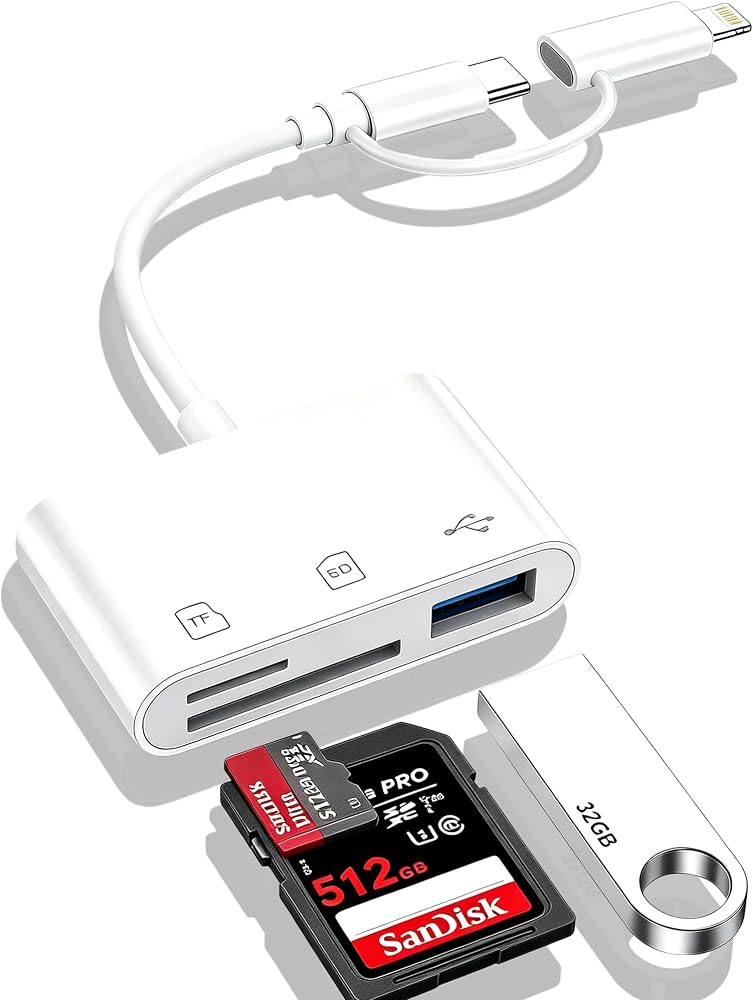
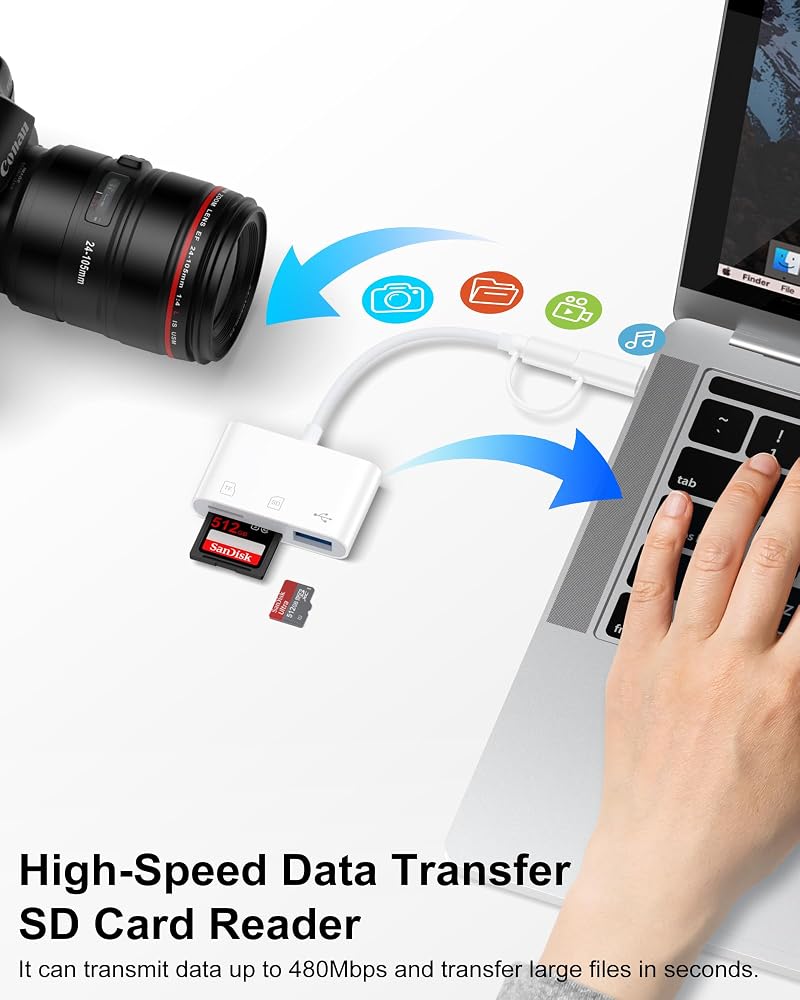
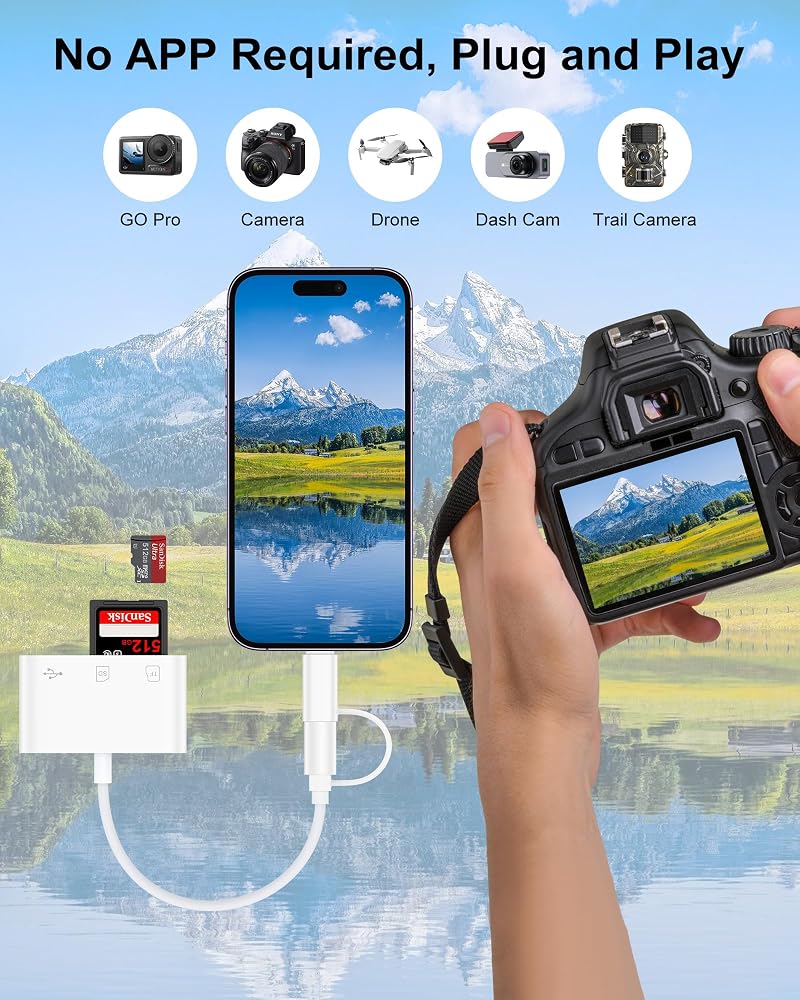
Making Data Transmission so easy - SD Card Reader for iPhone
Specifications
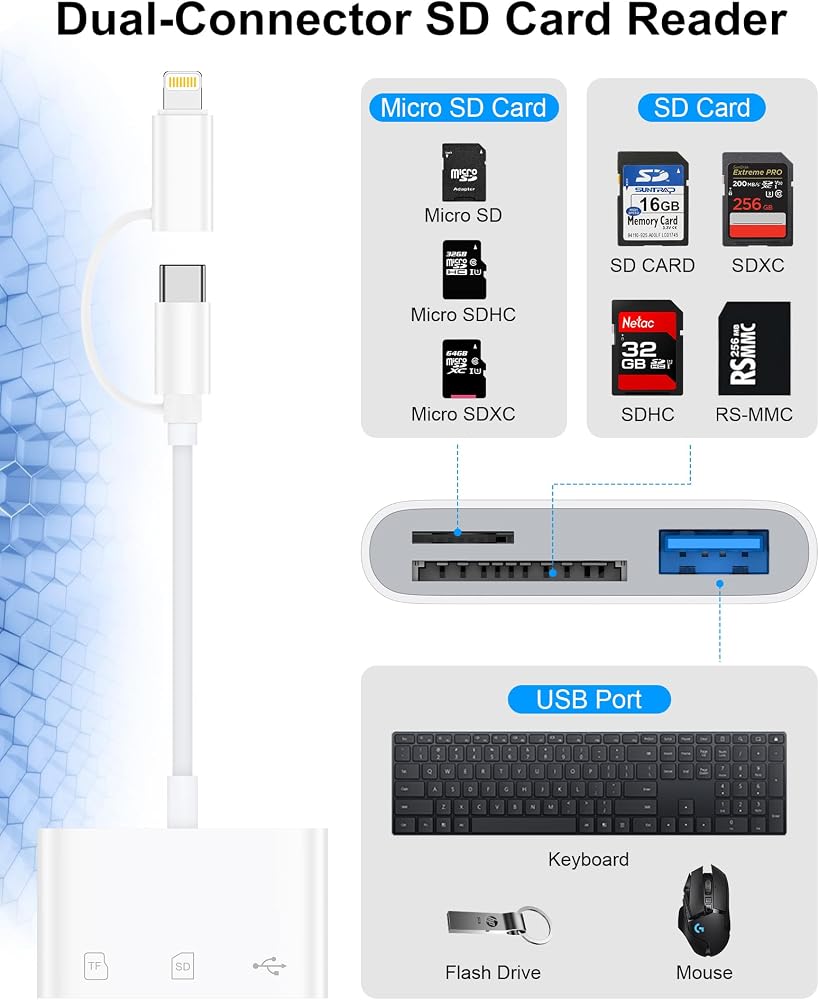
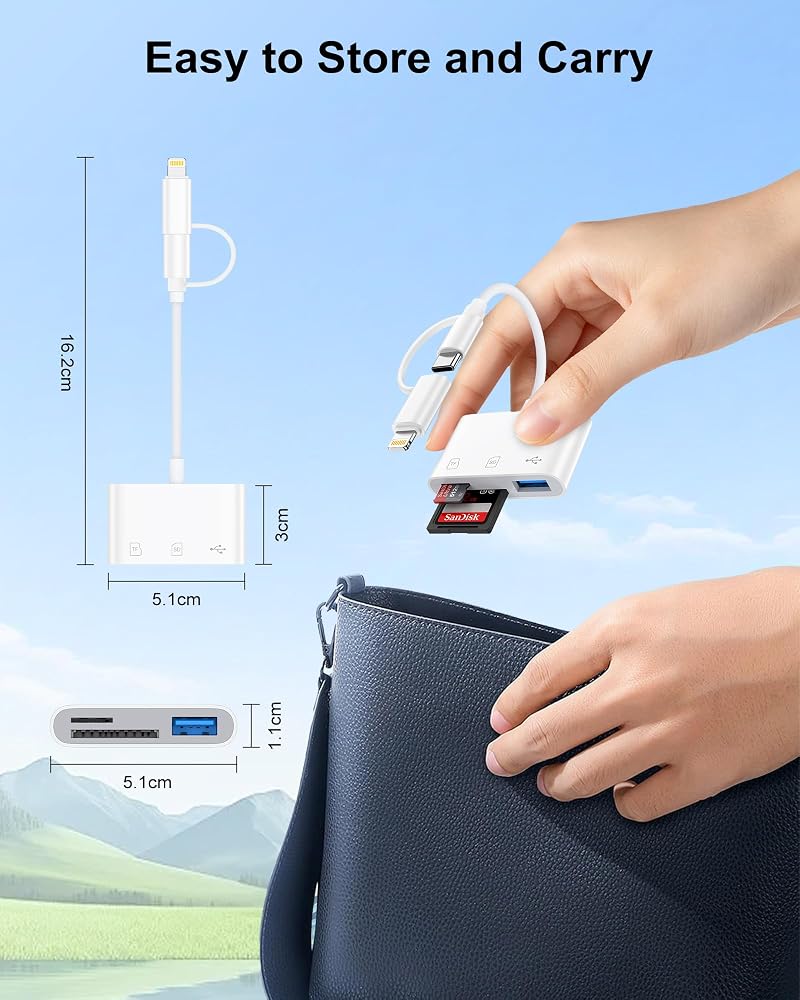
Port: Type-C & Lightning
Slots: SD/MicroSD/USB A
Maximum support capacity: 2TB
High-Speed Data Transfer: 480Mbps
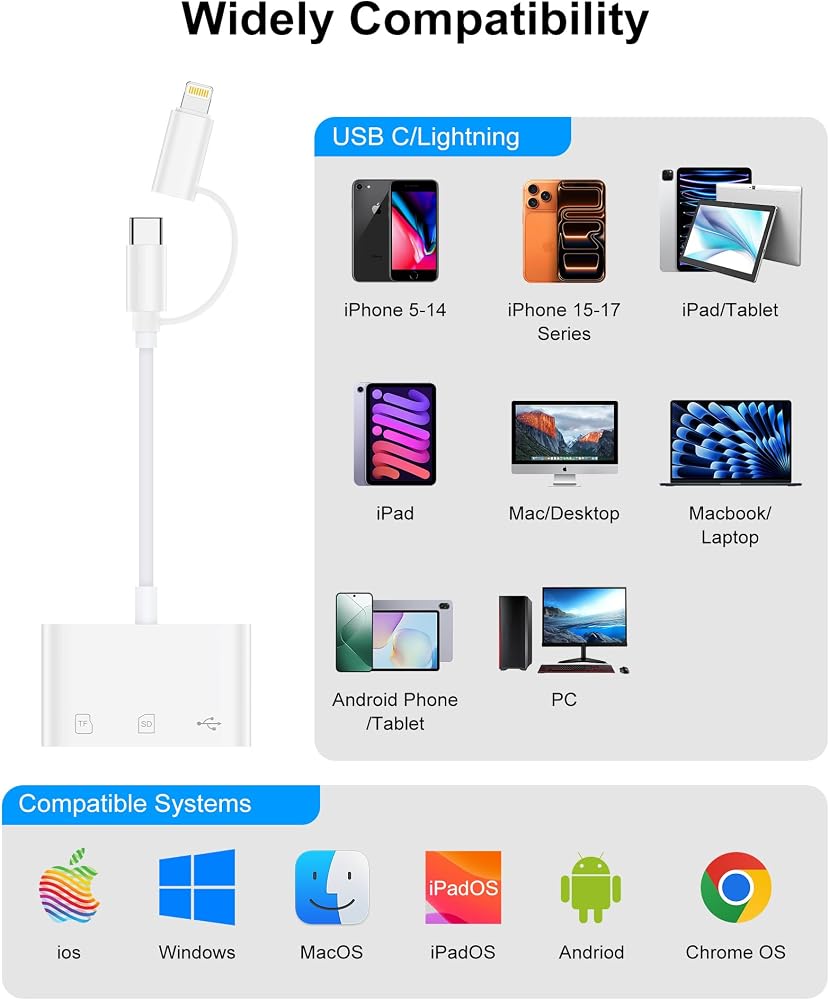
Compatibility
Type C and Lightning Dual Connector
Lightning Port
---iPhone 8 Plus / 8 / 7 Plus / 7 / 6s Plus / 6s / 6 Plus / 6 / 5s / 5 / XS Max / XS / XR / X
---iPhone 14 Pro Max / 14 Pro / 14 Plus / 14 / 13 Pro Max / 13 Pro / 13 mini / 13 / 12 Pro Max / 12 Pro / 12 mini / 12 / 11 Pro Max / 11 Pro / 11
---iPad (4th to 9th generation)
---iPad mini (1st to 5th generation)
---iPad Air (1st to 3rd generation)
---iPad Pro 9.7-inch, 10.5-inch, 12.9-inch (1st and 2nd generation)
USB C Port
---iPhone 17e / 17 Pro Max / 17 Pro / 17 Air / 17 / 16e / 16 Pro Max / 16 Pro / 16 Plus / 16 / 15 Pro Max / 15 Pro / 15 Plus / 15
---Samsung Galaxy S26 / S26+ / S26 Ultra / S25 / S25+ / S25 Ultra / S24 FE / S24 Ultra / S24+ / S24 / S23 FE / S23 Ultra / S23+ / S23 / S22 Ultra / S22+ / S22 / S21 FE / S21 Ultra / S21+ / S21
---Samsung Galaxy Note 20 Ultra / Note 20 / Note 10 / Note 10 / Note 9 / Note 8
---Google Pixel 10a / 10 Pro XL / 10 Pro / 10 / 9a / 9 Pro XL / 9 Pro / 9 / 8a / 8 Pro / 8 / 7a / 7 Pro / 7 --MacBook Air 13/15 (M4 2025 / M3 2024 / M2 2022 / M1 2020)
---MacBook Pro 14/16 (M4 Pro/Max 2025 / M3 Pro/Max 2023)
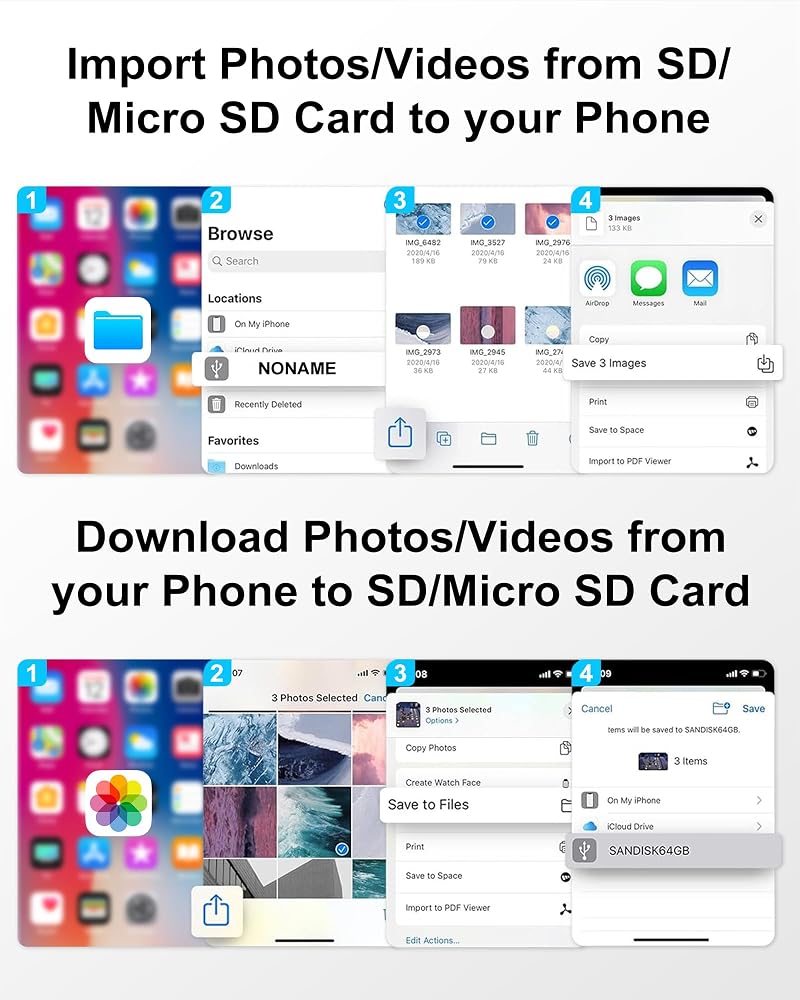
How to use this apple sd card reader?
Step1: Insert your SD/TF card into the card reader
Step2: Connect the reader to your device
Step3: On iPhone/iPad, open the Files or Photos app to view and transfer files On Android/Windows/Mac, use your default file browser to access the card
Step4: When finished, eject the card reader from your device first to prevent data loss, then unplug it and remove the memory card
 10ft Apple Lightning Cable USBC USB Type C to Lightning iPhone Charger Cord | Fast Charging Lightening Wire for iPhone 14 Pro Max 14 Plus 13 Pro Max/13Pro/12/11/X/XR/XS/8, USB-C Lighting Cords - 2Pack
SAR 53
10ft Apple Lightning Cable USBC USB Type C to Lightning iPhone Charger Cord | Fast Charging Lightening Wire for iPhone 14 Pro Max 14 Plus 13 Pro Max/13Pro/12/11/X/XR/XS/8, USB-C Lighting Cords - 2Pack
SAR 53
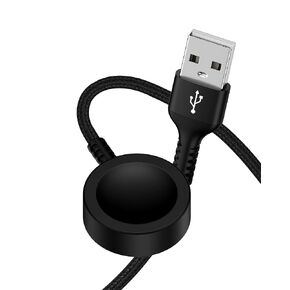 Watch Charger Cable for Apple Watch, Compatible with iPhone iWatch Series 10 9 8 7 6 5 4 3 2 1 Ultra SE SE2, Magnetic Fast Charging Braided USB Cord, Wireless Smartwatch Dock Cargador Pad for Travel
SAR 68
Watch Charger Cable for Apple Watch, Compatible with iPhone iWatch Series 10 9 8 7 6 5 4 3 2 1 Ultra SE SE2, Magnetic Fast Charging Braided USB Cord, Wireless Smartwatch Dock Cargador Pad for Travel
SAR 68
 USB Type C Cable 10ft for iPhone 17/16/15 Charging Cable, 2Pack Extra Long Braided USB C to USB A Cord for iPhone 17 Pro Max,17 Pro,17 Air,17,16,16e,16Pro Max,15,15 Pro,15 Plus-Car CarPlay Power Cord
SAR 32
USB Type C Cable 10ft for iPhone 17/16/15 Charging Cable, 2Pack Extra Long Braided USB C to USB A Cord for iPhone 17 Pro Max,17 Pro,17 Air,17,16,16e,16Pro Max,15,15 Pro,15 Plus-Car CarPlay Power Cord
SAR 32
![USB to USB C Car CarPlay Cable [2Pack/3ft] for iPhone 17, 17Pro, 17Air, 17 Pro Max, 16, 16e, 16Pro Max, 15, 15 Plus Charger, 3.1A Braided Type C Car Charging Cord Fast Charge Apple USB C CarPlay Cord in Saudi Arabia](https://cdn1.tilga.com/md/prod/3/10959/3/237098543.14662.jpg) -24%
USB to USB C Car CarPlay Cable [2Pack/3ft] for iPhone 17, 17Pro, 17Air, 17 Pro Max, 16, 16e, 16Pro Max, 15, 15 Plus Charger, 3.1A Braided Type C Car Charging Cord Fast Charge Apple USB C CarPlay Cord
SAR 32
-24%
USB to USB C Car CarPlay Cable [2Pack/3ft] for iPhone 17, 17Pro, 17Air, 17 Pro Max, 16, 16e, 16Pro Max, 15, 15 Plus Charger, 3.1A Braided Type C Car Charging Cord Fast Charge Apple USB C CarPlay Cord
SAR 32