- Shopping, made easy.
- /
- Get the app!
Q&A
Can't connect with wii console?
❤Try to reset the remotes firstly.
There might be too many BT links in your wii /wii u console, if it doesn't connect with the remote, please kindly try to delete all of them, then connect to our remote, it'll work.
Glitches or flash back and forth on screen?
❤Press the red button on the battery cover and the start botton on your console at the same time.
Work, then stop working, can't continue for long time?
❤Time to do ZERO CLEARING to your console, just press its red button, then connect with the remote.
Key features:
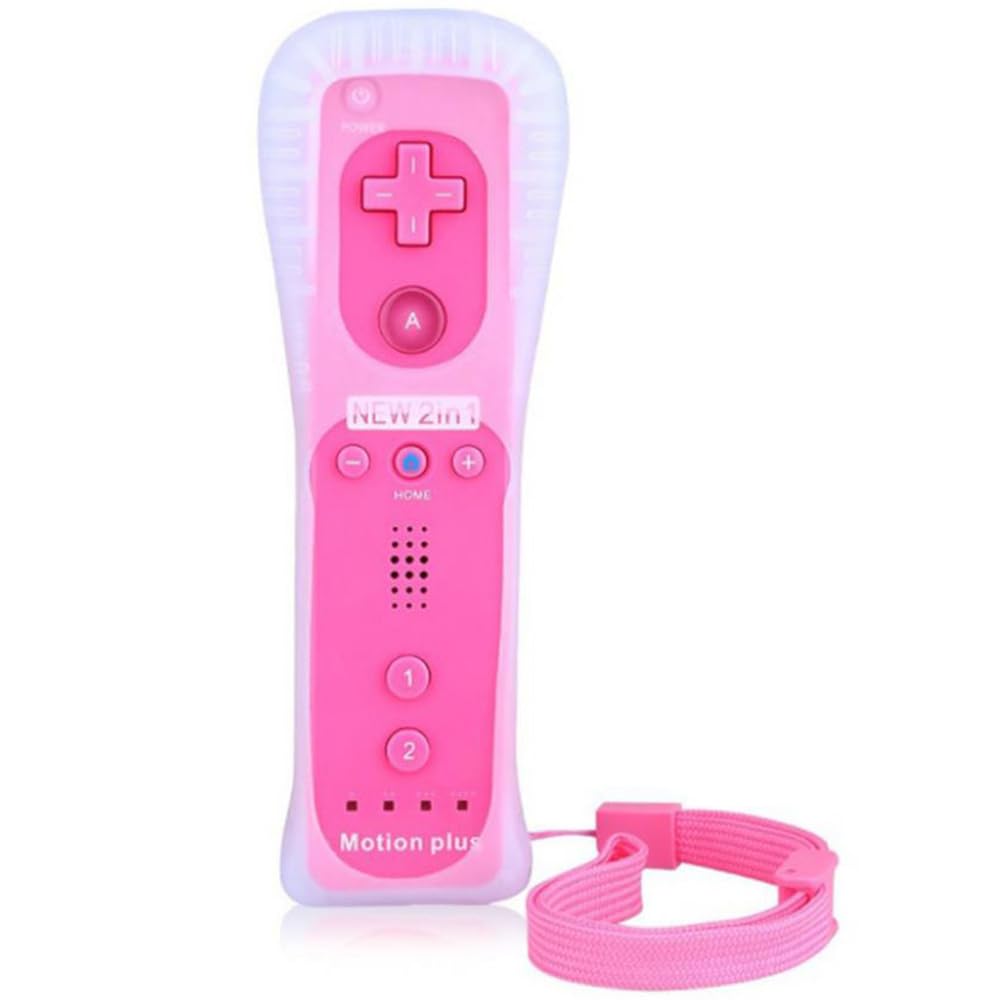
Wireless Remote Controller for Wii /Wii U
Compatible with Wii and Wii U consoles
Wireless Bluetooth connection with range up to 8 meters
Built-in Motion Plus
Built-in COMS sensor for detecting infrared light from sensor bar, obtain light-spot moving info, provide Bluetooth target movement info, and support sensitivity switching function for the Wii console
Built-in sound module to convey induction sound from Wii console to speaker
Built-in speaker for sound output
Built-in motor for providing vibration sensing feedback function
Powered by 2 x AA batteries(NOT Included)
With an extension terminal for connecting nunchuck or other compatible peripheral devices
Easy Connection:
① Connect power supply for Wii /Wii U console.
② Insert two AA dry batteries (not included) into the remote.
③ Press the "SYNC" button on the controller and console separately.
④ If the connection fails, press the "SYNC" button on the console for 15 seconds to clear all connected controllers.
⑤ Press the "SYNC" button on the controller and console again separately.
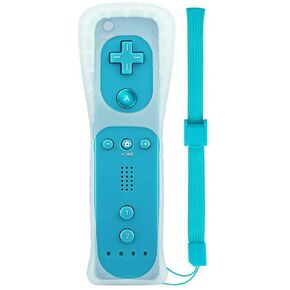 ChamZA Wireless Motion Remote Controller for Wii/Wii U, w/Soft Case & Hand strap (Red)
SAR 84
ChamZA Wireless Motion Remote Controller for Wii/Wii U, w/Soft Case & Hand strap (Red)
SAR 84
 Built-in Motion Plus Remote + Nunchuk Controller Set, Wireless Gamepad Joystick for Nintendo Wii/ Wii U, w/ Silicone Case & Hand strap (Red)
SAR 0
Built-in Motion Plus Remote + Nunchuk Controller Set, Wireless Gamepad Joystick for Nintendo Wii/ Wii U, w/ Silicone Case & Hand strap (Red)
SAR 0
 New ZD Ultimate Legend Wireless Controller, Default Equipped With GinFull TMR Joysticks, Hall Effect Triggers, Up to 8k Polling Rate, <1ms Ultra-Low Latency, Modular Design, RGB Light Bar, Compatible with PC/NS/NS2/Android/iOS
SAR 558
New ZD Ultimate Legend Wireless Controller, Default Equipped With GinFull TMR Joysticks, Hall Effect Triggers, Up to 8k Polling Rate, <1ms Ultra-Low Latency, Modular Design, RGB Light Bar, Compatible with PC/NS/NS2/Android/iOS
SAR 558
 BGYTWEYTD Joycon Joystick Replacement 4 Pack for Nintendo Switch | Switch Joystick Replacement, Compatible with Switch, OLED & Lite (NOT FOR SWITCH 2), Includes Thumb Grips, Screws & Spudger
SAR 53
BGYTWEYTD Joycon Joystick Replacement 4 Pack for Nintendo Switch | Switch Joystick Replacement, Compatible with Switch, OLED & Lite (NOT FOR SWITCH 2), Includes Thumb Grips, Screws & Spudger
SAR 53

