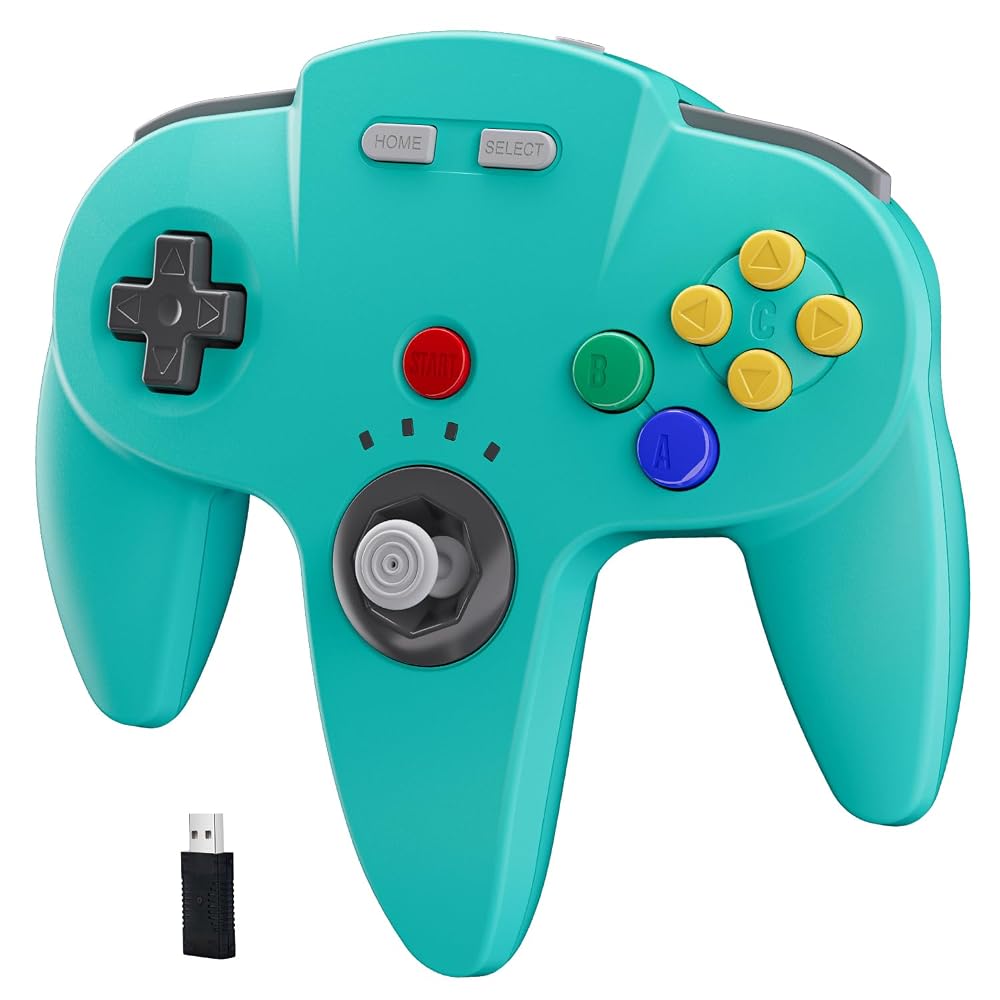
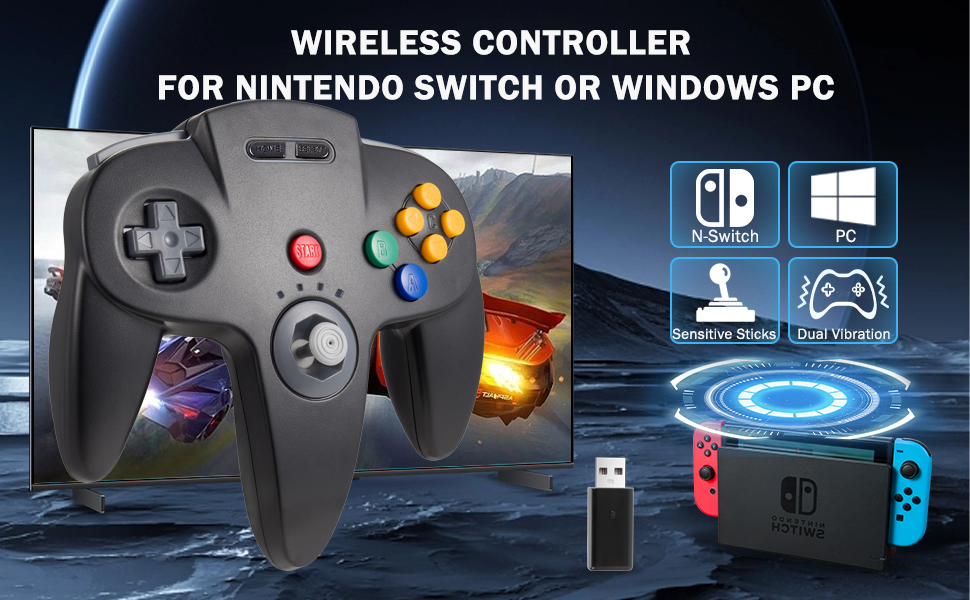
KIWITATA N64 Wireless USB Controller for Switch System Games, 2.4ghz Wireless N64 Remote Joystick Controller for Switch 1/Switch 2, MAC, PC Windows 7,8,10,11 Black Turquoise
【Application】Wireless USB controller widely compatible with Switch 1 /Switch 2/ Switch Lite/Switch OLED. Specially works for old school Classic N64 Online Games On switch, including the USB dongle(Not includes a N64 receiver), it can work with your PC/MAC or Raspberry Pi via USB connection(Not for a game stick) .
【Classic N64 Design 】ERGONOMIC DESIGN HANDLE, Classic N64 style with "M" shape , perfectly fit palms, all the buttons and controls make your hand very comfortable for long periods of gaming. Support game Emulator:Project 64,OpenEmu,MegaN64,Mupen64,Mupen64Plus FZ,RetroArch,ClassicBoy and SixtyForce etc.
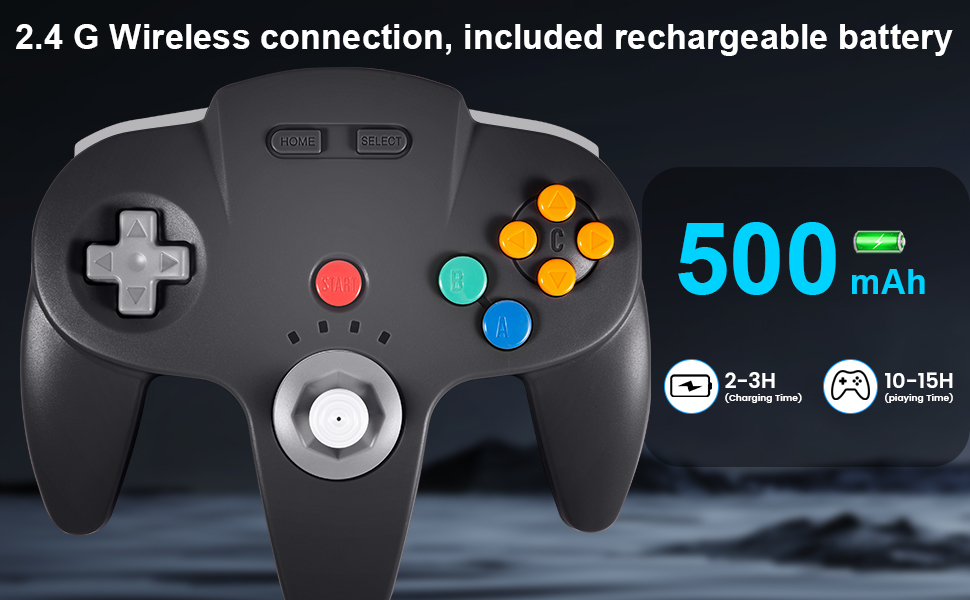
【Long playing time】Great battery life for the recharge,build in 3.7V/500mA lithium Ion battery which can work continuously for over 10-15 hours. 2.4GHz Wireless technology and wireless range up 25 feets, with strong anti-interference capability that is better than having to sit on floor a foot away from the TV
【Precise joystick and motor shock 】High quality 3D analog stick with precise control, built-in rumble Pak and memory card port, compatible with most of game memory cards, and you can use a memory card and transfer to an SD card.
【Advanced Game Experience】Third party controller, not original N64 controller. But you can play most of retro N64 games very well,this better way to play your favorite N64 games in the 90's on the Switch.
Notice: When pressing the “reset” button on the top of the controller and pair, press firmly until all four LEDs is light on the controller then press the" Start" button and wait for LED 1 to stay lit, so successfully connect.For Switch, the button layout is different from the Pro controller. "Pro Controller Wired Communication" must be enabled before pairing.
 KIWITATA Classic N64 USB Controller for PC, Wired N64 Remote Game Pad Joypad Controller for Windows 7 8 11 & MAC & Raspberry Pi
SAR 105
KIWITATA Classic N64 USB Controller for PC, Wired N64 Remote Game Pad Joypad Controller for Windows 7 8 11 & MAC & Raspberry Pi
SAR 105
 KIWITATA 2-Pack Wired Nunchuk Controllers Joystick Replacement for Wii & Wii U Video System Console Black
SAR 81
KIWITATA 2-Pack Wired Nunchuk Controllers Joystick Replacement for Wii & Wii U Video System Console Black
SAR 81
 KIWITATA 2X Classic SNES USB Controller for PC Gamings, Retro SNES Wired USB Game Emulator Controller for Windows XP 7 8 11 Mac Raspberry Pi
SAR 93
KIWITATA 2X Classic SNES USB Controller for PC Gamings, Retro SNES Wired USB Game Emulator Controller for Windows XP 7 8 11 Mac Raspberry Pi
SAR 93
 KIWITATA Classic N64 Controller, Retro N64 Wired Remote Joystick Gamepad Controller Compatible with Original N64 System Video Console Gray
SAR 102
KIWITATA Classic N64 Controller, Retro N64 Wired Remote Joystick Gamepad Controller Compatible with Original N64 System Video Console Gray
SAR 102

 Saudi Arabia