- Shopping, made easy.
- /
- Get the app!
Package Includes:
1 × Replacement Lens Glass
1 × Suction Cup
1 × Cleaning Gloves (Pair)
1 × Cleaning Wipe
1 × Cleaning Cloth
Product Description:
Replacement Part: Designed to replace the outer lens glass of the Avata 360 camera.
Material: Made of glass for clear image transmission.
Application: Suitable for replacing lens glass with scratches or damage.
Specifications:
Diameter: 26.56 mm | Height: 6.72 mm | Weight: 9 g | Material: Glass
Compatibility:
Compatible with DJI Avata 360.
Tips:
Follow installation instructions carefully to avoid damage.
Install in a clean, dry, dust-free environment.
Place the drone on a soft, flat surface during installation.
Calibration via goggles or DJI Fly app is required after installation.
 Original Mini 3 Pro Front Left Side Cover Repair Parts For DJI Mavic Mini 3 Pro UAV Replacement Accessories - New
SAR 53
Original Mini 3 Pro Front Left Side Cover Repair Parts For DJI Mavic Mini 3 Pro UAV Replacement Accessories - New
SAR 53
![Original [4 Pcs] Gimbal Rubber Dampers for Autel EVO II Pro 6K Drone Damping Cushion Shock-absorber Ball Spare Repair Part for EVO2 Pro 6K - New in Saudi Arabia](https://cdn1.tilga.com/md/prod/3/7037/3/171938792.33290.jpg) Original [4 Pcs] Gimbal Rubber Dampers for Autel EVO II Pro 6K Drone Damping Cushion Shock-absorber Ball Spare Repair Part for EVO2 Pro 6K - New
SAR 126
Original [4 Pcs] Gimbal Rubber Dampers for Autel EVO II Pro 6K Drone Damping Cushion Shock-absorber Ball Spare Repair Part for EVO2 Pro 6K - New
SAR 126
 Original Gimbal Camera Lens Glass for DJI Avata / O3 Air Drone Unit Replacement Camera Without Lens Accessory Repair Parts for Avata / O3 Air - New
SAR 126
Original Gimbal Camera Lens Glass for DJI Avata / O3 Air Drone Unit Replacement Camera Without Lens Accessory Repair Parts for Avata / O3 Air - New
SAR 126
 -29%
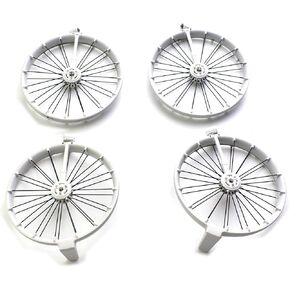
Original Propeller Guard for DJI FLIP Replacement Accessories - Anti Collision Body Blade Protection Shell for DJI Flip Drone Repair Parts (New)
SAR 126
-29%
Original Propeller Guard for DJI FLIP Replacement Accessories - Anti Collision Body Blade Protection Shell for DJI Flip Drone Repair Parts (New)
SAR 126


![[1 Pcs] Original Lens Glass Replacement for DJI Avata 360 Drone, Portbale Optical Glass with Suction Cup + Cleaning Kit, Camera Lens Repair Part for Avata 360 Accessories in Saudi Arabia](https://cdn1.tilga.com/md/prod/3/12480/255902542.1514.jpg)
![[1 Pcs] Original Lens Glass Replacement for DJI Avata 360 Drone, Portbale Optical Glass with Suction Cup + Cleaning Kit, Camera Lens Repair Part for Avata 360 Accessories in Saudi Arabia](https://cdn1.tilga.com/md/prod/3/12480/255902543.47198.jpg)
![[1 Pcs] Original Lens Glass Replacement for DJI Avata 360 Drone, Portbale Optical Glass with Suction Cup + Cleaning Kit, Camera Lens Repair Part for Avata 360 Accessories in Saudi Arabia](https://cdn1.tilga.com/md/prod/3/12480/255902544.20863.jpg)