- Shopping, made easy.
- /
- Get the app!
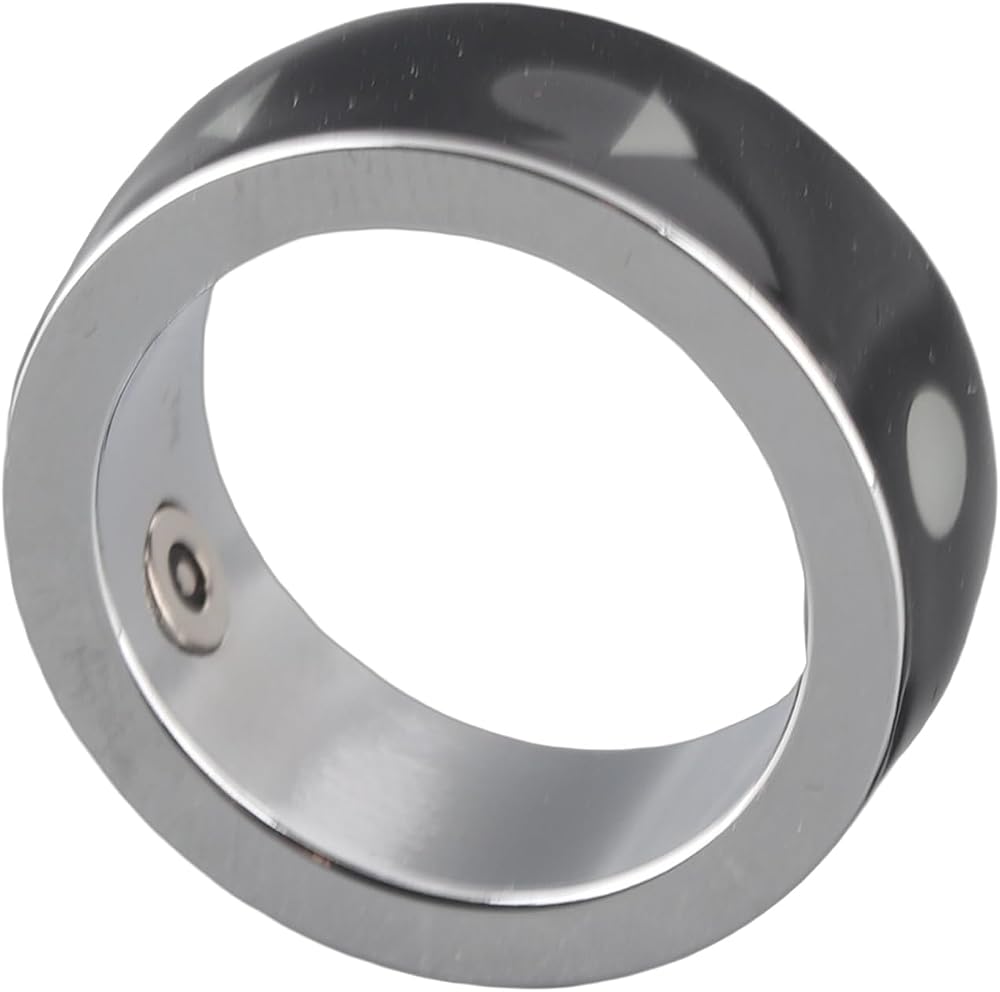
Spec:
Specification:
Color: Black
Material: Ceramics
Battery type: Rechargeable battery
Battery capacity: 18mAh
Power: 0.5mw
Input voltage: 5V
Input current: 15ma
Receiving distance: 5M
Standby time: 2 days (one charge)
Charging time: 1.5h
Water rating: IPX8
Product weight: 3g
Note:
Smart Entertainment User Manual
1. Power On/Off
Press and hold both buttons for 5 seconds, the red, green, and blue lights will flash once indicating the is turning on. Press and hold again for 5 seconds, the red light will flash indicating the is turning off.
3. Modes
The has two modes: vertical slide mode and horizontal slide mode. Vertical slide mode is the default mode.
(1) Vertical Slide Mode:
In for apps, press the upper to switch to the next video and the lower to switch to the previous video. the lower to like a video, and triple-tap to continuously like.
In the camera app, the upper to take a photo.
Triple-tap the upper , the blue and red lights will flash indicating the mode has changed to horizontal slide mode.
In an e-book app, press the upper to turn the page right and the lower to turn the page left.
In the music app (while in the background), the upper to play the next track and the lower to play/pause.
Long-press the upper with the red light on to disable single taps. This does not affect receiving calls or double taps. Long-press the upper with the green light on to enable single taps again.
4. General Functions:
Incoming Call: Press the upper to answer and the lower to reject.
During a Call: the lower to end the call.
Recording: Open the recording function in the app, long-press the lower for 5 seconds with the green light on to start recording. Press again for 5 seconds with the red light on to stop recording. (These functions require the app to be installed.)
5. Additional Functions with the App's Smart Switch On:
WeChat Voice Call: Press the upper to answer and the lower to reject. During a voice call, press the upper to toggle the speaker on/off and the lower to end the call.
WeChat Video Call: Press the upper to answer and the lower to reject. During a video call, press the upper to switch cameras and the lower to end the call.
Douyin or Apps: the upper to exit.
Camera App: Press the lower to switch cameras.
During a System Voice Call: Press the upper to toggle the speaker on/off.
The automatically detects and adapts to both vertical and horizontal screen modes without the need to switch modes manually.
Package List:
1*
1* Charging cable
Note:
Smart Entertainment User Manual
1. BT Name: LT3688 Wear the with the indicator facing up. The closer to the indicator is the upper , and the lower part of the upper is the lower .
2. Power On/Off
or1*
1* Charging cable
Note:
Smart Entertainment User Manual
1. BT Name: LT3688 Wear the with the indicator facing up. The closer to the indicator is the upper , and the lower part of the upper is the lower .
2. Power On/Off
or1 x
 Wireless Remote Shutter Release for Sony ZV-E10, ZV-1, A7III, A7IV, a6400
SAR 157
Wireless Remote Shutter Release for Sony ZV-E10, ZV-1, A7III, A7IV, a6400
SAR 157
 Generic for Sony Release The shutter cable remote control video RC301-S2 Mini button to a7 m2/m3/m4/s2/s3/s4/r2/r3/r4 a6000 a6300 a1 a9.
SAR 79
Generic for Sony Release The shutter cable remote control video RC301-S2 Mini button to a7 m2/m3/m4/s2/s3/s4/r2/r3/r4 a6000 a6300 a1 a9.
SAR 79
 Shutter Cable Rubber Top Cover, Camera Shutter Release Cords Lid Digital Camera Repair Part for Nikon D800 D800E Cameras Terminal Cap Flash Remote Rubber Cover Shutter Cable Rubber Top Cove
SAR 24
Shutter Cable Rubber Top Cover, Camera Shutter Release Cords Lid Digital Camera Repair Part for Nikon D800 D800E Cameras Terminal Cap Flash Remote Rubber Cover Shutter Cable Rubber Top Cove
SAR 24
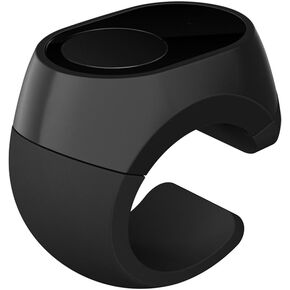 Bluetooth Remote Control Scrolling Ring for TikTok, Camera, Page Turner Remote - for iPhone, iPad, Tablet, iOS and Android - Gold
SAR 313
Bluetooth Remote Control Scrolling Ring for TikTok, Camera, Page Turner Remote - for iPhone, iPad, Tablet, iOS and Android - Gold
SAR 313

 Saudi Arabia