- Shopping, made easy.
- /
- Get the app!
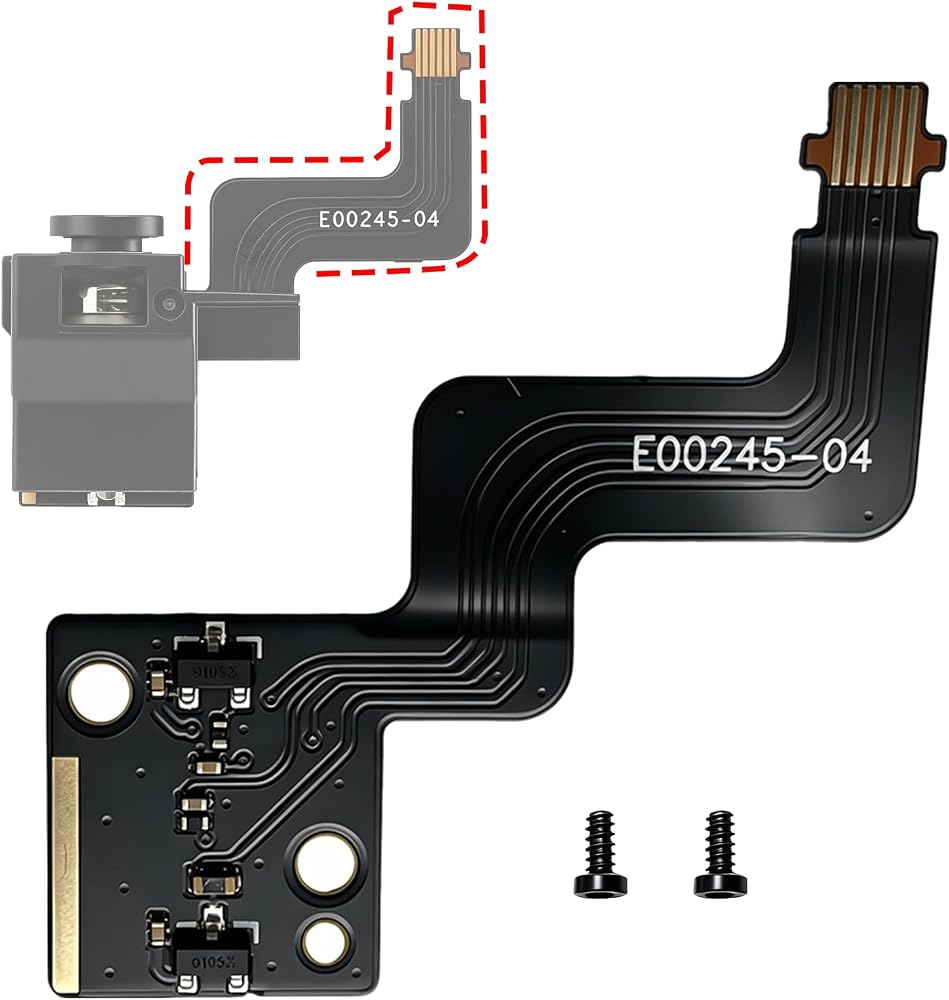
PC Ribbon Cable for Bambu Lab P2S Extruder Filament Sensor – Replacement Flat Flexible Cable Fix false filament detection errors on your Bambu Lab P2S without replacing the entire hall switch module. The extruder filament sensor on the Bambu Lab P2S uses a small FPC (Flexible Printed Circuit) ribbon cable to connect the hall switch board to the printer's mainboard. This thin cable bends repeatedly as the extruder moves during printing. Over time, internal traces can crack, leading to intermittent or complete loss of filament detection and cutter position signals. Symptoms of a Faulty P2S Filament Sensor Cable: False “filament runout” warnings when filament is clearly loaded “Failed to send filament to the extruder” error messages False reports of the filament cutter being stuck Intermittent filament detection (works sometimes, fails others) AMS color changes fail due to missing sensor signals If you experience any of these issues – and the hall sensor board itself is not physically damaged – a worn FPC cable is the most likely culprit. This replacement cable restores full functionality at a fraction of the cost of a full sensor assembly. What's Included: 1 × FPC Ribbon Cable (pre-cut length for Bambu Lab P2S extruder filament sensor) Why Replace Only the Cable? The hall switch board rarely fails – the flexible cable is the weak point Cable replacement is faster and less expensive than replacing the entire sensor module No soldering or special tools required – just disconnect and reconnect This cable matches the original P2S specification exactly Installation Overview (Simple Swap): 1.Power off and unplug your Bambu Lab P2S printer 2.Remove the toolhead housing to access the extruder area 3.Locate the hall switch board on the upper part of the extruder 4.Find the small FPC ribbon cable attached to the board 5.Gently lift the locking flap on the connector (both on the sensor board side and on the mainboard side) 6.Pull out the old cable 7.Insert the new FPC cable (ensure the exposed metal contacts face the correct direction – match the original orientation) 8.Press down the locking flaps to secure the cable 9.Reassemble the toolhead housing 10.Power on and test filament detection Compatibility: ✓ Bambu Lab P2S (all variants) ✗ NOT compatible with X1, P1P, P1S, A1, or other Bambu Lab printer models The P2S uses a specific FPC cable connector and length that differs from other Bambu Lab series. Please verify your printer model before ordering. Important Note: This product is a replacement FPC cable and mounting screws only – it does not include the hall switch board,, or any other components. It is intended for users who have confirmed that their hall sensor board is functional but the ribbon cable is damaged
 New ACH Build Plate 235x235mm,Crystal+Abyss Spring Steel Sheet for Flashforge Adventurer 5M/5M pro/Neptune 3 Pro/Neptune 4/Kobra 2/2 Pro/2 Neo/Ender 3/3 Neo/Ender 3 v2/V2 Neo/Ender 3 S1
SAR 0
New ACH Build Plate 235x235mm,Crystal+Abyss Spring Steel Sheet for Flashforge Adventurer 5M/5M pro/Neptune 3 Pro/Neptune 4/Kobra 2/2 Pro/2 Neo/Ender 3/3 Neo/Ender 3 v2/V2 Neo/Ender 3 S1
SAR 0
 235x235mm 3D Printer Platform, Smooth PEI+Textured PEI build plate for Adventurer 5M/Neptune 3 Pro/Neptune 4/Ender 3/Ender 3 Pro/Ender 3 V2/Ender 3 V2 Neo/Ender 3 Neo/Ender 3 S1 3D Printer.
SAR 92
235x235mm 3D Printer Platform, Smooth PEI+Textured PEI build plate for Adventurer 5M/Neptune 3 Pro/Neptune 4/Ender 3/Ender 3 Pro/Ender 3 V2/Ender 3 V2 Neo/Ender 3 Neo/Ender 3 S1 3D Printer.
SAR 92
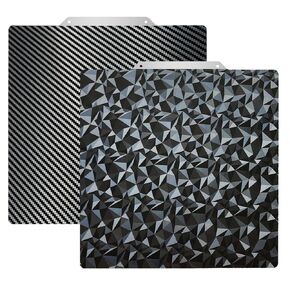 3D Printer Build Plate 235 x 235mm Spring Steel Print PEO PEI Surface Build Plate for Creatily K1/Ender-3 S1 /Ender-3 S1 Pro/Ender-3 V3 KE/Ender-3 V3 SE/Ender-5 S1 (Without Magnetic Base)
SAR 66
3D Printer Build Plate 235 x 235mm Spring Steel Print PEO PEI Surface Build Plate for Creatily K1/Ender-3 S1 /Ender-3 S1 Pro/Ender-3 V3 KE/Ender-3 V3 SE/Ender-5 S1 (Without Magnetic Base)
SAR 66
 Kobra 3 Hotend Kit (Pre-Installed),with Extra 0.4mm Hardened Steel Nozzle Brass Nozzle Silicone Sock, Replacement 3D Printer Accessories for Anycubic Kobra3 Combo Extruder Printhead
SAR 50
Kobra 3 Hotend Kit (Pre-Installed),with Extra 0.4mm Hardened Steel Nozzle Brass Nozzle Silicone Sock, Replacement 3D Printer Accessories for Anycubic Kobra3 Combo Extruder Printhead
SAR 50