- Shopping, made easy.
- /
- Get the app!
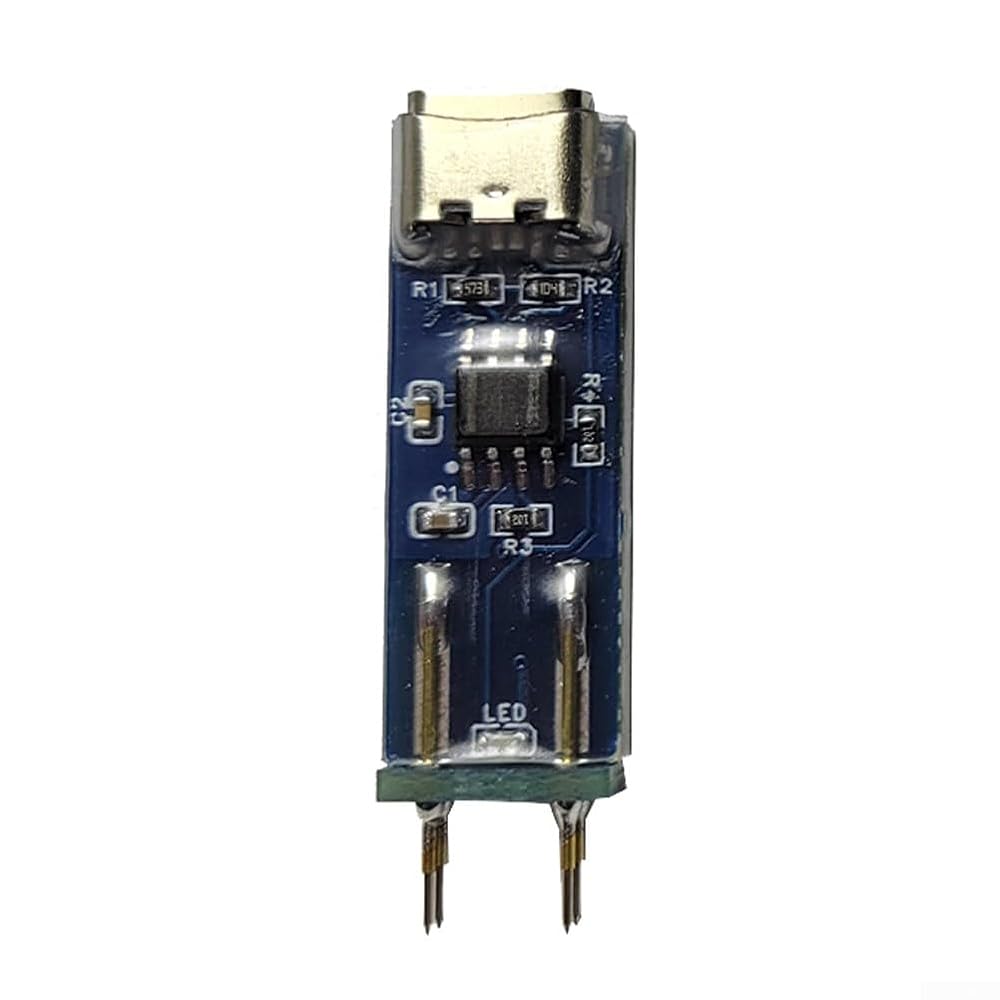
Features:
1. Test to confirm that the board under test is turned off and the electrolytic capacitors on the motherboard are fully discharged. It is strictly forbidden to test when the motherboard is powered on.
2. Confirm the optocoupler PIN1 (the pin marked with a small dot on the test board also has a corresponding pin 1)
3. Connect the optocoupler test board to the USB power cable and test the optocoupler with the test board probe point. If the indicator light in the optocoupler test board continues to flash, it means that the optocoupler is good (the brightness of the indicator light may be different from the optocoupler itself). (As long as the indicator light flashes, it means that the optocoupler is good)
4. Measure to for ensure that the optocoupler test board has good with the optocoupler under test.
5. If the indicator light is always on or off, remove the optocoupler from the circuit board and insert it into the optocoupler seat of the breadboard to confirm the test results again.
Specifications:
Part name: Optocoupler tester
Color: blue, green
Material: PCB + electronic components
Size: as shown in the figure
Difference:
Blue version: Simple version is suitable for 817, 781 and other 4-pin common optocouplers
Purple version: Widened pins are suitable for EL101x, TCLT100x and other patch extended optocouplers
New generation: The new generation of optocoupler test tools adds two test positions on the basis of the old version to support various sizes of four-corner patch optocouplers
Package contents:
A: 1 x Optocoupler Tester - Blue Version
B: 1 x Optocoupler Tester - Purple Version
C: 1 x Optocoupler Tester - New Generation
no
 Astronomical Telescope Dovetail Finderscope Base with Adjustable Extension Slot, Aluminum Alloy Rail Guiding Scopes Accessories, Stable Alignment (360mm)
SAR 157
Astronomical Telescope Dovetail Finderscope Base with Adjustable Extension Slot, Aluminum Alloy Rail Guiding Scopes Accessories, Stable Alignment (360mm)
SAR 157
 2 Din Car Stereo Radio Fascia Dash Panel Frame for Ford Fusion for Mondeo 2013-2019, Black Plastic Double DIN Bezel Trim Kit for 9 Inch Head Unit Installation
SAR 127
2 Din Car Stereo Radio Fascia Dash Panel Frame for Ford Fusion for Mondeo 2013-2019, Black Plastic Double DIN Bezel Trim Kit for 9 Inch Head Unit Installation
SAR 127
 Fuse Z Case Fuse Array 68368854AA for Jeep for Wrangler for JL 2018-2024, Direct Replacement Plastic Fuse Block Box, Starter System Fuse
SAR 73
Fuse Z Case Fuse Array 68368854AA for Jeep for Wrangler for JL 2018-2024, Direct Replacement Plastic Fuse Block Box, Starter System Fuse
SAR 73
 Camshaft Adjuster Magnet Solenoid Auto with Black 06l109259d Valve Abs Engine Compatible
SAR 102
Camshaft Adjuster Magnet Solenoid Auto with Black 06l109259d Valve Abs Engine Compatible
SAR 102

