- Shopping, made easy.
- /
- Get the app!
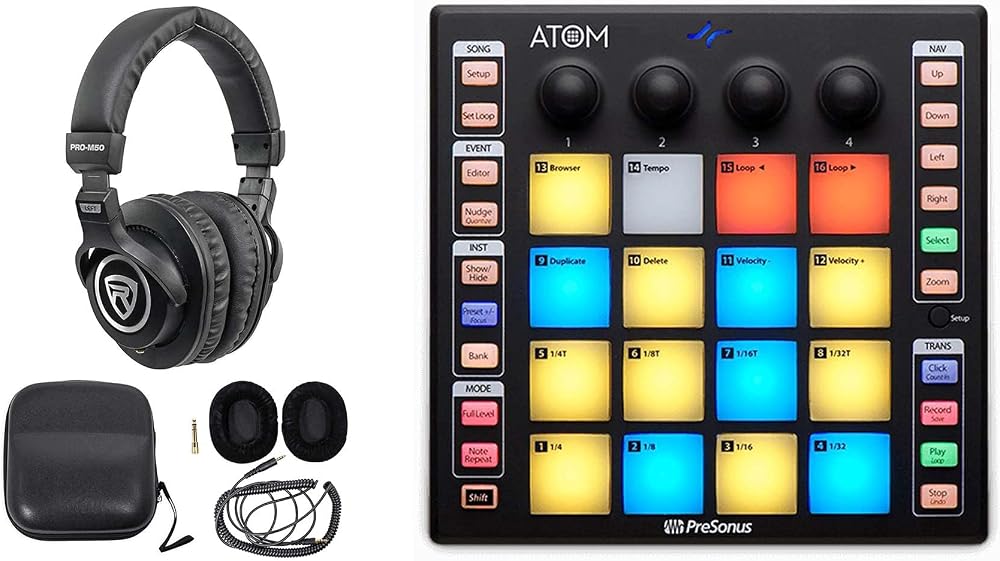
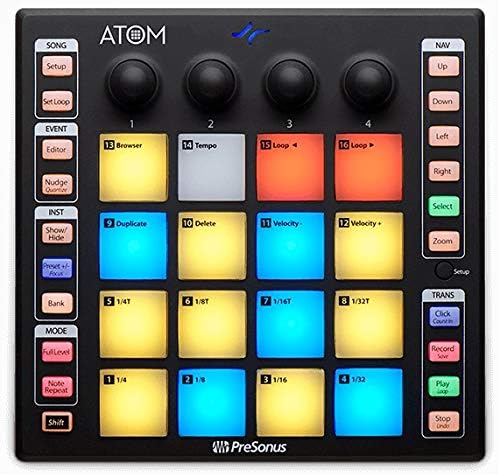
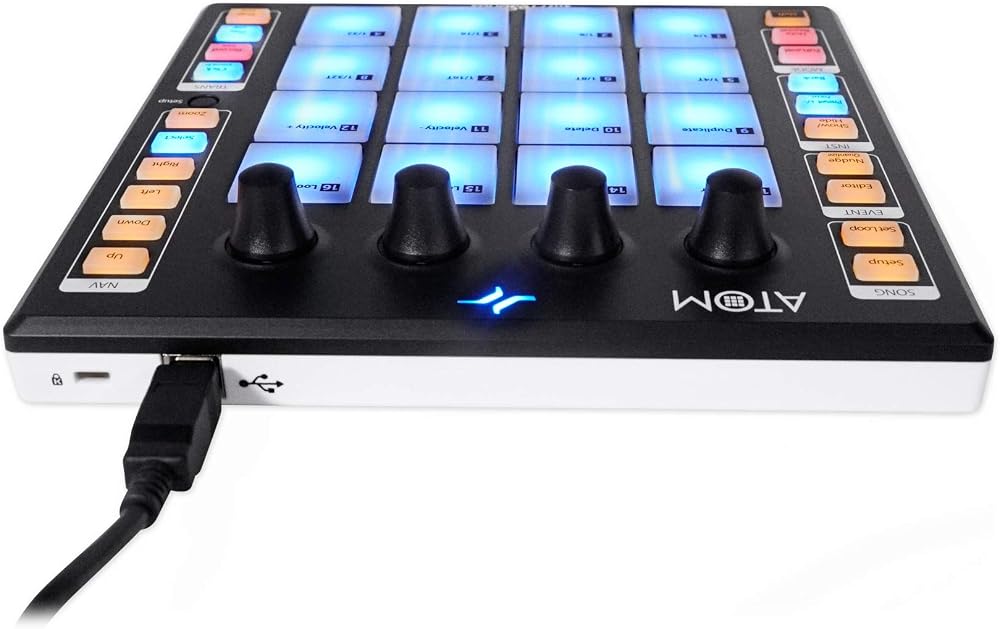
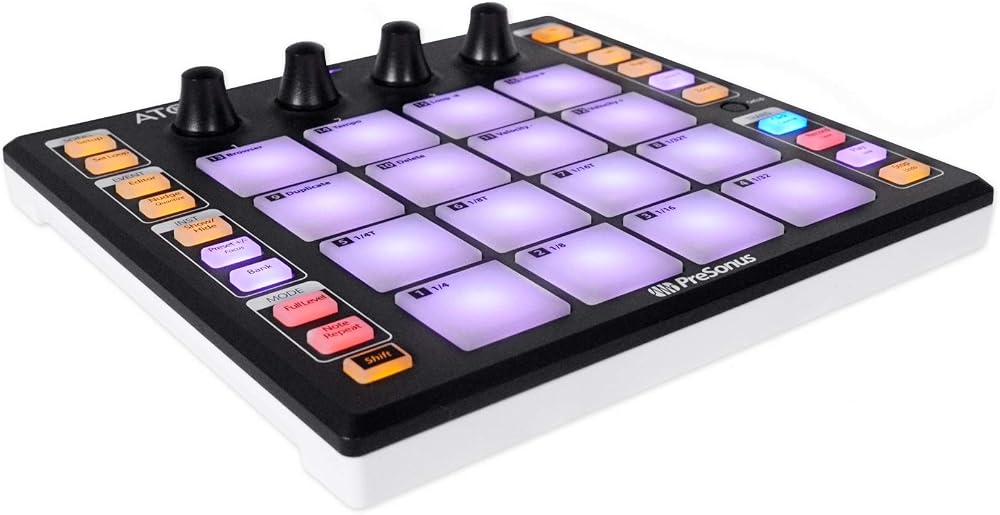
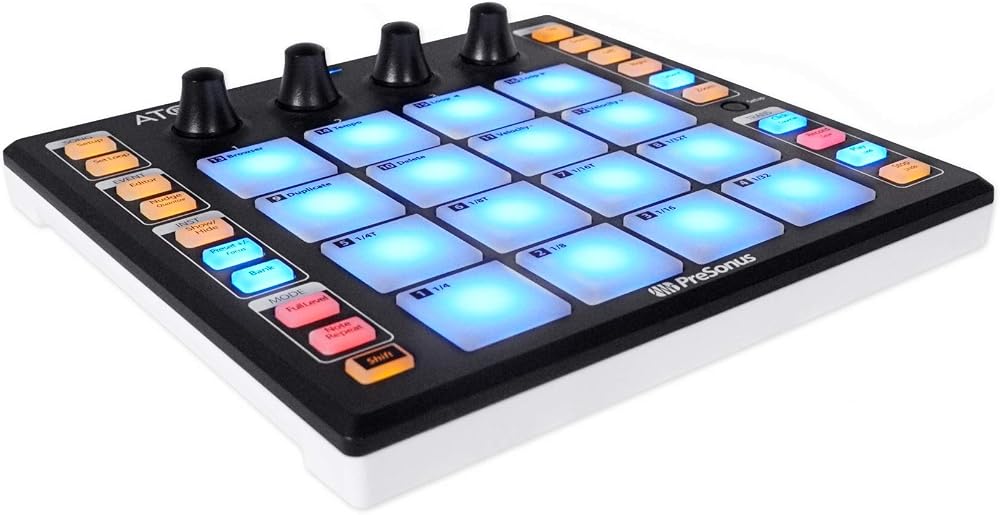
Navigate Up, Down, Left, or Right in Live's Session view in banks of 4 with ATOM's navigation buttons. Launch clips and scenes using ATOM's Session mode. RGB LEDs display which clips are playing or stopped and reflect each clip's assigned color. Play virtual instruments and Live's Drum Rack device using ATOM's Note mode. Navigate Live's mixer using ATOM's Channel mode. Select, Solo, and Record Enable channels as well as stop all clips on a selected channel. Knobs are used to change track volume, track panning, Sends A, and Sends B for the selected bank. Switch between Session and Arranger views from ATOM. Record in either Session Record or Arranger Record modes. Dedicated User mode for custom user assignments. Metronome On/Off, Save and Undo, Loop On/Off, and more. NOTE: In order to utilize these features in Live, ATOM firmware must be updated to version 3.4 (released via Universal Control on November 19, 2019). Advanced integration features are only available with Ableton Live 10.1.5 or later.?. Modes*. MIDI "keyboard" mode. Note Repeat mode. Full Velocity mode (only send velocity 127). *May vary depending on application. Connections. USB 2.0. Included Software. Studio One Artist production software for Mac and Windows. Ableton Live Lite (for registered users after October 20, 2019). MVP Loops content custom-designed for ATOM. Compatible with most music production and performance software for Mac and Windows. Mac. Mac OS X 10.11 or higher (64-bit only). Intel Core 2 Duo processor (Intel Core i3 or better recommended). Windows. Windows 7 (SP1 + platform update), Windows 8.1, or Windows 10 (64-bit only). Intel Core Duo or AMD Athlon X2 processor (Intel Core 2 Duo or AMD Athlon X4 or better recommended). Mac and Windows Systems. 4 GB RAM (8 GB or more recommended). USB 2.0 port. Internet connection (needed for software installation and activation). Monitor with 1366 x 768 resolution (high-dpi monitor recommended). 40 GB hard-drive space. Universal Control 2.9
 Audiosavings Bundle:(1) Gemini CDM-4000BT Dual DJ CD/USB Media Player with Bluetooth + Mixer Bundle with (1) Rockville DJ1500 DJ Headphones w/Detachable Coil Cable, Case+Extra Ear Pad (Items 2)
SAR 1,925
Audiosavings Bundle:(1) Gemini CDM-4000BT Dual DJ CD/USB Media Player with Bluetooth + Mixer Bundle with (1) Rockville DJ1500 DJ Headphones w/Detachable Coil Cable, Case+Extra Ear Pad (Items 2)
SAR 1,925
 Audiosavings Bundle:(1) Gemini CDM-4000BT Dual DJ CD/USB Media Player with Bluetooth + Mixer Bundle with (1) Rockville RMC-XLR High-End Metal DJ Handheld Wired Microphone Mic w (2) Cables (Items 2)
SAR 1,781
Audiosavings Bundle:(1) Gemini CDM-4000BT Dual DJ CD/USB Media Player with Bluetooth + Mixer Bundle with (1) Rockville RMC-XLR High-End Metal DJ Handheld Wired Microphone Mic w (2) Cables (Items 2)
SAR 1,781
 Audiosavings Bundle: Chauvet DJ GIGBAR Bridge ILS Lighting Kit w/Moving Heads+Wash Lights+Bar+Bag Bundle with Rockville Fog/Smoke Machine+Fluid, DJ Headphones w/Cable, Case+Extra Ear Pad (3 Items)
SAR 4,033
Audiosavings Bundle: Chauvet DJ GIGBAR Bridge ILS Lighting Kit w/Moving Heads+Wash Lights+Bar+Bag Bundle with Rockville Fog/Smoke Machine+Fluid, DJ Headphones w/Cable, Case+Extra Ear Pad (3 Items)
SAR 4,033
 Audiosavings Bundle: (1) American DJ Encore Profile PRO Color RGBWAL DMX Ellipsoidal Spotlight Bundle with (1) American DJ EPP IRIS Drop in Iris for Encore Profile Pro Color & Profile Pro WW (2 Item)
SAR 6,523
Audiosavings Bundle: (1) American DJ Encore Profile PRO Color RGBWAL DMX Ellipsoidal Spotlight Bundle with (1) American DJ EPP IRIS Drop in Iris for Encore Profile Pro Color & Profile Pro WW (2 Item)
SAR 6,523