Geekworm X651 Open Source KVM Over IP Kit PCIe Version Support KVM V3 PoE ATX Video CSI for Raspberry Pi Compute Module 4 (Not Include Raspberry Pi CM4)
All electronics ship with US style plugs.You may need a voltage converter or a plug adapter.
Special Features
What is it: This kit allows user to realize a KVM project with Raspberry Pi Compute Module 4 (CM4) which can control a computer using a web browser; Supports video and audio; Model: X651 V1.0
Compatiblity and User Manual: 1. for use with Raspberry Pi Compute Module 4 and compatible with all variants; 2. Google Geekworm Wiki and search X651 for user manual
Function: Remotely turn on/ turn off / restart your computer; configure configure the UEFI/BIOS; reinstall the OS using the Virtual CD-ROM or Flash Drive; remote use your keyboard and mouse; Simulate a keyboard, mouse, and a monitor and presented in a web browser, etc
How to Power: 5Vdc +/-5% via POE (IEEE 802.3af, need a POE switch) or Power Input: 5.1Vdc +/-5% , ≥3A power via USB-C port of X651
How to Cool: X651 comes with an active cooling fan (X-FAN30 V1.0) to cool down the Raspberry Pi Compute Module 4, you can also replace it with C235 heatsink
What Included: 1 x X651 V1.0 Expansion Board; 1 x X-FAN30 V1.0 cooling fan board; 1 x 0.96 inch OLED display; 4x Cables; 2x PCI metal bracket; 1 x Screws Pack (Not include Raspberry Pi CM4)
Extra needed to prepare (not included): Raspberry Pi CM4, micro SD card, power adapter or PoE switch


 Raspberry Pi 4 X825-C6(X825 V1.5) Metal Case+Power Switch+Cooling Fan Support X825 2.5 inch SATA SSD/HDD Shield & Raspberry Pi 4 Model B & X735 Only
SAR 115
Raspberry Pi 4 X825-C6(X825 V1.5) Metal Case+Power Switch+Cooling Fan Support X825 2.5 inch SATA SSD/HDD Shield & Raspberry Pi 4 Model B & X735 Only
SAR 115
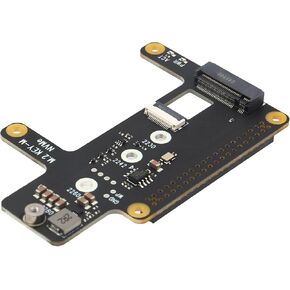 Geekworm X1015 PCIe to M.2 HAT Key-M NVMe SSD Shield for Raspberry Pi 5
SAR 79
Geekworm X1015 PCIe to M.2 HAT Key-M NVMe SSD Shield for Raspberry Pi 5
SAR 79
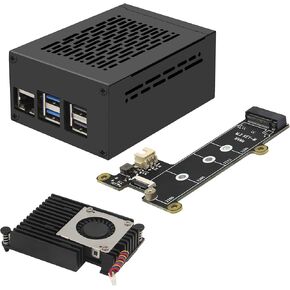 Geekworm X1001 PCIe to M.2 HAT Key-M NVMe SSD PIP Peripheral Board+ P579 Metal Case+Active Cooler H505 for Raspberry Pi 5
SAR 167
Geekworm X1001 PCIe to M.2 HAT Key-M NVMe SSD PIP Peripheral Board+ P579 Metal Case+Active Cooler H505 for Raspberry Pi 5
SAR 167
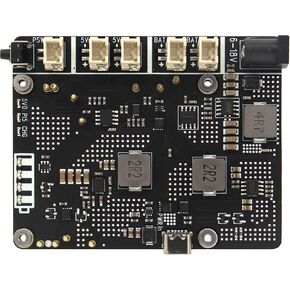 Geekworm X1203 5V UPS Shield for Raspberry Pi 5| Max 5.1V 5A Output|Wide 6-18V Input|Auto Power On|Safe Shutdown|Power Loss Detection
SAR 225
Geekworm X1203 5V UPS Shield for Raspberry Pi 5| Max 5.1V 5A Output|Wide 6-18V Input|Auto Power On|Safe Shutdown|Power Loss Detection
SAR 225




