- Shopping, made easy.
- /
- Get the app!
Item specifics
Condition:New
Features:Portable
Connector B:IDE ATA SATA ATAPI
Connection Split/Duplication:1:1
Connector A:USB 2.0, USB
Cable Length:2.5 ft
Output Voltage:5 V
Type: Adapter/Converter
Color: Black
DEVICE INSTALLATION:
Hardware Install:
1. Confirm the device is under master mode.
2. Connect SATA/IDE connector to SATA/IDE device.
3. Connect AC power to SATA/IDE device.
4. Connect the cable to the USB port of the computer.
Driver Install:
1. Window98: Insert Driver CD to CDROM and run X:\win98\setup.exe before you insert the cable to your computer.
2. Windows2000/me/XP: You don't need to install any driver.
3. Mac 8.6 or higher: Copy Fene USB SATA/IDE_05E3_0702. sit to desk to desk to pand double click it to get driver file. Then copy the driver file to [System Folder][Extensions]. After that, connect the cable to the computer and reboot the system.
PRODUCT FEATURE:
* Connect to the IDE device using USB interface and SATA device too
* USB 2.0 standard, Full speed, 480M bps full speed
* Transfer rate up to 480MBps (USB 2.0 specification), limit depending on the IDE device/SATA device and the driver
* USB 1.1 device interface can be used, (Backward compatible to USB 1.1) * Complies with ATA/ATAPI-66 Specification 1.0
* Easy to use and plug & play
* Supports SATA Hard Disk / ATA/ATAPI CD-ROM/R/RW DVD-ROM (based on ATAPI spec.)
* External power adapter included, for power up the 12V IDE/ATAPI devices Usage
NOTE: The power supply and switch are only for 12V devices. 5V devices don't need to plug the power supply, so if you connect the power supply when using the 5V devices, the power switch will NOT work!
* For easy connect to the IDE device / SATA device and make the hard disk device more portable.
 Analog Thumbstick Joystick Thumb Stick and Black Rocker Cap for PSP 3000 Series Replacement Joystick Module for Sony PSP 3000 3001
SAR 63
Analog Thumbstick Joystick Thumb Stick and Black Rocker Cap for PSP 3000 Series Replacement Joystick Module for Sony PSP 3000 3001
SAR 63
 INGQI 3D Analog Stick Joystick Thumbstick Thumb Stick Rocker Replacement for Sony PSP 2000 2001 Slim Controller
SAR 63
INGQI 3D Analog Stick Joystick Thumbstick Thumb Stick Rocker Replacement for Sony PSP 2000 2001 Slim Controller
SAR 63
 INGQI Professional Outer Housing Shell Buttons Pads Covers w/Screwdrivers Suitable for Nintendo 3DS External Shell Replacement Parts(Aqua Blue)
SAR 183
INGQI Professional Outer Housing Shell Buttons Pads Covers w/Screwdrivers Suitable for Nintendo 3DS External Shell Replacement Parts(Aqua Blue)
SAR 183
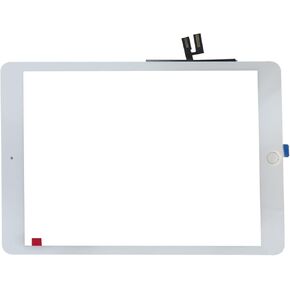 10.2'' Touch Screen Digitizer Glass Replacement for iPad 7th/8th Generation - Black
SAR 84
10.2'' Touch Screen Digitizer Glass Replacement for iPad 7th/8th Generation - Black
SAR 84




