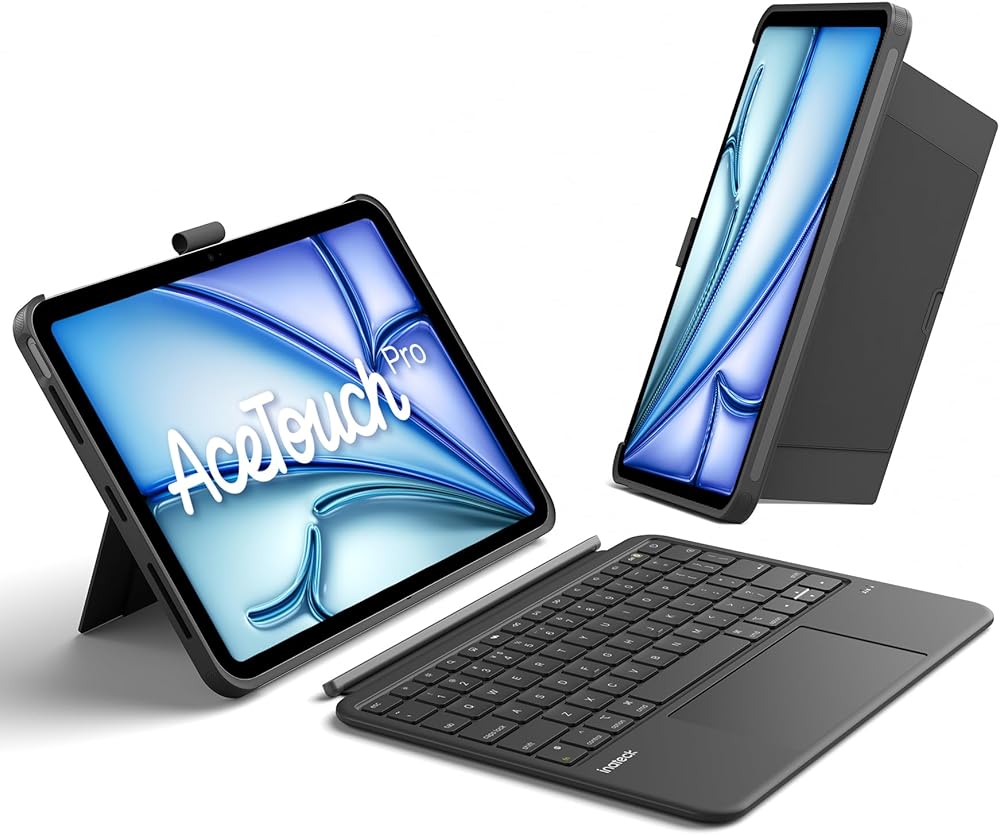
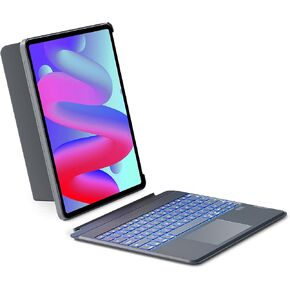
Inateck AceTouch Protective Keyboard Case for iPad Air 11-inch (M4 2026/M3 2025/M2 2024) & iPad Pro 11/Air 5th/4th, Detachable Keyboard with 5.1" Larger Touchpad, with Pencil Holder,QWERTY
Slim and Lightweight for On-the-Go Use: The keyboard is only 7.6 mm thin and weighs just 530 g, making it 150 g lighter than other fully equipped keyboards. Whether you hold it in your hand or put it in a bag or backpack, it's very easy to transport. The hidden pencil holder design makes traveling even more convenient
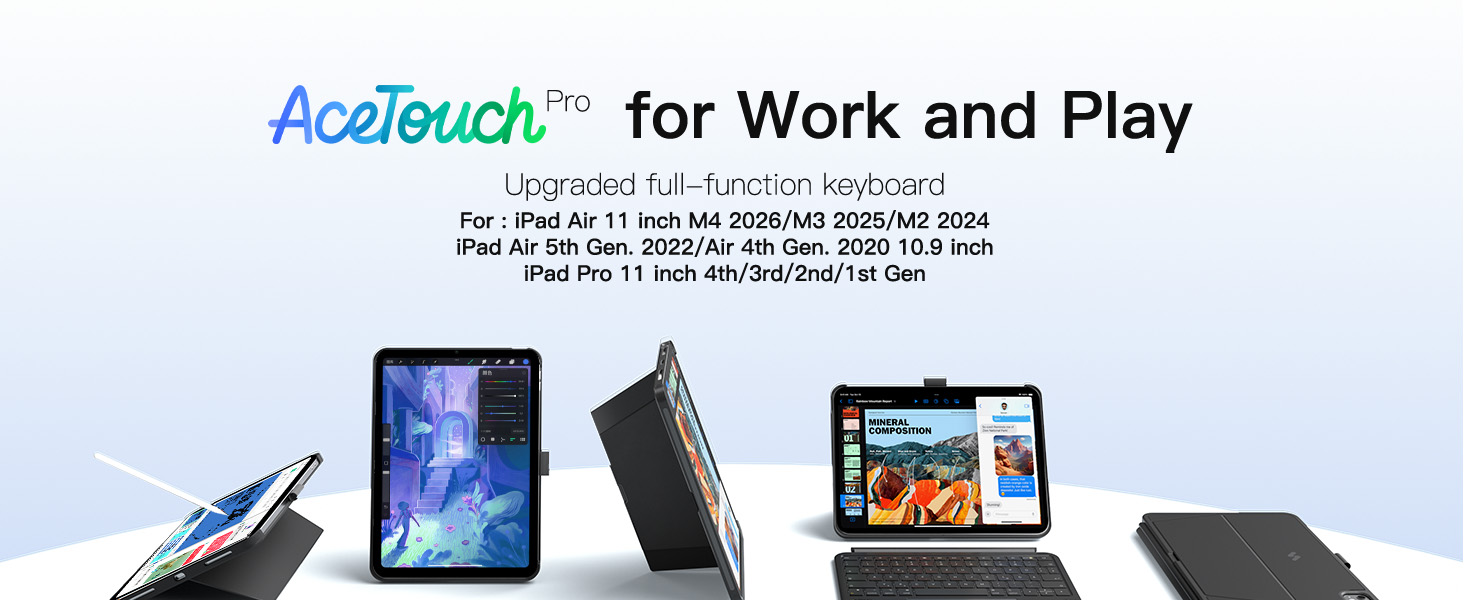
Compatibility: Specifically designed for iPad Air 11-inch M4 2026/M3 2025/M2 2024, iPad Air 5th/4th (10.9-inch) and iPad Pro 11-inch 1st/2nd/3rd/4th Gen. It is not compatible with other models. Please check the model number starting with "A" on the back of your iPad before purchase
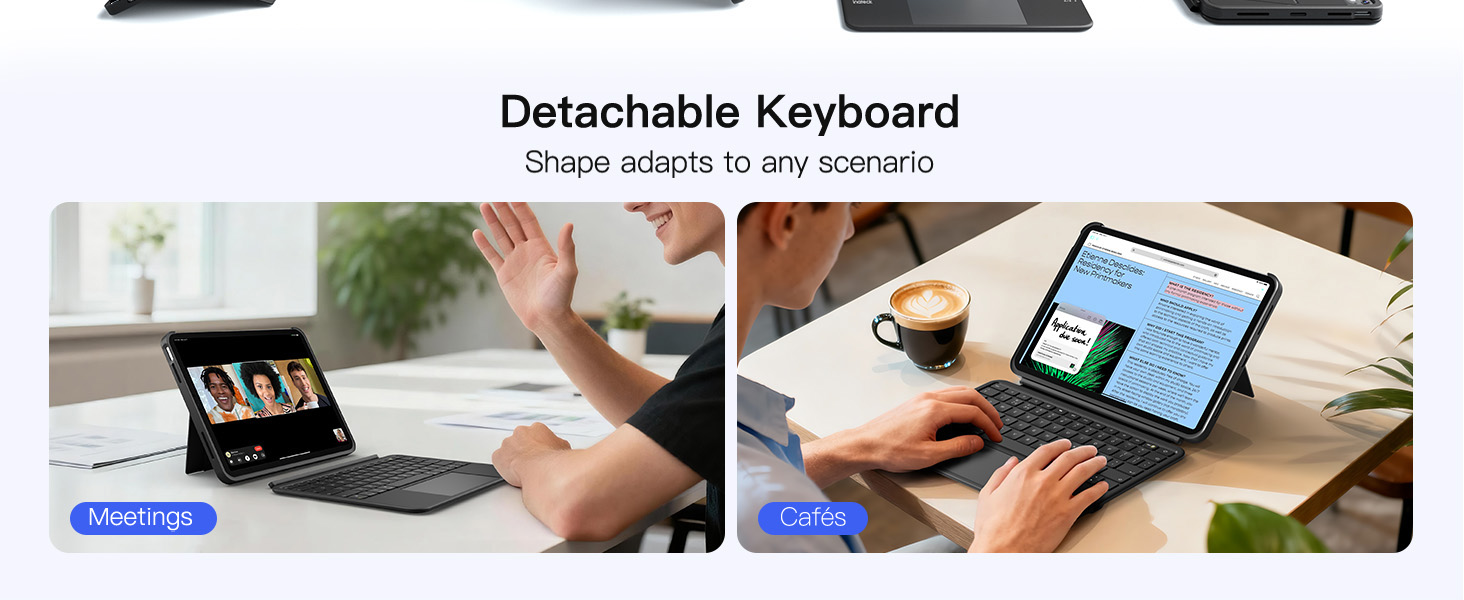
Multiple Modes: Works as both an iPad and a laptop. The keyboard and protective case are magnetically connected and can be easily detached in just 1 second. You also enjoy a stable hold with a single case. Supports dual vertical placement and charging during use, offering more possibilities for different scenarios such as working, learning, watching movies, drawing, reading, etc
Larger Touchpad Experience: The AceTouch Pro features a large 5.1-inch full-surface touchpad (118 × 60 mm). The 70% enlarged area allows for smoother and more precise control, supports iPadOS gestures with palm rejection and precision. It becomes an efficient helper for design, work, and writing
Enhanced Haptics: The keycaps have a unique spray coating for skin-friendly touch. 1 mm key travel and scissor mechanism with pleasant rebound. Larger keys fit well on the fingertips and reduce fatigue during long writing sessions. 14 independent shortcut keys for one-touch switching. The Bluetooth 5.3 chip offers lower latency and stronger interference resistance for fast multitasking
Invisible Pencil Holder Design: The pencil holder is invisibly designed. When needed, it can be taken out to safely store the Pencil and avoid scratches and loss. When not in use, the pencil holder can be hidden in the protective case to maintain smooth lines and emphasize the stylish look of your device
Preparation: Follow these steps to make your trackpad more efficient: Go to Settings > General > Trackpad, move the slider to the middle for pointer speed, and enable "Tap to Click" and "Secondary Click with Two Fingers"

 Inateck Surface Go Keyboard, Bluetooth 5.1, 7-Color Backlight, Compatible with Surface Go 1 and Go 2 (2020 New), KB02009 Black
SAR 209
Inateck Surface Go Keyboard, Bluetooth 5.1, 7-Color Backlight, Compatible with Surface Go 1 and Go 2 (2020 New), KB02009 Black
SAR 209
 -15%
Inateck iPad 10 Case with Keyboard, Ultralight Keyboard Case for iPad 10 Gen 2022, iPad Air 5/4 (2022/2020) 10.9", iPad Pro 11 4/3/2/1, QWERTY, with Pencil Holder, BK2007
SAR 152
-15%
Inateck iPad 10 Case with Keyboard, Ultralight Keyboard Case for iPad 10 Gen 2022, iPad Air 5/4 (2022/2020) 10.9", iPad Pro 11 4/3/2/1, QWERTY, with Pencil Holder, BK2007
SAR 152
 Inateck iPad 12.9 Case with Keyboard for iPad Pro 6th /5th/4th/3rd Generation 12.9", Magic Keyboard 12.9, Multi-Touch Trackpad, 3-Zone Backlight, Shortcut Keys, Magnetic, KB09118
SAR 365
Inateck iPad 12.9 Case with Keyboard for iPad Pro 6th /5th/4th/3rd Generation 12.9", Magic Keyboard 12.9, Multi-Touch Trackpad, 3-Zone Backlight, Shortcut Keys, Magnetic, KB09118
SAR 365
 Inateck iPad Air 13(2024) Keyboard Compatible with iPad Pro 12.9" 6/5/4/3 Gen iPad Pro 12.9, Horizontal Vertical Magnetic Removable with 7-Color Backlit and Multi-Touch Trackpad, KB04118
SAR 365
Inateck iPad Air 13(2024) Keyboard Compatible with iPad Pro 12.9" 6/5/4/3 Gen iPad Pro 12.9, Horizontal Vertical Magnetic Removable with 7-Color Backlit and Multi-Touch Trackpad, KB04118
SAR 365

